
Delidding is the practice of removing a CPU’s metal heat spreader (the IHS) to replace the factory thermal interface underneath with a better compound or liquid metal. Enthusiasts do it to drop temperatures dramatically, but it is risky and largely irreversible. For most gamers, the honest answer is that it is not worth it, but there are real exceptions worth understanding before you decide.
As an Amazon Associate we earn from qualifying purchases at no extra cost to you.
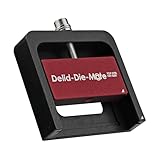


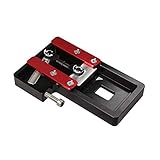
Our Top Picks


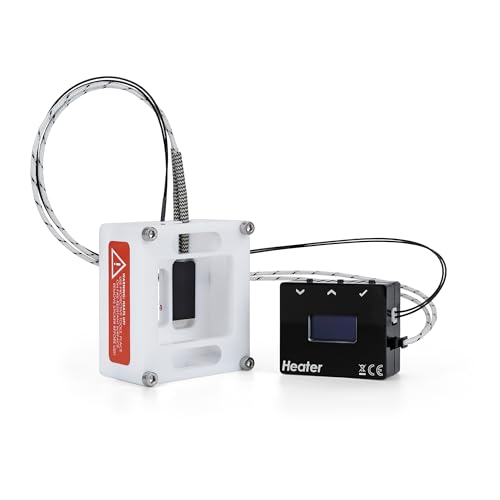

Top 3 picks at a glance
What delidding actually does
Between the CPU die and its heat spreader sits a thermal interface material. On some chips this is a paste that ages and insulates more than it should. Replacing it with liquid metal can cut temperatures substantially because heat moves from the die to the cooler far more efficiently. The gain is thermal, not raw speed, though cooler chips can boost longer and more consistently.
Typical outcomes
| Aspect | Before delid | After delid |
|---|---|---|
| Peak load temp | Baseline | ~5–20 °C lower |
| Sustained boost clocks | May throttle | Held longer |
| Warranty | Intact | Voided |
| Risk of damage | None | Real, if careless |
The risks
Delidding voids your warranty and can kill the CPU if you crack the die, damage surface-mount components, or let conductive liquid metal touch the wrong parts. Liquid metal is electrically conductive and corrodes aluminum, so it demands careful application and containment. A single slip can turn an expensive chip into scrap, and there is no undo button once the die is exposed and the interface is changed.
Who should consider it
- Experienced builders comfortable with high-value, delicate hardware.
- Owners of chips known to run hot due to a poor factory interface.
- Overclockers chasing sustained clocks who have exhausted cooling and power tuning.
Cheaper wins first
Before delidding, exhaust the safe options. A better air cooler or a larger radiator, a fresh application of quality paste on top of the IHS, undervolting, and improving case airflow can each shave several degrees with zero risk. Undervolting in particular often recovers most of the thermal benefit of a delid while keeping your warranty intact, and it takes an afternoon of testing rather than a nerve-wracking teardown.
Weigh it against how you actually game
The final question is whether your CPU is even the thermal problem. Many gamers are GPU-bound, meaning the graphics card, not the processor, sets the frame rate and the CPU rarely reaches its thermal limit during play. In that common case, a delid changes nothing you can feel, because the chip was never throttling to begin with. Delidding only pays off when the CPU genuinely runs into its thermal ceiling under your real workload, and even then a strong cooler plus an undervolt usually gets you most of the way there. Check your CPU temperatures during an actual gaming session first; if they sit comfortably below the throttle point, the answer is simple: skip it.
FAQ
Does delidding increase gaming performance?
Only indirectly. It lowers temperatures, and a cooler chip can hold its boost clocks longer, which may add a few frames in CPU-bound scenarios. If your CPU already stays well below its thermal limit, delidding will not raise fps.
Can I reverse a delid?
You can reseat the heat spreader, but the warranty is gone and residual liquid metal complicates any return. Treat it as a one-way decision and only do it on a chip you are willing to risk.
Bottom line
For the average gamer, delidding is not worth the risk. Undervolting, a stronger cooler, fresh paste, and better airflow deliver much of the thermal benefit safely and keep your warranty. Check whether your CPU actually throttles during real gaming; if it does not, a delid changes nothing you can feel. It earns its place only for experienced enthusiasts with a hot-running, throttling chip who have already maxed out cooling and accept that a mistake can destroy the CPU.






