Most Black Ops 7 PC problems fall into two groups. If the game will not launch, shows a TPM or Secure Boot message, or drops you into limited matchmaking, your PC is failing RICOCHET Anti-Cheat’s security checks: enable TPM 2.0 (Intel PTT or AMD fTPM) and Secure Boot in UEFI mode, update your BIOS, and run Activision’s Secure Attestation Wizard. If the game launches but crashes or stutters, rebuild shaders from the Graphics menu, verify files, lower VRAM use, turn off overlays and HDR, and remove overclocks. This guide walks through both in order, with the exact checks to run.
Our Top Picks
 ASUS Prime Radeon RX 9070 XT 16GB GDDR6RX9070XT|OC|Black12.3 x 5.1 x 2 inches3.3 poundsCheck on Amazon
 GIGABYTE GeForce RTX 5070 Gaming OC 12G GraphicsRTX507012.87 x 5.2 x 2.2 inches4.4 PoundsCheck on Amazon

Top 3 picks at a glance
Verdict at a glance
- Fix for “TPM 2.0” or “Secure Boot” errors: Enable TPM 2.0 and Secure Boot in the BIOS, with Windows installed in UEFI mode on a GPT disk.
- Fix for “Failed Attestation” or Nuketown-only matchmaking: Update the BIOS (especially on AMD), then run the Call of Duty Secure Attestation Wizard.
- Fix for stutter after updates: Restart shader installation in the Graphics menu and let it finish before queueing.
- Fix for crashes and DEV ERRORs: Verify files, lower texture and VRAM settings, disable overlays and HDR, and remove GPU overclocks.
- Fix for whole-PC restarts: Check PSU, temperatures and CPU stability; the game is exposing a hardware problem.
Why Black Ops 7 requires TPM 2.0 and Secure Boot
Activision announced in August 2025, alongside the Black Ops 6 and Warzone Season 5 update, that TPM 2.0 and Secure Boot would be required when Black Ops 7 launched. Tom’s Hardware and Overclock3D reported the requirement at the time, and Activision described the two features as verifying a PC’s integrity from startup to gameplay, working together with RICOCHET Anti-Cheat. The requirement applied to both the October 2025 beta and the November 2025 launch.
In 2026 Activision went further. According to its Season 04 anti-cheat update, as quoted by community guides and Steam forum posts, the game now uses Microsoft Azure Attestation: instead of only checking for TPM 2.0 locally, it sends security data to Microsoft for validation. Players who fail are placed into a separate matchmaking pool limited to Nuketown 24/7 in Black Ops 7 and Battle Royale Casual in Warzone. This is a configuration check, not a ban, and your account is not flagged.
Black Ops 7 PC requirements
| Tier (Activision) | CPU | GPU | RAM | VRAM |
|---|---|---|---|---|
| Minimum | Ryzen 5 1400 / Core i5-6600 | RX 470 / GTX 970 or GTX 1060 / Arc A580 | 8GB | 3GB |
| Recommended | Ryzen 5 1600X / Core i7-6700K | RX 6600 XT / RTX 3060 / Arc B580 | 12GB | 8GB |
| Competitive and Ultra 4K | Ryzen 5 5600X / Core i7-10700K | RX 9070 XT / RTX 4080 or RTX 5070 | 16GB | 16GB |
All tiers need TPM 2.0 and Secure Boot, an SSD, and a CPU with AVX support. Intel Arc GPUs require Resizable BAR. The minimum tier lists Windows 10, which still works as long as TPM and Secure Boot are on.
Part 1: Fix TPM 2.0 and Secure Boot errors
Step 1: Check your current status in Windows
- Press Win + R, type tpm.msc and press Enter. Under Status it should read that the TPM is ready for use, and under TPM Manufacturer Information the Specification Version should be 2.0.
- Press Win + R, type msinfo32 and press Enter. In System Summary, check Secure Boot State (should be On) and BIOS Mode (should be UEFI, not Legacy).
- If BIOS Mode says Legacy, Windows is booting through the old compatibility path and Secure Boot cannot be enabled until that changes.
| What msinfo32 / tpm.msc shows | What it means | Fix |
|---|---|---|
| “Compatible TPM cannot be found” | Firmware TPM is off | Enable Intel PTT or AMD fTPM in BIOS |
| Specification Version 1.2 | Old discrete TPM | Use firmware TPM if your CPU supports it, or a TPM 2.0 module |
| Secure Boot State: Off, BIOS Mode: UEFI | Secure Boot simply disabled | Enable Secure Boot, load default keys |
| Secure Boot State: Unsupported, BIOS Mode: Legacy | CSM/Legacy boot on an MBR disk | Convert disk to GPT, switch to UEFI, then enable Secure Boot |
| All correct but attestation fails | Firmware or fTPM version problem | Update BIOS, run the Secure Attestation Wizard |
Step 2: Enable TPM 2.0 in the BIOS
Restart and enter the BIOS (usually Delete or F2 during boot, or via Windows Settings, System, Recovery, Advanced startup, UEFI Firmware Settings). Look under Advanced, Security or Trusted Computing for:
- Intel PTT (Platform Trust Technology) on Intel systems.
- AMD fTPM or AMD CPU fTPM on AMD systems.
- Security Device Support on some boards, which must be enabled first.
Enable it, save and reboot, then confirm with tpm.msc. Any PC that officially runs Windows 11 already has TPM 2.0 available.
Step 3: Enable Secure Boot
Secure Boot requires Windows to boot in UEFI mode from a GPT-partitioned disk. Before changing anything, back up your important files.
- If msinfo32 shows Legacy mode, check the disk in Disk Management: right-click the system disk, choose Properties, then Volumes. If the partition style is MBR, it must be converted to GPT. Microsoft’s built-in MBR2GPT tool can convert the system disk without reinstalling Windows when run from an elevated command prompt; validate first, then convert.
- In the BIOS, disable CSM (Compatibility Support Module) or set Boot Mode to UEFI only.
- Set Secure Boot to Enabled. On many boards you must set Secure Boot Mode to Standard or choose to install default Secure Boot keys first.
- Save, reboot, and confirm Secure Boot State is On in msinfo32.
The catch: If you switch to UEFI before converting an MBR disk, Windows will not boot. Revert to CSM, convert the disk, then try again.
Step 4: Update the BIOS
If TPM and Secure Boot are both on but you still see a firmware or BIOS update message, or fail attestation, update your motherboard BIOS from the manufacturer’s site. Community guides report that older AMD fTPM firmware versions commonly fail the attestation check even when TPM is enabled, so AMD owners in particular should flash the latest BIOS. Reapply your TPM and Secure Boot settings afterwards, since a BIOS update can reset them.
Step 5: Run the Secure Attestation Wizard
Activision’s Call of Duty Secure Attestation Wizard checks your configuration and reports exactly what is failing. Run it after each change. Guides note that some server-class motherboards, virtual machines and cloud PCs cannot pass attestation at all.
Things that do not fix it
- Registry tweaks or tools that bypass Windows 11 TPM checks do not satisfy RICOCHET; they only affect the Windows installer.
- Turning off Secure Boot to run unsigned drivers, older fan tools or Linux dual-boot setups will block the game. Use signed alternatives or a separate boot drive.
Older PCs and edge cases
Most desktop CPUs from Intel’s 8th Gen and AMD’s Ryzen 2000 series onward include firmware TPM 2.0, and most motherboards from that era support UEFI Secure Boot, so the requirement mainly affects older or unusual systems. TechRadar noted at announcement that some players on older hardware would not be able to play at all. If your board predates firmware TPM, a discrete TPM 2.0 module may work if the board has a TPM header, but check compatibility with the manufacturer first.
Dual-boot setups need care. Many Linux distributions support Secure Boot with signed bootloaders, but custom kernels or unsigned drivers will not. Keeping each operating system on its own drive and choosing it from the boot menu is the simplest way to keep Secure Boot on for Windows. Battlefield 6 uses a similar Secure Boot requirement, so the same fix covers both games.
Part 2: Fix Black Ops 7 crashing and DEV ERRORs
1. Check Activision’s Known Issues page first
Activision maintains a Known Issues page for Black Ops 7 on its support site, updated regularly, and posts server status on the Activision Support X account. If a crash appeared right after an update, it may already be listed with a workaround.
2. Verify or repair the game
On Steam, right-click the game, open Properties, Installed Files and choose Verify integrity. On Battle.net, use the gear icon and Scan and Repair. For the Xbox app and PC Game Pass, Activision’s support guidance for 0x errors is to open Settings, Apps, Installed apps, find Call of Duty, open Advanced options, select Terminate and then Repair; reinstall if the error persists.
3. Rebuild shaders
Go to Settings, Graphics and use Restart Shaders Installation, then wait on the main menu until it completes. Stale shaders after a patch cause stutter and crashes when new effects load. If the shader bar freezes, community guides suggest closing the game, deleting the game’s shader cache folder and relaunching without touching the menu until compilation finishes.
4. Lower VRAM pressure
Many DEV ERRORs are memory-related. TechPowerUp’s review notes the game’s VRAM Scale Target option, which caps how much video memory the game may use. Lower it, drop Texture Resolution a step, and set On-Demand Texture Streaming to minimal or off if you see hangs during matches. Notebookcheck found an 8GB RTX 5070 laptop GPU triggered a VRAM warning once ray tracing was enabled, so keep ray-traced reflections off on 8GB cards. GameGPU’s beta testing showed the game will fill most of a card’s memory if allowed.
5. Disable overlays, HDR and capture tools
Turn off Discord, Steam, NVIDIA and Xbox Game Bar overlays, plus RGB and monitoring software that hooks into games. Community troubleshooting reports HDR conflicts as a frequent cause of black screens and crashes; disable HDR in Windows and in game while diagnosing. Switch from exclusive fullscreen to Borderless Windowed if crashes happen at load-in.
6. Update or clean-install GPU drivers
Install the newest Game Ready or Adrenalin driver. If crashes began after a driver update, remove it with Display Driver Uninstaller in Safe Mode and reinstall. Avoid switching to DirectX 11; the game runs on DirectX 12.
7. Remove overclocks and undervolts
GPU overclocks that pass other games often fail in Call of Duty’s shader-heavy loading. Return GPU, CPU and RAM to stock as a test. On Intel 13th and 14th Gen desktop CPUs, update the BIOS to the latest microcode and use Intel’s default power profile, as those chips have a documented instability issue.
8. Reset your config
A corrupted settings file after a patch can cause crashes at launch. Back up and delete the game’s config files in the Call of Duty folder under Documents, then relaunch to regenerate defaults.
Part 3: Fix Black Ops 7 stuttering
- Let shaders finish. The first match after an update or driver change will stutter while caches rebuild.
- Clear the driver shader cache if stutter persists: reset it in AMD Adrenalin, or on NVIDIA set Shader Cache Size to Disabled, reboot and set it back to a large value.
- Cap your frame rate slightly below refresh rate using the in-game limiter.
- Use upscaling sensibly. VGTimes reported a GTX 1650 rising from 53 FPS on Low at 1080p to 66 FPS with FSR 3 Quality, and an RTX 3060 at 119 FPS on optimised settings, so even older cards can hold steady frame rates.
- Keep the game on an SSD with free space; Activision requires one.
- Close background downloads, including Battle.net or Steam updates for other games, which compete for disk bandwidth.
- Test Hardware-accelerated GPU scheduling. Some guides recommend turning it off unless you use frame generation; try both and keep whichever is smoother.
Quick troubleshooting table
| Symptom | Most likely cause | First fix |
|---|---|---|
| TPM 2.0 or Secure Boot message at launch | Feature disabled or Legacy boot | Enable PTT/fTPM and Secure Boot in UEFI mode |
| Only Nuketown 24/7 available | Failed Microsoft Azure Attestation | Update BIOS, run Secure Attestation Wizard |
| Firmware or BIOS update required message | Outdated BIOS or fTPM | Flash latest BIOS, re-enable TPM and Secure Boot |
| Crash during shader install | Corrupt cache or unstable GPU | Delete shader cache, remove GPU overclock |
| DEV ERROR mid-match | VRAM pressure or corrupted files | Lower VRAM Scale Target and textures, verify files |
| Black screen or crash at load-in | HDR or overlay conflict | Disable HDR and overlays, use Borderless |
| Stutter after every patch | Shaders rebuilding | Restart Shaders Installation, wait at menu |
| Whole PC reboots | PSU, heat or CPU instability | Stock clocks, check temps and PSU, update BIOS |
Common mistakes
- Switching to UEFI before converting an MBR disk. Windows will not boot until the disk is GPT.
- Forgetting to re-enable TPM after a BIOS update. Many boards reset to defaults.
- Queueing before shaders finish. It guarantees stutter and raises crash risk.
- Running ray tracing on 8GB cards. It pushes VRAM over the limit.
- Assuming limited matchmaking is a ban. It is an attestation failure; fix the configuration and full playlists return.
Products Mentioned in This Guide
These are specific models from Activision’s Black Ops 7 requirements and the handheld question discussed above.
ASUS Prime Radeon RX 9070 XT 16GB OC Edition
As an Amazon Associate we earn from qualifying purchases at no extra cost to you.

Listed in the Competitive and Ultra 4K tier, which calls for 16GB of VRAM.
GIGABYTE GeForce RTX 5070 Gaming OC 12G

The GeForce option Activision names alongside the RX 9070 XT in the Competitive and Ultra 4K tier.
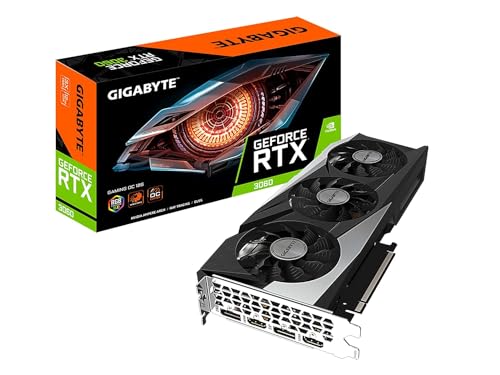
GIGABYTE GeForce RTX 3060 Gaming OC 12G
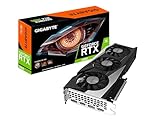
A Recommended-tier card, comfortably above the 8GB of VRAM that tier asks for.
Sparkle Intel Arc B580 Titan OC 12GB
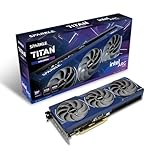
Also in the Recommended tier; remember that Intel Arc GPUs require Resizable BAR for this game.
ASUS ROG Xbox Ally X

Windows handhelds ship with TPM 2.0 and Secure Boot enabled, and TechPowerUp found this one averages around 60 FPS at 1080p with tuned settings.
How we compared
We compiled these steps from Activision’s published requirements and support articles, Microsoft’s documentation for TPM, Secure Boot and MBR2GPT, reporting from Tom’s Hardware, Overclock3D, TechRadar, Windows Central and Forbes, performance findings from TechPowerUp, Notebookcheck, GameGPU, Wccftech and VGTimes, plus community troubleshooting guides and Steam forum reports. We did not bench-test these fixes ourselves. Anti-cheat rules change with seasons, so check Activision’s support site for the latest wording.
Sources
- Activision Support: Black Ops 7 Known Issues; crash and 0x error guidance; TPM 2.0 and Secure Boot requirement
- Call of Duty blog: RICOCHET Anti-Cheat Season 04 update, as quoted by community guides
- Tom’s Hardware, Overclock3D and TechRadar: Black Ops 7 TPM 2.0 and Secure Boot requirement coverage
- Windows Central and Forbes: how to enable Secure Boot and TPM 2.0 for Black Ops 7
- TechPowerUp: Call of Duty: Black Ops 7 Handheld Performance Review (graphics settings)
- Notebookcheck: Black Ops 7 review
- GameGPU, Wccftech and VGTimes: Black Ops 7 PC performance testing
- Microsoft: TPM, Secure Boot and MBR2GPT documentation
- Shacknews, PCGamesN and TweakTown: official PC requirements
Frequently Asked Questions
Does Black Ops 7 really require TPM 2.0 and Secure Boot?
Yes. Activision announced in August 2025 that both would be required at launch on PC as part of RICOCHET Anti-Cheat, and they remain mandatory.
Why am I stuck in Nuketown 24/7 only?
Your PC failed Microsoft Azure Attestation. Activision places those players in a separate pool with limited playlists. Update your BIOS, confirm TPM 2.0 and Secure Boot, and run the Secure Attestation Wizard.
Can I enable Secure Boot without reinstalling Windows?
Usually, yes. If your disk is MBR, Microsoft’s MBR2GPT tool can convert it to GPT, after which you switch the BIOS to UEFI and enable Secure Boot. Back up first.
Does Black Ops 7 work on Windows 10?
The minimum requirements list Windows 10 64-bit, but TPM 2.0 and Secure Boot must still be enabled. Windows 10 no longer receives free security updates, so Windows 11 is the safer choice.
How do I fix DEV ERRORs in Black Ops 7?
Verify files, restart shader installation, lower the VRAM Scale Target and texture settings, disable overlays and HDR, and remove overclocks. Check Activision’s Known Issues page for patch-specific errors.
Why does Black Ops 7 stutter after every update?
Updates invalidate compiled shaders. Use Restart Shaders Installation in the Graphics menu and wait at the main menu until it finishes before playing.
Will disabling Secure Boot get me banned?
No, but the game will not let you play normally. RICOCHET checks your configuration and restricts access until Secure Boot and TPM 2.0 pass attestation.
Can a ROG Ally or other handheld run Black Ops 7?
Yes. Windows handhelds ship with TPM 2.0 and Secure Boot enabled, and TechPowerUp found the ROG Xbox Ally X averages around 60 FPS at 1080p with tuned settings.