
The best USB-C external drive for most people in 2026 is the SanDisk 2TB Extreme Portable SSD. It is the only drive in this roundup that combines a 10 Gbps USB 3.2 Gen 2 link rated up to 1050 MB/s, a full 2 TB of flash capacity, and an IP65 water- and dust-resistance rating in one pocket-sized, bus-powered shell — which means it is the one drive you can carry between a laptop, a tablet and a console without treating it like a fragile object. Buy it if you move large game folders, video projects or photo libraries regularly and you want transfers measured in seconds rather than minutes. Choose the WD 5TB My Passport Ultra instead if capacity per dollar matters more than speed — it holds two and a half times as much data and is the right answer for archival backups that run overnight. Choose the YOTUO 1TB or SSK 250GB if your budget is the binding constraint, and the SSK 128GB dual-connector thumb drive if you just need to move a few files between a phone, a laptop and a TV.
Our Top Picks


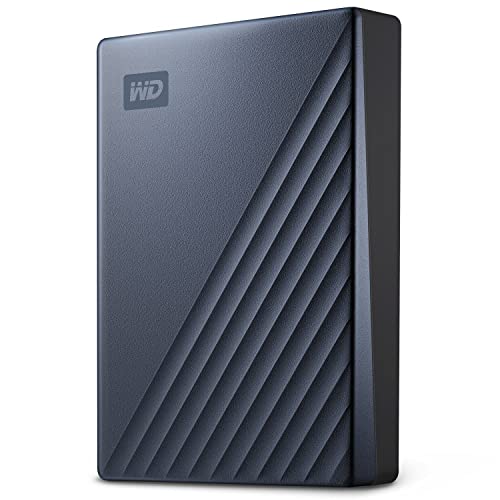


Top 3 picks at a glance
Quick Comparison
Every drive below is bus-powered, connects over USB-C or dual USB-C/USB-A, and works on Windows, macOS, and current PlayStation and Xbox consoles subject to each platform’s rules for running games from external storage. “Price tier” reflects where the drive sits in the market relative to its own capacity class, not a fixed figure — street prices on portable storage move week to week.
| Product | Best for | Key specs | Price tier |
|---|---|---|---|
| SanDisk 2TB Extreme Portable SSD | Rugged all-round carry drive | 2 TB, USB 3.2 Gen 2 over USB-C, rated up to 1050 MB/s, IP65 water/dust resistance, bus-powered | Premium |
| YOTUO 1TB External Hard Drive | Cheap bulk storage with both connector types | 1 TB, 2.5-inch mechanical, USB 3.0 with USB-C adapter/cable, bus-powered, ~100–140 MB/s class | Mid-range |
| WD 5TB My Passport Ultra (Blue) | Maximum capacity for backups | 5 TB, 2.5-inch mechanical, USB-C, USB 3.x class interface, hardware encryption support, bundled backup software with ransomware defence | Premium |
| SSK Portable SSD 250GB | Lowest-cost entry into SSD speeds | 250 GB, USB-C, rated up to 1050 MB/s, aluminium-class portable shell | Mid-range |
| SSK Portable SSD 500GB | Fast working drive on a tight budget | 500 GB, USB-C, rated up to 1050 MB/s | Mid-range |
| YOTUO 750GB External Hard Drive | Cheapest usable console expansion | 750 GB, 2.5-inch mechanical, USB 3.0 & USB-C, bus-powered | Budget |
| SSK Portable SSD 1TB | Large fast project drive | 1 TB, USB-C, rated up to 1050 MB/s, 10 Gbps class | Premium |
| YOTUO 500GB External Hard Drive | Secondary backup of documents and photos | 500 GB, 2.5-inch mechanical, USB 3.0 & USB-C, bus-powered | Budget |
| Lexar D40E 128GB Dual USB 3.2 Gen 1 Type-C Jump Drive | Keyring-sized file shuttle | 128 GB, dual USB-C and USB-A, USB 3.2 Gen 1 (5 Gbps) link, champagne silver metal body | Budget |
| SSK 128GB USB-C Flash Thumb Drive | Phone-to-laptop transfers | 128 GB, dual USB-C + USB-A, rated up to 550 MB/s | Budget |
| SSK 1TB External SSD Dual USB C+A Thumb Drive | Pocket drive with real capacity | 1 TB, dual USB-C + USB-A, USB 3.2, rated up to 550 MB/s | Mid-range |
| WD 4TB My Passport Ultra for Mac (Silver) | Mac-native backups and Time Machine | 4 TB, 2.5-inch mechanical, USB-C and USB 3.1 compatible, ships formatted for macOS | Premium |
How We Chose
This list is built from published manufacturer specifications, platform documentation from Sony, Microsoft and Apple, and the well-documented behaviour of each storage class — not from lab measurement. Four criteria decided what made the cut. First, interface honesty: a drive earns a place only if its connector, its rated link speed and its real-world ceiling line up, so a 10 Gbps USB 3.2 Gen 2 enclosure is judged differently from a 5 Gbps Gen 1 stick even when both advertise similar numbers. Second, category fit: mechanical drives, SATA-class portables, NVMe-class portables and dual-connector thumb drives solve different problems, and each product here is slotted into the job it is genuinely suited to rather than ranked on one axis. Third, use case coverage: the list has to answer the reader who wants a rugged carry drive, the reader backing up a 4 TB photo archive, the reader expanding a console, and the reader who only needs to move a handful of files between a phone and a laptop. Fourth, upgrade path and value: capacity per dollar, whether the drive is likely to still be useful when the next laptop arrives, and whether the connector will survive the move to a machine with fewer USB-A ports. Everything below is described by spec class where an exact figure is not publicly stated, and no performance claim here comes from our own testing.
1. SanDisk Extreme Portable SSD 2TB – Best for Rugged Everyday Carry
As an Amazon Associate we earn from qualifying purchases at no extra cost to you.

The Extreme Portable SSD is the drive to buy when you want one device that can travel between a laptop, a tablet, a phone and a console without you thinking about it. Its listing puts it at 2 TB with a USB 3.2 Gen 2 interface over USB-C, a rated sequential speed of up to 1050 MB/s, and an IP65 rating for water and dust resistance. That combination is unusual: most fast portables are either quick but bare, or rugged but built around a slow mechanical platter.
- Capacity: 2 TB of flash storage
- Interface: USB 3.2 Gen 2 (10 Gbps) over USB-C
- Rated speed: up to 1050 MB/s sequential
- Durability: IP65 water and dust resistance, rubberised shell with a lanyard loop
- Power: fully bus-powered, no external adapter
- Compatibility: Windows, macOS, and console USB storage rules apply
The number that matters is 1050 MB/s, and it is worth understanding why it is close to the ceiling rather than an inflated marketing figure. A USB 3.2 Gen 2 link runs at 10 Gbps raw, but the 128b/132b encoding used at that rate leaves roughly 1212 MB/s of usable payload, and real controllers land in the 950–1100 MB/s band once overhead is counted. So 1050 MB/s is essentially a full-speed Gen 2 drive, not a Gen 1 drive wearing a nicer label. In practice that means a 100 GB game folder copies in roughly two minutes if the source drive keeps up, and a 20 GB video project moves in around twenty seconds.
The IP65 rating is the second reason this drive sits at the top of the list. IP65 means protection against dust ingress and against water projected from a nozzle — it is not a claim that the drive can be submerged, and it does not survive being run over. What it does mean is that a spilled drink, a rain-soaked walk to a car, or a bag full of sand is a non-event. For a drive that lives in a backpack, that is the difference between a tool and a liability.
Pros
- Full 10 Gbps class performance with a rated 1050 MB/s ceiling
- 2 TB of flash capacity in a pocket-sized, bus-powered body
- IP65 rating makes it the most bag-friendly drive here
- Fast enough to edit video projects directly rather than copying first
- Works as a single drive for laptop and console duties
Cons
- Premium tier pricing; the same money buys several times the capacity in a mechanical drive
- Flash capacity costs more per terabyte than any hard drive on this list
- Sustained writes can drop below the rated figure once the drive’s write cache fills
- Overkill if you only move documents and a few photos
Against the nearest alternative, the SSK Portable SSD 1TB, the SanDisk wins on capacity, durability and brand-level firmware maturity, and loses only on price. Against the WD 5TB My Passport Ultra, the choice is purely speed versus space: the SanDisk moves data roughly seven to eight times faster, while the WD holds two and a half times as much. If your workflow involves waiting for file copies, take the SanDisk. If it involves archiving and walking away, take the WD.
2. YOTUO 1TB External Hard Drive – Best for Cheap Bulk Storage With Both Connector Types

The YOTUO 1TB is a straightforward answer to a simple question: what is the cheapest way to add a terabyte to a PC or a console? It is a portable 2.5-inch mechanical drive with both USB 3.0 and USB-C connectivity, bus-powered, and it lands in the mid-range tier because it competes on capacity rather than speed.
- Capacity: 1 TB
- Drive type: 2.5-inch mechanical hard disk
- Interface: USB 3.0, with USB-C connectivity provided for modern laptops
- Speed class: typically 100–140 MB/s sequential for this category
- Power: bus-powered; needs roughly 4.5–5 W at spin-up
- Compatibility: Windows, macOS, consoles that accept USB mass storage
Understanding what a mechanical drive can and cannot do is the whole decision here. A 2.5-inch portable spinning at 5400 rpm typically delivers 100–140 MB/s on large sequential reads and considerably less on small random operations. That is fine for backup, media libraries and archiving, and it is genuinely painful for anything that reads many small files — launching an application, indexing a photo catalogue, or running a game that streams assets constantly. The rule of thumb worth remembering: mechanical drives are good at one big file and bad at ten thousand small ones.
Where the YOTUO 1TB earns its place is cost per terabyte. Portable mechanical storage in this class typically lands somewhere around $18–$25 per terabyte at street prices, against roughly $60–$90 per terabyte for SATA-class portables and $90–$140 per terabyte for 10 Gbps class drives. If you are backing up a 700 GB photo library monthly, the YOTUO does the job for a fraction of the outlay, and the only cost is time: at 130 MB/s, 100 GB takes about thirteen minutes, where the SanDisk takes about two.
Having both USB-A and USB-C options in the box matters more than it sounds. USB-A is still the dominant port on desktops, older laptops, TVs, routers and car head units, while USB-C is now standard on thin laptops and phones. A drive that covers both means you are not hunting for an adapter at the worst moment. Note the interface caveat: a USB 3.0 link is a 5 Gbps connection, so a mechanical drive will never be limited by the port — the platter is the bottleneck by a factor of three or four.
Pros
- Very low cost per terabyte for a full 1 TB
- Includes both USB 3.0 and USB-C connectivity
- Bus-powered, so no separate power brick
- Mechanical drives tolerate long, unattended write sessions well
- Simple, universally recognised mass-storage behaviour
Cons
- Roughly seven times slower than a 10 Gbps SSD on large transfers
- Moving parts make it shock-sensitive; dropping it while spinning can end it
- Poor random-access performance, so it is a bad place to run software from
- Spin-up current draw sits right at the limit of a single standard USB port
The nearest alternative in this list is the YOTUO 750GB, which is cheaper and smaller but otherwise the same class of drive. The 1TB version is the better buy if you can stretch, because the capacity difference is meaningful and the price gap in this tier is usually small. Against the SSK Portable SSD 250GB, you trade raw speed for four times the capacity at a similar or lower outlay — a trade that favours the YOTUO for backup and the SSK for anything interactive.
3. WD 5TB My Passport Ultra (Blue) – Best for Maximum Capacity Backups
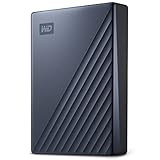
The My Passport Ultra in 5 TB is the capacity champion of this roundup. It is a portable 2.5-inch mechanical drive with USB-C, hardware encryption support, and bundled backup software that includes defence against ransomware — a genuinely useful feature for anyone whose backup drive is permanently attached to a Windows machine.
- Capacity: 5 TB
- Drive type: 2.5-inch mechanical hard disk
- Interface: USB-C, USB 3.x class link
- Speed class: typically 100–140 MB/s sequential, higher on the outer tracks
- Software: bundled backup utility with ransomware protection
- Security: hardware encryption with password protection
- Power: bus-powered
Five terabytes is a lot of data to think about concretely, so here is the arithmetic. At 130 MB/s, a full-drive write of 5 TB — about 5,000,000 MB — takes roughly 10.7 hours. That is an overnight job, and it is exactly the kind of job this drive is built for. Nobody buys a 5 TB mechanical portable to edit from; they buy it because their photo library, their Steam library backup and their family video archive together exceed what an SSD at this price can hold. The right workflow is to schedule the backup, let it run, and never touch it while it is working.
The ransomware-defence feature deserves a closer look than the spec sheet gives it. Ransomware typically encrypts files it can reach and then demands payment. A backup utility that watches for mass file modification and refuses to overwrite good backup versions with encrypted ones is a meaningful layer of protection — but only if the drive is connected when the attack happens and only if you keep versioned backups rather than a single mirror. A mirror backup faithfully copies the encrypted files over the good ones. Versioned backups do not. Configure at least three retained versions if the software offers the option.
Hardware encryption is the other differentiator. Because the encryption is handled by the drive’s controller rather than by software on the host, the data on the platters is unreadable without the password even if the enclosure is removed — a real consideration for a drive that travels. It is not a substitute for encrypting individual sensitive files, but it raises the floor considerably.
Pros
- 5 TB is the largest capacity in this roundup
- Bundled backup software with ransomware defence is genuinely useful
- Hardware encryption with password protection
- USB-C connection suits modern laptops without an adapter
- Excellent cost per terabyte for archival storage
Cons
- Mechanical drive speeds; a full backup is measured in hours
- Heavier and bulkier than any SSD here
- Shock-sensitive when powered
- Overkill if your total data footprint is under a terabyte
Compared with the WD 4TB My Passport Ultra for Mac, this version offers a terabyte more and ships ready for Windows-first workflows, while the Mac edition ships formatted for macOS and includes Time Machine-friendly behaviour. If you live entirely in macOS, the Mac version saves you a reformat. If you move between systems, the blue 5 TB is the more flexible pick. Compared with the SanDisk Extreme, the trade is stark and simple: seven to eight times the speed, or two and a half times the capacity, for a similar outlay.
4. SSK Portable SSD 250GB – Best for the Cheapest Entry Into SSD Speeds

The SSK 250GB is the least expensive way in this list to get a drive that moves data at SSD speed. It is a USB-C portable solid-state drive rated up to 1050 MB/s, which puts it in the same 10 Gbps performance class as drives costing considerably more — the compromise is capacity, not interface.
- Capacity: 250 GB
- Interface: USB-C, USB 3.2 Gen 2 class (10 Gbps)
- Rated speed: up to 1050 MB/s sequential
- Drive type: solid state, no moving parts
- Power: bus-powered
- Form factor: pocket-sized portable enclosure
Here is the worked calculation that decides whether 250 GB is enough. A modern AAA game installation commonly occupies 80–150 GB. Windows itself, with a normal application set, occupies 40–60 GB. A 250 GB drive formatted in exFAT shows about 232 GB of usable space after formatting overhead, which leaves room for roughly one large game plus a working set of project files, or a complete system image plus a document archive — but not both. If your intended use is “carry my current project back and forth”, 250 GB works. If it is “keep my whole library on here”, it does not.
There is a second consideration specific to small SSDs: write endurance and cache behaviour. Flash drives of every size use a portion of their capacity as a fast write cache, and when that cache is exhausted — which happens sooner on smaller drives — write speeds can fall to a few hundred megabytes per second or lower until the drive catches up. On a 250 GB drive, copying 60 GB in one go is much more likely to trigger that behaviour than the same copy on a 1 TB drive. For steady, predictable performance with large transfers, larger capacity is not just more space; it is a better buffer.
Physically, a solid-state portable has obvious advantages over the mechanical drives in this list: no spin-up current spike, no shock sensitivity while running, and silent operation. That makes it a better companion for a laptop used on a train or a sofa, where a mechanical drive’s vibration and sensitivity are a nuisance.
Pros
- Full 10 Gbps class rated speed at an entry-level outlay
- No moving parts; silent and shock-tolerant
- Small, light and genuinely pocketable
- USB-C connection without an adapter on modern laptops
- Fast enough to edit photos and short video clips directly
Cons
- 250 GB fills quickly with modern game and video files
- Smaller drives hit sustained-write slowdowns sooner
- Cost per terabyte is the weakest of any drive here
- Not a sensible long-term archive; capacity will feel tight within a year
The nearest alternative is the SSK 500GB, which doubles capacity for a modest step up in price and is the better value of the two for almost everyone. Choose the 250 GB only if the budget is genuinely fixed or if the drive is a dedicated shuttle for one project at a time. Against the YOTUO 1TB, the decision is speed versus space: four times the capacity, or roughly seven times the transfer rate.
5. SSK Portable SSD 500GB – Best for a Fast Working Drive on a Tight Budget

The SSK 500GB hits the sweet spot that the 250 GB version misses. It keeps the same USB-C interface and the same rated 1050 MB/s ceiling, but doubles the capacity to a point where a working project, a game and an operating system image can coexist without constant housekeeping.
- Capacity: 500 GB
- Interface: USB-C, USB 3.2 Gen 2 class (10 Gbps)
- Rated speed: up to 1050 MB/s sequential
- Drive type: solid state
- Power: bus-powered
- Compatibility: Windows, macOS, console USB storage rules apply
The practical arithmetic: 500 GB formatted in exFAT gives roughly 465 GB usable. That is enough for two large games plus a project folder, or a full system image with room left over, or a 200 GB video project with cache files. The key threshold is that 500 GB is the first capacity in this list where sustained large transfers are unlikely to exhaust the write cache on a single copy operation, which means performance stays closer to the rated figure for longer.
For console use, capacity matters more than people expect. A PlayStation 5 with a 1 TB internal drive typically shows around 667 GB of usable game space, and a handful of large titles will fill it. Adding a 500 GB external drive gives you a place to park games you are not currently playing, and on PlayStation the platform allows PS4 titles to run directly from USB extended storage while PS5 titles can be stored there and moved back to the internal drive when you want to play them. Sony’s requirements for the drive itself are worth noting: USB 3.0 or faster, a minimum of 250 GB, and a maximum of 8 TB. The SSK 500GB clears all three.
On Xbox, the rules differ. Xbox consoles let you store and play backward-compatible titles from a USB drive, but games built specifically for Xbox Series X|S must run from the internal SSD or the proprietary expansion card — they can be stored externally and moved, but not launched from a USB drive. That makes an external drive a parking lot rather than an extension of the fast storage, which is still useful when a single title can occupy 100 GB or more.
Pros
- 500 GB is the practical minimum for a comfortable working drive
- 10 Gbps class performance at a mid-range price
- Small, silent and shock-tolerant
- Clears PlayStation’s 250 GB minimum with room to spare
- Good balance of capacity, speed and portability
Cons
- Still only half the capacity of the SSK 1TB for a modest saving
- Cost per terabyte remains well above any mechanical drive here
- Cannot run Xbox Series X|S optimised titles directly
- No ruggedness rating; treat it as a desk-to-bag drive, not an outdoor one
Against the SSK 1TB, the 500 GB is the value pick only if you are certain your data footprint will stay under about 400 GB. In most cases the 1 TB is the smarter buy because the price step is small relative to the capacity jump. Against the SSK 250GB, the 500 GB is unambiguously the better drive — same speed, twice the room, and a lower risk of sustained-write throttling.
6. YOTUO 750GB External Hard Drive – Best for the Cheapest Usable Console Expansion

The YOTUO 750GB is the budget-tier mechanical option, and it exists to solve one problem: adding usable storage to a console or an older laptop for as little money as possible. It offers USB 3.0 and USB-C connectivity, bus-powered operation, and 750 GB of capacity in a 2.5-inch enclosure.
- Capacity: 750 GB
- Drive type: 2.5-inch mechanical
- Interface: USB 3.0 with USB-C connectivity
- Speed class: typically 100–140 MB/s sequential
- Power: bus-powered, roughly 4.5–5 W at spin-up
- Compatibility: Windows, macOS, PlayStation and Xbox USB storage rules
750 GB clears PlayStation’s 250 GB minimum comfortably, and after formatting it presents around 698 GB of usable space — enough for several PS4 titles running directly from the drive, or a rotating library of stored PS5 games. On a laptop, it is enough for a full system image plus a media library. What it is not is fast. At 130 MB/s, moving a 100 GB game from internal storage to this drive takes about thirteen minutes, and moving it back takes the same. That is tolerable for a one-time parking operation and irritating if you do it weekly.
The bus-power point deserves attention because it is the most common failure mode for cheap portable drives. A standard USB 3.x port supplies 5 V at 0.9 A, which is 4.5 W. A 2.5-inch mechanical drive needs roughly 4.5–5 W at spin-up, briefly, before settling to around 2–3 W while running. That margin is thin. If you connect the drive through an unpowered hub, a monitor’s USB port, a keyboard’s pass-through port or a front-panel header on a cheap case, the drive may click, disconnect, or fail to mount at all. The fix is to plug it directly into a rear motherboard port or into a powered hub — not to buy a different drive.
As a backup target, the YOTUO is honest and unglamorous. It has no encryption layer, no bundled backup suite, and no ruggedness rating, so it is a drive to keep on a desk rather than in a rucksack. Treat it as cheap capacity, and keep a second copy of anything irreplaceable somewhere else.
Pros
- Very low cost for 750 GB
- Works with both USB-A and USB-C hosts
- Clears PlayStation’s minimum capacity requirement
- Bus-powered; no separate power supply
- Fine for overnight backup jobs
Cons
- Mechanical speeds only; large transfers take many minutes
- Thin power margin on weak USB ports
- No encryption, no bundled backup software, no ruggedness rating
- Shock-sensitive while spinning
Compared with the YOTUO 1TB, the 750 GB saves a small amount of money for 25 percent less capacity — the 1 TB is usually the better buy. Compared with the YOTUO 500GB, the 750 GB is the more sensible console expansion because it clears the platform minimums with more headroom. If your priority is speed rather than capacity, the SSK 500GB costs more but moves data about seven times faster.
7. SSK Portable SSD 1TB – Best for Large Fast Project Drives

The SSK 1TB takes the same 10 Gbps class platform as the smaller SSK drives and pairs it with a capacity that makes it a genuine primary working drive rather than a shuttle. Rated up to 1050 MB/s over USB-C, it sits in the premium tier because it competes directly with the better-known portable SSDs on capacity and speed.
- Capacity: 1 TB
- Interface: USB-C, USB 3.2 Gen 2 class (10 Gbps)
- Rated speed: up to 1050 MB/s sequential
- Drive type: solid state
- Power: bus-powered
- Compatibility: Windows, macOS, PlayStation and Xbox USB storage rules
One terabyte of flash at this speed class changes what is possible. A 1 TB drive formatted in exFAT presents roughly 931 GB usable. That is enough to hold an entire video project — source footage, proxies, cache and exports — and still edit directly from the drive without copying to internal storage first. It is enough for a Steam library of eight to twelve large titles. It is enough for a full system image plus a photo archive plus a document backup, all in a device the size of a phone.
The speed ceiling is worth quantifying against a real workflow. Professional 4K footage shot at 60 fps in a 10-bit 4:2:2 intra-frame codec typically runs around 880 Mbps, or about 110 MB/s. A two-camera edit doubles that to 220 MB/s. A four-camera multicam edit reaches roughly 440 MB/s. All of those fit comfortably inside a 10 Gbps link with headroom, which is why a Gen 2 portable SSD can act as a real editing volume while a 5 Gbps drive starts to struggle with multicam and a mechanical drive cannot do it at all. The caveat is random access: scrubbing a timeline generates many small reads, and that is where even a good portable SSD is slower than an internal NVMe drive. Proxies still matter.
Thermal behaviour is the other thing to understand before buying any fast portable SSD. Under a long sustained write, the controller and flash warm up, and once the flash reaches roughly 70 °C the drive typically reduces speed to protect itself — often dropping from around 1000 MB/s to a few hundred until it cools. Short bursts stay fast; a 300 GB continuous copy will not. Metal-bodied enclosures dissipate heat better than plastic ones, and a drive sitting on a hard surface cools better than one on a bed or a lap.
Pros
- 1 TB of 10 Gbps class storage in a pocket-sized body
- Fast enough to edit multi-camera 4K footage directly
- No moving parts; silent and shock-tolerant
- Works across Windows, macOS and consoles
- Best capacity-to-speed balance among the SSK drives
Cons
- Premium tier pricing for a less familiar brand
- Sustained writes can throttle once the drive warms up
- Cannot run Xbox Series X|S optimised titles directly
- No IP rating or ruggedised shell
Against the SanDisk Extreme 2TB, the SSK offers half the capacity and no ruggedness rating for a lower outlay — a reasonable trade if the drive stays indoors. Against the SSK 500GB, the 1 TB roughly doubles capacity for a modest price step and is the version most people should choose. Against the mechanical WD 5TB, you are buying speed and portability with a fifth of the capacity.
8. YOTUO 500GB External Hard Drive – Best for Secondary Document and Photo Backups

The YOTUO 500GB is the smallest mechanical drive in this list, and its job is narrow but real: a cheap second copy of documents, photos and small media libraries. It offers USB 3.0 and USB-C connectivity, bus-powered operation, and 500 GB of 2.5-inch mechanical storage.
- Capacity: 500 GB
- Drive type: 2.5-inch mechanical
- Interface: USB 3.0 with USB-C connectivity
- Speed class: typically 100–140 MB/s sequential
- Power: bus-powered
- Compatibility: Windows, macOS, consoles with USB mass storage support
The case for 500 GB of mechanical storage in 2026 rests entirely on price and on the fact that most people’s irreplaceable data is smaller than they think. A decade of phone photos at 4 MB each and 3,000 shots a year comes to about 120 GB. Two hundred documents a month for five years is under 5 GB. A music library of 5,000 tracks is roughly 40 GB. Add a modest video collection and you land around 300 GB — which fits, with room to spare, and costs less than any solid-state option here.
What it will not do is hold a modern game library. A single current AAA title can exceed 100 GB, and a handful will fill the drive entirely. Nor is it a good place to run software from: mechanical drives handle many small random reads poorly, so launching an application stored on it feels sluggish even though the sequential speed number looks acceptable. Backups, media playback and archives are its strengths.
Two operational notes matter for this class of drive. First, plug it directly into a rear USB port on a desktop or a native port on a laptop; the 4.5–5 W spin-up demand is close enough to a standard port’s 4.5 W budget that weak hubs cause disconnects. Second, avoid physically moving the drive while it is writing. Mechanical heads float microns above the platters, and a drop during a write is the single most common way these drives die.
Pros
- Among the lowest-cost ways to add 500 GB of portable storage
- Dual USB 3.0 and USB-C connectivity
- Bus-powered with no separate adapter
- Adequate for photo, document and music archives
- Simple, driver-free operation on every major platform
Cons
- 500 GB is small for modern game or video libraries
- Mechanical speeds and poor random access
- No encryption or bundled backup software
- Shock-sensitive while powered
The closest alternative is the YOTUO 750GB, which adds 250 GB for a small price increase and is the better buy if you are not certain 500 GB is enough. Against the SSK Portable SSD 250GB, the YOTUO holds twice the capacity at similar cost but moves data roughly seven times slower — a straight space-versus-speed trade. For pure archiving, take the YOTUO; for anything you will actively work from, take the SSD.
9. Lexar D40E 128GB Dual USB 3.2 Gen 1 Type-C Jump Drive – Best for Keyring-Sized File Shuttling

The Lexar D40E is a dual-connector jump drive with both USB-C and USB-A plugs in a champagne-silver metal body. It is a budget-tier product and it does not pretend to be a portable SSD — its role is moving files between devices that cannot otherwise talk to each other.
- Capacity: 128 GB
- Connectors: USB-C and USB-A on the same body
- Interface: USB 3.2 Gen 1 (5 Gbps link class)
- Speed class: jump-drive class, well below SSD portables on large transfers
- Build: metal body, keyring-friendly form factor
- Power: bus-powered
The interface label is where most buyers get misled, so it is worth decoding. USB 3.2 Gen 1 is the renamed original USB 3.0 standard: a 5 Gbps link with 8b/10b encoding, which leaves a theoretical 500 MB/s of payload and, in practice, around 400–450 MB/s at best. Dual-connector jump drives in this class rarely approach even that ceiling on sustained writes; they behave like fast USB 3.0 flash drives, not like the 1050 MB/s portables elsewhere in this list. The Gen 1 label describes the port, not the performance you should expect from the memory inside.
Where it earns its place is convenience. The USB-C plug connects directly to a modern phone, tablet, MacBook or handheld console without an adapter; the USB-A plug connects to a desktop, a TV, a car head unit or an older laptop. That single object replaces a cable and an adapter, which is exactly what you want when the task is “get these twenty photos off my phone and onto my parents’ PC”. For that job, a jump drive is faster in wall-clock terms than a portable SSD, because you spend no time finding a cable.
128 GB is a sensible size for this role. It is enough for several thousand photos, a few hours of 1080p video, or a set of installation files, and it is small enough that losing it is annoying rather than catastrophic. The metal body is more durable than the plastic shells common at this price, though no jump drive should be treated as rugged — the connector itself is the weak point, and repeated bending stress on a keyring is what kills these devices.
Pros
- Both USB-C and USB-A connectors on one device
- No cable or adapter required on either end
- Metal body is more robust than typical plastic sticks
- Ideal for phone-to-PC and phone-to-TV file moves
- Very low cost for 128 GB
Cons
- Jump-drive class performance, far below portable SSDs
- The USB 3.2 Gen 1 label does not mean 1050 MB/s
- Easy to lose because of its size
- Not suitable for running software or editing from
The nearest alternative is the SSK 128GB USB-C Flash Thumb Drive, which offers the same dual-connector idea and a higher rated speed of up to 550 MB/s. If you want the fastest small shuttle, the SSK is the stronger specification. If you want a metal body and a design that survives a keyring, the Lexar D40E is the better object. Neither replaces a portable SSD for large transfers.
10. SSK 128GB USB-C Flash Thumb Drive – Best for Phone-to-Laptop Transfers
The SSK 128GB is a dual USB-C and USB-A thumb drive rated up to 550 MB/s. That rating is notably higher than the USB 3.2 Gen 1 ceiling of 500 MB/s, and the explanation is straightforward: the drive almost certainly runs a faster controller on its USB-C side and falls back to the 5 Gbps class when used through the USB-A plug.
- Capacity: 128 GB
- Connectors: USB-C and USB-A
- Rated speed: up to 550 MB/s
- Interface class: dual-mode; the USB-C side is the fast path
- Power: bus-powered
- Compatibility: Windows, macOS, Android phones and tablets with USB-C host support, consoles for media playback
The 550 MB/s figure is the highest rating of any thumb drive in this roundup, and it is worth understanding what it does and does not promise. It describes peak sequential read on the USB-C connector under ideal conditions. Real transfers of many small files — a photo library, a project folder, a set of documents — will run far below that, because thumb drives have limited random-access capability compared with a full portable SSD. For one large file, the difference is noticeable; for ten thousand small ones, it is not.
Where this drive genuinely shines is on Android phones and tablets. Modern Android devices expose USB-C in host mode, so a drive like this can be mounted directly in a file manager, letting you move photos, videos and downloads off a phone without a PC in the loop. That is a workflow the larger portable SSDs technically support but practically discourage, because they are bulkier and need to be carried in a bag rather than a pocket.
Two practical warnings. First, thumb drives of this shape generate noticeable heat during sustained writes, and the metal connector housing is often the hottest part — that is normal, but it means long continuous copies will slow down. Second, the physical connector is the failure point. Inserting and removing a thumb drive dozens of times a week will eventually loosen the port on the device, not just the drive. Use a short USB-C extension cable for a drive that lives plugged in.
Pros
- Up to 550 MB/s rated, the fastest thumb drive here
- Dual USB-C and USB-A connectors cover every host
- Works directly with Android phones and tablets in host mode
- Small enough for a pocket or a keyring
- Low cost for 128 GB
Cons
- Thumb-drive random performance, not SSD performance
- Noticeable heat during long writes
- Connector wear is a real long-term risk
- Too small to be a backup target for a modern PC
Compared with the Lexar D40E, the SSK is faster on paper and the Lexar is arguably tougher in the hand. Compared with the SSK 1TB thumb drive, the 128 GB version is a pure shuttle while the 1 TB version starts to be a usable pocket drive. If you only need to move files, 128 GB is plenty; if you want to carry a working library, step up.
11. SSK 1TB External SSD Dual USB C+A Thumb Drive – Best for a Pocket Drive With Real Capacity

The SSK 1TB thumb drive is an unusual product: a flash-drive form factor with a terabyte inside and a dual USB-C plus USB-A connection, rated up to 550 MB/s. It sits in the mid-range tier because it offers portable-SSD capacity at thumb-drive convenience, with a performance ceiling below the 1050 MB/s portables.
- Capacity: 1 TB
- Connectors: USB-C and USB-A on the same body
- Rated speed: up to 550 MB/s
- Interface: USB 3.2 class; USB-C side is the fast path
- Power: bus-powered
- Compatibility: Windows, macOS, Android host mode, console media playback
The value proposition is capacity density. A 1 TB portable SSD occupies roughly the volume


