- Top Pick: BenQ ZOWIE XL2586X
- Runner-up: ASUS ROG Swift OLED PG27AQWP-W
- Also consider: MSI MAG 272QP QD-OLED X50
A 500Hz gaming monitor refreshes the image five hundred times every second, which cuts the time between frames to about two milliseconds and makes fast mouse movements look noticeably clearer than on a 240Hz screen. This class exists for one reason: competitive players in titles like Counter-Strike 2, Valorant and Apex Legends want the lowest possible display delay and the cleanest motion they can get, and accept trade-offs in resolution, screen size and extras.
The current 500Hz class splits into two families. The first uses small 24.1 to 24.5 inch 1080p panels, in Fast TN or Fast IPS, tuned purely for speed. The second uses 26.5 inch 1440p QD-OLED or tandem OLED panels that reach 500Hz or 540Hz while keeping the contrast and color quality that LCD esports panels give up. This guide compares five monitors from both families and explains the specs that actually matter at this refresh rate.
As an Amazon Associate, we earn from qualifying purchases.
Top 3 picks at a glance
Quick Answer
The best 500Hz gaming monitors split into two camps: 24-inch 1080p TN and IPS panels like the BenQ ZOWIE XL2586X and Alienware AW2524HF for pure esports speed, and 27-inch 1440p QD-OLED models like the MSI MAG 272QP X50 and Acer Predator X27U F5 that pair 500Hz with far better image quality.
The Best 500Hz Gaming Monitors
BenQ ZOWIE XL2586X

The XL2586X is the monitor built most directly for tournament play. Its 24.1 inch Fast TN panel runs at a native 540Hz, and BenQ pairs it with DyAc 2, the current version of the backlight strobing system that inserts black frames to sharpen moving images. A shielding hood blocks stray light from the screen, the S-Switch puck lets you jump between saved picture profiles without opening the menu, and the stand uses a ball bearing height mechanism designed for quick, precise adjustment at a LAN desk.
Specs:
- Screen size: 24.1 inches
- Resolution: 1920 x 1080 (Full HD)
- Panel type: Fast TN with DyAc 2 motion clarity technology
- Refresh rate: 540Hz
- Contrast ratio: 1000:1 per the listing
- Ports: HDMI 2.1 x 3, DisplayPort 1.4 x 1, headphone jack
- Included accessories per the listing: DisplayPort 1.4 cable, HDMI 2.1 cable, S-Switch, shielding hood
- Console support: 1920 x 1080 at 120Hz for PS5 and Xbox Series X and S
Choose the XL2586X if motion clarity is your top priority and you play at 1080p by choice. TN viewing angles and color range are the weakest in this group, so it is a specialist tool rather than an all-purpose screen, and it has no USB-C input or speakers.
ASUS ROG Swift OLED PG27AQWP-W

The PG27AQWP-W is the fastest OLED in this roundup. Its 26.5 inch tandem W-OLED panel runs 2560 x 1440 at a native 540Hz, and a dual mode drops the resolution to 1280 x 720 to unlock 720Hz for players who want the highest refresh rate currently offered on an OLED. ASUS rates the response time at 0.02ms gray to gray, and the TrueBlack Glossy coating keeps blacks deep without the haze of a matte layer.
Specs:
- Screen size: 26.5 inches (27 inch class)
- Resolution: 2560 x 1440 (QHD), dual mode 1280 x 720
- Panel type: Tandem W-OLED, TrueBlack Glossy finish
- Refresh rate: 540Hz at QHD, 720Hz in dual mode at 720p
- Response time: 0.02ms GtG per ASUS
- Adaptive sync: NVIDIA G-SYNC Compatible and AMD FreeSync Premium Pro
- Ports: DisplayPort 2.1 x 1, HDMI x 2, USB hub x 3, earphone jack
- Extras: Neo Proximity Sensor, OLED Care Pro
- Warranty: 3 years per the listing
This is the pick for players who refuse to choose between OLED image quality and extreme refresh rates, and its DisplayPort 2.1 input runs QHD at 540Hz without relying on compression. The trade-offs are the glossy screen in bright rooms and the usual OLED care routine for static HUD elements.
MSI MAG 272QP QD-OLED X50

The MAG 272QP QD-OLED X50 brings 500Hz to a 26.5 inch 1440p QD-OLED panel, which makes it one of the most balanced screens in this group. Pixel response is rated at 0.03ms gray to gray, the third generation QD-OLED panel delivers the wide color and per-pixel contrast that the TN and IPS models here cannot match, and MSI includes OLED Care 2.0 features intended to reduce the risk of image retention during long sessions.
Specs:
- Screen size: 26.5 inches
- Resolution: 2560 x 1440 (WQHD)
- Panel type: QD-OLED
- Refresh rate: 500Hz
- Response time: 0.03ms GtG
- Adaptive sync: AMD Adaptive-Sync per the listing
- HDR: HDR Ready per the listing
- Stand and mounting: VESA mountable, tilt adjustment; height adjustment range, confirm on the listing
- Console support: HDMI 2.1 ports with 120Hz, VRR and ALLM per the listing description
Pick the MSI if you want one monitor that handles ranked play at 500Hz and still looks excellent in story-driven games and HDR content.
Acer Predator X27U F5

The Predator X27U F5 is the other 500Hz QD-OLED option, and it separates itself with connectivity. Alongside two HDMI 2.1 ports and two DisplayPort inputs, it adds a USB-C port with 65W power delivery and a built-in KVM switch, so a work laptop and a gaming PC can share the screen and peripherals. It also includes built-in speakers, which none of the other monitors in this guide offer.
Specs:
- Screen size: 26.5 inches
- Resolution: 2560 x 1440 (QHD)
- Panel type: QD-OLED
- Refresh rate: 500Hz
- Response time: 0.03ms GtG
- Adaptive sync: AMD FreeSync Premium Pro and NVIDIA G-Sync Compatible
- Color coverage: DCI-P3 99 percent per the listing
- HDR: VESA DisplayHDR True Black 500
- Ports: HDMI 2.1 x 2, DisplayPort x 2, USB-C with 65W power delivery, USB hub
- Extras: built-in speakers, KVM switch
- Stand: height adjustment up to 120mm, tilt, swivel and pivot; 75 x 75 VESA mount
Choose the X27U F5 if your desk runs both a gaming rig and a laptop, or if you want the strongest HDR certification in this group. Its 1440p panel is harder to drive at 500 frames per second than the 1080p models.
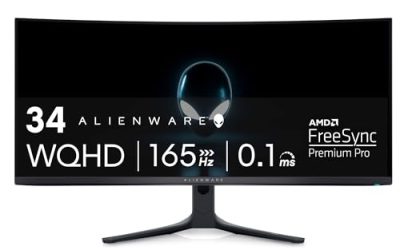
Alienware AW2524HF

The AW2524HF is the IPS route into the 500Hz class. Its 24.5 inch Fast IPS panel runs 480Hz natively and overclocks to 500Hz over DisplayPort, with a 0.5ms gray to gray response time. IPS technology gives it wider viewing angles and better color than the TN-based BenQ, which matters if anyone watches your screen from the side or you play more than one genre.
Specs:
- Screen size: 24.5 inches
- Resolution: 1920 x 1080 (Full HD)
- Panel type: Fast IPS
- Refresh rate: 480Hz native, 500Hz overclocked over DisplayPort, up to 255Hz over HDMI
- Response time: 0.5ms GtG
- Brightness: 400 nits; contrast ratio 1000:1; color coverage 99 percent sRGB per Dell
- Adaptive sync: AMD FreeSync Premium and VESA Adaptive-Sync
- Ports: DisplayPort 1.4 x 2, HDMI 2.1 x 1, USB 3.2 hub, headphone jack
- Stand: height, tilt, swivel and pivot adjustment
- Warranty: 3 years per the listing
Pick the Alienware if you want 500Hz with IPS viewing angles and a full ergonomic stand at the mainstream end of this class. It tops out at 1080p, so text and desktop work look softer than on the 1440p OLED models.
How to Choose a 500Hz Gaming Monitor
Start with your frame rates, not the spec sheet. A 500Hz monitor only shows its advantage when your PC can hold frame rates in the same range, which usually means a high-end graphics card paired with a fast CPU, running esports settings at 1080p or 1440p. Check your current frame rates first; if your system sits near 240 frames per second, a 500Hz panel will spend most of its time underused.
Next, pick the panel family. Fast TN panels like the ZOWIE XL2586X offer strobed motion clarity through DyAc 2 and remain the tournament standard at 1080p. Fast IPS, as in the Alienware AW2524HF, trades a little motion clarity for better angles and color. The QD-OLED and tandem OLED models deliver near-instant pixel response and true blacks at 1440p, but they cost more, need sensible brightness habits around static images, and rely on maker care features such as MSI OLED Care 2.0, Acer Predator’s panel care tools and ASUS OLED Care Pro.
Then confirm the connection. Full refresh rates on these monitors require DisplayPort in most cases; HDMI inputs often cap lower, and the ASUS PG27AQWP-W is the only model here with DisplayPort 2.1. Finally, match the extras to your desk: the BenQ adds a shielding hood and profile puck, while the Acer adds USB-C charging, a KVM switch and speakers.
Who Should Skip a 500Hz Monitor
Skip this class if your graphics card cannot push very high frame rates in your main games, because the monitor cannot create frames your PC never renders. Skip it if you mostly play single-player, cinematic or strategy titles, where a larger 1440p or 4K screen at 144Hz to 240Hz will look better for the same money. Console players should also skip it: current consoles cap at 120Hz, so most of the refresh range goes unused. Finally, skip it if you are sensitive to the cost of the wider setup, since a 500Hz panel only makes sense alongside a PC built to feed it.
Frequently Asked Questions
Is a 500Hz monitor noticeably better than 360Hz?
The step from 360Hz to 500Hz is smaller than the jump from 144Hz to 240Hz, and it shows up mainly as slightly clearer motion during fast turns and marginally lower display delay. Competitive players who already hold very high frame rates are the group most likely to notice it. Most other players will notice panel type and resolution more.
What PC hardware do you need for a 500Hz monitor?
You need a PC that can sustain frame rates close to 500 in your target games, which generally means a recent high-end graphics card, a fast gaming CPU, and reduced graphics settings at 1080p or 1440p. Esports titles are far easier to drive at these rates than open-world games, so check your own frame rates before buying.
Does HDMI support 500Hz on these monitors?
Usually not at the full rate. On the Alienware AW2524HF, for example, HDMI tops out at 255Hz while DisplayPort reaches the full 500Hz overclock, and the BenQ and OLED models also reserve their maximum refresh rates for DisplayPort. Use the DisplayPort input for PC play and keep HDMI for consoles and secondary devices.
Are OLED 500Hz monitors safe from burn-in for gaming?
Modern gaming OLEDs include panel care features such as pixel shifting, logo brightness limits and refresh cycles, and the makers of the OLED models in this guide list care systems among their features. Risk is not zero, especially with static HUD elements shown for many hours a day, so follow the maker’s care guidance and vary your content.
Final Verdict
For pure esports speed at 1080p, the BenQ ZOWIE XL2586X and its DyAc 2 strobing remain the specialist choice, with the Alienware AW2524HF close behind for players who prefer IPS. For the best overall package, the 1440p QD-OLED models from MSI and Acer pair a true 500Hz refresh rate with image quality no LCD here can match, while the ASUS PG27AQWP-W stands alone for buyers who want 540Hz at 1440p and a 720Hz dual mode. Match the monitor to the frame rates your PC can actually sustain.
Related guides
More from Amazon
Programs that pair well with the guide above. Offers and eligibility are set by Amazon and may change.
Free shipping on eligible items, Prime Video and more. Eligible new members can start with a free trial.
Start a Prime free trialAd-free music streaming. Eligible new subscribers can start with a free trial.
Try Music Unlimited freeA Prime membership for ages 18-24 with a trial period. Eligibility is set by Amazon.
See Prime for Young AdultsAudiobooks and podcasts to listen to on the go. Eligible new members can start with a free trial.
Try Audible freeAs an Amazon Associate we earn from qualifying purchases.