
The best cinewhoop drones for indoor and close flights are the BetaFPV Pavo20 for genuinely tight spaces, the GEPRC CineBot30 for a stronger all-round build, and the DJI Avata 2 when reliable 4K footage and beginner-friendly operation matter more than minimum size.
As an Amazon Associate we earn from qualifying purchases at no extra cost to you.


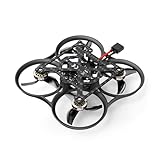
Our Top Picks


Top 3 picks at a glance
Quick comparison
| Drone | Approx. weight | Camera compatibility | Typical flight time | Best use | Repair outlook |
|---|---|---|---|---|---|
| BetaFPV Pavo20 | About 145–160 g without a battery, depending on version | DJI O3, DJI O4 Air Unit variants, or equivalent compact digital setup | About 4–6 minutes | Small rooms, corridors, and lightweight cameras | Good; common whoop parts and replaceable ducts |
| BetaFPV Pavo25 | About 180–210 g without a battery | DJI O3 Air Unit and comparable digital systems | About 4–6 minutes | Indoor work needing more camera clearance | Good, although the camera cage and ducts add parts to replace |
| GEPRC CineBot30 | Roughly 230–270 g without a battery | Usually DJI O3-compatible; versions vary by receiver and video system | About 5–8 minutes | Outdoor close work and heavier camera protection | Good; standard carbon and duct components are relatively accessible |
| DJI Avata 2 | About 377 g including its battery | Integrated DJI camera system; not designed for swapping to an action camera | Up to about 23 minutes in ideal conditions | Ready-to-fly 4K filming and learning FPV flight | Limited compared with a self-built or hobbyist cinewhoop |
Flight times vary substantially with battery capacity, wind, camera payload, flight mode, and whether the drone is carrying a separate action camera. Treat the figures above as useful planning ranges rather than guaranteed results.
Which cinewhoop should you choose?
| Your situation | Best starting point | Why |
|---|---|---|
| You need to pass through doorways and film in furnished rooms | BetaFPV Pavo20 | Its smaller propeller and duct footprint reduce collisions and make narrow gaps easier |
| You want digital video but still need a compact custom FPV platform | Pavo20 or Pavo25 | Both are more serviceable and configurable than an integrated camera drone |
| You will carry a heavier camera or fly outside near people and structures | GEPRC CineBot30 | Larger motors and ducts provide more payload margin and smoother recovery from bumps |
| You want the simplest route to stabilized 4K footage | DJI Avata 2 | It combines an integrated camera, stabilization, flight battery, and ready-to-use ecosystem |
| You expect frequent crashes and want inexpensive repairs | A small custom or bind-and-fly whoop | Motors, ducts, propellers, antennas, and flight controllers can be replaced individually |
What matters more than the advertised flight time
Duct protection versus airflow
Cinewhoop ducts protect people and propellers from a direct sideways contact, but they are not a guarantee of safe operation. A duct can still catch a curtain, cable, plant, or loose clothing. It also adds drag and weight, so a ducted drone generally needs more throttle than an open-prop freestyle quad of the same size.
For indoor filming, prioritize a fully enclosed propeller area with rounded outer edges. The Pavo20 is easier to place accurately in tight rooms because its overall footprint is smaller. A 25 mm class cinewhoop gives the camera and electronics more room, while a 30 mm class model such as the CineBot30 normally trades compactness for better stability and payload capacity.
Weight changes the way a drone stops
Two drones with the same diagonal size can feel completely different. A heavier cinewhoop has more momentum when it approaches a wall, so it requires earlier braking and more room to reverse direction. This matters in hallways: a drone that feels stable outdoors may be difficult to stop before reaching the far wall.
As a practical rule, choose the lightest model that can carry your camera system. If the built-in digital camera already provides acceptable footage, do not add an action camera merely because the frame has a mounting point. The extra 100–150 g can reduce flight time, increase motor temperature, and make indoor recovery slower.
Camera compatibility: decide before buying batteries
Compact cinewhoops are often sold in several electronics configurations. Check the exact listing for the video system, receiver, battery connector, and frame clearance rather than assuming that every version of a model is interchangeable.
- DJI O3 Air Unit: produces high-quality digital video and supports onboard recording, but it is relatively heavy and needs adequate cooling airflow.
- DJI O4 Air Unit variants: can provide a newer digital-video option in compatible builds, but mounting dimensions, antenna placement, firmware support, and goggles compatibility must be checked for the specific version.
- Analog video: is usually lighter, cheaper to repair, and has low latency, but image quality is much lower for recorded cinematic footage.
- Integrated systems such as Avata 2: are convenient and stabilized, but you cannot freely replace the camera, video transmitter, flight controller, or receiver like you can on a modular FPV build.
If you plan to use an external action camera, measure three things: the mounting width, the lens clearance above the duct line, and the maximum takeoff weight with the intended battery. A camera that physically fits may still block the video transmitter’s airflow or shift the center of gravity far enough forward to make braking awkward.
A useful flight-time calculation
Battery labels provide energy, but not all of that energy should be used. For example, consider a 4S 850 mAh battery:
Nominal energy = 14.8 volts × 0.85 amp-hours = 12.58 watt-hours.
If you plan to use only 80 percent of the pack to avoid an overly deep discharge, usable energy is approximately 10.1 Wh. If the cinewhoop averages 150 watts while cruising and recording:
Estimated time = 10.1 Wh ÷ 150 W × 60 = about 4 minutes.
Hovering in a quiet room may consume less, while fast direction changes, a heavy camera, or wind can push average consumption much higher. This explains why a manufacturer’s “up to” time is not a reliable expectation for cinematic flight. For indoor work, carrying two or three smaller packs is often more useful than choosing one oversized battery that makes the drone sluggish.
Repairability and ownership cost
A modular cinewhoop is usually the better choice for pilots who expect to keep flying after contact with walls. The most frequently damaged parts are propellers, ducts, motor wires, camera cages, antennas, and motor bells. Select a model with ducts and arms available separately, accessible screws, and a flight controller that is not permanently buried beneath the camera.
Before buying, search for the replacement duct, motor, propeller, and flight-controller part numbers. If only complete frames are available, a minor impact can become a disproportionately expensive repair. Also check whether the drone uses common 2 mm or 2.5 mm propeller shafts and whether the battery connector is standard for that class.
The DJI Avata 2 reduces setup and configuration work, but its integrated design makes component-level repair less flexible. It is attractive when filming time is more valuable than repair cost. A Pavo-series build or CineBot30 is more suitable when you want to change receivers, video systems, motors, or mounting hardware over time.
Recommended setup for indoor filming
- Start with a low camera tilt. Set the camera around 10–20 degrees for slow indoor work. A steep angle makes the drone accelerate whenever it moves forward and can cause the floor or walls to disappear from view.
- Use a gentle control profile. Lower the throttle and pitch rates in your radio or flight software if the drone feels twitchy. Smooth inputs matter more than maximum agility in a corridor.
- Keep the first flights light. Fly without an external action camera until you have checked hover stability, motor temperature, and battery voltage under load.
- Leave braking room. Begin slowing several metres before a wall. Ducted drones have drag, but they still carry forward momentum, especially when heavily loaded.
- Check every duct after a collision. A cracked or distorted duct can rub against a propeller and create vibration that ruins footage or overheats a motor.
- Use an ND filter only when appropriate. For daylight exterior work, an ND filter can help maintain a cinematic shutter speed. In dim interiors, it may force a high ISO and produce noisier footage, so removing it is usually preferable.
Frequently asked questions
Can a cinewhoop be considered safe around people indoors?
No, a cinewhoop’s ducts do not guarantee safe operation around people. They can help protect propellers and reduce direct sideways contact, but ducts may still catch curtains, cables, plants, or loose clothing. Keep clear of people and obstacles, and remember that a ducted drone still carries forward momentum and needs room to slow down.
What should I check before buying a particular cinewhoop version?
Check the exact video system, receiver, battery connector, frame clearance, antenna placement, firmware support, and goggles compatibility for that version. Compact cinewhoops may be sold with different electronics configurations, and model names alone do not guarantee interchangeability. Also confirm that the intended camera and battery physically fit without blocking cooling airflow or shifting the center of gravity.
Should I add an external action camera to a cinewhoop?
Only add an external action camera if its footage is necessary and the drone has enough payload margin. Measure the mounting width, lens clearance above the duct line, and maximum takeoff weight with the intended battery. Extra weight can reduce flight time, increase motor temperature, and make indoor recovery slower, even when the camera fits physically.
How should I prepare a cinewhoop for its first indoor flights?
Begin without an external action camera and use a low camera tilt, around 10–20 degrees, for slow indoor work. Apply gentle control rates if the drone feels twitchy, leave braking room before walls, and check hover stability, motor temperature, and battery voltage under load. After any collision, inspect each duct for cracks or distortion that could cause vibration.
Is the DJI Avata 2 suitable for someone who does not want to repair or configure parts?
Yes, the DJI Avata 2 is suitable when simple setup and stabilized 4K footage matter more than modular repair. It combines an integrated camera, stabilization, flight battery, and ready-to-use ecosystem. However, its integrated design is less flexible than a modular cinewhoop because the camera, video transmitter, flight controller, and receiver cannot be freely replaced.
Bottom line
Choose the BetaFPV Pavo20 when minimum size and indoor maneuverability are the priorities. Choose the Pavo25 when you need a little more camera and electronics room without moving to a much larger platform. Choose the GEPRC CineBot30 for heavier payloads, outdoor close flights, and a more planted feel. Choose the DJI Avata 2 when integrated stabilization, simple operation, and ready-to-record footage outweigh modular repairability.
The right choice is not the drone with the longest quoted flight time. It is the smallest ducted platform that carries your chosen camera, provides the video link you already use, and has replacement parts you can obtain before the first inevitable indoor bump.


