
Polling rate is how often your mouse tells the PC where it is, measured in hertz. A 1000 Hz mouse reports 1000 times per second, or once every millisecond. Newer mice advertise 4000 Hz and 8000 Hz, and it is easy to assume higher is always better. The reality is more nuanced, and pushing polling too high can even cost you frames on some systems.
As an Amazon Associate we earn from qualifying purchases at no extra cost to you.


Our Top Picks
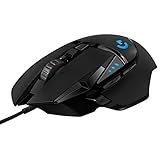
 Logitech G502 X Plus Wireless RGB Gaming MouseWireless7.1 x 4.6 x 2.7 inches0.84 PoundsCheck on Amazon
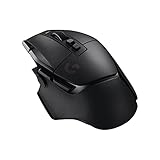
 Logitech G502 X Lightspeed Wireless Gaming Mouse25600 DPI6.9 x 4.6 x 2.8 Inches0.2 poundsCheck on Amazon


Top 3 picks at a glance
What polling rate does
Each report updates the cursor and the game with fresh position data. A higher polling rate means less delay between moving the mouse and the system knowing about it, and smoother tracking of fast flicks. The math is simple: divide 1000 by the polling rate to get the interval in milliseconds.
| Polling rate | Report interval | Notes |
|---|---|---|
| 125 Hz | 8 ms | Old default, noticeably laggy |
| 500 Hz | 2 ms | Good, low CPU cost |
| 1000 Hz | 1 ms | Long-standing gaming standard |
| 4000 Hz | 0.25 ms | Marginal gains, more CPU load |
| 8000 Hz | 0.125 ms | Diminishing returns, high CPU load |
Does higher always help?
The jump that matters
Going from 125 Hz to 1000 Hz is a real, felt improvement: latency drops from 8 ms to 1 ms and tracking smooths out. Beyond 1000 Hz the gains shrink fast. Moving from 1000 Hz to 8000 Hz only shaves fractions of a millisecond, which most players cannot feel in a blind test.
The hidden CPU cost
Every report is processed by the CPU. At 8000 Hz the mouse generates eight times the interrupts of 1000 Hz, and on some CPUs, especially older or heavily loaded ones, that overhead can actually lower average FPS and worsen frame-time consistency in CPU-bound games. High polling only makes sense when paired with a very high refresh display and CPU headroom to spare.
What to actually use
For most players, 1000 Hz is the sweet spot: standard, well-supported, and low overhead. If you have a 240 Hz or faster monitor and a strong CPU, 2000-4000 Hz can be a mild upgrade. Reserve 8000 Hz for those chasing the last fraction of a millisecond who have verified it does not hurt their frame times.
Wired, wireless, and battery life
Polling rate interacts with how your mouse connects and, for wireless models, how long the battery lasts, so the right choice depends on your whole setup, not just the number.
Wireless has closed the gap
Modern wireless gaming mice with dedicated receivers now match wired latency closely at 1000 Hz, so you no longer sacrifice responsiveness by going cordless. Bluetooth is the exception: it is fine for productivity but has higher, less consistent latency and lower polling, so use the included dongle for gaming.
The battery cost of high polling
Higher polling rates drain a wireless mouse faster because the radio transmits more often. Jumping from 1000 Hz to 4000 or 8000 Hz can noticeably shorten runtime between charges, sometimes cutting it by half or more. For most wireless players, 1000 Hz is the best balance of responsiveness and battery life, and there is little reason to trade hours of runtime for a sub-millisecond gain few can feel.
Check your monitor first
Ultra-high polling only makes sense alongside a very high refresh display. On a 144 Hz panel the benefits above 1000 Hz are essentially theoretical, while on a 360 Hz or 500 Hz esports monitor a trained player might perceive a slight edge, provided the CPU has headroom to process the extra reports.
FAQ
Can I feel the difference between 1000 Hz and 8000 Hz?
Most people cannot in normal play. The latency difference is under a millisecond, far smaller than the jump from 125 to 1000 Hz. On a very high refresh monitor a trained player might perceive slightly smoother tracking, but it is a marginal, not transformative, change.
Why would a higher polling rate lower my FPS?
Because the CPU must process every report as an interrupt. At 8000 Hz that is a heavy stream of interrupts, and in CPU-bound games on modest processors it can steal enough time to reduce average frame rate and add frame-time jitter. If you see FPS drop after raising polling, lower it back to 1000 Hz.
Bottom line: Polling rate sets how often your mouse reports position; 1000 Hz (1 ms) is the practical standard. The big win is escaping 125 Hz, not chasing 8000 Hz, which offers tiny gains and can cost FPS on CPU-limited systems. Match ultra-high polling only to a fast monitor and a strong CPU.






