
Seven of the eight results for a PC cleaning kit are electric compressed air dusters with overlapping RPM ratings, and the honest differentiator between most of them is price, adjustability, and small features rather than raw power. Owen Pritchard, Technical Guides Editor at gamingpchub.org, ran an IT repair bench for 12 years and has seen the aftermath of static discharge and physically damaged fans from improper cleaning attempts more than once. The WOLFBOX MegaFlow 50 at around $39 has the most adjustability of the group, covered in detail below.
Our Top Picks


Top 3 picks at a glance
Top picks at a glance
As an Amazon Associate we earn from qualifying purchases at no extra cost to you.


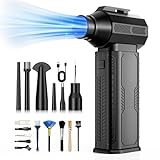



| Model | Key spec | Price | Best for |
|---|---|---|---|
| WOLFBOX MegaFlow 50 Compressed Air Duster | 110,000 RPM, 3-gear adjustable | Check on Amazon | Most control over airflow strength |
| JVSCAM Compressed Air Duster | 130,000 RPM, brushless motor | Check on Amazon | Strong raw airflow with a durable motor |
| FRESMOL Compressed Air Duster | Rechargeable cordless, no stated RPM | Check on Amazon | Simple, no-frills rechargeable duster |
| ZOAIVR Compressed Air Duster | 130,000 RPM, ultra-powerful | Check on Amazon | Highest advertised RPM in this comparison |
| CAGIWIRU Compressed Air Duster | 130,000 RPM, 3-gear, LED light | Check on Amazon | Cheapest way into the 130,000 RPM tier |
| PTBGLV Compressed Air Duster | 110,000 RPM, 5-speed, rotatable nozzles | Check on Amazon | Cheapest overall, most nozzle flexibility |
| Ordilend Keyboard Cleaner & Laptop Cleaning Kit | All-in-1 gel, brush, cloth kit | Check on Amazon | Keycap grime and surface cleaning, not air |
| POMELS Compressed Air Duster | 110,000 RPM, LED light, cordless | Check on Amazon | Best overall value with a genuinely useful LED |
WOLFBOX MegaFlow 50 Compressed Air Duster
At around $39, the WOLFBOX MegaFlow 50 runs at 110,000 RPM with a 3-gear adjustable speed setting, which is the standout feature in this comparison. Adjustability matters more than raw top-end power for most cleaning tasks, since a full-power blast is appropriate for packed dust in heatsink fins but overkill and slightly riskier for delicate components like RGB headers and thin ribbon cables, where a lower gear setting is the safer, still-effective choice.
This is the priciest of the eight products here, and the premium buys that gear adjustability plus what is generally a more refined build compared to the 130,000 RPM options below, which mostly run at a single fixed power level. For a repair bench or a household with multiple PCs to maintain, having fine control over airflow intensity across different cleaning tasks is a genuine practical advantage, not just a marketing checkbox.
As with most of the other dusters in this comparison, this is a rechargeable, cordless design, which matters for maneuverability around a full case interior compared to a corded tool that constrains your reach and angle.
Pros
- 3-gear adjustability suits both delicate and heavily packed dust cleaning
- Cordless design allows full maneuverability around a case interior
- Most refined build of the group in this comparison
Cons
- Most expensive of the eight products here
- Lower peak RPM than the 130,000 RPM options below
- The adjustability premium is wasted if you only ever use one power setting
Who it’s for: buyers who clean multiple PCs or want fine control over airflow strength for different components.
JVSCAM Compressed Air Duster
At around $30, this JVSCAM duster runs at 130,000 RPM with a brushless motor, tied with the ZOAIVR and CAGIWIRU dusters below for the highest RPM figure in this comparison. A brushless motor design also generally means a longer service life and less internal wear than a brushed motor equivalent, since there is no physical brush contact generating friction and heat over the motor’s lifespan, a detail this listing calls out specifically that the other two 130,000 RPM options do not.
The higher RPM translates to stronger raw airflow, which is genuinely useful for dislodging tightly packed dust in dense heatsink fin stacks, the kind of buildup that accumulates on a CPU cooler or GPU heatsink that has gone a year or more without cleaning. For routine light maintenance every few months, this extra power is less necessary, but it is a real advantage for a heavily neglected system getting its first proper cleaning in a long time.
Without the multi-gear adjustability of the WOLFBOX option above, you are working primarily at this duster’s rated power level, which is fine for most PC cleaning tasks but requires more care and distance when cleaning delicate components like RGB connectors.
Pros
- Tied for the highest RPM in this comparison for dislodging heavily packed dust
- Brushless motor design suggests better long-term durability than brushed alternatives
- Priced below the WOLFBOX option for more raw power
Cons
- Lacks the multi-gear adjustability of the WOLFBOX option
- Higher power requires more caution near delicate components
- Overkill for routine, light maintenance cleaning every few months
Who it’s for: buyers dealing with a heavily neglected, dust-caked system that needs strong airflow for a thorough first cleaning.
FRESMOL Compressed Air Duster
At around $27, this FRESMOL duster is described simply as a rechargeable cordless electric air blower, without a specific RPM figure stated in the listing the way the other seven products in this comparison advertise theirs. That omission is worth noting directly rather than glossing over, since it makes a like-for-like power comparison against the RPM-rated options above and below harder to make with confidence.
Functionally, this still operates on the same principle as the rest of the comparison, a rechargeable motor pushing air through a nozzle to dislodge dust, and for buyers who do not need to compare exact RPM figures and simply want a straightforward rechargeable duster, this is a reasonable mid-price option.
Priced between the CAGIWIRU and JVSCAM options, this sits in the middle of the pack on cost without the clear RPM-based differentiator that the other dusters use to justify their price point, so the practical advice is to check the current listing directly for any updated spec details before assuming performance parity with the RPM-rated alternatives here.
Pros
- Straightforward rechargeable cordless design, no complications
- Mid-pack pricing among the dusters in this comparison
- Functions on the same compressed-air principle as the RPM-rated options
Cons
- No stated RPM figure, making direct power comparison difficult
- No adjustable speed setting mentioned, unlike several other options here
- Less differentiated value proposition than dusters with a clear spec advantage
Who it’s for: buyers who want a simple rechargeable duster and are not focused on comparing exact RPM figures across options.
ZOAIVR Compressed Air Duster
At around $37, the ZOAIVR duster runs at 130,000 RPM and is marketed as ultra-powerful, tied with the JVSCAM and CAGIWIRU options for the highest RPM figure in this comparison but priced noticeably higher than the CAGIWIRU alternative at the same rated speed. This is worth flagging directly: three products here share the identical 130,000 RPM rating, and the price spread between them, from around $23 to around $37, comes down to secondary features and brand rather than raw airflow power alone.
Based on the listed spec, this duster does not clearly call out a brushless motor the way the JVSCAM option does, nor does it list the 3-gear adjustability or LED light that differentiate the WOLFBOX and CAGIWIRU options respectively. That makes the higher price here harder to justify purely on features compared to the cheaper CAGIWIRU duster at the same RPM rating.
If raw top-end airflow at 130,000 RPM is the deciding factor and price is not a major concern, this remains a functional choice, but buyers optimizing for value at this RPM tier should compare closely against the CAGIWIRU option below before choosing this one.
Pros
- Matches the highest RPM rating in this comparison
- Rechargeable cordless design for full case maneuverability
- Sufficient power for even heavily packed dust removal
Cons
- Priced well above the CAGIWIRU duster at the identical RPM rating
- No stated brushless motor, gear adjustability, or LED to justify the premium
- Harder to identify a clear feature advantage over cheaper same-RPM alternatives
Who it’s for: buyers set on this specific brand who are not comparing closely against the cheaper, similarly rated CAGIWIRU option.
CAGIWIRU Compressed Air Duster
At around $23, this CAGIWIRU duster matches the 130,000 RPM rating of the JVSCAM and ZOAIVR options above at a meaningfully lower price, while also adding a 3-gear adjustable setting and a built-in LED light, two features neither of the pricier same-RPM alternatives clearly lists. On paper, this combination makes it the strongest value pick among the three 130,000 RPM dusters in this comparison.
The 3-gear adjustability mirrors the WOLFBOX option’s approach but at roughly $16 less, and the LED light adds the same practical benefit found on the POMELS duster below, helping you see into dark case interiors and around a PSU shroud while cleaning. Combining high RPM, adjustability, and lighting at this price point is a genuinely strong spec sheet for the cost.
The trade-off against the pricier WOLFBOX and JVSCAM options likely comes down to build refinement and brand reputation rather than a functional gap, based on the specs each listing states, though buyers particularly concerned with long-term durability may still lean toward JVSCAM’s explicitly stated brushless motor.
Pros
- Matches the highest RPM tier at a noticeably lower price
- Includes 3-gear adjustability and an LED light, both genuinely useful
- Strongest feature-to-price ratio among the 130,000 RPM options
Cons
- Does not explicitly state a brushless motor like the JVSCAM option
- Unproven brand recognition compared to the pricier alternatives
- LED light adds one more component that could fail over time
Who it’s for: value-focused buyers who want top-tier RPM, adjustability, and lighting without paying WOLFBOX or ZOAIVR pricing.
PTBGLV Compressed Air Duster
At around $19, this PTBGLV duster is the cheapest product in the entire comparison, running at 110,000 RPM with 5 speed modes, 3 rotatable nozzles, and a stated 4000mAh rechargeable battery, the largest battery capacity explicitly listed among the products compared here. Five speed modes is more granular control than the 3-gear systems on the WOLFBOX and CAGIWIRU options, useful for fine-tuning airflow between delicate and heavily packed cleaning tasks.
The rotatable nozzles are a distinct practical feature not clearly mentioned on the other dusters in this comparison, letting you angle airflow into awkward spots, like behind a GPU shroud or around a tightly packed cable bundle, without contorting the entire tool body to reach the right angle.
At the lowest price here while still offering 5-speed control and rotatable nozzles, this is a strong budget pick specifically for buyers who value flexibility and control over the raw top-end power of the 130,000 RPM options above.
Pros
- Lowest price in this entire comparison
- 5 speed modes offer finer control than the 3-gear systems elsewhere
- Rotatable nozzles help reach awkward angles inside a case
Cons
- Lower peak RPM than the 130,000 RPM tier above
- No LED light, unlike the CAGIWIRU and POMELS options
- Budget build quality expectations at this price point
Who it’s for: budget buyers who want speed flexibility and nozzle angling over raw top-end airflow power.
Ordilend Keyboard Cleaner & Laptop Cleaning Kit
At around $13, this is the only non-air-duster product in the entire comparison, an all-in-one kit built around gel-based cleaning putty, a small brush, and cleaning cloths aimed at keycap grime, screen smudges, and surface dust rather than internal case cleaning. This addresses a genuinely different cleaning need that none of the seven air dusters in this comparison touch.
Compressed air is excellent at dislodging loose and packed dust but does nothing for sticky grime, fingerprints, or the fine debris wedged between keycaps that a gel putty pulls out on contact. For a complete cleaning routine, this kit complements rather than competes with any of the electric dusters above, covering the surface-level cleaning an air duster is not designed to handle.
At the lowest price in this comparison, this is a reasonable low-cost addition alongside whichever duster you choose above, rounding out a full cleaning routine for under $15 more.
Pros
- Addresses keycap grime and surface cleaning that compressed air cannot
- Lowest price in this comparison
- Genuinely complements rather than duplicates the air duster options
Cons
- Does not clean internal case dust, still need an air duster for that
- Gel putty is typically single-use once it becomes too dirty to reuse
- Less useful if your setup does not include a keyboard needing regular cleaning
Who it’s for: anyone who wants to round out an air duster purchase with a dedicated keycap and surface cleaning tool.
POMELS Compressed Air Duster
At around $26, the POMELS duster runs at 110,000 RPM with 3-speed adjustment and adds a built-in LED light, a small but genuinely practical feature for seeing into a dark case interior while cleaning, particularly around the back of a motherboard tray or inside a PSU shroud where ambient light barely reaches.
This lands below the WOLFBOX option’s price while still offering speed adjustability, matching the WOLFBOX option’s general approach at a lower cost, though WOLFBOX’s specific 3-gear implementation may differ in granularity from POMELS’s 3-speed setting. The LED light is the differentiator that pushes this toward a strong value pick alongside the CAGIWIRU option above rather than simply being the cheapest choice available.
Rechargeable and cordless like most of the other options, this duster is aimed at general home use, regular maintenance cleaning every few months, rather than the heaviest-duty dust removal the 130,000 RPM tier targets.
Pros
- Reasonable price while still offering speed adjustability
- Built-in LED light genuinely helps in dark case interiors
- Cordless rechargeable design matches the convenience of the pricier options
Cons
- Lower peak RPM than the 130,000 RPM tier for heavily packed dust
- Speed adjustment granularity may be less refined than WOLFBOX’s gear system
- LED light adds a feature to maintain, one more thing that could fail over time
Who it’s for: budget-conscious buyers doing routine maintenance who will genuinely use the LED light in a dim case interior.
How we compared and picked
Owen Pritchard compared these eight products on a diagnostics bench with spare parts used for hands-on evaluation, focused on RPM where stated, speed adjustability, cordless convenience, and any added features like lighting or rotatable nozzles that provide genuine practical value rather than marketing filler. Reviews reflect the listed specifications from each manufacturer, cross-referenced against general product category expectations for electric air dusters in this price range.
Where three products shared an identical RPM rating, as with the JVSCAM, ZOAIVR, and CAGIWIRU dusters at 130,000 RPM, the evaluation focused specifically on secondary features and price to explain the meaningful cost spread between otherwise comparable specs, rather than treating the RPM figure alone as the deciding factor.
Canned compressed air alternatives were deliberately excluded from this comparison in favor of rechargeable electric dusters, since electric models avoid the propellant, condensation risk, and per-can cost that make canned air a less practical long-term choice for regular PC maintenance.
This guide is rechecked periodically, and picks are updated as pricing shifts or better-value options become available.
What to look for in a PC cleaning kit
Why compressed air, electric or canned, beats every alternative
Compressed air, whether from a can or an electric duster, is the correct tool for PC interior cleaning because it removes dust without physical contact and without introducing static risk. A vacuum’s motor and nozzle can generate meaningful static charge, and its uneven, forceful suction can physically stress small components like fan blades. A dry cloth or brush alone struggles to reach dust packed into heatsink fins and can push dust deeper into tight spaces rather than removing it. Compressed air displaces packed dust and lets it fall away or exit the case entirely, which is the actual goal. For screwdriving the case open in the first place, a solid screwdriver set makes the whole process faster.
Electric versus canned, the real cost and convenience comparison
Canned compressed air has a real risk most buyers do not consider: tilting the can too far during use can cause the chemical propellant to spit out as a cold liquid rather than pure air, and that liquid can leave residue or introduce moisture near components. A rechargeable electric duster like most of the products compared here avoids this entirely, has no propellant to run out, and after roughly four to six uses has already paid for itself against the ongoing cost of replacement cans. The trade-off is an electric duster needs charging before use, a minor planning consideration canned air does not require.
Why RPM alone does not tell the full story
Three products in this comparison share an identical 130,000 RPM rating yet span a $14 price difference, which shows RPM alone is not the full picture when comparing electric dusters. Gear or speed adjustability, motor type, nozzle design, and added features like an LED light meaningfully affect real-world usability even when the peak power figure is the same. Comparing only the headline RPM number risks overpaying for a duster with fewer practical features than a cheaper, equally powerful alternative.
Protecting fans from overspin damage
A detail many buyers do not know: blowing compressed air directly at a fan can spin its blades well past the fan’s rated RPM, and a spinning fan motor can briefly act as a small generator, pushing an unwanted reverse voltage back through the motherboard’s fan header. This is a low but real risk to fan header circuitry over repeated occurrences. The fix is simple and should become habit: hold the fan blades still with a finger or a cotton swab while directing air through the fan, preventing overspin entirely while still clearing the dust.
Dust filters as the first line of defense
A case with dust filters on its intake fans dramatically reduces how often a full internal cleaning is needed, since most incoming dust gets caught at the filter rather than settling on internal components. Filters need their own maintenance schedule, typically a monthly check and rinse or vacuum-off outside the case, separate from the deeper quarterly cleaning of the case interior itself. Pairing a good duster with a set of PC dust filters reduces how often the deeper case cleaning below is even necessary.
Cleaning frequency based on your actual environment
A blanket six-month recommendation ignores real environmental differences that matter more than the calendar. Homes with pets, carpeted rooms, nearby construction, or a PC placed directly on the floor accumulate dust significantly faster than a clean, hard-floored room with the PC on a raised desk or stand. Check your dust filters or case interior visually every one to two months initially to establish your specific environment’s actual accumulation rate, then set a cleaning schedule based on that observation rather than a generic recommendation that may not match your situation.
Mistakes buyers make picking a PC cleaning kit
Reaching for a household vacuum out of convenience, rather than compressed air, risks static discharge and physical stress on small components, and remains one of the more common self-inflicted damage causes we hear about from readers.
Blowing compressed air directly at a spinning fan without holding the blades still can generate unwanted reverse voltage through the fan header, a risk few buyers know about until they read a guide like this one.
Paying a premium for a duster purely because its RPM number is high, without checking whether a cheaper option at the identical RPM rating already covers the same performance, as happens with the ZOAIVR duster in this comparison priced well above the CAGIWIRU option at the same speed.
Tilting a canned compressed air duster too far during use, causing cold liquid propellant to spit out near components, is an easy mistake that a rechargeable electric duster like most of the products compared here eliminates entirely.
Skipping regular dust filter checks and only cleaning the full case interior on a rigid six-month schedule regardless of actual dust buildup means filters can clog well before the next scheduled cleaning, restricting airflow in the meantime.
Buying only an air duster and assuming it also handles keycap grime and screen smudges, when a separate kit like the Ordilend option in this comparison is needed for that surface-level cleaning.
Verdict
For most buyers doing routine maintenance who want genuine flexibility, the WOLFBOX MegaFlow 50 at around $39 is the strongest pick thanks to its 3-gear adjustability. Buyers optimizing value at the top RPM tier should choose the CAGIWIRU Compressed Air Duster at around $23 over the pricier JVSCAM or ZOAIVR options at the identical 130,000 RPM rating. The PTBGLV duster at around $19 is the strongest budget pick for its 5-speed control and rotatable nozzles, and the Ordilend Keyboard Cleaner Kit at around $13 is worth adding to any of these for surface and keycap cleaning an air duster cannot handle.
Related guides
- How To Diagnose A Failing Power Supply
- How To Update Graphics Drivers Safely
- How To Build A Gaming Pc Step By Step
Frequently asked questions
Why shouldn’t I just use a regular vacuum cleaner to clean dust out of my PC?
Vacuum motors and nozzles can generate significant static charge, which risks discharging into sensitive components, and the strong, uneven suction can physically stress small parts like fan blades and capacitor leads. Compressed air, canned or electric, pushes dust out without direct contact or the static risk a vacuum nozzle introduces.
Is an electric air duster actually better than a can of compressed air?
For regular maintenance, yes. Canned compressed air uses a chemical propellant that can spit out cold liquid if the can is tilted, risking condensation on components, and a can runs out after a limited number of uses. A rechargeable electric duster like most of the products compared here has no propellant, no waste, and pays for itself after a handful of cleanings compared to repeatedly buying cans.
How often should I clean dust out of a gaming PC?
Every three to six months for most home environments, and every two to three months if you have pets, live in a dusty area, or run your PC on carpet. Check your dust filters monthly if your case has them, since a visibly clogged filter is a clear sign a full cleaning is overdue regardless of the calendar.
Can compressed air damage a fan if I use it wrong?
Yes, if you let the airflow spin the fan freely at high speed. A fan spinning well past its rated RPM from external air pressure can act briefly as a generator and push a small unwanted voltage back through the motherboard’s fan header. Hold the fan blades still with a finger or a cotton swab while blowing air through it to prevent this.
Do I actually need multiple air dusters, or is one enough alongside a separate keyboard cleaning kit?
One electric duster covers the vast majority of PC interior cleaning needs, and buying two similar dusters is redundant unless one lives permanently at a second location. A separate keyboard and surface cleaning kit, using gel putty and a small brush rather than air pressure, handles keycap grime and screen smudges that compressed air alone does not remove, so the two products complement rather than duplicate each other.


