
Choosing a gaming headset comes down to five trade-offs, not one spec sheet: driver size versus clarity, open versus closed back for footstep detection, clamp force versus seal, pad material versus heat buildup, and connection type versus latency. Get those five right for your room and session length, and the “best headset” question mostly answers itself.
As an Amazon Associate we earn from qualifying purchases at no extra cost to you.


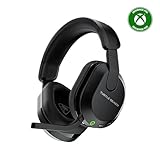

Our Top Picks
 Razer BlackShark V2 X Gaming Headset: 7.1 Surround3.5 mm7.6 x 6.76 x 3.86 inches0.5 PoundsCheck on Amazon
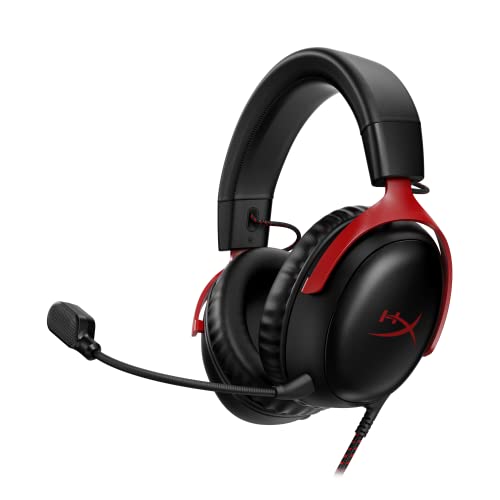 HyperX Cloud III Wired Gaming Headset for PCRegular3.41 x 6.1 x 7.48 inches0.7 PoundsCheck on Amazon
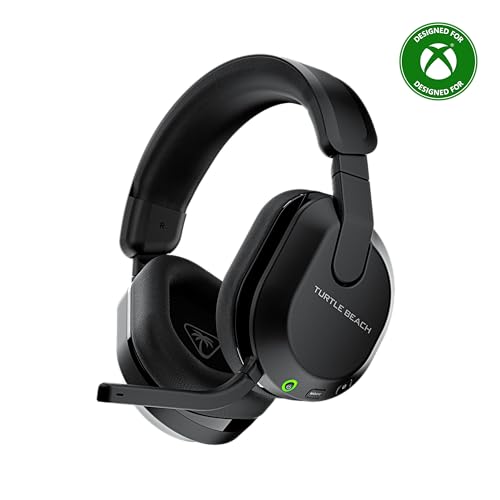 Turtle Beach Stealth 600 Wireless Gaming Headset forStandard8.58 x 7.81 x 3.74 Inches0.7 poundsCheck on Amazon
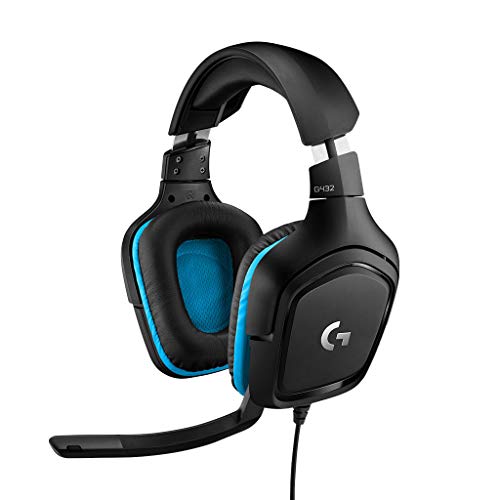 Logitech G432 Wired Gaming Headset7.2 x 3.2 x 6.8 inches7.8 x 4.3 x 9 inches0.7 PoundsCheck on Amazon
Top 3 picks at a glance
Driver Size: 40mm vs 50mm Isn’t About Loudness
Bigger drivers don’t automatically sound better, they just move more air, which changes bass extension and how the headset handles power. A 40mm driver reaches full output with less amplifier power, which is why it dominates wireless and console-bundled headsets where the amp is small and battery-constrained. A 50mm driver has more headroom for low-end detail and can sound more “open,” but only if the earcup has room to let that driver breathe. Cramming a 50mm driver into a tight, closed cup often sounds muddier than a well-tuned 40mm in the same shell.
For competitive shooters, the driver size matters less than the tuning. A well-EQ’d 40mm with a presence boost around 2-4kHz will localize footsteps better than a bass-heavy 50mm with no EQ. For music, movies, or RPGs, the extra headroom of a 50mm driver pays off more.
| Driver size | Typical use case | Power needed | Trade-off |
|---|---|---|---|
| 40mm dynamic | Wireless, console, portable | Low, runs well off a dongle or phone | Less bass extension, usually brighter mids |
| 50mm dynamic | Desktop, wired or high-power wireless | Moderate to high | Needs a roomy cup to avoid boxy bass |
| Planar magnetic | Audiophile-leaning gaming sets | High, usually needs a dedicated amp or DAC | Best detail and speed, heavier, pricier |
Open vs Closed Back: Pick Based on Your Room, Not Your Game
Open-back headsets vent sound through a perforated or mesh backplate. That venting reduces internal resonance, which is why open designs tend to image footsteps and gunfire direction more precisely in games like tactical shooters or battle royales. The cost is leakage both ways: people near you hear your audio, and room noise bleeds in.
Closed-back headsets seal the earcup, which boosts isolation and bass but adds a bit of internal reflection that can smear fine directional detail. In a shared room, dorm, or office, closed-back is usually the only workable choice regardless of competitive preference.
- Quiet private room, FPS/battle royale focus: open-back wins on positional accuracy.
- Shared space, streaming with a live mic, or noisy household: closed-back avoids leakage and keeps the mic from picking up your own game audio.
- Mixed use (story games, music, calls): closed-back with a wide soundstage tuning is the safer all-rounder.
Clamp Force and Weight: The 350g Line for Long Sessions
Comfort complaints after long sessions almost always trace back to two numbers: clamp force (how hard the headband squeezes your head) and total weight. Headsets rarely list clamp force in Newtons on marketing pages, but you can estimate it: if the headset leaves a visible red line or ache after 20-30 minutes out of the box, that’s roughly 4N or higher, which is tight for anything beyond an hour.
Weight matters more linearly. Here’s the rough math gamers use informally: at 3+ hours per session, every 50g over 350g roughly doubles the chance of neck or temple fatigue reported in long-session use, because the load isn’t just static weight, it’s weight multiplied by hours of micro-movement from head turns.
| Total weight | Comfort for 3+ hour sessions | Typical headset class |
|---|---|---|
| Under 280g | Very low fatigue risk | Lightweight closed-back, often plastic-framed |
| 280-350g | Good for most people, the practical sweet spot | Mid-range wired and wireless sets |
| 350-400g | Noticeable after 2-3 hours for smaller head sizes | Metal-framed, planar, or boom-mic heavy sets |
| Over 400g | Fatigue likely in marathon sessions | Audiophile or studio-style gaming sets |
If you can’t try a headset before buying, check two things in the spec sheet: listed weight and headband material. Headbands with a suspension strap (a second fabric band that holds weight off the top of your head) distribute load better than a single padded arc, even at the same total weight.
Velour vs Leatherette Earpads: Heat vs Seal
Pad material changes two things: how hot your ears get and how much bass seal you keep.
- Velour/fabric pads: breathable, stay cooler over long sessions, but seal loosely, which lets some bass escape and reduces passive noise isolation.
- Leatherette/pleather pads: seal tightly against the skin, which boosts bass and isolation, but trap heat and moisture, becoming uncomfortable past 90-120 minutes for most people, faster in warm rooms.
- Hybrid pads (leatherette rim, fabric center): a common 2025-2026 compromise that keeps most of the seal while venting some heat at the ear canal.
If you run 3+ hour sessions, especially without AC, velour or hybrid pads are worth prioritizing over the slightly stronger bass of leatherette. Pads are also usually swappable aftermarket, so a headset you otherwise like doesn’t have to be ruled out over this one factor.
Wired vs 2.4GHz vs Bluetooth: What Latency Actually Costs You
Latency differences between connection types are small in absolute terms, but they’re not equal in impact for gaming audio, where sound cues often need to arrive before or with the visual frame to feel “synced.”
| Connection | Typical audio latency | Best for |
|---|---|---|
| Wired 3.5mm / USB | Under 10ms, often near 0 | Competitive play, lowest-cost reliable option |
| 2.4GHz wireless dongle | Around 20-40ms | Desktop wireless use, close to wired feel |
| Bluetooth (SBC/AAC codec) | Around 100-220ms | Casual, movies, calls, not twitch gaming |
| Bluetooth (low-latency gaming codec) | Around 40-60ms | Hybrid use when the headset supports it |
At 60fps, one frame is about 16.7ms. A 150ms Bluetooth delay is roughly 9 frames behind, which is enough for footstep audio to arrive after you’ve already been shot on screen. That’s the real-world reason competitive players stick to wired or 2.4GHz rather than standard Bluetooth, even though Bluetooth is fine for single-player or media use. If a headset offers both Bluetooth and a 2.4GHz dongle, use the dongle for gameplay and save Bluetooth for calls or phone pairing.
Microphone Pickup Pattern: Matching the Mic to Your Room
Pickup pattern determines how much background noise the mic captures, independent of mic quality.
- Omnidirectional: picks up sound evenly from all directions. Fine in a quiet, treated room, poor in noisy households since it captures fans, keyboards, and roommates as readily as your voice.
- Cardioid: focuses on sound directly in front of the mic capsule while rejecting sound from the sides and rear. This is the right choice for most shared rooms, open offices, or households with background noise.
- Bidirectional: rare on gaming headsets, picks up front and back, mostly irrelevant for solo gaming.
Mic boom position also matters as much as the pattern: a cardioid mic held 2-3cm from the corner of the mouth outperforms a premium mic sitting 6-8cm away at your chin. If voice chat sounds thin or noisy, moving the boom closer before touching any software gain or noise-suppression setting usually solves it with less distortion.
Decision Matrix: Matching the Headset to Your Situation
| Your situation | Driver | Back type | Connection | Pads |
|---|---|---|---|---|
| Competitive FPS, quiet room | 40mm, bright tuning | Open | Wired or 2.4GHz | Velour |
| Shared room or dorm | Either | Closed | 2.4GHz or wired | Hybrid |
| Long RPG/story sessions, 3+ hrs | 50mm or planar | Closed | Wired or 2.4GHz | Velour, under 350g set |
| Streaming with live mic | Either | Closed | Wired preferred | Any, prioritize cardioid mic |
| Casual, mixed media, mobile use | 40mm | Closed | Bluetooth | Leatherette or hybrid |
In short: there’s no single best headset, only the best match for your room’s noise, your session length, and whether you’re chasing footstep precision or all-day comfort. Weigh those four factors before brand or price, and most of the remaining choices narrow themselves down fast.
Frequently asked questions
Should I prioritize driver tuning over driver size?
Yes, tuning matters more than driver size for competitive shooter performance. A well-EQ’d 40mm driver with a presence boost around 2-4kHz can localize footsteps better than a bass-heavy 50mm driver without EQ. Larger drivers may provide more low-end headroom for music, movies, and RPGs, but they do not automatically produce better sound.
Is Bluetooth suitable for competitive gaming?
Bluetooth is generally better suited to casual gaming, movies, and calls than twitch gaming. Standard Bluetooth using SBC or AAC can introduce around 100-220ms of latency, while wired connections are often under 10ms and 2.4GHz wireless is around 20-40ms. If a headset supports both, use the 2.4GHz dongle for gameplay.
How can I judge headset comfort if I cannot try it first?
Check the listed weight and the headband material. Under 280g carries a very low fatigue risk, while 280-350g is the practical sweet spot for most people. A suspension strap can distribute weight better than a single padded arc. Also consider clamp: a red line or ache after 20-30 minutes suggests a tight fit.
Can changing the earpads improve a headset I already like?
Yes, earpads are usually swappable aftermarket, so pad material does not have to rule out an otherwise suitable headset. Velour or fabric pads stay cooler but reduce bass seal and isolation, while leatherette pads seal better but trap heat and moisture. Hybrid pads aim to preserve most of the seal while reducing heat buildup.
Where should I position the headset microphone?
Place the boom 2-3cm from the corner of your mouth. A cardioid microphone positioned that close can outperform a premium microphone sitting 6-8cm away at your chin. Cardioid pickup is preferable in shared rooms or noisy households because it focuses on sound in front of the capsule and rejects sound from the sides and rear.


