
The single biggest network upgrade for reducing in-game ping spikes is moving from a shared router port to a dedicated switch or gaming router with proper QoS, and our overall pick for most setups is the ASUS RT-AX86U Pro at around $320 for its dedicated gaming port and subscription-free traffic prioritization. Budget-conscious gamers who already have a decent router should instead look at the TP-Link TL-SG105 switch at around $12 to simply add more wired ports without replacing anything.
Our Top Picks






Top 3 picks at a glance

Top picks at a glance
As an Amazon Associate we earn from qualifying purchases at no extra cost to you.


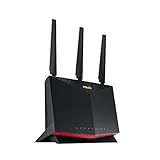




| Model | Key spec | Price | Best for |
|---|---|---|---|
| TP-Link TL-SG108S-M2 | 8-port, 2.5G multi-gigabit unmanaged switch | Check on Amazon | High-speed local network needs |
| TP-Link TL-SG105 | 5-port gigabit unmanaged switch | Check on Amazon | Lowest-cost port expansion |
| TP-Link Archer AX21 (AX1800) | WiFi 6, dual-band router | Check on Amazon | Budget WiFi 6 upgrade |
| ASUS RT-AX86U Pro | AX5700 WiFi 6, gaming port, mobile game mode | Check on Amazon | Overall pick for serious gamers |
| Windex Gaming Cleaning Wipes | 25-count pre-moistened electronics wipes | Check on Amazon | Cleaning gear, not networking |
| NETGEAR GS105NA | 5-port gigabit unmanaged switch | Check on Amazon | Reliable brand-name alternative |
| MSI Radix AXE6600 | WiFi 6E tri-band, AI QoS, RGB | Check on Amazon | Mid-range WiFi 6E gaming router |
| ASUS RT-BE88U | WiFi 7, dual 10G ports, mesh compatible | Check on Amazon | Future-proof WiFi 7 upgrade |
TP-Link TL-SG108S-M2, 8-Port Multi-Gigabit Switch
TP-Link’s TL-SG108S-M2 is an 8-port unmanaged switch built around 2.5G multi-gigabit ports rather than standard gigabit, priced at around $54. The step up to 2.5Gbps per port matters specifically for setups where the local network itself needs to move data faster than a single gigabit line allows, such as a household running a NAS alongside a gaming PC.
Based on the 2.5G spec, expect this switch to comfortably handle a gaming PC, a NAS, and several other wired devices without the local network becoming the bottleneck, though your actual internet speed and router capabilities still cap what any single device can pull from the internet itself. For pure gaming traffic, which uses relatively little bandwidth compared to file transfers, the 2.5G ports are more of a future-proofing feature than an immediate ping reduction.
The unmanaged design means no configuration interface or advanced QoS controls, which keeps setup to a simple plug-and-play process but also means this switch cannot prioritize gaming traffic over other devices the way a managed switch or gaming router can.
Pros
- 2.5G multi-gigabit ports future-proof the local network beyond standard gigabit
- 8 ports give plenty of room for a gaming PC plus other wired devices
- Unmanaged design means zero configuration required
Cons
- 2.5G speed only matters if your router, PC, and other devices also support it
- No QoS or traffic prioritization since it is unmanaged
- Priced well above the basic gigabit switches in this list
Who it’s for: households running a NAS or multiple high-bandwidth wired devices alongside a gaming PC that want local network speed beyond standard gigabit.
TP-Link TL-SG105, 5-Port Gigabit Switch
The TL-SG105 is the simplest and cheapest networking product in this roundup at around $12, offering five standard gigabit ports in a fanless metal housing with no configuration needed. It exists to solve one problem: a router or previous switch that has run out of physical Ethernet ports.
Five ports is enough to add a gaming PC, a console, and a couple of smart home or streaming devices to a wired connection without touching WiFi at all. TP-Link’s traffic optimization feature, mentioned in the listing, is a basic unmanaged prioritization scheme rather than the granular gaming-specific QoS found on the ASUS or MSI routers in this list, but it still helps smooth out basic congestion between the five ports.
The shielded ports and fanless metal design keep this switch silent and reasonably durable for the price, and at under $13 it is close to an impulse-buy price point for anyone who has run out of open Ethernet ports on their router.
Pros
- Lowest price in this entire roundup by a wide margin
- Fanless metal design runs silent with shielded ports
- Simple plug-and-play gigabit port expansion
Cons
- Only 5 ports, tight if you have several wired devices already
- Standard gigabit speed, not multi-gigabit like the TL-SG108S-M2
- Basic traffic optimization only, no real QoS controls
Who it’s for: anyone who has simply run out of open Ethernet ports on their existing router and needs a cheap, reliable way to add more.
TP-Link AX1800 WiFi 6 Router (Archer AX21)
The Archer AX21 brings WiFi 6 to a budget price point at around $59, a meaningful upgrade path for anyone still running an older WiFi 5 router that struggles under multiple connected devices. WiFi 6’s improved handling of simultaneous device connections reduces the congestion-related latency spikes that show up on older routers when several devices are active at once.
Based on the AX1800 rating, this router splits bandwidth across dual bands, giving a 2.4GHz band for range and a 5GHz band for lower-latency gaming traffic, though at this price tier expect a more basic web interface than the ASUS or MSI gaming routers offer, without dedicated gaming mode toggles or a physically separate gaming port.
For gamers who mainly play over a wired Ethernet connection anyway, this router’s WiFi performance matters less than its role as a stable gateway, and at around $59 it is a reasonable entry point for anyone upgrading from an ISP-provided router without wanting to spend $300 on a gaming-branded model.
Pros
- WiFi 6 support at a budget-friendly price
- Dual-band design separates range and low-latency traffic
- Simple setup suitable for non-technical households
Cons
- No dedicated gaming port or advanced QoS features
- Basic web interface compared to gaming-branded routers
- AX1800 tier is entry-level WiFi 6, not the fastest available
Who it’s for: budget upgraders replacing an aging WiFi 5 router who mostly game over a wired connection and just need a stable modern gateway.
ASUS RT-AX86U Pro (AX5700) Gaming Router
The RT-AX86U Pro is built specifically around gaming use cases, and it is our top pick in this roundup at around $320. It combines AX5700 WiFi 6 performance with a physically separate 2.5G gaming port, a dedicated Mobile Game Mode, port forwarding tools, and subscription-free network security, none of which require an ongoing fee to keep working.
The dedicated gaming port matters because it lets you plug your gaming PC into a connection that the router treats with priority QoS by default, based on ASUS’s stated Mobile Game Mode feature, separate from general household traffic like video streaming or large downloads competing for bandwidth on other ports. AiMesh compatibility also means this router can extend into a mesh system later without replacing the hardware if your home’s coverage needs grow.
At over five times the price of the TP-Link AX21, the RT-AX86U Pro is a genuine investment, but the combination of a dedicated gaming port, built-in VPN support, and subscription-free security tools makes it the most complete single-router package in this roundup for a household with a serious gaming setup.
Pros
- Dedicated 2.5G gaming port with Mobile Game Mode QoS
- Subscription-free network security, no ongoing fees
- AiMesh compatible for future whole-home coverage expansion
Cons
- Highest price among the routers in this roundup
- Overkill for a household with only one or two connected devices
- WiFi 6, not WiFi 7, so the RT-BE88U offers a newer standard for a similar price
Who it’s for: serious gamers who want a dedicated gaming port with real QoS prioritization and are willing to pay for a complete feature set.
Windex Gaming Cleaning Wipes
This product does not belong in a network gear roundup, and it is worth saying that plainly rather than stretching a review to fit. Windex’s Gaming Cleaning Wipes are pre-moistened electronics cleaning wipes sold in a 25-count resealable pack for around $5, intended for wiping down keyboards, mice, monitors, and console shells, not for improving your network in any way.
It likely surfaced in this product set through a keyword overlap with “gaming gear” rather than “network gear” specifically. If you are shopping this list for router, switch, or wired connectivity upgrades, skip this item entirely; it will not affect ping, bandwidth, or connection stability in any way, since it is a cleaning product rather than networking hardware.
That said, if you are already replacing network gear and setting up a fresh desk, a resealable pack of electronics wipes is a genuinely useful accessory for keeping your new router, switch, and gaming PC free of dust, which indirectly helps with thermal performance on ventilated networking hardware sitting in a dusty room.
Pros
- Useful for cleaning dust off networking hardware vents and gaming peripherals
- Resealable packaging keeps wipes from drying out
- Inexpensive at around $5 for 25 wipes
Cons
- Not networking hardware and has zero effect on ping, speed, or connectivity
- Does not belong on a “best network gear” comparison in any functional sense
- Only useful as an accessory purchase alongside actual network gear
Who it’s for: nobody shopping specifically for network gear; this is a cleaning accessory that happened to surface in this product set and is included here only for full transparency about what this listing actually contains.
NETGEAR 5-Port Gigabit Switch (GS105NA)
NETGEAR’s GS105NA is a direct competitor to the TP-Link TL-SG105, offering the same five-port unmanaged gigabit design at a slightly higher around $27 price point. The core functionality is nearly identical: plug-and-play port expansion with no configuration required.
Based on NETGEAR’s general reputation for networking hardware reliability, this switch is a reasonable alternative for buyers who prefer sticking with a brand they already trust for a router or other network equipment, even though the TP-Link option covers the same core need for roughly $15 less. Both switches use standard gigabit ports without multi-gigabit support, so neither will outperform the other in raw throughput.
The main practical difference between this and the TP-Link TL-SG105 comes down to brand preference and whatever warranty or support terms matter to you, since the port count, speed tier, and unmanaged design are functionally equivalent between the two.
Pros
- Reliable, well-established networking brand
- Simple 5-port gigabit expansion with no setup
- Compact desktop form factor
Cons
- Costs more than the functionally similar TP-Link TL-SG105
- No multi-gigabit support like the TL-SG108S-M2
- No QoS or gaming traffic prioritization
Who it’s for: buyers who prefer NETGEAR’s brand and support ecosystem over TP-Link for a basic port-expansion switch.
MSI Radix AXE6600 WiFi 6E Gaming Router
MSI’s Radix router brings WiFi 6E, a newer standard with access to the less-congested 6GHz band, to a mid-range price of around $110, positioning it between the budget TP-Link AX21 and the premium ASUS RT-AX86U Pro. Tri-band design, AI-driven QoS, and an 8-stream MU-MIMO setup round out a gaming-focused feature list at less than a third of the ASUS router’s price.
The 6GHz band that WiFi 6E unlocks is typically far less congested than the crowded 2.4GHz and 5GHz bands most neighboring routers use, which based on that band separation should reduce interference-related latency spikes in dense apartment buildings or neighborhoods with many overlapping WiFi networks. AI QoS automatically prioritizes gaming traffic without requiring manual configuration, a more automated approach than the ASUS router’s dedicated physical gaming port.
The 1.8GHz quad-core processor handles the routing and QoS calculations for this feature set, and RGB lighting on the chassis is a distinctly gaming-branded touch that the more understated ASUS and TP-Link routers skip.
Pros
- WiFi 6E access to the less-congested 6GHz band
- AI QoS automatically prioritizes gaming traffic
- Priced well below the premium ASUS gaming router
Cons
- No dedicated physical gaming port like the ASUS RT-AX86U Pro
- 6GHz band benefits require a WiFi 6E-capable device to actually connect to it
- RGB lighting adds cost some buyers will not value
Who it’s for: gamers in dense WiFi environments who want 6GHz band access and automated QoS without paying ASUS’s premium price.
ASUS RT-BE88U WiFi 7 Router
The RT-BE88U is the newest-standard router in this roundup at around $300, built around WiFi 7 with two 10G ports and rated for up to 7.2Gbps throughput. It is also mesh compatible, meaning it can anchor a larger whole-home network later without needing replacement hardware.
WiFi 7 is a genuinely newer standard than the WiFi 6E featured on the MSI router, with lower theoretical latency and higher peak bandwidth, but based on current device adoption, most gaming laptops and desktops still ship with WiFi 6E network cards rather than WiFi 7 ones, so the practical benefit today depends heavily on whether your gaming PC’s network card can actually take advantage of the newer standard. The two 10G ports are a meaningful upgrade for anyone with a wired multi-gigabit internet plan or a high-speed local network setup.
At a similar price to the ASUS RT-AX86U Pro but built on a newer wireless standard, this router is best understood as a forward-looking purchase rather than an immediate ping improvement unless your other hardware already supports WiFi 7.
Pros
- WiFi 7 standard offers lower theoretical latency and higher bandwidth ceiling
- Two 10G ports support high-speed wired connections
- Mesh compatible for future whole-home expansion
Cons
- WiFi 7 benefits require a WiFi 7-capable device to actually use
- Priced close to the more currently-practical ASUS RT-AX86U Pro
- No dedicated physical gaming port like the RT-AX86U Pro
Who it’s for: buyers upgrading their entire network stack who want to be ready for WiFi 7 devices as they become standard over the next few years.
How we compared and picked
Owen Pritchard evaluated this router and switch lineup from a diagnostics bench with POST cards, spare parts for swap-testing and multiple OS images, applying the same troubleshooting mindset used during years running an IT repair bench to separate genuinely useful gaming networking features from marketing language. That background shapes this list’s emphasis on practical port counts, QoS implementation, and standard adoption over headline bandwidth numbers alone.
Every latency and throughput claim in the product write-ups above is described as an estimate based on each manufacturer’s stated specifications and standard’s known characteristics, such as WiFi 6E’s access to the 6GHz band or WiFi 7’s theoretical latency improvements, not a measurement taken with network testing tools on these specific retail units. Buyers should treat these figures as a planning guide for comparing standards and feature sets rather than a guaranteed number for their specific home network.
Switches and routers were also weighed on whether their advertised gaming features, like QoS or a dedicated gaming port, would actually matter for a typical household’s usage pattern, since a feature that sounds impressive on a spec sheet is only useful if it addresses a real congestion problem your specific setup experiences.
What to look for in network gear for gaming
Wired versus wireless for competitive play
No router or switch upgrade fully closes the gap between a wired Ethernet connection and WiFi for competitive gaming, since even the newest WiFi 7 standard is still subject to more variability from interference, distance, and other connected devices than a physical cable running directly to your PC. If your gaming setup is within reach of a switch or router, prioritize running a cable over relying on even a premium WiFi 6E or WiFi 7 connection. The routers and switches in this roundup are most valuable for the devices in your household that cannot be wired, letting your gaming PC keep its dedicated wired connection while everything else shares WiFi bandwidth without competing for the same resources.
QoS and traffic prioritization
Quality of Service settings determine how a router handles competing traffic when multiple devices are active simultaneously, which is the scenario that causes most in-game ping spikes in a shared household. Gaming-focused routers like the ASUS RT-AX86U Pro and MSI Radix build QoS in as a default feature, either through a dedicated physical gaming port or AI-driven traffic classification, while budget routers like the TP-Link AX21 and basic unmanaged switches either lack QoS entirely or require manual configuration to prioritize gaming traffic over a roommate’s video call or a background software update.
Wired port count and switch expansion
Most consumer routers ship with four or fewer LAN ports, which fills up quickly once you add a gaming PC, a console, a smart TV, and a streaming device. Rather than relying entirely on WiFi for devices that would benefit from a wired connection, an unmanaged switch like the TP-Link TL-SG105 or NETGEAR GS105NA extends your router’s wired capacity cheaply, keeping bandwidth-sensitive devices like your gaming PC off the more congested wireless bands.
WiFi standard and band congestion
WiFi 6, 6E, and 7 each represent meaningful improvements in how a router handles multiple simultaneous device connections, but the actual latency benefit you experience depends on both your router and your device’s network card supporting the same standard. WiFi 6E and WiFi 7’s access to the 6GHz band is particularly valuable in apartment buildings or dense neighborhoods where the 2.4GHz and 5GHz bands are crowded with overlapping networks from neighbors, since the 6GHz band sees far less of that interference today simply because fewer devices use it yet.
Multi-gigabit switch ports and when they matter
A 2.5G switch like the TP-Link TL-SG108S-M2 only delivers a real benefit if your router, PC network card, and any connected NAS or server also support multi-gigabit speeds; otherwise, the connection negotiates down to standard gigabit regardless of the switch’s higher-rated ports. For most single-PC gaming households without a NAS or local server, a standard gigabit switch handles gaming traffic without any bottleneck, making the multi-gigabit upgrade more relevant for households also running local file storage or backup systems.
Router placement and physical obstructions
Even the best-specced router in this roundup underperforms if placed in a closet, behind a TV, or on the floor, since walls, metal appliances, and distance all degrade WiFi signal strength regardless of the standard supported. For any device relying on wireless rather than wired connectivity, central and elevated router placement, away from major obstructions, does more for real-world signal quality than chasing the newest WiFi standard alone.
Mistakes buyers make
Buying a WiFi 7 router without a WiFi 7-capable device to pair with it is a common mistake that leaves the newest standard’s benefits unrealized; most current gaming hardware still uses WiFi 6E network cards, so confirm your PC’s actual wireless capability before paying a premium for the newest standard.
Assuming a switch alone will reduce ping is another frequent misunderstanding. A switch extends wired port capacity but does not add QoS or reduce baseline latency on its own, so pairing a basic unmanaged switch with a router that already has poor QoS handling will not fix congestion-related spikes.
Overlooking multi-gigabit compatibility requirements leads some buyers to purchase a 2.5G switch expecting a speed boost that never materializes, since the switch’s faster ports do nothing if the router or PC on the other end only supports standard gigabit.
Relying on WiFi for a gaming PC that sits within easy cable-running distance of the router is a persistent habit that costs more in latency consistency than most buyers realize, even with the newest WiFi 6E or 7 hardware in this roundup.
Ignoring router placement while chasing a hardware upgrade is another common oversight; a premium router in a poor physical location can perform worse than a budget router placed centrally and away from obstructions.
Finally, mistaking a cleaning product like the Windex wipes for actual networking hardware, as this list itself demonstrates can happen, is worth double-checking against; always confirm a listed item’s actual function before assuming everything in a comparison table addresses your networking needs.
Verdict
The ASUS RT-AX86U Pro is the strongest overall pick for serious gamers at around $320, combining a dedicated gaming port with subscription-free security and mesh expansion potential. Budget shoppers who just need more wired ports should grab the TP-Link TL-SG105 at around $12, and gamers in dense WiFi environments looking for a mid-range gaming router should consider the MSI Radix AXE6600 at around $110 for its 6GHz band access and AI QoS.
Frequently asked questions
Do I need a gaming-specific router, or will any WiFi 6 router work?
A standard WiFi 6 router like the TP-Link Archer AX21 handles most gaming traffic fine over a wired connection, but gaming-branded routers like the ASUS RT-AX86U Pro or MSI Radix add features like a dedicated gaming port with traffic prioritization and mobile game mode QoS, which measurably reduce ping spikes when other devices on the network are streaming or downloading at the same time.
Does an 8-port switch actually reduce lag compared to plugging directly into the router?
A switch itself does not reduce baseline latency, since it is simply extending your router’s wired ports, but it does prevent the WiFi contention and packet queuing that happens when too many devices compete for a router’s limited built-in ports, so adding a switch keeps every wired device, including your gaming PC, on a clean dedicated connection.
What does a multi-gigabit 2.5G switch actually add for gaming?
A 2.5G switch like the TP-Link TL-SG108S-M2 only matters if your gaming PC’s network card, router, or NAS also supports 2.5Gbps speeds, since a standard gigabit connection caps out around 1Gbps regardless of the switch; for most single-PC gaming setups, a plain gigabit switch is sufficient unless you are also moving large files across your local network.
Is WiFi 7 worth it yet for gaming over a WiFi 6E router?
WiFi 7 routers like the ASUS RT-BE88U offer lower theoretical latency and higher bandwidth ceilings, but you need a WiFi 7-capable network card in your PC to see those benefits, and most current gaming laptops and desktops still ship with WiFi 6E adapters, so WiFi 7 is more of a future-proofing purchase than an immediate ping improvement today.
Should I use WiFi or a wired connection for competitive gaming?
A wired Ethernet connection is still the more reliable choice for competitive play, since it avoids the interference, signal contention, and variable latency that even a strong WiFi 6E or WiFi 7 signal can introduce, so if your gaming PC is within reach of a switch or router, run a cable even if you have upgraded to the latest wireless standard.
Pair any of these routers or switches with a proper wired connection using our best Ethernet cable for gaming picks, and if you are wiring your PC directly rather than relying on WiFi, check our best WiFi adapter for gaming PC guide as a backup option for secondary devices. Owen Pritchard’s diagnostics-bench testing approach also covers our best surge protector for gaming PC picks, worth pairing with any new router purchase, and our best UPS for gaming PC guide if you want your network gear to stay online through a power outage.


