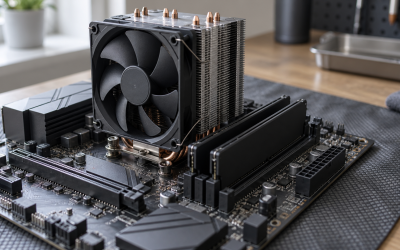
The best CPU for RX 7800 XT gaming is the Ryzen 7 7800X3D for high-refresh 1080p and 1440p, while the Ryzen 5 7600 is the best-value pairing and the Ryzen 7 7700 is the sensible choice for gaming plus heavier work.
As an Amazon Associate we earn from qualifying purchases at no extra cost to you.



Our Top Picks



Top 3 picks at a glance
Quick recommendations
| Use case | Best CPU pairing | Why it fits the RX 7800 XT | Typical CPU price range |
|---|---|---|---|
| Lowest sensible platform cost | Ryzen 5 7600 | Six fast Zen 4 cores, efficient operation, and enough gaming performance for 1440p | Usually $180–$240 |
| Best overall gaming balance | Ryzen 7 7800X3D | Large 3D V-Cache reduces CPU limits in high-frame-rate games | Usually $320–$420 |
| Gaming and productivity | Ryzen 7 7700 | Eight cores, low power draw, and better multicore headroom than the 7600 | Usually $220–$300 |
| Top-end CPU performance | Ryzen 7 9800X3D | Very strong high-refresh gaming performance, though often unnecessary at 4K | Usually $450–$550 |
| Existing Intel LGA1700 upgrade | Core i5-14600K | Strong mixed gaming and productivity performance without replacing the motherboard | Usually $240–$330 |
What the RX 7800 XT actually needs
The Radeon RX 7800 XT is primarily a 1440p graphics card with 16GB of GDDR6 memory. At that resolution, the GPU usually determines frame rate before a modern six-core processor does. That makes an expensive CPU harder to justify unless you use a high-refresh monitor, play CPU-heavy games, or want a long upgrade path.
At 1080p, the situation changes. Lower resolution reduces GPU workload, so the processor must prepare frames more quickly. Competitive games, large simulation games, strategy titles, and poorly threaded open-world games can expose CPU limits even when the RX 7800 XT is capable of very high frame rates.
At 4K, the RX 7800 XT is normally the limiting component. A faster processor can improve minimums in a few CPU-heavy games, but it will not transform average performance when the GPU is already rendering at close to full utilization.
Ryzen 5 7600: best value for most 1440p builds
The six-core, twelve-thread Ryzen 5 7600 is the most cost-effective choice for a new RX 7800 XT system. Its Zen 4 architecture delivers strong single-threaded performance, and the AM5 platform gives you a practical future upgrade route.
It is particularly suitable for a 1440p 60Hz, 75Hz, or 144Hz monitor. In many GPU-heavy games, the difference between a Ryzen 5 7600 and a more expensive gaming CPU is small once quality settings are increased. The processor also includes an integrated graphics core, which is useful for basic troubleshooting if the dedicated card must be removed.
Choose the 7600 when the saved money can fund a better power supply, a faster SSD, more memory, or a higher-quality monitor. Pair it with 32GB of DDR5-6000 memory using two modules, assuming the motherboard supports that speed reliably.
Ryzen 7 7800X3D: best gaming-focused pairing
The Ryzen 7 7800X3D is the strongest all-round gaming match for the RX 7800 XT when the priority is high frame rates rather than the lowest purchase price. Its eight cores and large 3D V-Cache are especially useful in games that repeatedly access large working sets, including simulation, strategy, multiplayer, and open-world games.
Its advantage is clearest at 1080p and with a 165Hz, 240Hz, or faster display. At 1440p, it can improve frame-time consistency and minimum frame rates, although the average difference may be modest in GPU-limited games. At 4K, the extra CPU cost usually produces little visible benefit unless you play a title with an unusually heavy CPU workload.
The 7800X3D is also easy to cool compared with many high-power desktop processors. A capable tower air cooler or 240mm-class liquid cooler is generally sufficient, but cooler quality, case airflow, and motherboard firmware still matter.
Ryzen 7 7700: the balanced eight-core alternative
The Ryzen 7 7700 provides eight cores and sixteen threads without requiring the premium usually associated with an X3D chip. It is a better fit than the 7800X3D for someone who streams, compiles software, edits video, runs virtual machines, or keeps many background applications open.
In pure gaming, it can trail the 7800X3D in CPU-limited situations. The difference shrinks at 1440p and often becomes irrelevant at 4K. Its lower platform cost during sales can make it an attractive middle ground, especially if the computer must handle work as well as games.
Ryzen 7 9800X3D: excellent, but not automatically sensible
The Ryzen 7 9800X3D is a premium eight-core gaming processor for buyers who want maximum frame-rate headroom on the AM5 platform. It is most compelling for high-refresh 1080p gaming, CPU-limited competitive titles, and people who want to keep the processor through a future graphics-card upgrade.
With an RX 7800 XT at 1440p, however, the GPU commonly erases much of the performance gap between the 9800X3D and cheaper CPUs. If choosing between this processor and a larger monitor, faster graphics card, or better power supply, the latter may produce a more noticeable improvement for a typical 1440p player.
Intel option: Core i5-14600K
The Core i5-14600K remains a capable RX 7800 XT partner for buyers who already own an LGA1700 motherboard or need strong mixed workloads. Its combination of performance cores and efficiency cores gives it substantial multicore throughput, but its power consumption and cooling requirements can be higher than those of the Ryzen 5 7600 or Ryzen 7 7700.
For a completely new build, AM5 is usually the more attractive platform because it offers a clearer forward upgrade path. The 14600K makes more sense when the motherboard, DDR5 memory, cooler, or existing system is already available. Check motherboard firmware and power limits before buying, particularly for sustained all-core workloads.
Performance by resolution and refresh rate
| Resolution and target | Likely limit | Recommended CPU class | Best practical choice |
|---|---|---|---|
| 1080p, 60–100Hz | Often GPU or game-engine dependent | Six modern cores | Ryzen 5 7600 |
| 1080p, 144–240Hz | Frequently CPU-limited | Eight fast cores with large cache | Ryzen 7 7800X3D or 9800X3D |
| 1440p, 60–165Hz | Usually GPU-limited | Six to eight modern cores | Ryzen 5 7600 or Ryzen 7 7700 |
| 1440p, 240Hz | Mixed CPU and GPU limit | Fast eight-core CPU | Ryzen 7 7800X3D |
| 4K, 60–120Hz | Strongly GPU-limited | Six modern cores is normally enough | Ryzen 5 7600, unless productivity needs dictate otherwise |
How much CPU is enough? A useful budget calculation
Suppose a new build budget is $1,300. A Ryzen 5 7600 platform might cost approximately $180–$240 for the CPU, $140–$220 for a B650 motherboard, and $90–$140 for 32GB of DDR5 memory: roughly $410–$600 before cooling. A Ryzen 7 7800X3D platform can raise that total by about $140–$220.
That extra money only pays off when the system can use it. At 4K, where the RX 7800 XT may render around 60–100 frames per second depending on the game and settings, a 240Hz-oriented CPU has little opportunity to show its advantage. At 1080p competitive settings, where the card may produce well over 200 frames per second, the same money can prevent the processor from becoming the limiting factor.
A simple diagnostic is GPU utilization. If the GPU remains around 95–99% during gameplay, a faster CPU is unlikely to raise average frame rate substantially. If GPU utilization frequently falls below roughly 90% while one or more CPU threads are saturated, the processor or game engine may be limiting performance. This test should be made in the actual games you play, not only in a synthetic benchmark.
Platform and supporting-component choices
- Motherboard: A B650 board is normally sufficient for Ryzen 7000 and Ryzen 9000 gaming CPUs. Choose a model with the rear I/O, networking, M.2 slots, and BIOS support you need rather than paying only for premium power phases.
- Memory: Use 32GB as the practical gaming baseline in 2026. Two DDR5 modules around 6000 MT/s with sensible timings are a common AM5 target, but stability matters more than a small specification increase.
- Power supply: The RX 7800 XT is commonly paired with a quality 700W–750W unit. A system with a higher-power CPU, many drives, or future upgrade plans may justify 850W. Avoid judging a power supply by wattage alone; platform quality and the correct PCIe cables matter.
- Cooling: The Ryzen 5 7600 can run with modest cooling, while the 7800X3D, 9800X3D, and 14600K benefit from a capable aftermarket cooler and good case airflow.
Final buying decision
Buy the Ryzen 5 7600 if you want the best value and primarily play at 1440p. Choose the Ryzen 7 7800X3D if you target high-refresh gaming, care about minimum frame rates, or want the safest gaming-focused pairing without moving to a premium processor. Select the Ryzen 7 7700 for a balanced gaming and productivity machine. The Ryzen 7 9800X3D is the luxury option for maximum CPU headroom, but the RX 7800 XT usually cannot exploit all of it at 4K.
Frequently asked questions
Do I need an aftermarket cooler for the Ryzen 5 7600?
The Ryzen 5 7600 can run with modest cooling, so an elaborate cooler is not automatically necessary. Cooling requirements still depend on the case, airflow, motherboard settings, and workload. The Ryzen 7 7800X3D and Ryzen 7 9800X3D benefit from a capable tower air cooler or liquid cooler, while the Core i5-14600K generally needs more substantial cooling because its power consumption can be higher.
How much memory should I install with the RX 7800 XT?
Install 32GB of DDR5 memory as the practical gaming baseline. For an AM5 system, two DDR5 modules around 6000 MT/s with sensible timings are a common target, provided the motherboard supports that speed reliably. Memory stability matters more than a small specification increase, and two modules are preferable to an unnecessarily complicated configuration.
What power supply wattage is appropriate for this graphics card?
A quality 700W–750W power supply is commonly suitable for an RX 7800 XT system. Choose 850W instead if the computer uses a higher-power CPU, many drives, or you expect a future graphics-card upgrade. Wattage alone is not enough: platform quality and the correct PCIe cables also matter when selecting the power supply.
Can the Ryzen 5 7600 display an image without the graphics card?
Yes, the Ryzen 5 7600 includes an integrated graphics core that can provide basic troubleshooting capability when the dedicated graphics card is removed. It is not presented as a replacement for the RX 7800 XT for gaming. Its main benefit here is helping diagnose a system or display problem without needing the dedicated card installed.
How can I tell whether my processor is limiting performance?
Check GPU utilization in the actual games you play. If the GPU remains around 95–99% during gameplay, a faster CPU is unlikely to raise average frame rate substantially. If utilization frequently falls below roughly 90% while one or more CPU threads are saturated, the processor or game engine may be limiting performance. Synthetic benchmarks alone are not enough.
Related guides
- Is Ddr4 Ram Compatible with Am5 Motherboard? What You Need to Know (2026)
- Best Budget HP Laptops: Ten Listings Decoded by Processor, RAM and Reseller Tags: 10 Compared (2026)
- 10 Best Gaming Laptops for Singapore: Twelve Widely Sold Options and an Import Checklist (2026)
- Ryzen Threadripper 1900X for Gaming: Specs and Is It Worth It?