Hunting for a budget HP laptop mostly means decoding product titles. Ten listings here all carry the HP name, yet they split into just four families: an entry Windows laptop on the Intel N150, an older Celeron N4500 model, a Chromebook, and one Snapdragon OmniBook. The cleanest budget pick is the HP 14 with a stated N150, 4GB and 128GB UFS. The OmniBook is the upgrade, and the reseller-style listings with 628GB bundles deserve extra scrutiny.
Our Top Picks
 HP 14 Inch Everyday Laptop16GB RAM | 512GB PCIe SSD12.76 x 8.86 x 0.71 inches3.24 PoundsCheck on Amazon
 HP 14" Ultra-Light Laptop for Student & Home4GB|128GB Storage12.76 x 8.86 x 0.71 inches3.24 PoundsCheck on Amazon
 HP 14" HD Chromebook Laptop for StudentsN4120|64GB eMMC12.85 x 8.94 x 0.72 inches3.35 poundsCheck on Amazon
Top 3 picks at a glance
The ten HP listings at a glance
As an Amazon Associate we earn from qualifying purchases at no extra cost to you.



| Model | Key point from title | Price tier | Best for |
|---|---|---|---|
| HP 14 (14-dq6199nr), N150 | Intel N150, 4GB, 128GB UFS, Win 11 Home, 1-yr Microsoft 365 | Budget | Entry Windows with clear specs |
| HP 14-inch (Honey Lavender) | Unnamed Intel processor, Copilot, Office, 128GB | Mid-range | Shoppers who verify missing specs |
| HP 14-inch Everyday Laptop | N150, 128GB SSD, 1TB cloud, Microsoft 365 | Mid-range | Windows with an SSD named in the title |
| HP 14 Ultra-Light, N4500 | Celeron N4500, 4GB, 64GB + 64GB SD, Win 11 in S mode | Budget | Light tasks with extra card storage |
| HP 14 Ultra Light Thin (Sky Blue) | 4-core Intel, 4GB DDR5, 628GB bundle, Win 11 Pro | Budget | Bundle fans; check the reseller extras |
| HP 14 HD Chromebook for Students | N4120, 4GB, 64GB eMMC, 14-hr claim | Budget | Chrome OS on the cheapest plan |
| HP 14 Ultra-Light, N150 with SD | N150, 4GB, 128GB plus 128GB SD, Windows 11 in S mode | Budget | Students needing storage on a card |
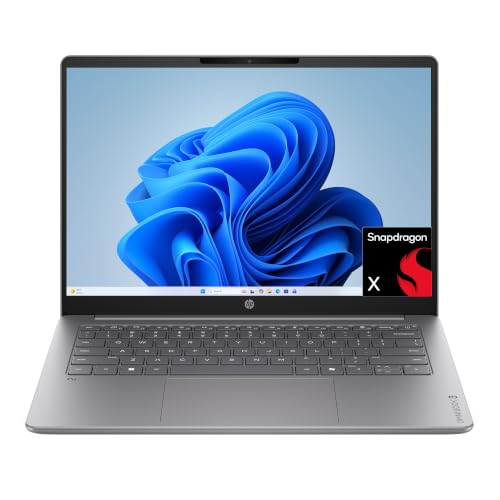
| HP OmniBook 3 14 | Snapdragon X X1-26-100, 8GB, 256GB, 2K display | Premium | The most capable pick, on Windows on Arm |
| HP Stream 14 (Renewed) | N150, 4GB, 128GB UFS, Windows 11, Fast Charge | Budget | Lowest-cost Windows, with renewed risks |
| HP 14-inch Laptop (Lavender, 628GB) | 4GB DDR5, 128GB UFS + 500GB ext, Win 11 Pro | Mid-range | Near-duplicate of the bundle above |
Reading the HP lines first
HP sells several families, and only some appear here. The 14-inch lines are its everyday laptops. The Chromebook line runs Chrome OS. Stream is a low-cost Windows line. OmniBook is a newer mainstream line. Pavilion generally sits above these for mainstream use, and Victus is HP’s gaming brand, but neither is in this set, so look elsewhere if you need those. In general, the family name tells you the target buyer, and the processor and RAM in the title tell you the real performance.
Every listing, with the catches
HP 14 (14-dq6199nr), Intel N150
A clear title: Intel N150, 4GB of RAM, 128GB of UFS storage, Windows 11 Home and a one-year Microsoft 365 Personal subscription, with a model number you can search. Four gigabytes is the limit for heavy tabs.
Pros
- Every spec stated
- Model number for checking support
Cons
- 4GB RAM
- HD display
Who it’s for: buyers who want an entry Windows laptop with no ambiguity.
HP 14-inch (Honey Lavender)
The title mentions Copilot, Office 365, 128GB of storage and 1TB of cloud storage, but names no processor or RAM. A color name and a year do not tell you the speed. Check the listing for the processor before comparing it with the others.
Pros
- Wi-Fi 6 and HDMI listed
- Cloud storage included
Cons
- CPU and RAM not stated
- Year label offers little
Who it’s for: buyers who confirm the missing specs first.
HP 14-inch Everyday Laptop
An N150 with a 128GB SSD, 1TB cloud storage and Microsoft 365, but no RAM figure. It overlaps heavily with the first HP above, so the decision comes down to the seller and the SSD wording.
Pros
- Names the N150 and an SSD
- Includes Microsoft 365
Cons
- RAM not stated
- Near-duplicate of the HP 14 N150
Who it’s for: someone who likes the SSD wording and cloud bundle.
HP 14 Ultra-Light, Celeron N4500
A Celeron N4500 with 4GB, 64GB eMMC plus a 64GB SD card, Wi-Fi 6, a webcam and Windows 11 Home in S mode. Older than the N150 models; the card is removable storage, not a second drive.
Pros
- Webcam and Wi-Fi 6
- One-year Office offer
Cons
- Older processor
- S mode limits software
Who it’s for: light users who want a card slot for files.
HP 14 Ultra Light Thin, Sky Blue
A 4-core Intel CPU with 4GB of DDR5, Windows 11 Pro and a 628GB total (128GB UFS + 500GB external). The “MarxsolAdd” in the title points to a reseller accessory. The CPU is unnamed, so verify before buying.
Pros
- DDR5 memory
- Pro edition of Windows
Cons
- CPU not named
- Reseller bundle
Who it’s for: buyers who trust the seller and check the add-on.
HP 14 HD Chromebook for Students
An N4120 with 4GB and 64GB of eMMC, HDMI, USB-A and USB-C ports and a 14-hour battery claim running Chrome OS. The “CUE Accessories” mention hints at a bundle.
Pros
- Low price
- Good port range
Cons
- HD screen
- Chrome OS only
Who it’s for: browser-first users.
HP 14 Ultra-Light, Intel N150 with 128GB SD
An N150 with 4GB, 128GB storage plus a 128GB SD card, a one-year Office offer and Windows 11 Home in S mode. A near-duplicate of the first listing but with the S mode catch and a card.
Pros
- N150 plus a card
- Fast charge
Cons
- S mode limits software
- Near-duplicate
Who it’s for: students who want extra file space on a card.
HP OmniBook 3 14
A Snapdragon X X1-26-100, 8GB of RAM, a 256GB SSD, a 2K display and Windows 11 Home. This is the most capable listing, though Windows on Arm may not run every older program. Check your software before buying.
Pros
- 8GB RAM and a 2K screen
- Modern Arm platform
Cons
- Highest tier here
- Arm app compatibility
Who it’s for: buyers with a higher budget who want a sharper display.
HP Stream 14 (Renewed)
An N150 with 4GB, 128GB UFS, a webcam, Wi-Fi 6 and Windows 11, sold renewed. The renewed label means a prior owner; check the seller grade, warranty and battery condition.
Pros
- Lowest-cost Windows option
- Fast charge in the title
Cons
- Renewed unit risks
- 4GB RAM
Who it’s for: tight budgets with a careful look at the return window.
HP 14-inch Laptop (Lavender, 628GB)
Very similar to the Sky Blue bundle: Windows 11 Pro, Office, Wi-Fi 6, 4GB DDR5 and a 628GB total. The Hubxcel add-on tag signals a reseller. It is a near-duplicate, so the differences are the seller and the price.
Pros
- Pro edition
- DDR5 memory
Cons
- Near-duplicate
- Reseller extras
Who it’s for: someone comparing sellers of the same bundle.
How we picked these
This list uses published specifications, manufacturer documentation and buyer reviews, working from what each title states. Nobody on the team used or measured these units. We flagged vague titles, reseller tags and near-duplicates so they do not distort the comparison.
What sets cheap HP models apart
Decoder for HP listing titles
- Model number such as 14-dq6199nr: search it to confirm exact hardware
- Color names and year labels: marketing, not specifications
- Names ending in Add or Addon: usually a reseller accessory
- 628GB or 1TB cloud: check what is internal and what is not
- S mode: restricts apps to the Microsoft Store unless you switch
- Renewed: used or refurbished, check the grade
CPU, RAM and storage
The N150 is an entry processor suited to simple tasks. RAM of 4GB is the floor and 8GB the comfort level; the OmniBook is the only listing here that states 8GB. For storage, 128GB is workable, 64GB is tight. If you also want a larger step in memory, our list of the best student laptops with 8GB of RAM is a useful comparison.
A near-duplicate checklist
When two listings look the same, compare in this order: the processor name, the stated RAM, the internal storage, the operating system mode, the seller and the return window. If every spec ties, the seller decides.
Chromebook or Windows
Pick the Chromebook for browser work, Windows for desktop programs, and the OmniBook if you want Arm efficiency and a sharper screen.
Matching a listing to a job
A worked comparison helps. For a household shared laptop used for email, bills and streaming, any N150 model with 4GB is adequate, and the stated-spec HP 14 is the easiest to trust. For a student with online classes and document work, prefer a model with a webcam, Wi-Fi 6 and, if possible, more than 4GB, which pushes you toward the OmniBook. For a child’s first laptop, the Chromebook or the renewed Stream keeps the cost of an accident low. For a small office needing Windows Pro features, the Pro-edition bundles are the only ones that mention it, though the unnamed processors need checking first.
Battery, ports and charging
Battery claims such as 12 or 14 hours are best-case figures from a seller, so assume noticeably less with video calls and bright screens. Ports differ: the Chromebook lists USB-A, USB-C and HDMI, while some Windows listings mention only Wi-Fi and a webcam. Check the listing for a charger in the box and for USB-C charging if you want to share a charger with a phone.
Mistakes buyers make
Buyers read the year in the title as a hardware generation, mistake external storage for an internal drive, and overlook S mode until a program will not install. They also buy unnamed processors, and ignore that renewed and bundled listings often leave the warranty with a third party. A final habit is comparing ten near-identical HP laptops by color rather than by specification.
Verdict
The HP 14 with the stated N150 and 128GB UFS is the cleanest budget buy, and the OmniBook 3 is the best step up if you can spend more. The Chromebook suits browser-only work. Treat the 628GB bundles carefully and verify the listing before buying. If you only remember one rule, make it this: choose the listing that states its processor, RAM and storage in plain words, because a title that hides those three facts is rarely hiding good news. Then compare return windows, since a cheap laptop that arrives with a dead pixel or a weak hinge is easiest to fix in the first few days.
Frequently asked questions
Which HP laptop is best for a tight budget?
Within this list, the plain Chromebook and the renewed Stream 14 are the lowest-cost routes, and the N150 14-inch models with 128GB of UFS storage are the best-specified entry Windows picks. The right choice depends on whether you need Windows programs. If your tasks live in a browser, a Chromebook is enough; if not, choose an N150 or better and confirm the RAM on the listing.
What does the Intel N150 mean for performance?
The N150 is a low-power processor in the entry class, aimed at web browsing, documents, video and light multitasking. It is not designed for games or heavy editing. Paired with 4GB of RAM, it can feel slow when many tabs are open, so check whether a listing offers more memory. Treat it as a basic everyday chip.
Are the HP laptops with 628GB of storage a good deal?
Read the number carefully: the titles describe 128GB of internal UFS storage plus 500GB of external storage. The internal drive holds Windows and your apps, and the extra drive is a separate accessory. Check the listing for what is included and for the seller’s return terms. The model name in the title points to a reseller add-on.
What is the difference between a Chromebook and an HP 14 Windows laptop?
A Chromebook runs Chrome OS, which is light, simple and mostly browser-based. An HP 14 Windows laptop runs standard desktop programs but needs more memory to stay smooth. Chromebooks cannot run Windows software, so confirm your needs first. Some Windows models ship in S mode, which restricts software to the Microsoft Store.
Is the HP OmniBook 3 worth the extra cost?
It offers a 2K display, 8GB of RAM and a Snapdragon X processor, which makes it noticeably more capable than the N150 laptops. It also runs Windows on Arm, so older programs may not work; check your software before buying. If your needs are modest, a cheaper N150 model is likely sufficient. If you want a sharper screen and more memory, the OmniBook is the step up.