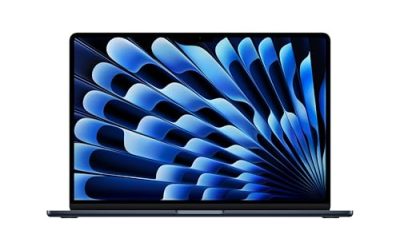
Anyone shopping for a large-screen laptop is really asking a space question. You want enough glass to run two windows side by side, read a full spreadsheet, or watch a film without squinting, and you are willing to give up some portability to get it. The catch is that “large” now covers two very different ranges: the familiar 17.3-inch laptops from mainstream brands, and a smaller group of 18.5-inch machines that push the idea further and behave more like a portable desktop.
This guide suits home-office workers, seniors who want bigger text, and families who keep a laptop on a dining table or desk rather than carrying it daily. All seven picks are judged only from what their listing titles state, because many of the spec lists are long and partly cut off. Where something matters and the title does not say, we point out that you should confirm it on the product page. The context for 2026 is simple: bigger panels are easier to find, but the surrounding details (memory, storage, build) still decide whether a big laptop is a bargain or a burden.
Our Top Picks
 EKY 18.5 Inch Large Screen Laptop Computer16GB RAM+1TB SSD16.8 x 10.97 x 0.83 inches1.9 KilogramsCheck on Amazon
 HP 17.3" Touchscreen Laptop Computer32GB RAM | 1.5TB Storage14.14 x 9.31 x 0.78 inches6 PoundsCheck on Amazon


Top 3 picks at a glance
Quick Picks
As an Amazon Associate we earn from qualifying purchases at no extra cost to you.




| Product | Best for | Key spec from the title |
|---|---|---|
| HP 17 Business Laptop (Ryzen 5) | Office work with data entry | 17.3-inch FHD, 16GB RAM, 512GB SSD, numeric keypad |
| HP 17.3 (Ryzen 5 7520U) | General home use | HD+ display, 16GB RAM, 512GB SSD, Radeon graphics |
| HP OmniBook 3 17 (Core Ultra 5 225U) | Newer Intel platform on a budget | 17.3-inch FHD, 8GB RAM, 512GB SSD |
| HP 17.3 Touchscreen (Core Ultra 7) | Touch input and a bundled drive | 16GB RAM, 512GB SSD plus 512GB external |
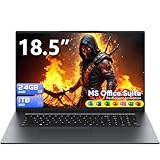
| EKY 18.5-inch | Desk-bound portable desktop | 16GB RAM, 1TB SSD, RJ45, HDMI, TF card slot |
| BWPED 18.5-inch | Maximum memory and storage | 24GB RAM, 1TB SSD, 48Wh battery |
| 18.5-inch Core i9 laptop | Color-aware work on a big panel | 100% sRGB FHD, 16GB RAM, 512GB SSD, WiFi-6 |
How to Choose
Screen size, resolution and sharpness
A 17.3-inch screen is the mainstream large size, while 18.5 inches is a niche that adds a few more centimeters of width. What matters more than size is resolution: Full HD (1920 x 1080) is the practical minimum, because stretching a lower resolution over a big panel makes text look coarse. The HD+ panel on one HP here is a step down from FHD, so do not assume all 17-inch screens are equally sharp. A listed 100% sRGB figure signals decent color coverage for photo work.
Weight, battery and where it will live
Big laptops are heavy and their batteries do not stretch to a full day. Small capacities, such as the 48Wh battery listed on one 18.5-inch model, suggest it is meant to be plugged in. Treat any laptop at this size as a desk machine that can move room to room, not as a commuting companion.
Memory and storage
Sixteen gigabytes of RAM and a 512GB SSD make a comfortable large-screen setup, since the extra screen space encourages running more windows. Budget models usually cut corners here, pairing a big display with a modest memory total. Eight gigabytes works for browsing and documents but feels limited. Be careful with storage described as a combined total: a bundle of an internal SSD plus an external drive is not the same as one big internal drive.
Ports and extras
Large chassis often include useful ports. HDMI lets you connect a TV or projector, RJ45 provides wired internet for stable video calls, and a TF card slot helps with camera or tablet cards. A numeric keypad and a backlit keyboard are comfortable extras when you type for hours. Check that the exact ports you need appear in the listing, and count USB-C connections if you plan to dock to an external monitor.
The 7 Best Options
HP 17 Business Laptop (Ryzen 5)
A 17.3-inch FHD screen with an AMD Ryzen 5, 16GB of RAM and a 512GB SSD, plus a numeric keypad and a long-battery claim. It suits office workers and small-business owners who want a roomy display for spreadsheets and email without leaving the familiar HP brand. Pairing a wide panel with a full-size keyboard means you can keep a spreadsheet and a browser visible at the same time instead of flipping between them.
- Strength: 16GB and 512GB form a solid core configuration.
- Strength: numeric keypad is a real time saver for data entry.
- Trade-off: the long-battery claim in the title has no hours attached, so do not count on it.
Skip it if you plan to carry it around daily, or if your desk is small.
HP 17.3 (Ryzen 5 7520U)
This HP offers a 17.3-inch HD+ display, a Ryzen 5 7520U, 16GB of RAM, 512GB of SSD storage and Radeon graphics, running Windows 11 Home. It fits households that want a large, simple machine for browsing, streaming and homework. Think of it as a shared family computer that stays on a desk or counter, where the spacious display is the main attraction and the spec list is solid but unfussy.
- Strength: 16GB of RAM and a 512GB SSD at a mainstream brand.
- Strength: Windows 11 Home keeps setup simple for family use.
- Trade-off: HD+ resolution is less sharp than Full HD.
Skip it if sharp text matters, or if you plan to work on documents all day.
HP OmniBook 3 17 (Core Ultra 5 225U)
The OmniBook 3 pairs a 17.3-inch Full HD display with an Intel Core Ultra 5 225U, Intel graphics, 8GB of RAM and a 512GB SSD. It is a good fit for someone who wants a newer Intel platform and a full HD panel in the large-screen tier. Because the title lists only 8GB of memory, it makes the most sense for someone whose daily routine is documents, video calls and streaming rather than a dozen apps at once.
- Strength: Full HD resolution on a big display keeps text crisp.
- Strength: Core Ultra is a newer processor family.
- Trade-off: 8GB of RAM is the minimum for multitasking on this much screen.
Skip it if you plan to keep many apps open at once.
HP 17.3 Touchscreen (Core Ultra 7)
This unit brings a 17.3-inch touchscreen, an Intel Core Ultra 7, 16GB of RAM, a fingerprint reader and Windows 11 Pro. Its storage is described as 1TB, split between a 512GB SSD and a 512GB external drive from a docking set. It fits professionals who like touch input and want security features like a fingerprint reader. The docking set is an unusual inclusion, so read the listing to see what hardware arrives in the box before you rely on it.
- Strength: Windows 11 Pro and the fingerprint reader suit work use.
- Strength: Core Ultra 7 is the strongest processor name among the HP models.
- Trade-off: only 512GB is built in; the rest sits on an external drive.
Skip it if you want all your storage inside the laptop, or if you rarely use touch input.
EKY 18.5-inch
An 18.5-inch laptop with 16GB of RAM, a 1TB SSD, a processor up to 3.4GHz and a 6316mAh battery. It includes a privacy shutter camera, a TF card slot, RJ45 and HDMI. It is meant for a fixed workspace such as a home office or reception desk. A TF card slot and wired Ethernet are the kind of practical touches that make a big laptop easier to live with at a fixed station.
- Strength: 1TB SSD and plenty of ports, including wired Ethernet.
- Strength: camera shutter adds privacy.
- Trade-off: the processor is not named in the title, so check the full spec sheet.
Skip it if you need a recognizable brand or demanding performance.
BWPED 18.5-inch
This one lists 24GB of RAM and a 1TB SSD alongside a 3.4GHz Core m3, a 48Wh battery, three USB ports, HDMI, RJ45, dual-band Wi-Fi and Bluetooth 5.0. It is the most memory-rich model in the group. That makes it appealing to someone who wants to keep many documents and tabs open, though the processor name means expectations should stay realistic.
- Strength: 24GB of RAM and 1TB storage leave huge headroom.
- Strength: three USB ports plus HDMI and Ethernet reduce the need for adapters.
- Trade-off: a Core m3 processor is entry-level, so extra memory will not make it fast.
Skip it if you want strong processing power.
18.5-inch Core i9 laptop
The listing promises a Core i9 CPU up to 4.8GHz, 16GB of RAM, a 512GB SSD, WiFi-6 and a 100% sRGB FHD display. A backlit keyboard, numeric pad and fingerprint reader are mentioned too. It targets users who want a wide, color-accurate screen. Hobbyists who edit photos or build presentations will like the sRGB claim, but should look up the seller details because the title never names a brand.
- Strength: 100% sRGB coverage suits photo and design tasks.
- Strength: WiFi-6 and a fingerprint reader are included.
- Trade-off: the brand and exact model are not named in the title.
Skip it if brand support matters to you.
Which One Fits Your Situation
You need a screen for spreadsheets and bookkeeping
The HP 17 Business Laptop gives you 17.3 inches, a numeric keypad and 16GB of RAM.
You want a family laptop for the dining table
The HP 17.3 with the Ryzen 5 7520U is simple and spacious, and it runs Windows 11 Home.
You need a wired, port-rich desk machine
The BWPED or the EKY 18.5-inch models bring Ethernet and HDMI together. Choose the BWPED for more memory and the EKY for its camera shutter.
You work with photos or color
The 18.5-inch Core i9 model lists 100% sRGB coverage, making it the most suitable here.
Common Mistakes
- Assuming every 17-inch panel is Full HD when some are HD+.
- Counting an external drive as built-in storage.
- Expecting all-day battery from a big, heavy laptop.
- Paying for an impressive processor name while ignoring the RAM total.
- Skipping the brand and warranty check on lesser-known 18.5-inch models.
Related guides
- Windows Macos Linux Gaming Performance Comparison Strengths Weaknesses
- Desktop Operating Systems Gaming Performance Strengths Weaknesses
- 5G Home Internet Wifi Modem Settings Low Latency Gaming
Frequently Asked Questions
Are 18.5-inch laptops practical?
They work well as portable desktops that move between rooms. They are bulky for travel, so choose one only if it will mostly stay on a desk.
Is a touchscreen worth it on a large laptop?
It helps for casual browsing and annotation. It adds weight and can cut battery time, so only choose it if you will actually use it. Most buyers who mainly type and click are better served by a standard screen.
How much RAM do I need on a big-screen laptop?
Sixteen gigabytes is a comfortable target because large displays invite more open windows. Eight gigabytes will work for lighter use.
Why does battery size matter at this size?
Large panels draw more power, so a modest battery means short unplugged use. Check the capacity in the listing and plan to stay near an outlet. A laptop this size is happiest on a desk with a charger permanently attached.