
The best Cyber Monday PS5 game deal for most households is the Sony PlayStation 5 Slim Disc 2TB SSD Edition Bundle with Astro Bot and the C-Gamers Dual-Controller Charger. It is the only entry on this list that solves the platform purchase rather than adding to it, and the 2TB drive is the difference between keeping a dozen large installs resident and deleting one every fortnight. It suits a first-time buyer, a PS4 household finally upgrading, and anyone who wants disc playback plus a charging dock in a single order. If you already own a PS5, put the discount into software and shelf space instead: Minecraft for all-ages co-op, Let’s Build a Zoo for solo management sessions, 34 Sports Games – World Edition for party nights, and one of the disc towers for the collection that has outgrown its shelf. Everything below is organised by genre, campaign length, multiplayer value, edition extras, and whether the offer covers a physical disc or a digital code.
Our Top Picks



Top 3 picks at a glance


Quick Comparison
| Product | Best for | Key specs / contents | Price tier |
|---|---|---|---|
| Sony PlayStation 5 Slim Disc 2TB SSD Edition Bundle | Complete first-time setup with disc playback | PS5 Slim with 4K UHD Blu-ray drive, 2TB SSD (upgraded from the standard 1TB), Astro Bot pack-in, C-Gamers dual-controller charging dock | Premium |
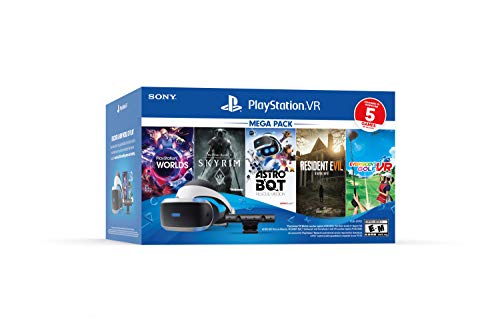
| PlayStation VR Bundle Five Game Pack | Low-cost entry into the PS4-era VR library | First-generation PS VR headset plus five bundled VR titles; requires PlayStation Camera and processor unit; PS5 use needs the free camera adapter | Premium |
| Maximum Entertainment 34 Sports Games – World Edition | Party nights and short-session variety | 34 individual sports events on one disc; pick-up-and-play structure; local multiplayer across most events | Budget |
| ADZ Game Storage Tower | A small, curated shelf of favourites | Holds 12 game or Blu-ray cases; upright rack format; roughly 6.6 in of shelf spine reclaimed | Budget |
| Merge Games Let’s Build a Zoo (PS5) | Solo management-sim players who like moral choices | Zoo construction and management sim; animal DNA splicing; branching morality system; sandbox mode | Budget |
| ASFSKY Video Game Storage Tower | Growing collections that also need controller storage | 46-game organizer plus 2 controller hooks; taller multi-tier rack | Mid-range |
| Just For Games Minecraft (PS5) | All-ages creative play and cross-platform co-op | Native PS5 release of Minecraft Bedrock; cross-play with other Bedrock platforms; split-screen support | Premium |
| Skywin Video Game Storage Tower | Tall, narrow gaps and disc-first collectors | 36-disc holder; 6.6 x 4.7 x 29 in footprint; vertical tower design | Mid-range |
| KICKDOT PS5/PS5 Slim Stand and Cooling Station | Vertical console placement plus controller charging | Stand and cooling base for PS5 and PS5 Slim; integrated controller charging station; accessory kit format | Mid-range |
How We Chose
This roundup is built from listing information, published platform specifications, and category knowledge rather than from any product being unboxed, benchmarked, or owned by the writer. The selection criteria were deliberately narrow. First, category fit: every entry had to do one job clearly — a console, a VR headset bundle, a piece of software, or a storage and charging accessory — so that a reader can slot it into a plan without overlap. Second, specification class: where a listing states a hard number, such as a 2TB SSD, 46 game slots, or a 6.6 x 4.7 x 29 in footprint, that number is reported as stated; where it does not, the product is described by the class of specification it belongs to rather than with an invented figure. Third, use case and campaign length: a 34-event sports compilation, a management sim, and a sandbox builder serve very different session lengths, and grouping them by genre is more useful than ranking them against each other. Fourth, upgrade path: hardware that accepts future expansion — an M.2 drive bay, an accessory that frees shelf space, a headset that unlocks a back catalogue — was favoured over dead ends. Fifth, edition extras: bundled games and chargers were weighed as part of the value, with the caveat that a pack-in you will never play is not a discount. Finally, format: each entry is flagged for whether the offer is a physical disc, a download code, or a piece of hardware, because that determines whether it can be resold, lent, or shared across accounts.
1. PS5 Slim Disc 2TB Bundle – Best for the Complete First-Time Setup
As an Amazon Associate we earn from qualifying purchases at no extra cost to you.
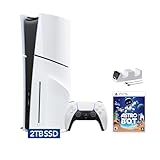
This is the anchor purchase of the list. The listing combines four things that a new PS5 owner would otherwise buy separately: the console itself in its Slim chassis with a working 4K UHD Blu-ray drive, a 2TB SSD rather than the standard 1TB, a copy of Astro Bot, and a C-Gamers dual-controller charging dock. The disc drive matters more than it did five years ago, because physical PS5 software is exactly the category that Cyber Monday discounts hit hardest — retail promotions tend to cut disc prices, while digital storefront sales follow their own calendar. If you plan to buy most of your library on disc, or to borrow and resell games, this is the version to get.
The 2TB figure is the sleeper feature. A stock PS5 ships with a 1TB drive, which after the system reserve leaves roughly 800 GB of usable space. Modern installs are large: a big open-world release can occupy 80–150 GB, and a live-service shooter with seasonal content can climb past 150 GB over time. That puts the stock drive at roughly eight to ten large titles before the first deletion. A 2TB drive, with a comparable reserve, lands near 1.8 TB usable, which is about 18 large installs at a 100 GB average — and that average is a planning number, not a fixed rule, since indie downloads and older titles are far smaller. The Astro Bot pack-in is a small install by comparison, typical of a first-party platformer.
| Component | Published specification |
|---|---|
| CPU | 8-core AMD Zen 2, variable frequency up to 3.5 GHz |
| GPU | AMD RDNA 2, approximately 10.3 TFLOPS, hardware ray tracing |
| Memory | 16 GB GDDR6, 448 GB/s bandwidth |
| Storage | 2TB NVMe SSD as listed, plus an M.2 expansion slot |
| Optical drive | 4K UHD Blu-ray (disc model) |
| Video output | HDMI 2.1, up to 4K at 120 Hz with variable refresh rate support |
| Networking | Gigabit Ethernet, Wi-Fi 6, Bluetooth 5.1 |
Strengths, then. The bundle removes three separate decisions — console, storage, charging — and the dual-controller dock means a second pad never sits on the floor. The Slim chassis is meaningfully smaller than the launch model, which helps in a media unit with limited depth, and the M.2 slot stays free, so the 2TB figure is a floor rather than a ceiling. Disc playback also means the console doubles as a 4K Blu-ray player, which is a real secondary use for a living-room machine.
- Pros
- 2TB SSD doubles practical install headroom versus a stock 1TB console
- Disc drive keeps the physical game market, resale, and lending open
- Astro Bot and a dual-controller charger are included rather than sold separately
- Slim chassis fits shallower media units than the launch console
- M.2 expansion slot remains available for a later upgrade
- Cons
- Highest single outlay on this list; the discount is a percentage of a large number
- Disc models are usually pricier than the all-digital equivalent
- A pack-in platformer will not appeal to every genre preference
- Console bundles rarely discount as deeply, in percentage terms, as software does
Against the nearest alternative on this list, the PlayStation VR Bundle Five Game Pack, the choice is straightforward. The VR bundle assumes you already have a working console and adds a headset with an older library; the PS5 Slim bundle is the machine everything else attaches to. Buy the console first if you are starting from nothing, and treat VR as a later, second-hand-market-friendly experiment. The KICKDOT stand is the other overlap: if you choose this bundle, you already have a controller dock, so the stand becomes a vertical-placement decision rather than a charging one.
2. PlayStation VR Bundle Five Game Pack – Best for Cheap Entry into the Older VR Library
This is a bundle built around the first generation of PlayStation VR, packaged with a five-game collection. It suits a specific reader: someone who wants to try VR without spending current-generation headset money, who understands that the software library it opens is the PS4-era VR catalogue, and who is comfortable with a setup that involves more than one cable and more than one box.
The compatibility caveats deserve to be stated plainly, because they decide whether this is a bargain or a paperweight. The original PS VR requires a PlayStation Camera for head tracking and a processor unit that sits between the console and the TV. On a PS4, that is everything you need. On a PS5, you also need the free camera adapter that Sony supplies for exactly this purpose — the PS5 has no camera port that matches the older camera’s connector. Once adapted, the headset plays PS4 VR titles on PS5 hardware. It does not play PS5-native VR games, because those are built for the newer headset generation. If your interest is specifically in current PS5 VR releases, this bundle is the wrong purchase; if your interest is a cheap, large back catalogue of VR experiences, it is one of the least expensive ways in.
- Key specifications and contents
- First-generation PS VR headset with a 1920 x 1080 OLED display shared across both eyes (960 x 1080 per eye)
- Native 120 Hz refresh mode, plus 90 Hz and 60 Hz modes reprojected to 120 Hz
- Roughly 100-degree field of view, typical of this headset generation
- Five bundled VR titles in the pack
- Requires PlayStation Camera and processor unit; PS5 use requires the camera adapter
The strengths are about cost per hour rather than fidelity. A five-game pack plus a headset lands in a price band that current VR hardware does not occupy, and the PS4 VR back catalogue is genuinely deep — rail shooters, horror, puzzle boxes, cockpit games, and a long tail of experimental short-form pieces. Because the headset is older, the games that run well on it are the games that were designed for it, which means performance is generally stable rather than marginal.
- Pros
- Lowest cost of entry into VR on this list
- Five bundled titles immediately demonstrate the format
- Large, mature PS4 VR back catalogue that is often heavily discounted
- Runs on PS4 and, with the adapter, on PS5
- Cons
- Does not run PS5-native VR titles
- Cable-heavy setup with a processor unit and camera
- Lower resolution and narrower field of view than modern headsets
- Camera-based tracking is more sensitive to room lighting than newer systems
Compared with the PS5 Slim bundle, this is an accessory-tier purchase that assumes an existing console, and it is a poor first buy for someone with no PS5 or PS4 in the house. Compared with a software purchase such as Minecraft, it delivers a novel format rather than hundreds of hours of one game. The sensible sequence is console first, VR second — and only if the older library is what you actually want to play.
3. 34 Sports Games – World Edition – Best for Party Nights on a Budget
Thirty-four sports on one disc is a value proposition rather than a simulation proposition, and it is worth being honest about which of those two things you want. This compilation is at its best in a room with other people, a short amount of time, and a low tolerance for tutorials. It suits families, students, and anyone who wants a disc that gets used at gatherings rather than a single-player campaign that gets finished once and shelved.
The structure is the selling point. Each sport is a self-contained event with its own control scheme and its own rules, which means a session can be ten minutes or three hours. Most events are built around quick rounds rather than full-length matches, so the disc functions as a rotating set of mini-games. That makes it the cheapest per-hour entertainment on this list for a group, and one of the weakest choices for a solo player who wants depth in any single discipline.
- Key specifications and contents
- 34 separate sports events on a single PS5 disc
- Pick-up-and-play event structure with short round lengths
- Local multiplayer across the majority of events
- Physical format, so it can be lent or resold after the party season ends
- Budget price tier, which is where most party compilations sit
Strengths: variety, immediate readability, and a physical disc that retains some resale value. A compilation also solves the problem of a shared console in a shared house — nobody has to learn a 40-hour campaign to take a turn. Because the events are short, the disc is unusually good at filling the gaps between bigger releases, which is exactly what a Cyber Monday software purchase is for.
- Pros
- 34 events from one purchase; very low cost per activity
- Short rounds suit groups, children, and casual sessions
- Local multiplayer makes it a genuine party disc
- Budget tier means low risk if it does not click
- Cons
- Individual sports are shallow compared with dedicated titles
- Little long-term progression or single-player depth
- Presentation and animation are typical of a budget compilation
- Loses most of its value for a solo player
Against Minecraft, the other all-ages disc here, the split is clear: Minecraft is a long-horizon creative project with cross-play, while 34 Sports Games is a short-horizon social disc. If your household plays together for an hour at a time, take the sports compilation. If one person plays alone for weeks at a time, take Minecraft. Against Let’s Build a Zoo, the difference is solo depth versus group accessibility — Zoo rewards planning, the sports pack rewards reflexes.
4. ADZ Game Storage Tower – Best for a Small, Curated Shelf
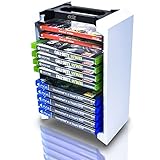
Not every collection needs a 46-slot monolith. The ADZ Game Storage Tower is a 12-case universal rack, which makes it the right answer for a reader who keeps a handful of favourites within reach and stores the rest in a box. It is a budget accessory, and its job is tidiness rather than capacity.
The useful arithmetic here is spine width. A standard Blu-ray or PS5 case is roughly 14 mm thick, so 12 cases occupy about 168 mm — a little over 6.6 inches — of shelf row if laid flat in a single line. A 12-slot tower compresses that into a footprint no wider than a hardback book, which is the entire point of the category. In a media unit with 15 inches of spare width, that reclaimed space is the difference between two towers and one.
- Key specifications and contents
- 12-case capacity for games or Blu-ray discs
- Universal fit, so PS5, PS4, Xbox, and film cases share the same rack
- Upright tower format with a small footprint
- Budget tier; the category generally sits in the low two-figure range
Strengths: it is cheap, it is small, and it enforces a limit. That last point is underrated. A 12-slot tower is a natural cap on the “keep it out” pile, which keeps the shelf from becoming the overflow problem it was meant to solve. Universal fit also means it survives a platform change — if you add a different console later, the rack still works.
- Pros
- Very low cost for the shelf space it reclaims
- Small enough for a desk, side table, or narrow shelf
- Accepts game and film cases across platforms
- Acts as a natural limit on how many cases stay out
- Cons
- 12 slots is small for anyone with a growing library
- No controller storage or cable management
- Rack-style towers offer less protection than a closed cabinet
- Not a solution for digital-only libraries
Against the Skywin 36-disc tower and the ASFSKY 46-game tower, this is the entry point. Choose ADZ if you have fewer than a dozen physical games and want them visible. Choose Skywin if you have a tall, narrow gap and a disc-first library. Choose ASFSKY if controllers also need a home. The upgrade path is linear, and buying the smallest tower first is a reasonable hedge if your collection is not yet settled.
5. Let’s Build a Zoo (PS5) – Best for Solo Management Sessions

Merge Games’ Let’s Build a Zoo is a management sim in the classic build-and-balance mould, with one twist that gives it a personality: animal DNA splicing. You run a zoo, you manage money, staff, enclosures, and visitor happiness, and you can combine species to produce creatures that do not exist. It suits a solo player who likes optimisation, slow-burn progression, and decisions with visible consequences.
The morality system is the part that distinguishes it from a straightforward tycoon game. Choices about how the zoo operates — from animal treatment to business ethics — feed into how the park develops, which gives the campaign a narrative spine that pure spreadsheet sims lack. A sandbox mode sits alongside it for players who would rather build without pressure, and that mode is where the game tends to live longest.
- Key specifications and contents
- Zoo construction and management simulation on PS5
- Animal DNA splicing mechanic for creating hybrid species
- Branching morality system tied to management decisions
- Sandbox mode alongside the structured campaign
- Budget price tier, which is typical for the management-sim category at retail
Strengths: depth per pound spent, and a session structure that works in either twenty-minute or three-hour blocks. Management sims are also unusually good value on a discounted disc, because the content is systems-driven rather than scripted — the game does not run out of things to do when the story ends. For a reader who wants one purchase to cover a winter, this is the strongest software candidate on the list.
- Pros
- Deep systems give long play time for a budget price
- DNA splicing keeps the roster interesting beyond the standard animal list
- Moral choices add narrative weight to management decisions
- Sandbox mode extends life after the campaign
- Cons
- No meaningful multiplayer; it is a solo experience
- Management interfaces are denser on a controller than on a mouse
- Pacing is slow by design, which will not suit everyone
- Visuals are functional rather than showy
Against Minecraft, the nearest alternative here, the distinction is creative freedom versus structured management. Minecraft gives you a world and no objectives; Let’s Build a Zoo gives you a business and a budget. Against 34 Sports Games, it is the opposite of a party disc — this is the one you play with headphones on. If you want the maximum number of hours from a single budget purchase, this is the pick.
6. ASFSKY Video Game Storage Tower – Best for Growing Collections with Controllers
The ASFSKY tower is a 46-game organizer with two controller hooks built into the frame. It suits a household where the collection has already outgrown a small rack and where controllers are the second clutter problem — the pads that end up on the floor, behind the TV, or under a cushion. Capacity plus hooks is the whole pitch.
Run the shelf arithmetic and the value becomes obvious. At roughly 14 mm per standard case, 46 games represent about 644 mm, or 25 inches, of single-row shelf spine. Compressed into a multi-tier vertical tower, that is a fraction of the horizontal footprint. Add two controllers, which would otherwise occupy their own charging area, and the tower is consolidating three separate storage problems into one object.
- Key specifications and contents
- 46-game storage capacity
- Two integrated controller hooks
- Multi-tier vertical rack format
- Mid-range price tier, reflecting the larger capacity and added hooks
Strengths: capacity with a purpose. The hooks are not a gimmick if your household runs two pads, and the tiered design keeps the top rows at a reachable height rather than stacking everything into one tall column. Mid-range pricing is justified by the extra slots relative to a 12- or 36-case tower.
- Pros
- 46 slots covers most multi-year physical libraries
- Controller hooks remove a second source of clutter
- Tiered layout keeps cases accessible
- Universal case fit across current and older platforms
- Cons
- Larger footprint than a 12-slot tower, so measure first
- Open rack design does not protect against dust
- Controller hooks are storage, not charging
- Overkill for anyone who buys mostly digital
Against the Skywin 36-disc tower, the trade is capacity versus height: ASFSKY holds more and includes controller storage, while the Skywin is specified as a tall, narrow unit with a 6.6 x 4.7 x 29 in footprint, which suits a gap that is high rather than wide. Against the ADZ 12-slot rack, this is the second-stage purchase — you buy the small one when the collection is small, and this one when it is not.
7. Minecraft (PS5) – Best for All-Ages Creative Co-op

Minecraft needs almost no introduction, but the PS5 release deserves one clarification: this is the native current-generation version, not a backwards-compatible PS4 disc. It runs the Bedrock codebase, which is the branch that supports cross-play with other Bedrock platforms and split-screen play on console. That combination makes it the most broadly useful software purchase on this list — it is the disc you can hand to a seven-year-old, a teenager, and an adult in the same evening without anyone feeling condescended to.
The game’s structure is what gives it unusual longevity. There is no fixed campaign length. A player can follow the progression path to its end, build indefinitely in Creative mode, or play Survival with friends on a shared world. That flexibility is why Minecraft tends to outlast the games bought alongside it — the content is generated by the player rather than shipped on the disc.
- Key specifications and contents
- Native PS5 release running the Bedrock edition
- Cross-play with other Bedrock platforms
- Split-screen multiplayer on console
- Creative, Survival, and Adventure modes
- Premium price tier, which reflects that this is a full-price evergreen title rather than a discounted back-catalogue item
Strengths: universal appeal, cross-platform play, and effectively unlimited play time. For a family with more than one device in the house, cross-play is the feature that decides whether the game gets used — a child on a tablet and a parent on the PS5 can share a world. For a solo builder, the PS5 version offers the smoothest console performance of the Bedrock releases.
- Pros
- Cross-play across Bedrock platforms
- Split-screen support for local multiplayer
- No practical end to the content
- Suitable for a very wide age range
- Physical disc can be lent or resold
- Cons
- Premium tier; it discounts less aggressively than back-catalogue software
- No built-in objectives if you want a directed campaign
- Visual style will not appeal to players who want realistic graphics
- Console version has fewer options than the PC release
Against Let’s Build a Zoo, the question is whether you want a sandbox or a system. Minecraft hands you tools; Zoo hands you a business with a balance sheet. Against 34 Sports Games, Minecraft is the long-horizon choice and the sports compilation is the short-horizon one. If you are buying exactly one disc for a mixed-age household, this is the safest of the three.
8. Skywin Video Game Storage Tower – Best for Tall, Narrow Gaps

The Skywin tower is specified at 6.6 x 4.7 x 29 inches and holds 36 discs. Those three numbers describe a very particular piece of furniture: tall, narrow, and shallow. It suits a reader with a vertical gap — beside a TV stand, in the corner of a desk, or in the strip of space between a cabinet and a wall — and a physical library large enough to justify more than a dozen slots.
Thirty-six cases at roughly 14 mm each is about 504 mm, or 20 inches, of single-row shelf spine. Standing that collection vertically in a 29-inch tower is what makes the footprint work. The trade-off is stability: a tall, shallow tower has a higher centre of gravity than a squat rack, so it is worth placing against a wall or in a corner rather than in the middle of a walkway.
- Key specifications and contents
- 36-disc capacity
- 6.6 x 4.7 x 29 in footprint — narrow and tall
- Vertical tower design
- Mid-range price tier, positioned between small racks and high-capacity organizers
Strengths: it solves a specific space problem that wider racks cannot. A 6.6-inch width fits where a 25-inch shelf row never would, and 36 slots is enough for a serious disc collection without going to a full 46-slot unit. It also pairs naturally with the PS5 Slim bundle, since a disc-based library needs somewhere to live.
- Pros
- Very narrow footprint for the capacity it offers
- 36 slots covers a substantial physical library
- Tall format uses wasted vertical space
- Works for game and film cases alike
- Cons
- Tall and shallow, so it benefits from being placed against a wall
- No controller storage
- Open design leaves cases exposed to dust
- Lower rows require bending or crouching to reach
Against the ASFSKY 46-game tower, the Skywin trades ten slots and two controller hooks for a narrower profile. If your gap is 8 inches wide, the Skywin wins on fit alone; if it is 15 inches wide, the ASFSKY wins on capacity. Against the ADZ 12-slot rack, this is the upgrade you buy once the first rack is full and you have stopped pretending the overflow box is temporary.
9. KICKDOT PS5/PS5 Slim Stand and Cooling Station – Best for Vertical Placement and Charging

This is an accessory kit rather than a game, and it does two jobs: it holds a PS5 or PS5 Slim vertically, and it includes a controller charging station. It suits a reader who has run out of horizontal space under the TV, or who wants the console standing and the pads charging in the same place.
On the cooling question, it pays to be precise. A stand of this type improves airflow by keeping the console clear of a carpet or a closed shelf and by not obstructing the intake and exhaust paths; it does not replace the console’s internal thermal design. The measurable benefit is a few degrees of difference at most, and it varies with room temperature, dust build-up, and how enclosed the space is. Treat the stand as a placement and tidiness product that also happens to help airflow, rather than as a performance upgrade.
- Key specifications and contents
- Vertical stand compatible with PS5 and PS5 Slim
- Integrated controller charging station
- Accessory-kit format with a base and docking elements
- Mid-range price tier, above a plain vertical stand because of the charging function
On power, a short calculation is useful. A dual-controller dock draws roughly 5–8 W in total while both pads are charging. A USB port supplying 5 V at 1.5 A tops out at 7.5 W, so a two-pad dock plus a headset or a second accessory on the same port can exceed what is available and charge more slowly. If the dock has its own wall adapter, use it; if it draws from the console, charge one pad at a time when you need speed.
Strengths: it consolidates the vertical stand and the charging dock into one object, which is exactly the kind of consolidation that saves shelf space. It fits both the standard and Slim chassis, so it survives a console upgrade within the same generation, and it puts controllers somewhere deliberate rather than on the floor.
- Pros
- Fits both PS5 and PS5 Slim
- Combines vertical placement with controller charging
- Lifts the console off carpeted surfaces, helping airflow
- Reduces the number of separate accessories on the shelf
- Cons
- Cooling claims should be read as airflow support, not temperature guarantees
- Overlaps with the charger bundled in the PS5 Slim bundle
- Vertical placement makes disc insertion a different motion
- Adds a powered accessory to a setup that may not need one
Against the C-Gamers dual-controller charger included with the PS5 Slim bundle, this stand is redundant on the charging side and useful on the placement side — buy it if you want the console upright, not if you only need pads charged. Against the storage towers, the split is functional: towers handle cases, this handles the console and controllers. A complete setup realistically uses one of each.
How to Choose
Decide what you are actually buying
Cyber Monday PS5 offers fall into four categories, and mixing them up is the most common way to waste a discount. Hardware covers the console itself and VR headsets. Software covers discs and download codes. Storage covers the towers and racks that hold physical cases. Charging and placement covers docks and stands. A hardware discount of 10 percent on a premium bundle is worth more in absolute terms than a 50 percent discount on a budget disc, but a software discount is worth more in percentage terms and carries less risk. Decide which category your setup is actually missing before you compare prices.
Match genre to campaign length
The single most useful filter is how long the game runs. A 34-event sports compilation delivers sessions measured in minutes; a management sim delivers dozens of hours from one purchase; a sandbox builder has no end at all. If your play time comes in twenty-minute blocks after work, a long narrative campaign will sit unfinished and the discount is wasted. If you play in three-hour stretches at weekends, a party compilation will run out of novelty quickly.
| Genre | Typical campaign length | Multiplayer value | Best fit from this list |
|---|---|---|---|
| Sports / party compilation | Minutes per event; no campaign | High — local, drop-in | 34 Sports Games – World Edition |
| Management sim | 20–60+ hours, then endless | None | Let’s Build a Zoo |
| Sandbox / builder | Unbounded | High — cross-play and split-screen | Minecraft (PS5) |
| Platformer (pack-in) | Roughly 10–15 hours | Low | Astro Bot in the PS5 Slim bundle |
| VR short-form | 1–5 hours per title | Low to moderate | PlayStation VR Bundle Five Game Pack |
Digital or physical: which one the discount applies to
This is where most buyers get caught out. Retail promotions on physical discs are run by retailers and apply to stock they hold, which means the discount is on the case in the box. Digital offers are run by the platform store and apply to codes or direct downloads, and they follow a different calendar. Some listings sell a download code in a physical box, which means you get a case with no disc inside — check the listing wording rather than assuming. Physical copies can be lent, traded, and resold, which lowers the effective cost of ownership; digital copies cannot be resold but are available instantly and cannot be scratched. If you resell games after finishing them, physical wins on total cost. If you replay a small number of titles forever, digital is fine.
Edition extras: what is worth paying for
Bundles add value only when the extra is something you would have bought. A pack-in platformer, a second controller dock, and a five-game VR pack are all real extras, but each has a condition attached. The platformer only pays off if you like the genre. The dual-controller dock only pays off in a two-pad household. The VR pack only pays off if the older VR library is what you want. Before paying a premium for a bundle, price the extra separately and ask whether you would buy it at that price on its own. If the answer is no, you are paying for something that will sit in a drawer.
Storage math: how much SSD you actually need
Do this calculation before choosing between a standard console and a larger-drive bundle. A 1TB PS5 leaves roughly 800 GB usable after the system reserve. At a 100 GB average for large modern installs — and this is a planning average, not a fixed figure, since a big open-world release can exceed 150 GB while an indie can be under 5 GB — that is about eight large titles before your first deletion. A 2TB drive leaves roughly 1.8 TB usable, which is about eighteen large installs at the same average. If you keep more than eight or nine big games installed at once, the larger drive saves you from repeat downloads that can run to tens of gigabytes each. The same logic applies to physical buyers: the disc does not reduce the install size, because PS5 games install to the SSD and the disc is a licence and a data source, not a runtime medium.
Shelf math: how much space a collection really takes
Physical collections are a geometry problem. A standard Blu-ray or PS5 case is roughly 14 mm thick, so 12 cases occupy about 6.6 inches of shelf row, 36 cases about 20 inches, and 46 cases about 25 inches. A tower does not reduce the number of cases, it changes the shape of the space they occupy — turning 20 inches of horizontal shelf into a 6.6-inch-wide vertical column. Measure the gap you have before buying. A 29-inch-tall tower needs 29 inches of clearance above the surface it stands on, and a tall, shallow rack is more stable against a wall than in the open.
Decision matrix: match your situation to a pick
| Your situation | Priority | Pick | Why |
|---|---|---|---|
No PS5 yet
Related guides
Ryzen Threadripper 1900X for Gaming: Specs and Is It Worth It?The Ryzen Threadripper 1900X is an 8-core, 16-thread processor from 2017 for...
Ryzen 3 PRO 4350G Review for Gaming in 2026: Specs and VerdictThe Ryzen 3 4350G, sold as the Ryzen 3 PRO 4350G, is...
Ryzen 3 3100 Review for Gaming: Specs and Is It Worth It in 2026The AMD Ryzen 3 3100 is a 4-core, 8-thread AM4 processor from... 
Best MacBook Pro Deals: 4 Compared (2026)Best MacBook Pro Deals: Which Configurations Are Actually Worth It in 2026... 
Best Sony Cameras Under $1000 for Photo & Video: 9 Compared (2026)Quick Comparison The table below maps every model in this roundup to... 
Best Electric Shaver Deals Reviewed: 4 Compared (2026)The best electric shaver deals in 2026 are rarely the biggest percentage... 
Best Cyber Monday Dyson Vacuum Deals: 7 Compared (2026)The best Cyber Monday Dyson vacuum deal for most households is the... 
Best Black Friday Winter Coat Deals: 5 Compared (2026)The best Black Friday winter coat deal for most shoppers this year... 
Best Black Friday Secretlab Chair Deals: 11 Compared (2026)Quick Comparison Every chair below is listed by its full product name,... 
Best Black Friday LED Face Mask Deals to Buy: 7 Compared (2026)If you want the short answer before the Black Friday discounts land:... |