
A gaming PC stuck with a weak or aging built-in wireless card gets the fastest fix from a USB adapter matched to your router’s actual WiFi standard, and our overall pick is the TP-Link USB WiFi 6E Adapter (AXE3000) at around $55 for its access to the less-congested 6GHz band at a mid-range price. Budget shoppers who just need a reliable upgrade from an old WiFi 4 or 5 setup should instead grab the TP-Link AC600 adapter at around $14.
Our Top Picks
 TP-Link USB WiFi 6 Adapter for PC-1800 MbpsAX1800, WiFi 63.07 x 1.69 x 0.53 inches0.06 PoundsCheck on Amazon
 TP-Link AC600 USB WiFi Adapter for Desktop PCAC600, WiFi 52.28 x 0.71 x 6.83 inches0.04 PoundsCheck on Amazon


Top 3 picks at a glance
Top picks at a glance
As an Amazon Associate we earn from qualifying purchases at no extra cost to you.




| Model | Key spec | Price | Best for |
|---|---|---|---|
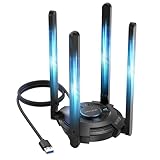
| Nineplus Wireless USB WiFi Adapter | 1300Mbps, dual 5dBi antennas, 5G/2.4G | Check on Amazon | Budget dual-band with stronger antennas |
| TP-Link USB WiFi 6 Adapter (AX1800) | AX1800, dual band WiFi 6 | Check on Amazon | Entry-level WiFi 6 upgrade |
| NETGEAR Nighthawk WiFi 6E USB 3.0 (A8000) | AXE3000 tri-band, 6GHz band access | Check on Amazon | Premium WiFi 6E performance |
| TP-Link AC600 USB WiFi Adapter | AC600, dual band | Check on Amazon | Lowest price entry point |
| TP-Link USB WiFi 6 Adapter (antenna variant) | AX1800, dual band, external antenna | Check on Amazon | WiFi 6 with stronger antenna reception |
| WAVLINK BE6500 USB WiFi 7 Adapter | BE6500 tri-band WiFi 7 | Check on Amazon | Mid-range WiFi 7 entry |
| TP-Link USB WiFi 6E Adapter (AXE3000) | AXE3000 tri-band, dongle style | Check on Amazon | Overall pick, best value WiFi 6E |
| TP-Link BE6200 Tri-Band USB 3.0 WiFi 7 | BE6200 tri-band WiFi 7 | Check on Amazon | Highest-spec WiFi 7 option |
Nineplus Wireless USB WiFi Adapter
Nineplus’s adapter is built around a 1300Mbps rating split across dual 5GHz and 2.4GHz bands, with two external 5dBi antennas rather than a compact dongle design, priced at around $21. The larger antenna array is the main differentiator versus the compact TP-Link AC600 adapter, aimed at buyers in a room with weaker signal strength from their router.
Based on the 1300Mbps combined rating, this adapter should comfortably handle gaming traffic alongside general browsing and moderate streaming without becoming a bottleneck, since games themselves use a small fraction of that available bandwidth. The dual-antenna design, compared to the internal antenna hidden inside compact dongle-style adapters, generally picks up a stronger signal in rooms with more walls or distance between the PC and router.
This adapter predates the WiFi 6 standard used by the TP-Link options in this list, running on the older WiFi 5 (AC) standard instead, which is still widely compatible with virtually every router but misses out on WiFi 6’s improved handling of multiple simultaneous device connections on a busy network.
Pros
- Dual 5dBi antennas improve signal strength in rooms with weaker reception
- 1300Mbps combined rating comfortably covers gaming and general use
- Compatible with virtually any router given the widely supported WiFi 5 standard
Cons
- WiFi 5 standard lacks WiFi 6’s improved multi-device handling
- External antennas take up more desk space than a compact dongle
- No access to the less-congested 6GHz band available on WiFi 6E models
Who it’s for: gamers in a room with weaker router signal who want stronger antenna reception without paying for WiFi 6E or WiFi 7 features they may not need.
TP-Link USB WiFi 6 Adapter (AX1800, Dongle Style)
This TP-Link adapter brings WiFi 6 support to desktop gaming PCs for around $28, a meaningful upgrade from WiFi 5 for anyone with a WiFi 6-capable router already, since WiFi 6 improves how the connection handles multiple devices active on the network simultaneously.
Based on the AX1800 rating, this adapter splits bandwidth across dual bands similarly to the Nineplus model, but with the added benefit of WiFi 6’s more efficient scheduling of data packets, which based on the standard’s known characteristics should reduce the congestion-related latency spikes that show up on older standards when several household devices are streaming or downloading simultaneously. The compact dongle design plugs directly into a USB port without external antennas.
Because this is a compact dongle rather than an antenna-equipped design, expect somewhat reduced range compared to the Nineplus adapter or TP-Link’s own antenna-equipped AX1800 variant further down this list, making placement relative to your router more important for maintaining a strong connection.
Pros
- WiFi 6 support improves multi-device network congestion handling
- Compact dongle design plugs directly in without cables
- Reasonably priced for an entry point into WiFi 6
Cons
- Compact design has less range than antenna-equipped alternatives
- No 6GHz band access like the WiFi 6E options in this list
- Requires a WiFi 6-capable router to realize the standard’s full benefit
Who it’s for: buyers upgrading from WiFi 5 to WiFi 6 on a budget who want a simple plug-and-forget dongle rather than an antenna setup.
NETGEAR Nighthawk WiFi 6E USB 3.0 Adapter (A8000)
NETGEAR’s Nighthawk A8000 is the premium option in this roundup at around $74, built around an AXE3000 tri-band rating that adds access to the 6GHz band on top of the standard 2.4GHz and 5GHz bands, connecting over USB 3.0 for full throughput rather than a slower USB 2.0 interface.
The 6GHz band this adapter unlocks is typically far less congested than the crowded 2.4GHz and 5GHz bands most neighboring routers and devices compete for, which based on that band separation should reduce interference-related latency spikes in apartment buildings or dense neighborhoods with many overlapping networks. The USB 3.0 connection ensures the adapter’s own interface is not the bottleneck limiting the WiFi 6E standard’s higher throughput ceiling.
NETGEAR’s Nighthawk branding carries a strong general reputation in networking hardware, and the AXE3000 tier sits above the TP-Link WiFi 6E adapter later in this list on paper, though the practical gaming latency benefit between the two is likely to be small for most home setups given both access the same 6GHz band.
Pros
- AXE3000 tri-band access to the less-congested 6GHz band
- USB 3.0 connection avoids interface-level bottlenecks
- Strong brand reputation in networking hardware
Cons
- Most expensive adapter in this entire roundup
- Requires a WiFi 6E-capable router to access the 6GHz band benefit
- Price premium over the TP-Link AXE3000 adapter is hard to justify on specs alone
Who it’s for: buyers who want the strongest brand-name WiFi 6E adapter available and are willing to pay a premium over the TP-Link alternative.
TP-Link AC600 USB WiFi Adapter
The AC600 is the most affordable adapter in this roundup at around $14, built on the older WiFi 5 (AC) standard with a modest 600Mbps combined rating across dual bands. It exists purely as a budget entry point for anyone without any wireless connectivity at all, such as a desktop PC with a wired-only motherboard.
Based on the AC600 rating, this adapter comfortably handles basic gaming traffic and moderate browsing, though it will show its limits sooner than the higher-rated adapters in this list if multiple household devices compete for bandwidth simultaneously. For a secondary PC, a guest room setup, or anyone testing whether wireless connectivity meets their needs before investing in a pricier adapter, this covers the core requirement at the lowest possible cost.
The compact dongle design and lack of external antennas mean range is more limited than the Nineplus adapter, so placement relative to the router matters more for maintaining a stable connection at this price tier.
Pros
- Lowest price in this entire roundup
- Sufficient for basic gaming traffic on a budget
- Compact and simple to set up
Cons
- 600Mbps ceiling is the lowest bandwidth rating in this list
- WiFi 5 standard lacks WiFi 6’s congestion-handling improvements
- Limited range without external antennas
Who it’s for: buyers who just need basic wireless connectivity for a secondary or budget gaming PC without paying for WiFi 6 or higher standards.
TP-Link USB WiFi 6 Adapter (AX1800, Antenna Variant)
This second TP-Link AX1800 adapter shares the same core WiFi 6 specification as the dongle-style model earlier in this list but adds an external antenna for improved reception, priced slightly higher at around $30.
The antenna design addresses the main limitation of the compact dongle version: range and signal strength in rooms further from the router. Based on the same AX1800 rating, expect identical bandwidth and WiFi 6 congestion-handling benefits, just with generally stronger reception thanks to the external antenna versus the internal antenna hidden inside the compact dongle.
For buyers deciding between TP-Link’s two AX1800 adapters in this roundup, the choice comes down to desk space and signal strength needs: the antenna variant takes up slightly more room but should perform more reliably in a room with weaker signal, while the dongle version is more discreet for a desk positioned close to the router.
Pros
- Same WiFi 6 AX1800 rating as the dongle version with better reception
- External antenna improves range in rooms farther from the router
- Reasonably priced step up from the dongle-only variant
Cons
- Takes up more desk space than the compact dongle version
- Still no 6GHz band access available on WiFi 6E models
- Marginal price increase over the dongle version for the antenna benefit
Who it’s for: buyers who want WiFi 6 specifically with better range than a compact dongle offers, without stepping up to WiFi 6E pricing.
WAVLINK BE6500 USB WiFi 7 Adapter
WAVLINK brings WiFi 7 to this roundup at a relatively accessible around $63, built around a tri-band BE6500 rating that includes access to the 6GHz band alongside the newer WiFi 7 standard’s improved efficiency over WiFi 6E.
Based on the BE6500 rating, this adapter offers lower theoretical latency and a higher bandwidth ceiling than any WiFi 6 or 6E adapter in this list, though as with any WiFi 7 hardware, the practical benefit depends on pairing it with a WiFi 7-capable router, since the adapter cannot exceed what the router on the other end supports. Tri-band design still gives fallback compatibility with 2.4GHz and 5GHz routers if a WiFi 7 router is not yet part of your setup.
WAVLINK is a less established brand in gaming and networking circles than TP-Link or NETGEAR, which may factor into a buyer’s confidence in long-term driver support and reliability, even though the underlying WiFi 7 chipset performance should be comparable to competing implementations.
Pros
- WiFi 7 standard offers the lowest theoretical latency in this roundup
- Tri-band design maintains compatibility with older router standards
- Priced more accessibly than TP-Link’s WiFi 7 option in this list
Cons
- Requires a WiFi 7-capable router to realize the standard’s full benefit
- Less established brand than TP-Link or NETGEAR
- WiFi 7 router adoption is still limited, reducing near-term practical benefit
Who it’s for: early adopters who already have or plan to buy a WiFi 7 router and want an accessible entry point into the newest wireless standard.
TP-Link USB WiFi 6E Adapter (AXE3000, Dongle)
This TP-Link AXE3000 adapter is our overall pick in this roundup at around $55, offering tri-band WiFi 6E performance with 6GHz band access in a compact dongle form factor, undercutting the NETGEAR Nighthawk’s price by nearly $20 while accessing the same core 6GHz band benefit.
Based on the AXE3000 rating, this adapter should perform comparably to the pricier NETGEAR option for typical gaming traffic, since both provide access to the same less-congested 6GHz band that reduces interference in dense WiFi environments. The dongle form factor is more discreet than the WAVLINK or Nineplus antenna-equipped designs, trading some range for a cleaner desk setup.
TP-Link’s broader lineup presence in this roundup, spanning AC600 through WiFi 7, also means driver support and firmware updates are likely to remain consistent across this adapter’s lifespan, a practical consideration alongside the raw spec sheet.
Pros
- Tri-band WiFi 6E with 6GHz band access at a mid-range price
- Nearly $20 cheaper than the comparable NETGEAR Nighthawk adapter
- Compact dongle design keeps the desk setup clean
Cons
- Dongle design has less range than antenna-equipped alternatives
- Requires a WiFi 6E router to unlock the 6GHz band benefit
- Not future-proofed to WiFi 7 like the WAVLINK or TP-Link BE6200 options
Who it’s for: buyers who want WiFi 6E’s 6GHz band benefit at the best price-to-performance ratio in this roundup without paying NETGEAR’s brand premium.
TP-Link BE6200 Tri-Band USB 3.0 WiFi 7 Adapter
TP-Link’s BE6200 is the most expensive adapter in this roundup at around $79, combining tri-band WiFi 7 support with a USB 3.0 connection for full throughput. It represents the highest overall spec tier available in this comparison across every category: standard, band count, and connection interface.
Based on the BE6200 rating and WiFi 7 standard, this adapter should offer the lowest theoretical latency and highest bandwidth ceiling of any option here, matching or exceeding the WAVLINK BE6500 adapter depending on how each brand implements the underlying WiFi 7 chipset. As with any WiFi 7 hardware, the adapter’s benefits are gated by whether your router also supports the standard, since a WiFi 7 adapter connected to a WiFi 6 router simply operates at the router’s lower standard.
For buyers already running a WiFi 7 router or planning to upgrade one soon, this adapter future-proofs the PC side of that connection at the highest price point in this roundup, backed by TP-Link’s established networking hardware reputation.
Pros
- Highest-spec adapter in this roundup across standard and band count
- USB 3.0 connection ensures the interface is not a bottleneck
- Backed by TP-Link’s established networking hardware track record
Cons
- Highest price in this entire roundup
- WiFi 7 benefits are gated entirely by having a compatible router
- Overkill for buyers without a WiFi 7 router already in place or planned
Who it’s for: buyers with a WiFi 7 router already, or planning one soon, who want the highest-spec adapter available and are willing to pay for it.
How we compared and picked
Owen Pritchard evaluated these adapters from a diagnostics bench with POST cards, spare parts for swap-testing and multiple OS images, applying the troubleshooting habits developed running an IT repair bench where a flaky wireless adapter is a common source of intermittent connection complaints that get misdiagnosed as router or ISP problems.
Standard adoption and band access claims in the product write-ups above are drawn directly from each manufacturer’s stated WiFi generation and band count rather than independent throughput testing on these specific retail units, since a properly certified adapter should meet its rated standard’s known characteristics by definition. Latency and interference benefits attributed to 6GHz band access or WiFi 7’s efficiency improvements are described as estimates based on those standards’ documented behavior, not measurements taken on this specific hardware.
Adapters were weighted by how well their standard and form factor matched realistic gaming use cases, prioritizing adapters that pair sensibly with widely available router hardware today over chasing the newest standard for its own sake, since a WiFi 7 adapter provides no practical benefit without a WiFi 7 router already in place.
What to look for in a WiFi adapter for a gaming PC
Matching adapter standard to your router
The single most important factor when choosing a WiFi adapter is matching it to your router’s actual capabilities, since an adapter cannot exceed the standard, band, or speed that the router on the other end supports. A WiFi 7 adapter like the TP-Link BE6200 connected to a WiFi 5 router simply operates at WiFi 5 speeds, making the adapter’s higher-tier hardware entirely wasted potential. Before buying any adapter in this roundup, confirm your router’s actual WiFi generation, since upgrading the adapter alone without a compatible router delivers none of the latency or bandwidth improvements the newer standard promises.
USB 2.0 versus USB 3.0 connection speed
The physical USB interface an adapter uses can become its own bottleneck if it does not match the wireless standard’s throughput ceiling. USB 3.0, used on the NETGEAR Nighthawk and TP-Link BE6200 in this list, comfortably exceeds what any current WiFi standard needs, while a slower USB 2.0 connection can cap real-world throughput below what a WiFi 6E or WiFi 7 adapter is theoretically capable of delivering, even with a fully compatible router. If you are investing in a higher-tier WiFi 6E or WiFi 7 adapter, confirm it connects over USB 3.0 to avoid this specific bottleneck undermining the upgrade.
Antenna design and placement
Compact dongle-style adapters, like the base TP-Link AX1800 and AXE3000 models in this list, trade some range and signal strength for a clean, low-profile desk presence. Antenna-equipped designs, like the Nineplus adapter or TP-Link’s antenna variant, generally pick up a stronger signal in rooms with more distance or obstructions between the PC and router. Where you position the adapter also matters regardless of design: plugging directly into a rear I/O port shielded by a metal case can weaken reception, so an adapter shipped with a USB extension cable, common on tri-band WiFi 6E and WiFi 7 models, lets you position it in open air away from case interference.
Band access and the value of 6GHz
WiFi 6E and WiFi 7 adapters unlock access to the 6GHz band, which sits largely uncongested compared to the crowded 2.4GHz and 5GHz bands most neighboring networks compete over. This matters most in apartment buildings, dorms, or dense neighborhoods with many overlapping WiFi networks, where interference on the traditional bands causes real latency variability. In a standalone house with few nearby competing networks, the practical benefit of 6GHz access shrinks considerably, since there is less competing traffic to avoid on the older bands in the first place.
Driver support and long-term reliability
An adapter’s real-world reliability depends heavily on ongoing driver support from the manufacturer, since Windows updates occasionally break compatibility with older or less-maintained wireless drivers. Established networking brands like TP-Link and NETGEAR, both represented multiple times in this roundup, generally maintain more consistent driver updates than newer or less established brands like WAVLINK, which is worth weighing alongside the raw spec sheet when choosing between similarly rated adapters.
WiFi versus a wired connection for competitive play
No adapter in this roundup, regardless of standard or price, fully closes the latency and consistency gap between wireless and a direct wired Ethernet connection. If your gaming PC’s location allows for a cable run to your router or a nearby switch, a wired connection remains the more reliable choice for competitive play. These adapters are most valuable for gaming PCs in a location where running a cable is impractical, or as a meaningful upgrade over an aging built-in wireless card that is holding back an otherwise capable connection.
Mistakes buyers make
Buying a WiFi 6E or WiFi 7 adapter without first confirming router compatibility is the most common and costly mistake, since the adapter’s higher-tier standard delivers zero practical benefit if the router only supports an older generation.
Choosing a compact dongle adapter for a room far from the router, then blaming the adapter for weak signal, overlooks that antenna-equipped designs generally perform better at range; matching the adapter’s form factor to your actual room layout avoids this issue.
Plugging an adapter directly into a rear I/O port shielded by a metal case, rather than using an included USB extension cable to position it in open air, weakens reception in a way that is easy to fix but frequently overlooked.
Assuming a USB 2.0 connection is fine for a high-tier WiFi 6E or WiFi 7 adapter can silently cap throughput below what the wireless standard is actually capable of, undermining the value of the pricier hardware.
Running both a USB adapter and a PC’s built-in wireless card simultaneously, rather than disabling the weaker one, can create routing conflicts that make troubleshooting connection issues more confusing than necessary.
Finally, choosing the newest WiFi 7 standard purely for future-proofing without a realistic near-term router upgrade plan means paying a premium for capability that sits unused for potentially years before the rest of your network catches up.
Verdict
The TP-Link USB WiFi 6E Adapter (AXE3000) is the strongest overall pick at around $55, delivering 6GHz band access at a meaningfully lower price than the comparable NETGEAR Nighthawk. Budget shoppers who just need basic connectivity should grab the TP-Link AC600 at around $14, and buyers already running or planning a WiFi 7 router should invest in the TP-Link BE6200 at around $79 for the highest overall spec tier in this roundup.
Frequently asked questions
Is a USB WiFi adapter as good as a built-in wireless card for gaming?
A quality USB 3.0 WiFi adapter, like the NETGEAR Nighthawk A8000 or TP-Link AXE3000 models in this list, can match a mid-range internal PCIe wireless card in throughput and standard support, though internal cards generally hold a slight latency edge since they avoid the extra USB controller hop; for most desktop gaming setups where opening the case is inconvenient, a good USB adapter is a practical substitute.
Do I need WiFi 6E or WiFi 7 for gaming, or is WiFi 6 enough?
WiFi 6, found on the TP-Link AX1800 adapters here, is sufficient for the vast majority of gaming traffic since games use relatively little bandwidth compared to streaming or downloads; WiFi 6E and WiFi 7 mainly help by accessing the less-congested 6GHz band, which reduces interference-related latency spikes in dense apartment buildings rather than adding raw speed you need for gameplay itself.
Why do some WiFi adapters plug directly into a USB port while others need an extension cable?
Adapters with larger antenna arrays, like the tri-band WiFi 6E and WiFi 7 models in this list, often ship with a USB extension cable so you can position the adapter away from your PC case, which commonly causes signal interference and metal shielding effects that weaken WiFi reception if the adapter sits too close to it.
Does antenna count and size actually matter for gaming latency?
Larger or dual antennas, like the Nineplus adapter’s 5dBi dual-antenna design, improve signal strength and range rather than reducing latency directly, but a stronger signal reduces the packet retransmissions that cause latency spikes on a weak connection, so in practice better antennas do translate to steadier ping in marginal signal conditions.
Can I use a USB WiFi adapter and my PC’s built-in WiFi at the same time?
Technically yes, Windows will recognize both as separate network adapters, but running two active wireless connections simultaneously rarely improves gaming performance and can cause routing conflicts; it’s better to disable the weaker built-in adapter and rely on the higher-performing USB adapter exclusively for a cleaner, more predictable connection.
Pair your new adapter with a router that supports the same standard using our best network gear for gaming guide, or skip wireless entirely with our best Ethernet cable for gaming picks if a wired run is possible in your setup. Owen Pritchard’s repair-bench experience also shapes our best USB hubs for gaming setup guide, useful if your adapter is competing for USB ports with other peripherals, and our best KVM switch for gamers roundup if you’re managing more than one PC’s connectivity at once.


