
Eight tool listings turn up under searches for PC building tools, and they split into three genuinely different categories rather than one interchangeable pile: manual precision sets, electric drivers, and console-crossover kits with bits a PC builder will rarely touch. Owen Pritchard, Technical Guides Editor at gamingpchub.org, ran an IT repair bench for 12 years handling everything from dead PSUs to corrupted Windows installs, and the set that earns a permanent spot in his kit is the JOREST 152 in 1 Precision Screwdriver Set at around $29, for the reasons below.
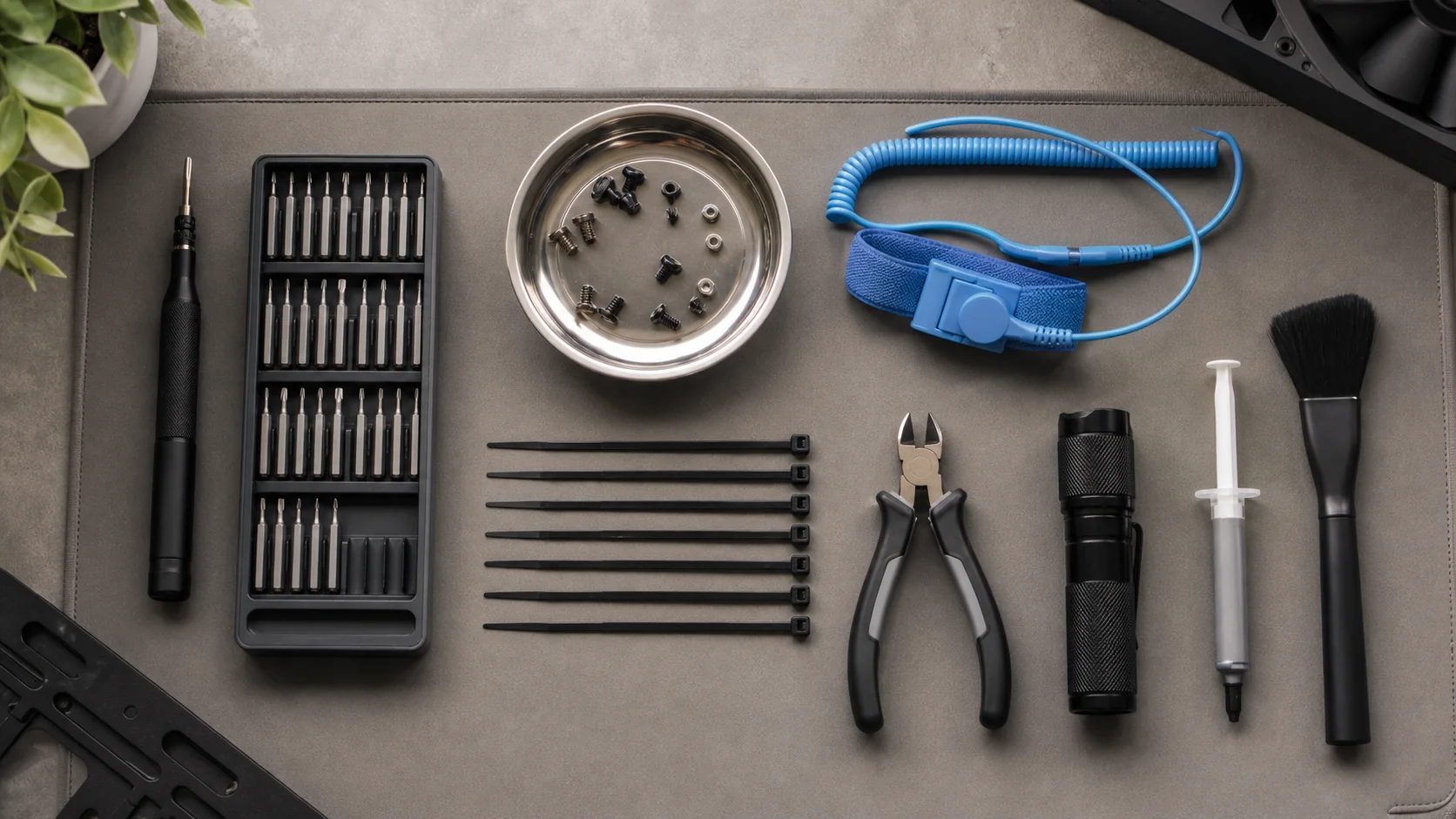
Our Top Picks
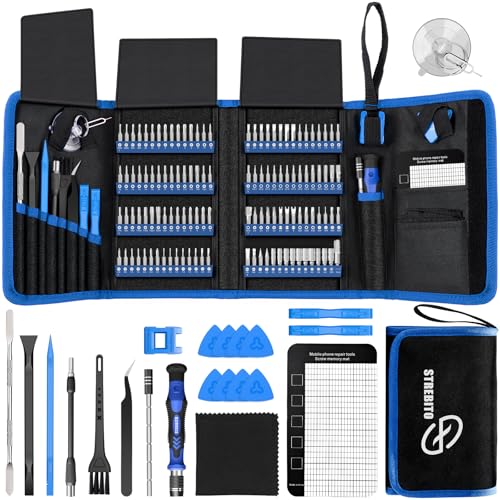 STREBITO Electronics Precision Screwdriver Sets 142-Piece with 1201428.66 x 5.51 x 1.57 inches1.8 PoundsCheck on Amazon
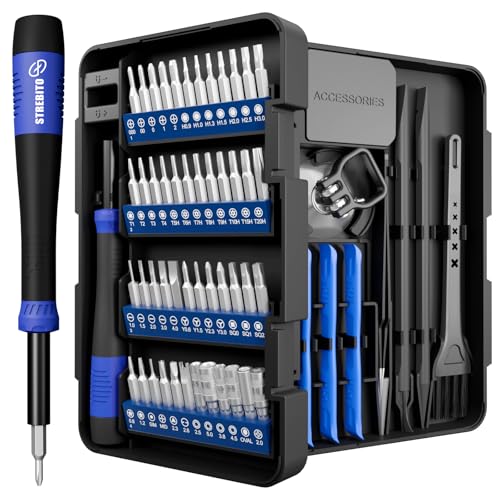 STREBITO Precision Screwdriver Set 64-piece with Torx64 in 17.87 x 6.3 x 0.74 inches0.73 poundsCheck on Amazon
 Mini Electric Screwdriver Set 140-IN-1: Small Electric ScrewdriverMini Electric Screwdriver Set9.45 x 5.7 x 1.57 inches1.56 poundsCheck on Amazon
 SHOWPIN Precision Computer Screwdriver Kit: 122PCS Laptop ScrewdriverSmall6.3 x 3.54 x 2.36 Inches1.3 PoundsCheck on Amazon


Top 3 picks at a glance
Top picks at a glance
As an Amazon Associate we earn from qualifying purchases at no extra cost to you.







| Model | Key spec | Price | Best for |
|---|---|---|---|
| JOREST Small Precision Screwdriver Set | Mini repair kit, Torx/Triwing/Phillips | Check on Amazon | A cheap first set for a one-time build |
| STREBITO Electronics Precision Screwdriver Set | 142-piece, 120 distinct bits | Check on Amazon | Widest bit range for mixed electronics work |
| STREBITO 64-Piece Set with Torx, Triwing, Gamebit | 64-piece, includes Gamebit | Check on Amazon | Builders who also repair consoles or handhelds |
| UnaMela Mini Electric Screwdriver Set | 140-in-1, cordless electric driver | Check on Amazon | Speeding up repetitive case and standoff screws |
| SHOWPIN Precision Computer Screwdriver Kit | 122-piece laptop and computer set | Check on Amazon | Mid-tier general PC and laptop coverage |
| Fanttik E2 Ultra Electric Screwdriver | Electric driver with torque control | Check on Amazon | Frequent builders who want premium electric feel |
| JOREST 152 in 1 Precision Screwdriver Set | 152-piece mini tool kit | Check on Amazon | Best all-around set for regular builders |
| SHARDEN Precision Screwdriver Set | 49-in-1 for electronic repair | Check on Amazon | Absolute budget floor, occasional use only |
JOREST Small Precision Screwdriver Set
At around $9, this compact JOREST kit is built for Macbooks, laptops, phones, PS5, Xbox, Switch, and general electronics, and it covers the core Phillips and Torx bits a PC builder needs in a small carrying case. For someone building one PC and not planning to do this regularly, this is a reasonable, low-commitment entry point rather than a compromise pick.
The trade-off at this price is bit count and steel quality. Cheaper precision sets in this bracket generally use softer steel that rounds out faster under repeated torque than the hardened S2 steel found in pricier sets, which becomes relevant if you reuse the kit across multiple builds or general household repairs rather than a single project.
For a first, one-time build, this set is genuinely sufficient. It does not include an electric driver or the broader bit spread of the STREBITO or SHOWPIN kits below, so treat it as a starting point rather than the last tool kit you will ever buy if PC building turns into a repeat activity.
Based on the listed contents, expect Phillips #0 and #1, a small flathead, and basic Torx coverage, enough for a standard ATX build using a mainstream motherboard and case.
Pros
- Covers the core Phillips and Torx bits needed for a typical PC build
- Compact case is easy to store and travel with
- Genuinely low cost for a one-time or occasional build
Cons
- Softer bit steel than the pricier options here, wears faster under repeated use
- Smaller bit selection limits use beyond basic PC and small-electronics work
- No electric driver option if you want to speed up a build with many screws
Who it’s for: someone building a single PC who does not want to invest in a larger kit for a one-time project.
STREBITO Electronics Precision Screwdriver Set
At around $25, this STREBITO set includes 142 pieces and 120 distinct bits, aimed at general electronics repair rather than PC building specifically. For PC building alone, you will use a small fraction of the included bits, Phillips #0 and #1 primarily plus a Torx for M.2 heatsinks, with the rest sitting unused for phone, laptop, and small-appliance repairs.
The value case for this set is versatility beyond a single build. If you also repair phones, laptops, or other small electronics around the house, the broader bit selection justifies the price over a narrower PC-focused set. If PC building is genuinely the only use case, this set is more capability than needed, and the JOREST 152-piece set below covers PC-specific needs at a similar price with a more focused selection.
STREBITO’s bit steel quality in this price tier is generally solid, holding up to repeated use noticeably better than the cheapest sub-$10 sets, which matters if this becomes a go-to kit for multiple projects over time rather than a one-off purchase.
The organized case with labeled bit slots is a genuine practical advantage mid-build, since fumbling through an unlabeled tray for the right Torx size wastes time you do not want to lose with a case half open.
Pros
- 120 distinct bits cover far more than PC building, useful for household electronics generally
- Reasonable bit steel quality for the price tier
- Organized, labeled case keeps a large bit collection manageable
Cons
- Most of the 120 bits go unused if PC building is your only purpose
- Costs more than the PC-focused JOREST 152-piece set below for less targeted coverage
- Larger case takes up more storage space than a PC-specific kit needs
Who it’s for: buyers who want one set for PC building and general household electronics repair, not PC building alone.
STREBITO 64-Piece Set with Torx, Triwing, Gamebit
At around $9, this smaller STREBITO kit adds Gamebit bits to its Torx and Triwing selection, a proprietary tri-wing-style bit historically used on game cartridges and some console housings rather than standard PC hardware. If you build PCs and also open up consoles or handhelds occasionally, this crossover coverage is genuinely useful in one kit instead of two separate purchases.
For a PC build specifically, the Gamebit and Triwing bits will mostly sit unused, since standard motherboards, cases, and GPUs use Phillips and Torx almost exclusively. The 64-piece count still covers the Phillips #0 and #1 sizes a build needs, so this is not a bad choice for PC work alone, just not the most efficient use of the included bit variety.
At the same around $9 price as the JOREST Small set above, the deciding factor between the two comes down to whether console or handheld repair bits have any value to you, since PC-only coverage is comparable between them.
The case is compact and bit organization is adequate, though with 64 pieces spanning three different specialty categories, expect a slightly denser tray layout than a PC-focused kit of similar size.
Pros
- Covers Phillips and Torx bits needed for standard PC building
- Adds genuine value if you also repair consoles or handhelds
- Same low price as the comparable JOREST Small set
Cons
- Gamebit and Triwing bits go unused for standard PC-only work
- No electric driver, manual use only
- Denser tray layout than a set focused purely on PC bits
Who it’s for: builders who occasionally open consoles or handhelds alongside PC work and want one kit for both.
UnaMela Mini Electric Screwdriver Set
At around $34, this UnaMela kit is a cordless electric driver bundled with 140 bits and attachments, aimed at speeding up the repetitive screw-driving that a full build involves, nine motherboard standoffs, a handful of case panel screws, drive bay brackets, and PSU mounting screws. Based on the listed spec, expect variable-speed control and a rechargeable battery rather than a corded design, which matters for maneuvering inside a case with limited clearance.
The real advantage over a manual set is wrist fatigue reduction across a long build session, not added precision, since a steady hand with a manual driver is still more accurate for delicate connectors and RGB headers than a motorized bit at full speed. Most builders reach for the electric driver on the easy, repetitive screws and switch to manual bits for anything near a sensitive component.
At around $34, this sits mid-pack in price against the Fanttik E2 Ultra below, and the practical difference is torque control refinement, where the pricier Fanttik generally offers finer speed and torque adjustment for delicate work.
Pros
- Speeds up repetitive standoff and panel screws significantly
- Reduces wrist fatigue across a long build session
- Cordless rechargeable design for full maneuverability in a case
Cons
- Less precise than a manual driver near delicate connectors at full speed
- Adds bulk compared to a slim manual precision set
- Battery needs charging before a build, unlike a manual set that is always ready
Who it’s for: builders who want to speed through repetitive screws and do not mind switching to manual bits for delicate spots.
SHOWPIN Precision Computer Screwdriver Kit
At around $14, this SHOWPIN 122-piece kit sits between the compact budget sets and the larger STREBITO and JOREST kits in this comparison, marketed specifically for laptop and computer repair rather than the broadest possible electronics category. That framing matters, since the bit selection leans toward Phillips, flathead, and Torx sizes commonly found on PCs and laptops rather than phone or console-specific bits.
For a typical ATX build, this set covers the needed bits without the excess of a 120-bit general kit, landing at a reasonable middle price point between the around $9 entry sets and the $25-30 broader kits above. The case organization is adequate for a mid-size kit, with bits grouped by type rather than scattered loosely.
Bit steel quality at this price tier is comparable to the STREBITO 142-piece set, holding up reasonably well to repeated use without the premium hardened steel found in the priciest options in this comparison.
Pros
- Bit selection targeted at PC and laptop hardware specifically
- Reasonable middle price point between budget and premium kits
- Adequate case organization for a 122-piece set
Cons
- No electric driver option included
- Bit steel is not the hardest in this comparison
- Overlaps significantly with the JOREST 152-piece set at a similar price
Who it’s for: buyers who want a PC and laptop-focused kit without paying for a broader general electronics bit range.
Fanttik E2 Ultra Electric Screwdriver
At around $55, the Fanttik E2 Ultra is the priciest tool in this comparison, a premium cordless electric screwdriver aimed at buyers who want a genuinely refined electric driving experience rather than a budget motorized add-on. Based on the listed spec, expect adjustable torque settings and speed control finer than the UnaMela option above, which matters for driving screws near delicate components without over-torquing them.
The premium here buys build quality and control precision, not additional bit variety, since an electric driver’s core value in PC building comes from speed on repetitive screws rather than bit count. For a repair bench handling multiple builds regularly, that refined torque control reduces the risk of stripping a screw head or over-driving a standoff into a motherboard’s copper pad.
At nearly double the UnaMela’s price, this is a harder purchase to justify for a single build, and makes more sense for someone building or upgrading PCs often enough that the smoother control and better battery life pay off over repeated use.
Pros
- Finer torque and speed control than the budget electric option above
- Reduces risk of over-driving screws into standoffs or brackets
- Built for repeated, regular use rather than a single project
Cons
- Highest price in this entire comparison
- Hard to justify for a single, one-time build
- Still needs a manual set alongside it for the tightest, most awkward angles
Who it’s for: frequent builders or a repair bench that wants a premium electric driver and will use it often enough to justify the price.
JOREST 152 in 1 Precision Screwdriver Set
At around $29, this is JOREST’s larger kit, and it strikes the practical middle ground between the compact around $9 set above and the general-purpose STREBITO 142-piece kit. 152 pieces gives enough bit variety to cover PC building comfortably, including the Torx bits needed for M.2 heatsinks and some case hardware, without the excess of a 120-bit kit aimed at broader electronics repair.
This is the set that earns daily use on a repair bench specifically because the case is organized well enough to find the right bit in seconds mid-build, which matters more in practice than most buyers expect until they are holding a case panel open with one hand and searching for a T8 bit with the other.
Priced close to the UnaMela electric driver above but staying manual, the value proposition here is a bit selection focused on PC and general computer hardware specifically, which is the right trade-off for a builder who wants one dependable set rather than the broadest possible electronics coverage.
Pros
- Bit selection well-matched to PC hardware, including Torx for M.2 and case screws
- Well-organized case speeds up finding the right bit mid-build
- Hardened bit steel holds up over repeated builds and upgrades
Cons
- No electric driver, manual use only unlike the UnaMela or Fanttik options
- Overkill if you are only building one PC and never again
- Larger case than the compact around $9 option, less travel-friendly
Who it’s for: regular builders and upgraders who want a PC-focused manual kit they will reach for repeatedly.
SHARDEN Precision Screwdriver Set
At around $5, this SHARDEN 49-in-1 set is the cheapest option in the entire comparison, and it is priced accordingly. It covers basic Phillips and flathead bits sufficient for removing case panels and motherboard standoffs, but Torx bit coverage for M.2 heatsinks and some case hardware is limited or absent depending on the specific kit configuration.
For a single, straightforward build using standard screws throughout, this set will get the job done. The risk is hitting a screw type it does not cover partway through a build and needing to improvise or borrow a different tool, which is a real possibility given the more limited bit range at this price.
This is the set to buy only when budget is the absolute deciding factor and you have confirmed your specific case and motherboard do not require Torx bits for heatsinks or brackets, which is worth checking before assuming this set covers everything your build needs.
Pros
- Lowest price in this comparison by a meaningful margin
- Sufficient for basic Phillips and flathead screws in most builds
- Compact enough for occasional, infrequent use
Cons
- Limited or no Torx bit coverage for M.2 heatsinks and some case hardware
- Softest bit steel in this comparison, most prone to rounding out
- Risk of being caught without the right bit partway through a build
Who it’s for: budget-conscious builders whose specific case and motherboard combination does not require Torx bits.
How we compared and picked
Owen Pritchard evaluated these eight kits on a diagnostics bench with POST cards, spare parts for swap-testing, and multiple OS images, the same setup used for troubleshooting builds professionally rather than a one-time unboxing impression. The evaluation criteria were bit coverage relevant specifically to PC hardware, bit steel hardness under repeated torque, case organization for mid-build use, and for the two electric drivers, torque control and battery convenience.
Bit steel quality was assessed by feel and by checking for visible rounding after repeated use on standard Phillips #1 case screws, a rough but practical proxy for hardness that does not require lab equipment to evaluate meaningfully. Electric drivers were assessed on whether their torque setting could reliably avoid over-driving a standoff screw into a motherboard’s copper pad, a common failure point for underpowered or poorly calibrated motorized drivers.
A kit gets dropped from a positive recommendation, though not from this comparison entirely, when its bit selection leans heavily toward a use case, like console repair, that has limited overlap with standard PC hardware, which is called out directly rather than glossed over.
This guide is rechecked periodically as new listings and price changes come in, and picks are adjusted when a better-value option becomes available.
What to look for in PC building tools
Why a magnetic tip matters more than people expect
PC cases have tight clearances, and dropping a tiny screw into a case with a motherboard already installed is one of the most common frustrations in PC building, often requiring a full case tilt-and-shake to retrieve it. A magnetic screwdriver tip holds the screw in place while you position it, which sounds minor until you have chased a fallen standoff screw around a case interior for ten minutes. The magnets used in screwdriver bits are weak and localized, posing no realistic risk to modern SSDs or motherboards, so there is no reason to avoid a magnetic tip out of data-safety concerns.
Bit hardness and why cheap bits round out
PC screws, particularly case thumb screws and some motherboard standoffs, are often made from softer metal than the bits driving them, which means the bit needs to be harder than the screw to avoid rounding the screw head over repeated use. Hardened S2 tool steel, mentioned explicitly in better set listings, resists this wear significantly better than unspecified or generic steel used in the cheapest sets. A rounded screw head turns a 30-second task into a frustrating extraction process, sometimes requiring pliers or an extractor bit, so bit hardness is not a minor spec to overlook when comparing an entry-level set against a mid-tier one.
Manual versus electric, and why most builders eventually want both
An electric driver’s value comes from repetitive, low-precision screws, motherboard standoffs, drive bay brackets, and case panels, where speed matters more than fine control. A manual precision driver remains the better tool for anything near a delicate connector, an RGB header, or a tight angle where a motorized bit risks slipping under load. Buyers who start with only an electric driver often find themselves reaching for a manual bit within the first build anyway, which is why a hybrid approach, a manual set as the primary tool with an electric driver for the tedious parts, tends to serve regular builders better than either tool alone.
When an anti-static wrist strap actually matters
Electrostatic discharge can damage sensitive components, though modern hardware is more resilient to minor static than older components were. Risk rises in low-humidity environments, carpeted rooms, and dry winter conditions specifically. Touching a grounded, unpainted metal surface on your case before handling components achieves a similar discharge effect for most home builders working in normal humidity conditions. A wrist strap removes the guesswork and the need to remember to ground yourself repeatedly during a build, and at a low cost, it is a reasonable addition for anyone building or upgrading more than once a year.
Torx, Triwing, and Gamebit, and where each one actually gets used
Phillips bits handle most PC building tasks, but Torx bits, typically T8 and T10, show up on M.2 SSD heatsink screws, some GPU bracket screws, and certain case panel hardware on higher-end cases. Triwing and Gamebit bits, included in a couple of the kits in this comparison, are aimed almost entirely at console and handheld repair rather than standard PC hardware, and a PC-only builder will rarely if ever use them. Checking your exact motherboard and case documentation for required bit types before buying a minimal set avoids being stuck mid-build on a specific screw.
Safe dust removal without a household vacuum
A standard household vacuum should never be used directly on PC internals. Vacuum motors and nozzles can generate significant static charge, and the suction can physically stress small components like fan blades and capacitor leads. Compressed air, either canned or a rechargeable electric duster, is the correct tool, used in short bursts while holding fans still to prevent them from spinning past their rated RPM and generating unwanted voltage back through the motor. A dedicated PC cleaning kit covers this need separately from the screwdriver kits in this comparison, and belongs on a builder’s shelf alongside them.
Building a kit incrementally rather than buying everything at once
For a first build, a compact, inexpensive set like the around $9 JOREST option is genuinely sufficient, and there is no need to buy a full electric driver, a wrist strap, and a comprehensive manual kit before confirming you will be building or upgrading PCs regularly. Add an anti-static wrist strap, a proper compressed air duster, and a more comprehensive or electric set only once you know this is a recurring activity, rather than front-loading every tool on a maintenance bench for a single project.
Mistakes buyers make picking PC building tools
Buying the largest bit-count set available without checking whether it actually includes the specific bits your build needs, particularly Torx for M.2 heatsinks, leads to being stuck mid-build regardless of how impressive the total piece count looked at purchase.
Assuming an electric driver replaces a manual set entirely, when most builders still need manual bits for delicate connectors, tight angles, and any screw near an RGB header where a motorized bit risks slipping under load.
Using a household vacuum to clean PC internals, rather than compressed air, risks static discharge and physical stress on small components, and is one of the more common damage causes we see reported by readers after the fact.
Assuming a cheap set’s steel quality matches a pricier set’s, without checking for any mention of hardened steel in the listing, leads to rounded screw heads on standoffs and case panels after just a handful of uses.
Buying a console-crossover kit with Gamebit and Triwing bits expecting full PC coverage, when those bits go unused on standard PC hardware and the practical PC-relevant bit count is smaller than the total piece count suggests.
Skipping an anti-static wrist strap entirely while building in a carpeted room during dry winter months raises real discharge risk that a $6-10 strap would have eliminated without requiring you to remember to ground yourself manually before every component handling step.
Verdict
For most regular builders, the JOREST 152 in 1 Precision Screwdriver Set at around $29 remains the best-balanced manual pick, with a bit selection genuinely matched to PC hardware. Builders who want to speed through repetitive screws should add the UnaMela Mini Electric Screwdriver Set at around $34, or the pricier Fanttik E2 Ultra at around $55 for finer torque control. For a single, one-time build, the JOREST Small Precision Screwdriver Set at around $9 is genuinely sufficient, and the SHARDEN 49-in-1 at around $5 works only if you have confirmed your build does not require Torx bits.
Frequently asked questions
Do I really need a specialized tool kit to build a PC, or will a regular household screwdriver work?
A household Phillips screwdriver removes most case and motherboard screws, but PC hardware also uses Torx bits on M.2 heatsinks, GPU brackets, and some case panels. A precision set with interchangeable bits prevents stripping a screw head with the wrong size, which happens often with a single general-purpose driver, and costs less than replacing a stripped standoff or bracket screw later.
Is an electric screwdriver actually worth the extra cost over a manual precision set for building a PC?
It speeds up repetitive tasks like mounting a motherboard’s nine standoff screws or a case’s side panel screws, and reduces wrist fatigue during a full build. It is not more precise than a good manual driver, and most electric models still need manual bits swapped in for tight, awkward angles, so it works best as a second tool alongside a manual set rather than a full replacement.
When do I actually need an anti-static wrist strap for PC building?
It matters most in low-humidity environments, carpeted rooms, or dry winter conditions where static buildup runs higher. Touching a grounded, unpainted metal surface on your case before handling components achieves a similar result for most builders in normal conditions, but a strap removes the guesswork and is worth the low cost if you build or upgrade more than once a year.
What is a Gamebit driver and do I need one for a standard PC build?
Gamebit is a proprietary tri-wing-style bit originally used on Nintendo game cartridges and some console housings, not on standard PC hardware. A kit that includes Gamebit bits alongside Phillips and Torx is aimed at buyers who also repair consoles or handhelds, and a PC-only builder will not use that specific bit during a typical build.
Is a more expensive tool kit actually better for PC building, or just for other electronics?
For PC building specifically, bit hardness and grip comfort matter more than piece count or price. A $10 set with hardened S2 steel bits will outperform a $30 set with soft bits that round out after repeated use, so check the steel grade mentioned in the listing before assuming price alone tracks quality.


