
The best 43 tv for most buyers in 2026 is a 4K VA or OLED panel with true 120Hz, HDMI 2.1 VRR, and at least 600 nits peak brightness if you want HDR to actually pop, which narrows the field to a handful of classes: OLED for contrast in dark rooms, Mini-LED VA for bright-room HDR value, and standard LED IPS/VA for budget smart TV use.
As an Amazon Associate we earn from qualifying purchases at no extra cost to you.

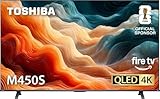


Our Top Picks

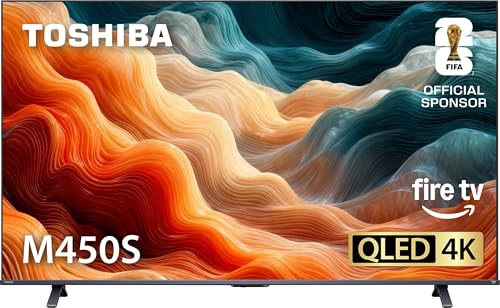


Top 3 picks at a glance
How Panel Type Determines Picture Quality at 43 Inches
At 43 inches you are buying pixel density, not just screen size, so the panel technology matters more than it does on larger TVs where processing hides flaws.
OLED (e.g., LG OLED42 C4 / C5 class)
Self-emissive pixels mean perfect blacks and effectively infinite contrast. On a 43-inch 4K screen you get 102 pixels per inch, so text and game HUDs look exceptionally sharp. OLED is ideal for a dark or dim bedroom, den, or desktop setup. Limitations: peak brightness usually 700-800 nits on MLA/WOLED panels in this size, and static HUDs need pixel care features. Usually $900-$1,200 for 42/43-inch OLED.
Mini-LED VA (e.g., TCL QM7 / Q7 class, Hisense U7K / U7N class)
VA with Mini-LED local dimming offers the best HDR brightness for the money. Expect 500-1,200+ dimming zones depending on series, contrast around 5,000:1 native before dimming, and peak brightness of 800-1,500 nits. Viewing angles are narrower than OLED or IPS, so center seating is important. This is the value pick for HDR movies and gaming in a bright living room. Usually $400-$700.
Standard LED: IPS vs VA (e.g., Sony Bravia 3 / X80L class, LG QNED80 class, Samsung Q60D class)
IPS trades contrast for wide viewing angles and clean color at an angle, typically 1000:1 contrast and 350-450 nits brightness. VA trades angle for contrast, typically 4000:1 contrast but color washes out past 25-30 degrees off-center. Neither delivers impactful HDR, but both are excellent for SDR streaming, sports, and daytime TV if you don’t need 120Hz gaming. Usually $250-$500.
HDR Brightness: What Actually Makes a Difference
Every 43-inch 4K TV claims HDR10 and often Dolby Vision, but HDR performance is entirely about brightness and local dimming.
- Under 400 nits: HDR is essentially SDR in a different container. Colors are mapped but highlights don’t pop. Fine for casual viewing.
- 600-800 nits with local dimming: You will see real specular highlights on explosions, sun reflections, and HDR game lighting. This is the minimum for noticeable HDR.
- 1000+ nits with 200+ zones: True HDR punch. Required if the TV sits opposite windows or you watch with lights on.
At 43 inches manufacturers rarely put more than 512 dimming zones, even on Mini-LED. That is enough – zone density per square inch is actually higher than on a 65-inch with the same zone count, so blooming is less visible than you would expect.
Gaming Features and Bandwidth: Do You Need HDMI 2.1?
For PC, PlayStation 5, and Xbox Series X, the key specs are 4K 120Hz, VRR, ALLM, and low input lag under 15ms.
Not every HDMI port labeled 4K 120Hz has full bandwidth. Here is the worked bandwidth calculation that explains why:
A 4K 120Hz 10-bit 4:4:4 signal requires: 3840 x 2160 pixels x 30 bits per pixel (10-bit x 3 channels) x 120 Hz = 29.86 Gbps for active video alone. With blanking overhead it needs ~32-40 Gbps. HDMI 2.0 caps at 18 Gbps and can only do 4K 60Hz 10-bit 4:4:4 or 4K 120Hz with chroma subsampling to 4:2:0 and compression. HDMI 2.1 caps at 48 Gbps and handles full 4K 120Hz 4:4:4 without compromise, plus VRR.
| Feature | HDMI 2.0 TV (60Hz panels) | HDMI 2.1 TV (120Hz panels) | What It Means For You |
|---|---|---|---|
| Max 4K Signal | 4K 60Hz 4:4:4 (18 Gbps) | 4K 120Hz 4:4:4 (up to 48 Gbps) | 120Hz gaming only on HDMI 2.1 |
| VRR Range | None or 48-60Hz | 48-120Hz (FreeSync / G-Sync Compatible) | Smoother frame drops on console/PC |
| Input Lag (Game Mode) | 10-18 ms | 5-13 ms | Both are fine; under 15ms is imperceptible |
| PC GPU Ideal | RTX 3060 / RX 6600 class for 4K 60 | RTX 4070 / RX 7800 XT class for 4K 120 | VRAM: 8GB for 4K 60, 12GB+ for 4K 120 ultra |
If you play competitive shooters or use the TV as a monitor, get a native 120Hz panel with two HDMI 2.1 ports. If you only stream and play single-player 60Hz games, a 60Hz panel saves $100-$200 with no visible loss.
Viewing Distance and Room Size for a 43-Inch 4K TV
A 43-inch 4K screen resolves all detail at a much closer distance than 1080p, which makes it perfect for small rooms but too small for far seating.
Use this rule: For 4K, the optimal viewing distance where you can see full detail without seeing pixels is 1.2 to 1.5x the screen diagonal. For 43 inches (109 cm diagonal):
- Closest immersive distance (THX 40-degree field of view): 1.2 x 43 = 51.6 inches (4.3 feet / 1.31m)
- Mixed-use sweet spot: 1.5 x 43 = 64.5 inches (5.4 feet / 1.64m)
- Furthest before you lose 4K benefit over 1080p: ~8.5 feet (2.6m)
| Room / Use Case | Seating Distance | Is 43-Inch Right? | Better Alternative |
|---|---|---|---|
| Desktop / PC monitor replacement | 2.5 – 4 ft (0.8-1.2m) | Ideal – 102 PPI is sharp without scaling | 42-inch OLED if you want perfect blacks |
| Small bedroom / dorm (9×12 ft) | 5 – 7 ft (1.5-2.1m) | Ideal – fills view without dominating wall | None, 43 is the sweet spot |
| Medium living room | 7 – 9 ft (2.1-2.7m) | Acceptable, but will feel small | 50-55 inch for more immersion |
| Large living room >10 ft | 10+ ft (3m+) | Too small – you lose 4K detail | 55-65 inch minimum |
Smart Platform: Pick by Ecosystem, Not Just Speed
All major 43-inch TVs in 2026 run capable platforms, but they behave differently:
- Google TV (TCL, Hisense, Sony): Best app support and Google Assistant, excellent Chromecast. Home screen has ads/recommendations you can limit in settings.
- Roku TV (TCL, Hisense select models): Simplest interface, fastest neutral search. No heavy personalization.
- webOS (LG): Very fast Magic Remote, good multitasking. LG Channels integration is prominent.
- Tizen (Samsung): Strong gaming hub and Samsung phone integration, no Dolby Vision support – Samsung uses HDR10+ instead.
- Fire TV (select Hisense/Amazon-built): Deep Alexa integration. Heavy Amazon content promotion.
If you use an Apple TV 4K, Nvidia Shield, or console for streaming, the built-in platform matters less than panel and ports.
Decision Matrix: Match Your Situation to the Right 43-Inch Class
| Your Situation | Recommended Panel Class | Must-Have Specs | Why |
|---|---|---|---|
| PC monitor + PS5/Xbox in dark room | 43-inch OLED (WOLED) | 120Hz, HDMI 2.1 VRR, <10ms lag, Dolby Vision | Instant pixel response, no blooming around bright cursors |
| Bright living room, movies + sports | Mini-LED VA (TCL QM7 / Hisense U7N class) | 800+ nits, 120Hz, full-array dimming | Brightness overcomes reflections, keeps HDR punch |
| Budget streaming, wide family seating | IPS LED (LG QNED80 / Sony Bravia 3 class) | Wide angle, Dolby Vision, 60Hz is OK | Color stays accurate off-angle for 3+ viewers |
| Small budget, single viewer head-on | Standard VA LED (TCL Q6 / Hisense U6N class) | 5000:1 contrast, VA panel | Highest contrast for dark-room movies without Mini-LED cost |
Recommended Settings After Setup
Manufacturers ship TVs in Vivid/Dynamic mode. Switch to Filmmaker, Cinema, or ISF mode first, then adjust. These values are starting points – adjust backlight to room light:
- Backlight / OLED Brightness: 35-45 for dark room, 80-100 for bright room with Mini-LED
- Contrast: 90-95
- Brightness (black level): 50 (leave at default – raising crushes blacks)
- Color / Saturation: 50-55
- Sharpness: 0-10 (high values add artificial edge halos at 4K)
- Local Dimming: High / On for movies, Medium for games to reduce blooming latency
- Motion: Off for movies (or Custom: Judder 2-3, Blur 0), Off for gaming
- Game Mode: Always On when console/PC connected – disables extra processing and enables VRR and ALLM. Set HDMI input to Enhanced / 8K Enhanced
For HDR, most TVs lock brightness and contrast – do not lower backlight in HDR mode. If HDR looks dim, check that HDMI input is set to Enhanced Format and that Dolby Vision is set to Dolby Vision Bright or IQ for lit rooms, Dark for dark rooms.
FAQ
Is 43 inches too small for 4K?
No, if you sit within 7 feet. At 5-6 feet a 43-inch 4K screen exceeds the visual acuity of 1080p and looks visibly sharper. Beyond 9 feet you will not see the extra resolution and a 50-inch or larger TV makes more sense.
Do I need Dolby Vision at 43 inches?
Dolby Vision helps most on TVs under 800 nits because its dynamic metadata optimizes tone mapping scene-by-scene. Samsung TVs use HDR10+ instead, which does a similar job. If you keep the TV in a bright room, peak brightness and local dimming matter more than the HDR format logo.
Can a 43-inch TV work as a PC monitor?
Yes, and at 43 inches it is one of the best monitor replacements because 4K gives you the equivalent of four 21.5-inch 1080p screens without bezels. Use a 120Hz model with HDMI 2.1, enable PC/Game mode to get 4:4:4 chroma, and sit 3-4 feet away. Set Windows scaling to 125-150% for comfortable text.







