
The best Blink security cameras for home monitoring are the Blink Outdoor 4 for untethered outdoor coverage, Blink Mini 2 for affordable indoor monitoring, Blink Video Doorbell for entryways, and Blink Wired Floodlight Camera for driveways or dark side yards.
Choosing between them depends less on headline resolution—most current Blink cameras record at 1080p—and more on power, weather exposure, local storage, motion-detection needs, and whether you want to pay for cloud features.
As an Amazon Associate we earn from qualifying purchases at no extra cost to you.


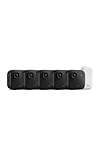

Our Top Picks


Top 3 picks at a glance
Best Blink cameras at a glance
| Camera | Best placement | Power | Video and night view | Storage and subscription |
|---|---|---|---|---|
| blink Outdoor 4 | Outdoor walls, patios, gardens | Two AA lithium batteries | 1080p; infrared night vision | Sync Module 2 local storage; cloud features with plan |
| Blink Mini 2 | Indoor rooms and covered areas | USB-powered | 1080p; color night view with suitable lighting | Cloud or Sync Module 2; advanced detection generally requires a plan |
| Blink Video Doorbell | Front doors and side entrances | Two AA batteries or compatible wired connection | 1080p; infrared night vision | Cloud clips or local storage through Sync Module 2 |
| Blink Wired Floodlight Camera | Driveways, garages, side yards | Permanent wired power | 1080p; infrared and floodlight-assisted night view | Cloud or local storage; subscription for expanded cloud features |
Best Blink security cameras by use case
Best overall outdoor camera: Blink Outdoor 4
The Blink Outdoor 4 is the strongest all-purpose choice when you need a camera away from a power outlet. Its weather-resistant design, 1080p video, infrared night vision, two-way audio, and motion zones cover the requirements of most patios, sheds, porches, and garden paths.
Its biggest advantage is installation flexibility. You can mount it with the supplied hardware, adjust the viewing angle, and avoid routing a cable through an exterior wall. Blink rates the two AA lithium batteries for long-term use under typical settings, potentially up to two years, but that figure depends heavily on clip length, live-view use, temperature, and motion frequency.
Choose Outdoor 4 over Mini 2 when the camera must operate without mains power. Choose the wired floodlight model instead when you need a wide, brightly illuminated view of a driveway or want to avoid battery changes altogether.
Best low-cost indoor camera: Blink Mini 2
The Blink Mini 2 is the practical pick for living rooms, nurseries, home offices, and pet monitoring. It is compact, usually costs less than battery-powered models, and uses continuous USB power, so frequent motion events do not consume batteries.
Mini 2 improves on a basic indoor camera with 1080p video, two-way audio, motion detection, and color night view when there is enough ambient or built-in illumination. It can also be used in a sheltered outdoor location, but it should not be treated like a fully weather-exposed Outdoor 4.
Its limitation is placement: the camera needs a nearby outlet, and a visible power cable may be inconvenient in a hallway or child’s room. For privacy, unplug it or use a switched outlet when monitoring is not needed; software privacy controls should not be your only safeguard.
Best for the front door: Blink Video Doorbell
The Blink Video Doorbell is better suited to package areas and visitors than a general-purpose camera because it places the detection zone at the correct height and provides a doorbell button with two-way communication. It can run on two AA batteries or be connected to existing compatible doorbell wiring, depending on the installation.
Battery operation simplifies installation, but the doorbell’s view can be affected by a nearby wall, porch roof, or packages placed close to the lens. Before mounting, check that the camera can see both a visitor’s face and the ground immediately in front of the door. If you need a clear view of a large front garden as well as the doorstep, pair it with an Outdoor 4 rather than expecting one doorbell camera to cover everything.
Best for driveways and dark approaches: Blink Wired Floodlight Camera
The Blink Wired Floodlight Camera is the most suitable Blink option for a driveway, garage entrance, or side path where motion is frequent and nighttime lighting matters. Its permanently wired power avoids battery maintenance, while the floodlights can make people, vehicles, and obstacles easier to identify than infrared footage alone.
It requires a more involved installation than the other models. You need a suitable exterior electrical box, weatherproof connections, and enough height to illuminate the intended area without shining directly into neighbors’ windows. If you rent or cannot safely work with mains wiring, an Outdoor 4 is the simpler choice.
Video quality: what 1080p means in practice
Most of these Blink cameras use 1080p rather than 2K or 4K. That is sufficient for recognizing a person at a moderate distance, but it cannot preserve fine facial or license-plate detail across a large yard. Camera position matters more than a small resolution difference.
For a doorway, mount the camera roughly 6 to 8 feet high and angle it toward the visitor’s face rather than straight across the porch. For a driveway, aim the lens at the area where a person will walk, not at the far end of the property. A closer subject produces more useful detail than digitally zooming a distant 1080p image.
Night vision is also a placement issue. Infrared can reflect off nearby walls, glass, pale siding, or spider webs. Keep the lens several inches away from corners and clean it periodically. The floodlight model is preferable when you need color context at night, but visible lighting can also attract attention and may increase motion events.
Battery life and a practical power calculation
Outdoor 4 and the battery version of the Video Doorbell use two AA lithium batteries. The advertised maximum runtime assumes relatively light activity. A busy walkway, repeated live views, cold weather, and long recordings can reduce that figure substantially.
Consider a simple workload estimate: suppose a camera records 30 motion clips per day, each lasting 20 seconds. That is 600 seconds, or 10 minutes, of recording daily. If live viewing adds another five minutes, the camera is actively streaming or recording for about 15 minutes per day. Over 30 days, that becomes 450 minutes—7.5 hours—of active use per month.
This is not a battery-life guarantee because radio power, temperature, and standby efficiency vary, but it explains why a camera facing a busy sidewalk may need batteries far sooner than one watching a quiet backyard. To extend runtime, use shorter clips, reduce retriggering, narrow the activity zone, and avoid unnecessary live-view sessions.
Local storage, cloud storage, and subscription costs
A Sync Module 2 can store compatible Blink clips locally on a USB flash drive, which is useful if you want to avoid recurring cloud fees. Local storage is not the same as complete independence: the camera system still needs network connectivity for remote access and notifications, and a stolen or damaged Sync Module can take local footage with it.
Without a subscription, basic live view and notifications remain available, but features such as cloud video history, extended clip access, person detection, and some recording functions may depend on the model and current Blink plan. Blink’s common plan structure has typically been about $3 per month for one device or about $10 per month for multiple devices, with annual billing sometimes available at a discount. Check the current terms before purchase because feature eligibility and pricing can change.
For a single camera, local storage can be the better long-term value. For example, a $3 monthly plan costs about $36 per year; over three years that is approximately $108, excluding any annual-plan discount. A Sync Module and suitable USB storage may cost more initially but can reduce recurring fees. A subscription is more convenient if you need cloud backup, person detection, or footage available when the camera and local storage are damaged.
Motion detection settings that reduce false alerts
Start with sensitivity around the middle of the available range rather than maximum sensitivity. Then create an activity zone that excludes roads, tree branches, bright windows, and neighboring property. These areas generate movement without producing useful security events.
- Use a shorter clip length for a busy entrance to reduce battery and storage use.
- Use a longer retrigger time when one person tends to generate many overlapping clips.
- Enable person detection when available and when distinguishing people from animals or vehicles is important.
- Schedule motion alerts during the hours you are away or asleep instead of receiving notifications all day.
- Recheck the zone after seasonal changes, because moving shadows and foliage can create new triggers.
Installation decision matrix
| Your situation | Best choice | Why | Main compromise |
|---|---|---|---|
| No outlet near the camera | Outdoor 4 | Battery operation and outdoor mounting | Battery life depends on activity and weather |
| Indoor room with a nearby outlet | Mini 2 | Low-cost, compact, continuous power | Not intended for fully exposed outdoor use |
| Front-door visitor alerts | Video Doorbell | Purpose-built entryway view and doorbell button | Narrower coverage than a yard camera |
| Driveway with frequent motion | Wired Floodlight Camera | Permanent power and stronger nighttime illumination | More complex electrical installation |
| Several cameras and no recurring fee | Compatible Blink cameras plus Sync Module 2 | Local clip storage can reduce cloud dependence | Requires managing local storage and network access |
Frequently asked questions
Can a Blink camera cover both the doorstep and the front garden?
A single Blink Video Doorbell may not cover both areas clearly. Its view can be affected by a nearby wall, porch roof, or packages, so check that it sees the visitor’s face and the ground near the door. If you also need a view of a large front garden, pair the doorbell with an Outdoor 4.
What should I check before installing a Blink camera outdoors?
Check the camera’s power requirements, weather exposure, viewing angle, and mounting location before installation. The Outdoor 4 is designed for exterior placement, while the Mini 2 should be limited to a sheltered outdoor location. Keep lenses away from corners, glass, pale siding, and spider webs, which can reflect or interfere with infrared night vision.
Do I need an internet connection to use local storage?
Yes, network connectivity is still needed for remote access and notifications even when clips are stored locally. A Sync Module 2 can store compatible Blink clips on a USB flash drive, but local storage is not complete independence. If the Sync Module is stolen or damaged, locally stored footage may be lost with it.
How can I reduce unwanted motion alerts?
Reduce unwanted alerts by using shorter clips, narrowing the activity zone, and avoiding unnecessary live-view sessions. Camera placement also matters: aim the lens at the area where people will walk rather than across a distant property. A busy walkway, repeated live views, and long recordings can also increase activity and battery use.
Is the Blink Mini 2 suitable for monitoring a nursery?
Yes, the Blink Mini 2 is described as a practical choice for nurseries, living rooms, home offices, and pet monitoring. It provides continuous USB power, 1080p video, two-way audio, motion detection, and color night view when suitable illumination is available. For privacy, unplug it or use a switched outlet when monitoring is not needed.
Final recommendation
For most homes, start with the Blink Outdoor 4 for exterior coverage and the Blink Mini 2 for indoor rooms. Add the Blink Video Doorbell when the front entrance is the priority, or select the Blink Wired Floodlight Camera for a driveway that needs constant power and useful nighttime lighting. Before buying, decide whether you value simple cloud access or long-term savings from local storage, then position the camera close enough to the activity to make its 1080p image useful.







