
For most buyers, the best Black Friday 4K TV deals under $500 land on a 55-inch mini-LED QLED with a native 120Hz panel, HDMI 2.1 and full-array local dimming, which typically prices between $430 and $500 during the sale window. If you sit nine feet or more from the screen and mostly watch movies, a 65-inch 60Hz QLED at $380–$480 will do more for your room than a smaller, faster set. Under $500 you are really choosing two of three things: size, speed, and brightness.
As an Amazon Associate we earn from qualifying purchases at no extra cost to you.


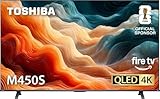
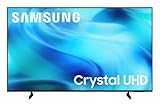
Our Top Picks
 Samsung 65-Inch Class Crystal UHD U8000H Series Samsung65 Inch8.7 x 56.9 x 34.7 inches31.8 PoundsCheck on Amazon


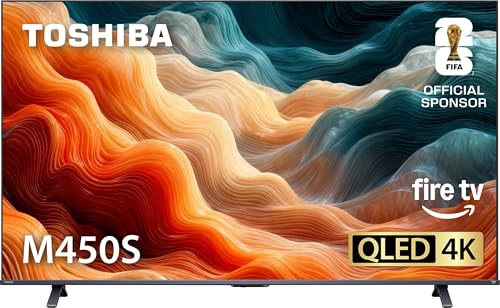
Top 3 picks at a glance
Quick comparison: what your $500 should buy
| Pick (spec class) | Best for | Specs to verify on the label | Typical Black Friday range |
|---|---|---|---|
| 55″ mini-LED QLED, 120Hz | Best overall; PS5 / Xbox Series X | Native 120Hz panel (not “120 motion rate”), HDMI 2.1, full-array local dimming, VRR | $430–$500 |
| 65″ QLED, 60Hz | Best big-screen value for movies | VA panel, direct-lit or FALD, Dolby Vision, HDMI 2.0 x3–4 | $380–$480 |
| 55″ high-brightness mini-LED | Best for a bright, window-heavy room | 600+ nits peak on a 10% window, anti-glare coating, 100+ dimming zones | $450–$500 |
| 43–50″ 4K 120Hz with 4:4:4 | Best for a desk / PC monitor use | 4K120 over HDMI 2.1, 4:4:4 chroma at 60Hz minimum, low input lag mode | $330–$430 |
| 48″ OLED (clearance) | Best for a dark room, if it dips | Per-pixel dimming, 120Hz, HDMI 2.1 — rarely below $500 | $500–$650 |
Prices move in a narrow band during the sale week and vary by region and retailer, so treat these as ranges rather than fixed tags.
Best overall: 55-inch mini-LED QLED with a native 120Hz panel
This is the only class that satisfies a console gamer and a movie watcher at the same time under $500. You want a mini-LED backlight with full-array local dimming rather than edge lighting, a panel that is genuinely 120Hz natively, and at least one HDMI 2.1 input. Families that have repeatedly dropped into this bracket on Black Friday include 55-inch sets from TCL’s QM-series and Hisense’s U7-series; exact suffixes change every model year, so confirm the panel refresh rate and HDMI version on that specific model’s spec sheet rather than on the shelf tag.
Who it suits: someone sitting 6–8 feet away who plays shooters or racing games and also streams films. Main trade-off: you are capped at 55 inches, and the local dimming at this price is coarse — expect visible blooming around bright subtitles on dark scenes.
Best big-screen value: 65-inch 60Hz QLED
If your couch is nine feet or more from the wall, screen area beats refresh rate. A 65-inch QLED with a 60Hz VA panel gives you roughly 40% more viewing area than a 55-inch, and movies and most story-driven games do not need 120Hz. The trade-offs are real, though: no 120Hz, VRR support is limited or absent on the cheapest variants, and motion handling in fast games is noticeably softer.
Who it suits: living-room setups, sports and streaming, families where the TV is shared. Main trade-off: a console will run at 60Hz max, and some 60Hz panels have higher input lag outside their game mode — check the manufacturer’s published input lag figure for the game mode specifically.
Best for a bright room: high-brightness mini-LED
HDR is the first thing sacrificed at this price, because HDR is brightness plus contrast, not a logo. For a room with windows opposite the TV, prioritise peak brightness on a small window (10% of the screen) and an anti-glare coating over extra inches. A set that peaks around 600–800 nits with 100-plus dimming zones will hold highlights in daylight, while a 300-nit edge-lit panel will look washed out by mid-afternoon.
Best for a dark room: a 48-inch OLED if it dips, otherwise FALD
4K OLED has not settled under $500 as a rule, but 48-inch models occasionally reach roughly $500–$550 on clearance during the sale week. If it does not happen in your region, a mini-LED or full-array QLED with a good local dimming algorithm is the next best thing for a dark room. Avoid edge-lit panels for dark-room film watching: with no zone control, black bars in widescreen content glow grey.
Best for a desk: 43–50-inch 4K 120Hz with 4:4:4 chroma
Using a TV as a monitor changes the priority order. Text clarity depends on 4:4:4 chroma support at the resolution and refresh rate you actually run, and HDMI 2.0 cannot carry 4K60 at 10-bit 4:4:4 without dropping to 4:2:2 or 8-bit — which is why some TVs show coloured fringing on small text. Verify that the model supports 4:4:4 in PC mode, and that the input you plan to use is HDMI 2.1.
How to choose: the numbers that actually decide it
Panel type
- VA: best contrast at this price, weaker off-angle viewing — fine for a couch directly in front of the screen.
- IPS: wider viewing angles, weaker contrast — better for a wide seating arrangement, worse for dark rooms.
- OLED: best contrast and response, but usually outside the $500 ceiling in 4K.
Refresh rate and HDMI bandwidth — the calculation that explains the cable
Bandwidth is pixels per second times bits per pixel. A 4K frame is 8,294,400 pixels; 10-bit RGB is 30 bits per pixel. Per the HDMI Licensing Administrator’s published bandwidth tables, HDMI 2.0 carries about 14.4 Gbps of usable payload and HDMI 2.1 carries about 42.6 Gbps.
| Signal | Raw data rate | Fits HDMI 2.0? | What it means in practice |
|---|---|---|---|
| 4K60, 8-bit 4:4:4 | ~11.9 Gbps | Yes | Standard 4K60 desktop use |
| 4K60, 10-bit 4:4:4 | ~14.9 Gbps | Borderline — usually falls to 4:2:2 or 8-bit | Why HDR text can look soft on HDMI 2.0 |
| 4K120, 10-bit 4:2:0 | ~14.9 Gbps | Yes, with chroma loss | 120Hz on an HDMI 2.0 port, reduced colour detail |
| 4K120, 10-bit 4:4:4 | ~29.9 Gbps | No | Full-quality 4K120 needs HDMI 2.1 |
Room size and viewing distance
Pixel density decides whether 4K matters, and at normal couch distances it usually does not. A 55-inch 4K panel has a pixel pitch of about 0.32 mm; your eye stops resolving individual pixels at roughly 3.6 feet. For a 65-inch it is about 4.2 feet. So at 7–10 feet, both look equally sharp — the argument for 65 inches is immersion, not detail. A practical mapping using a 30-degree field of view: 55 inches suits a 7–8 foot seating distance, 65 inches suits 9–10 feet.
Setup steps that unlock what you paid for
- 1. Switch the input to “Enhanced” or “HDMI 2.1” mode. Reasoning: most TVs default to a compatibility mode that caps the port at 4K60 with no VRR. Menu names vary — “HDMI Enhanced Format,” “Input Signal Plus,” “HDMI Ultra Deep Color,” or an HDMI mode toggle — so look under the input or external-device settings.
- 2. Turn off Eco / Energy Saving / auto brightness. Reasoning: these modes dim the backlight aggressively and can cut peak HDR brightness substantially, which is the opposite of what you paid for.
- 3. Select Game mode for consoles. Reasoning: it bypasses most picture processing and drops input lag into the roughly 10 ms class instead of 30–60 ms or more, depending on the model.
- 4. Enable VRR and ALLM on both ends. Per the console makers’ official support documentation, PS5 exposes this under Settings > Screen and Video > Video Output, and Xbox under Settings > General > TV & display options.
- 5. Confirm the signal you are actually getting. Reasoning: most TVs have an info panel that reports incoming resolution and refresh rate. If it says 3840×2160 at 60Hz when you expect 120Hz, step 1 did not take.
- 6. For film, switch off motion smoothing and set colour temperature to the warm preset. Reasoning: the warm preset tracks the industry mastering standard more closely, and smoothing adds an artificial look to 24fps content.
Running cost, briefly
A 55-inch mini-LED draws roughly 110–160W in typical mixed use. At 150W for four hours a day, that is 0.6 kWh daily, about 219 kWh a year, or roughly $33 at a rate of $0.15/kWh. Note that a bigger 65-inch direct-lit set can draw less than a smaller high-brightness mini-LED, so size alone does not predict the bill.
Black Friday buying notes and the model-number trap
The sets that fall under $500 are almost always the outgoing model year or a retailer-specific variant. Club and warehouse versions often carry a different suffix and may ship with fewer HDMI 2.1 ports or a 60Hz panel in the same size — the shelf tag will not tell you, so check that exact model number’s published spec sheet. Historically, the deepest discounts appear in the ten to fourteen days before Black Friday and again on Cyber Monday, while doorbuster stock is thin and sells out within hours.
Frequently Asked Questions
Is a 60Hz TV bad for a PS5 or Xbox Series X?
It is not bad, but it leaves performance on the table. A 60Hz panel caps the console at 60 frames per second even in the 120Hz performance modes many games offer, and it usually lacks VRR to smooth out frame-rate dips. If you play competitive shooters or racing games, the 55-inch 120Hz mini-LED is the better buy at the same price.
Do I really need HDMI 2.1 on a sub-$500 TV?
You need it if you want full-quality 4K at 120Hz. That signal runs at about 29.9 Gbps, well beyond HDMI 2.0’s roughly 14.4 Gbps of usable payload. If you only play at 4K60 or watch movies, HDMI 2.0 is sufficient and you can put the money toward a larger screen instead.
Should I buy a 55-inch 120Hz set or a 65-inch 60Hz set?
Base it on seating distance. A 55-inch suits roughly 7–8 feet and a 65-inch roughly 9–10 feet at a 30-degree viewing angle. If you sit closer than eight feet, the extra size of a 65-inch is largely wasted and the 120Hz panel is the better return.
Can you get a 4K OLED under $500 on Black Friday?
Occasionally, but only on 48-inch clearance models and only in some regions, usually landing around $500–$550 rather than comfortably under $500. If it does not appear, a mini-LED or full-array local dimming QLED is the closest alternative for dark-room viewing.
What HDR spec is worth paying for at this price?
Look for peak brightness on a 10% window rather than a full-screen number, and for full-array local dimming with a meaningful zone count. Roughly 600 nits and 100-plus zones is a reasonable target for visible HDR; a 300-nit edge-lit set will display HDR content but rarely look dramatically better than SDR.
Are Black Friday prices actually the lowest of the year for TVs?
For the outgoing model year, usually yes — the deepest cuts historically cluster in the two weeks before Black Friday and again on Cyber Monday. The newest model year rarely drops below $500 on its first Black Friday, which is why the previous year’s line is where the value sits.







