Picture the moment after the new memory arrives. Two sticks of DDR5 sit on the desk, the Ryzen processor is already in its tray, and the only open question is the board that ties everything together. That is the situation most readers of this page are in, and it is a more narrow decision than it looks. Every motherboard below uses the AMD AM5 socket, which means DDR5 is not an option you pick but a built-in requirement. What remains is a set of practical trade-offs: how many drives you plan to connect, how large your case is, which wireless and network hardware you want, and how much power delivery you need for the chip you chose.
This roundup compares eight boards from GIGABYTE, ASUS and MSI, split between the B650 and B850 chipsets and between full-size ATX and compact micro-ATX layouts. The reviews rely only on what each listing title states, which includes socket, size, power stages, M.2 slot counts, PCIe generations and wireless standards. If a number is missing from a title, the review says so and points you to the manufacturer page. Begin with the Quick Picks table if you are comparing quickly, then use the sections that follow to match a board to your case, your drives and your budget tier.
Our Top Picks
 ASUS ROG Strix B650-A Gaming WiFi AMD B650ATX 3x M.2 WiFi6E (Pack of 1)13.4 x 10.8 x 2.9 Inches4.25 poundsCheck on Amazon


Top 3 picks at a glance
Quick Picks
As an Amazon Associate we earn from qualifying purchases at no extra cost to you.


| Product | Best for | Key spec from the title |
|---|---|---|
| GIGABYTE B650 AORUS Elite AX | Straightforward ATX gaming build | 14+2+1 power phase, PCIe 5.0 M.2, USB-C 3.2 Gen 2 |
| GIGABYTE B850 AORUS Elite WIFI7 | A current-generation ATX board with room to grow | 14+2+2 power phase, 3X M.2, Wi-Fi 7 |
| GIGABYTE B650 Eagle AX | Clear storage planning on ATX | Three M.2 slots (one PCIe 5.0, two PCIe 4.0), WiFi 6E |
| GIGABYTE B850M AORUS Elite WIFI6E ICE | Compact build with a light look | Micro-ATX, 12+2+2 power phase, 2X M.2 |
| ASUS ROG Strix B850-G Gaming WiFi | Maximum drives in a small case | Micro-ATX, 14+2+1 power stages, 4X M.2 |
| ASUS ROG Strix B650-A Gaming WiFi | Older chipset with a gaming-brand ATX design | 12+2 power stages, 3x M.2, PCIe 4.0 |
| MSI B850 GAMING PLUS WIFI | Buyers chasing memory speed headroom | DDR5 8200+ MT/s (OC), PCIe 5.0×16 and 4.0×16 |
| ASUS TUF Gaming B850-PLUS WiFi | The most complete ATX spec sheet | 14+2+1 80A stages, Wi-Fi 7, 2.5Gb LAN, DisplayPort and HDMI |
The 8 Best Options
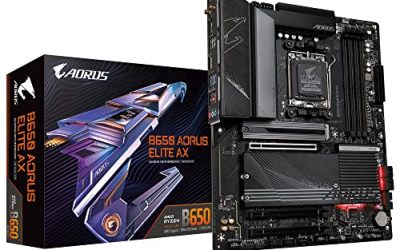
GIGABYTE B650 AORUS Elite AX
Pick this when you want a dependable mid-range ATX board and have no reason to pay for the newest chipset. The title names the AM5 socket, support for Ryzen 9000, 8000 and 7000 series chips, DDR5, a 14+2+1 power phase layout, a PCIe 5.0 M.2 slot, a USB-C 3.2 Gen 2 port and built-in wireless. In plain terms, you get strong power delivery for the class, a fast storage slot and a modern front or rear USB-C port without extra cost.
- A 14+2+1 power phase layout is plentiful for typical gaming processors.
- The PCIe 5.0 M.2 slot accepts the fastest consumer SSDs.
- USB-C 3.2 Gen 2 covers external drives and newer devices.
- As a B650 board, it lacks some newer-generation features that the B850 models list.
- The title does not give the number of M.2 slots or the Wi-Fi version.
Who should skip it: anyone who wants Wi-Fi 7 or intends to fill four or more drive slots. Next to the B850 AORUS Elite WIFI7, it is the simpler, more economical choice, and the upgrade to the newer board mostly buys additional connectivity rather than speed in games. Think of it as the board you buy when the goal is a clean first AM5 system: one graphics card, one fast boot drive, a processor in the Ryzen 5 or Ryzen 7 range, and a case with the usual front panel connectors.
GIGABYTE B850 AORUS Elite WIFI7
This is the same family and the same ATX size, moved up to the newer B850 chipset. The title lists the AM5 socket, Ryzen 9000, 8000 and 7000 support, DDR5, a 14+2+2 power phase layout, three M.2 slots, PCIe 5.0, USB-C and Wi-Fi 7. It suits a builder who wants a board that will not feel dated when a faster Ryzen processor arrives in a few years.
- 14+2+2 power phases is the strongest count among the GIGABYTE ATX boards here.
- Three M.2 slots give a main drive plus room to expand.
- Wi-Fi 7 support is built into the model name.
- The benefit of Wi-Fi 7 depends on owning a compatible router.
- It costs more than the B650 sibling, and many users will not feel the difference in daily play.
Who should skip it: shoppers on a tight budget, or builders who plan a single drive and a mainstream Ryzen 5. Compared with the B650 Eagle AX that follows, it offers more power phases and newer connectivity, while the Eagle is the more modest and more clearly documented board. Anyone who cares about future processor swaps should note that both boards list the same three Ryzen generations, so the difference lies in the extras around the socket, not in what you can install.
GIGABYTE B650 Eagle AX
The Eagle name marks GIGABYTE’s no-frills line. The title spells out the AM5 socket (listed as LGA 1718), ATX size, DDR5, three M.2 slots described as one PCIe 5.0 and two PCIe 4.0, a USB 3.2 Gen2x2 Type-C port, WiFi 6E and a Realtek gigabit Ethernet controller. Because the title is so specific about storage, this is the easiest board in the group to plan a drive layout around.
- Clear M.2 breakdown makes it simple to plan a boot drive and two storage drives.
- USB 3.2 Gen2x2 Type-C is a fast port for external SSDs.
- WiFi 6E suits most current home routers.
- Gigabit Ethernet is fine for internet but slower than the 2.5Gb option on the TUF board.
- Power phase count is not given in the title.
Who should skip it: people who want multi-gig networking or a high-end overclocking board. Against the compact B850M AORUS Elite ICE, the Eagle offers more physical space and the same number or more storage slots, while the ICE brings the newer chipset in a smaller board. The Eagle also keeps a conventional layout, which makes it a comfortable choice for someone assembling a PC for the first time and wanting clear, readable slot labels.
GIGABYTE B850M AORUS Elite WIFI6E ICE
This board answers a specific want: a small build, a newer chipset and a white look. The title lists B850, micro-ATX size, Ryzen 9000, 8000 and 7000 support, DDR5, a 12+2+2 power phase design, two M.2 slots, PCIe 5.0 and WIFI6E, and the ICE tag usually points to a white finish. It fits a compact case with a clean, bright color scheme.
- Micro-ATX saves space and works in smaller, easier-to-place cases.
- B850 platform features come in a compact size.
- The 12+2+2 power phase design handles mainstream Ryzen chips.
- Two M.2 slots can feel limiting for a large library or editing projects.
- WiFi 6E is a generation behind the Wi-Fi 7 boards.
Who should skip it: builders who want several drives or expansion cards. Compared with the ROG Strix B850-G after it, the GIGABYTE ICE gives up two M.2 slots in exchange for its color scheme and a slightly lower power stage count. For a living-room or desk-side machine, where the case is visible and the cable runs are short, a compact board like this also tends to make tidier builds easier because there is simply less board area to manage.
ASUS ROG Strix B850-G Gaming WiFi
The B850-G packs more storage into a small footprint than any other board in this guide. The title shows the AM5 socket, the B850 chipset, micro-ATX size, 14+2+1 power stages, DDR5 slots, four M.2 slots, PCIe 5.0 readiness, and the Advanced AI PC Ready phrase. Four M.2 slots on a compact board are uncommon, and they are the reason to pick this model.
- Four M.2 slots remove the need for add-in storage cards.
- 14+2+1 power stages are a solid figure for micro-ATX.
- Wi-Fi is listed in the product name, so a separate wireless card is not needed.
- Marketing phrases like AI PC Ready add little to day-to-day use.
- The title does not give the Wi-Fi generation.
Who should skip it: shoppers who need lots of PCIe expansion cards. Next to the ROG Strix B650-A, it is the smaller, newer-chipset alternative with more M.2 slots, while the B650-A is a full ATX board that gives you more physical expansion room. Buyers with big game libraries, video projects or several operating systems on separate drives will see the four slots as the main reason to pay attention, while those with one drive will find the feature unused. The compact size also means careful cable management is worth the effort, since there is less room to hide slack behind the board tray.
ASUS ROG Strix B650-A Gaming WiFi
The B650-A is a full-size ATX board on the older chipset, aimed at gamers who like the ROG look. The title states AMD B650, AM5, Ryzen desktop 9000, 8000 and 7000 support, 12+2 power stages, DDR5, three M.2 slots and PCIe 4.0. It is a solid foundation for a gaming PC where you expect to use a single graphics card and a couple of drives.
- Three M.2 slots cover most storage needs.
- Support for three Ryzen generations keeps processor upgrades open.
- ATX size provides spacing for larger graphics cards and cooling.
- PCIe 4.0 is named rather than PCIe 5.0, so it trails some newer boards.
- 12+2 stages is a smaller count than several competitors here.
Who should skip it: buyers who want the newest PCIe generation. Compared with the MSI B850 GAMING PLUS WIFI, the ASUS carries a gaming-brand name while the MSI lists newer interface and memory claims in its title. A builder who prefers a familiar ASUS BIOS and a conventional ATX layout will find it a comfortable fit, as long as PCIe 5.0 is not a priority for the graphics slot. Its three M.2 slots and 12+2 stages are well matched to a Ryzen 5 or Ryzen 7 build that will not be pushed to extremes.
MSI B850 GAMING PLUS WIFI
MSI leads its title with memory capability. It lists ATX size, support for Ryzen 9000 to 7000 processors, AM5, DDR5 memory at 8200+ MT/s (OC), PCIe 5.0 x16 and 4.0 x16 slots, M.2 Gen5 and Wi-Fi. The overclocking number is an upper bound that depends on the memory kit and processor, so read it as headroom rather than a promise.
- Two full-length graphics slots are named, one PCIe 5.0 and one PCIe 4.0.
- M.2 Gen5 is listed for fast storage.
- The memory overclock mention points to enthusiast support.
- Power stage count and M.2 slot total are not stated.
- Overclocked memory speeds often need manual tuning and are not guaranteed.
Who should skip it: buyers who want a plug-in build and a detailed spec line in the title. It sits near the ASUS TUF Gaming B850-PLUS, which provides more of the numbers a cautious buyer wants to see up front. If you choose the MSI board, plan to read the manual for slot-sharing details and power connector requirements, because the title leaves out information that shapes real build decisions. Memory-focused buyers should also remember that stability matters more than the headline number, and a kit that runs reliably at DDR5-6000 is better than one that crashes at a higher setting.
ASUS TUF Gaming B850-PLUS WiFi
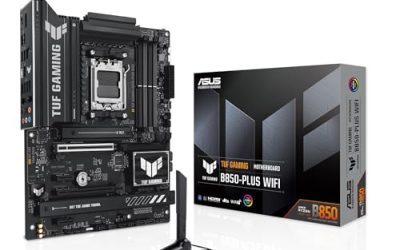
The TUF Gaming B850-PLUS offers the fullest specification line in this group. The title shows the AM5 socket, B850 chipset, 14+2+1 power stages at 80A, AI Ready branding, DDR5, PCIe 5.0, three M.2 slots, Wi-Fi 7, 2.5Gb LAN, DisplayPort and HDMI. That mix of networking, storage and video outputs makes it a sensible all-rounder for a long-lived build.
- 80A power stages are the strongest power claim in the group.
- Wi-Fi 7 and 2.5Gb LAN cover wireless and wired needs.
- DisplayPort and HDMI help with setup when using a processor with integrated graphics.
- Newer-chipset pricing usually sits above the B650 models.
- AI Ready is marketing wording, not a technical measure.
Who should skip it: anyone assembling a minimal budget build. It is the final pick because it is the one to choose when you want few unknowns, and it is the natural step up from the MSI above. Since it names both DisplayPort and HDMI, it also works as the board for a Ryzen processor with built-in graphics while you wait to buy a graphics card, which can save a lot of frustration during a staged build. The 80A stages also make it a reasonable match for a Ryzen 9 chip that will run long workloads such as video exports.
Why a DDR5 Board Is Really an AM5 Decision
People searching for a DDR5 motherboard in 2026 are usually deciding between platforms, but the boards in this guide show how narrow the choice has become.
You are buying into a socket
AM5 boards use DDR5 only, so the memory is the easy part. The more important decision is the socket’s future: the titles list Ryzen 7000, 8000 and 9000 series support, so you can replace the processor later without changing the board. Platforms that last multiple processor generations are a real advantage for buyers who upgrade every few years, since the board and memory carry over. Remember that a BIOS update may be required, so a board with a flashback feature removes risk from the plan.
The board sets your storage and network plan
Slot counts, USB-C ports and wireless versions are the features that differ most between listings. If you know you need four drives, the ROG Strix B850-G is the logical shortlist item. If you want multi-gig wired networking, the TUF Gaming B850-PLUS is the one that names 2.5Gb LAN.
You can spend less than you think
Because the memory and socket are fixed, the cheapest sensible route is a B650 board paired with a mid-range Ryzen chip and a 32GB kit. The extra money for B850 pays off mainly for the features it adds, not for raw gaming speed. A buyer who treats the board as a long-term foundation, and who plans to keep it through at least one processor upgrade, gets the most from stepping up to a newer chipset, whereas a one-time build can skip it.
How to Choose a Board Around Your Memory Plan
Kit capacity and layout
For gaming and general use, 32GB in two 16GB sticks is the comfortable default. 16GB works for light use, and 64GB is for editing, virtual machines or large projects. Keep to two sticks: filling all four slots usually lowers the speed the memory can run at on AM5.
Speed, EXPO and the overclock number
DDR5-6000 with an EXPO profile is the sweet spot for Ryzen. The 8200+ MT/s figure on the MSI board is an overclock ceiling and depends on the exact kit and processor, so it is useful mainly to enthusiasts who enjoy tuning memory timings in the BIOS and who accept that results vary from kit to kit. Ignore speed labels beyond what your processor can use, since the gap between 6000 and 6400 in real games is small. Timings matter too: a kit with low latency at 6000 often feels better in practice than a faster kit with loose timings. Always check that the kit appears on the board maker compatibility list, because quality varies between kits of the same advertised speed.
Power delivery
Stage counts such as 12+2 and 14+2+1 describe the voltage regulator. For Ryzen 5 and Ryzen 7 chips, any board here has more than enough. If you plan a Ryzen 9, or heavy sustained workloads like rendering, look to the 14+2+2 and 80A boards and make sure there is a proper heatsink over the regulator. Case airflow matters as much as the phase count, since a regulator in a hot, still case runs closer to its limit. On a mainstream chip, a board with 12 or more power stages and a heatsink is plenty, and money is better spent on cooling.
Storage and PCIe
Count the drives you own and the ones you plan to add. One PCIe 5.0 M.2 slot is enough for a main drive, with one or two more slots for games and backups. For the graphics card, a PCIe 4.0 slot is perfectly adequate for most current cards, and a PCIe 5.0 slot is a bonus for the newest ones. Be aware that some M.2 slots share lanes with SATA ports. A 1TB drive is the practical minimum for a gaming library now, and a 2TB drive gives breathing room for several large titles. If you use a graphics card with a very wide cooler, check that it does not cover the first M.2 slot on the board.
Networking, ports and BIOS
Wi-Fi 6E covers most homes, Wi-Fi 7 helps with a matching router, and 2.5Gb Ethernet pays off on a fast home network. Check for USB-C on the rear panel and a BIOS flashback button, which lets you update the firmware without a processor. A new board may ship with firmware that does not recognize the newest Ryzen chip. Audio is the quiet extra: most of these boards include onboard codecs that are adequate for headsets and speakers, and a separate sound card is rarely needed.
What to ignore and where cheaper boards cut corners
Ignore RGB zone counts and AI slogans. Budget models often cut corners on the regulator heatsink, the number of fan headers, the number of rear USB ports and the quality of the audio codec. A longer warranty and a clearly documented specification sheet are better signs of a well-made board than a long feature list. Warranty periods of three years are common in this segment, so ask about a shorter term before you buy.
ATX vs Micro-ATX on AM5
Six of the eight boards are ATX, and two are micro-ATX, so the size decision comes before the chipset for many buyers. The table compares what the titles show.
| Factor | ATX boards | Micro-ATX boards |
|---|---|---|
| Examples | AORUS Elite AX, Eagle AX, TUF B850-PLUS | B850M AORUS Elite ICE, ROG Strix B850-G |
| M.2 slots in titles | Three on most boards | Two or four |
| Expansion room | More slots and spacing | Fewer slots, tighter |
| Case fit | Standard mid-tower | Compact and mid-tower |
| Best for | First builds, cooling, expansion cards | Small cases, simple setups |
Why ATX is the safer default
More space means easier cable routing, better airflow and more room to install a capture card or a sound card later. For a first build, that breathing room reduces mistakes, and it suits most mid-tower cases. ATX boards also tend to place the memory slots, M.2 heatsinks and power connectors with more room around them, which matters when a large air cooler is installed.
Why micro-ATX still makes sense
A compact case takes less desk space and often costs less. The ROG Strix B850-G proves you do not have to give up storage to go small, since it lists four M.2 slots. The compromise is fewer expansion slots and closer spacing around the graphics card. If your case is a small tower with a single graphics card and two or three drives, micro-ATX leaves little unused and often looks neater inside. Check the case specifications for the maximum board size before you commit, because some compact cases accept only micro-ATX.
Setup, Compatibility and Upgrade Tips
What to check before buying
Confirm your processor uses the AM5 socket, because AM4 chips will not fit. Check that your case supports the board size, and that your cooler includes AM5 mounting parts. Look at the memory compatibility list for the exact kit you plan to use. Also measure your cooler height against the case, and make sure the front panel connectors on the case match the headers on the board, particularly for USB-C.
What to upgrade first
After the build is stable, add a second SSD before anything else, since storage is the cheapest upgrade with the most visible benefit. A graphics card upgrade will help games more, but it depends on your budget tier. Faster memory is rarely worth it unless your kit is below DDR5-5600. Cooling is the other early upgrade: a better cooler and an extra intake fan can lower noise and temperatures at modest cost, and they carry over to a later board.
Common compatibility traps
DDR4 memory will not fit these slots. Some M.2 slots disable SATA ports when populated, so read the manual before you plug in every drive. Make sure the power supply has the eight-pin processor connectors the board requires. If the board refuses to boot with a new Ryzen 9000 chip, try a BIOS flashback update before assuming a fault. Finally, keep Wi-Fi and LAN driver downloads on a USB stick, because a fresh Windows installation may not have drivers for the onboard network adapters.
Which One Fits Your Situation
A streamer who wants wired and wireless networking
The ASUS TUF Gaming B850-PLUS WiFi lists Wi-Fi 7 and 2.5Gb LAN, which suits a setup with a capture setup and a fast home network. The three M.2 slots also allow a recording drive to sit apart from the game drive, which keeps capture files out of the way.
A budget-minded builder with a Ryzen 5
The GIGABYTE B650 Eagle AX offers three clearly described M.2 slots and WiFi 6E without paying for the newest chipset, leaving money for the graphics card or a larger SSD.
Someone with a small white case
The GIGABYTE B850M AORUS Elite WIFI6E ICE brings a compact size and a light finish, which suits a tidy desk where the case sits in plain view.
An enthusiast pushing memory speed
The MSI B850 GAMING PLUS WIFI advertises 8200+ MT/s (OC) support, which signals tuning headroom for a well-chosen kit, as long as the buyer is willing to adjust memory settings in the BIOS and read the compatibility notes.
Common Mistakes
- Filling all four memory slots and assuming speed stays the same.
- Assuming every board supports the newest Ryzen chip out of the box.
- Buying Wi-Fi 7 without checking the router.
- Choosing a compact board and then needing more expansion slots.
- Counting M.2 slots without checking which ones share lanes.
- Paying extra for slogans like AI Ready instead of concrete specs.
Related guides
- Windows Macos Linux Gaming Performance Comparison Strengths Weaknesses
- Desktop Operating Systems Gaming Performance Strengths Weaknesses
- 5G Home Internet Wifi Modem Settings Low Latency Gaming
Frequently Asked Questions
Do all these boards use DDR5?
Yes. AM5 supports DDR5 only, so every board in this guide requires DDR5 memory. DDR4 sticks will not fit the slots.
Is a B650 board still a good buy?
Yes. B650 boards support the same Ryzen 7000, 8000 and 9000 families as B850 and cost less. You give up some newer connectivity, but you can still build a strong gaming PC.
How much memory should I buy?
32GB is the practical choice for gaming and everyday multitasking. Use 16GB for light use and 64GB for editing or virtual machines.
What does the OC label on memory mean?
It means the speed is achieved through overclocking rather than the standard profile. The result depends on the memory kit and the processor, so it is not guaranteed.
Can I upgrade my processor later?
Yes, within the Ryzen 7000, 8000 and 9000 families named in the titles. You may need a BIOS update to support a newer chip.
Is Wi-Fi 7 worth paying for?
Only if your router also supports it and your connection benefits. For most households, Wi-Fi 6E or a wired connection is plenty.
Final Words
All eight boards are valid AM5 choices, so the right one depends on the details. Choose the GIGABYTE B650 AORUS Elite AX or B650 Eagle AX for a sensible mid-range build, the GIGABYTE B850 AORUS Elite WIFI7 or ASUS TUF Gaming B850-PLUS WiFi for a longer-lived ATX system, and the ASUS ROG Strix B850-G Gaming WiFi for a compact case with many drives. Confirm BIOS support, use two memory sticks, and let your storage plan make the final call. If a title leaves out a detail you care about, such as the Wi-Fi generation on an ASUS model or the power stage count on the MSI board, check the manufacturer page before you order.