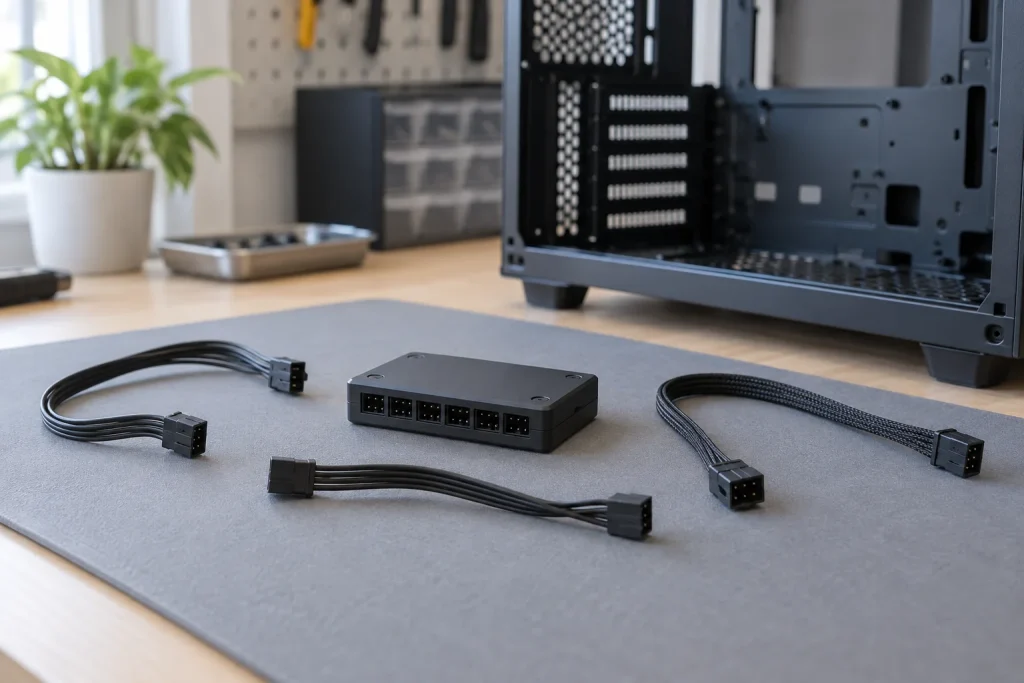
Creating a clean home office desktop setup isn’t just about selecting a beautiful desk or minimalist monitor arm; it extends inside your custom PC casing. Exposed wires, tangled fan leads, and loose 4-pin connectors cluttering up a glass side panel ruin the visual flow of a well-designed workspace. Proper cable routing requires consolidating dozens of fan power and lighting strands into a centralized, hidden location behind the motherboard tray.
As PC case designs lean heavily toward dual-chamber layouts and panoramic tempered glass, managing fan cables has become an essential home office styling task. Utilizing dedicated fan hub controllers and streamlined extensions allows you to run up to a dozen fans through a single SATA power backbone, transforming internal cable chaos into neat, hidden bundles. Below, we rank and review the best fan hub controllers for cable management setups to help streamline your rig.
As an Amazon Associate we earn from qualifying purchases at no extra cost to you.




Our Top Picks
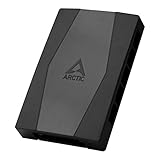
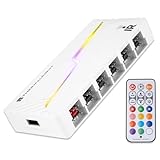
 Thermalright ARGB Fan HUB Controller Support 8 Groups5.51 x 0.63 x 2.52 Inches0.2 PoundsCheck on Amazon


Top 3 picks at a glance
Quick Picks
| Product | Best for | Price |
|---|---|---|
| Thermalright ARGB Fan HUB Controller (8 Groups) | Best Overall Magnetic Mounting | Check on Amazon |
| Cable Matters 2-Pack 3 Way 4-Pin PWM Fan Splitter (12 in / 30 cm) | Best Compact Splitter Cables | Check on Amazon |
| Thermalright ARGB and Fan HUB X12 IR Black | Best High-Capacity Dark Builds | Check on Amazon |
| Cable Matters PC Case PWM Fan Hub (1-to-5 Way, 16 in) | Best Long-Reach PWM Hub | Check on Amazon |
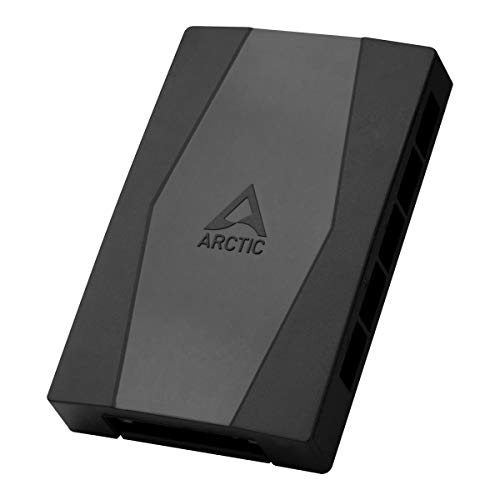
| ARCTIC Case Fan Hub (10-fold PWM) | Best High-Density PWM Distributor | Check on Amazon |
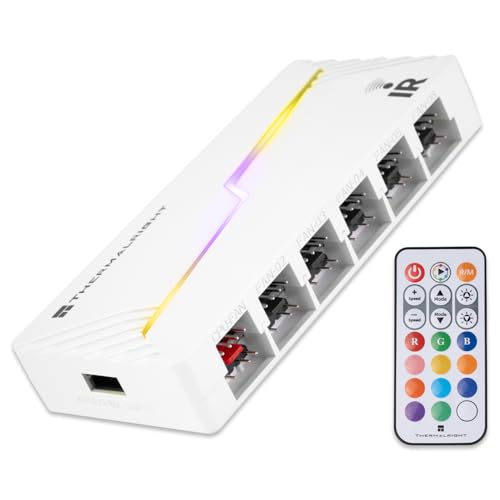
| Thermalright ARGB and Fan HUB X12 IR White | Best High-Capacity White Builds | Check on Amazon |
| Cable Matters 4-Pack PWM Fan Extension Cable (12 in) | Best Cable Lengthening Solution | Check on Amazon |
| VWEICYY Fan Hub (1 to 5 PWM Splitter) | Best Ultra-Budget Compact Splitter | Check on Amazon |
How We Compared
Selecting the right hardware for interior PC cable management involves balancing safety, physical reach, and layout aesthetic. We focused on four core criteria when evaluating these products:
- Port Density & Direct Power: We prioritized units powered directly via SATA connections to avoid exceeding the standard 1-amp rating on motherboard fan headers when running multiple high-RPM fans.
- Mounting Versatility: Strong magnetic suction paired with heavy-duty adhesive backing ensures the hub stays firmly anchored behind motherboard trays, avoiding unsightly slippage over time.
- Cable Reach & Cable Flexibility: Extended lengths (from 12 to 16 inches) allow builders to route wiring along case frame channels rather than stretching cords across visible interior spaces.
- Lighting Synchronization: Dual-function hubs supporting standard 4-pin PWM power alongside 5V 3-pin addressable RGB (ARGB) were preferred for reducing total device count behind the backplate.
The 8 Best Picks
Thermalright ARGB Fan HUB Controller (8 Groups)
Who it’s for: PC builders seeking a balance of lighting control, fan expansion, and secure positioning within mid-tower cases.
This around $11 hub centralizes power and lighting for up to 8 groups of fans using dual 4-pin PWM and 5V 3-pin ARGB headers. Powered via direct SATA input, it eliminates motherboard header strain. The dual mounting system featuring strong magnetic suction alongside heavy-duty paste gives you flexibility to position the block anywhere on steel case panels without permanent residue.
- Pro: Dual magnetic and adhesive mounting holds firmly behind metal motherboard trays.
- Pro: Consolidates both 5V 3-pin ARGB and 4-pin PWM signals into one centralized module.
- Con: 12V 4-pin analog RGB lighting standard is strictly unsupported.
When to skip: Skip if your build relies on older 12V 4-pin non-addressable RGB light strips.
Cable Matters 2-Pack 3 Way 4-Pin PWM Fan Splitter Cable
Who it’s for: Minimalist setups needing simple cord consolidation without mounting bulky PCB hubs behind the motherboard panel.
Offered at around $8 for a 2-pack, these 12-inch (30 cm) splitter cables let you connect up to three 4-pin PWM fans to a single motherboard header. The black braided sleeving blends seamlessly into dark case interiors, concealing raw copper leads. It passes PWM speed control signals from the master fan port directly to your BIOS or control software.
- Pro: Clean black braided sleeving offers high flexibility in tight cable routing channels.
- Pro: Cost-effective multi-pack handles small 3-fan radiator or front-intake clusters effortlessly.
- Con: Draws power entirely from motherboard header without external SATA reinforcement.
When to skip: Skip if you are connecting heavy-draw, high-amperage industrial fan clusters that exceed 1 Amp total.
Thermalright ARGB and Fan HUB X12 IR Black Hub Controller
Who it’s for: Enthusiast builders assembling multi-fan installations in large, dark dual-chamber cases.
Priced at around $11, the X12 IR Black supports an impressive 12 groups of CPU and chassis fans. Combining 3-pin PC ARGB lighting sync and 4-pin PWM fan speed management into a sleek black module, it runs on direct SATA power input. It creates a single routing point for extensive liquid cooling radiators and case intake arrays.
- Pro: Massively expands connection capacity up to 12 fan groups in one location.
- Pro: Direct SATA power cord prevents motherboard header power overloads.
- Con: Broad footprint requires a dedicated flat mounting zone on the rear case chassis.
When to skip: Skip if your PC enclosure lacks ample rear clearance behind the backplate.
Cable Matters PC Case PWM Fan Hub
Who it’s for: System builders who require extended cable length to reach distant motherboard fan headers.
At around $6, this 1-to-5 way PWM splitter hub features a generous 16-inch harness lead, making it significantly longer than standard 12-inch splitter cables. This added length allows you to tuck cables along the outer perimeter edges of large full-tower cases, keeping central motherboard wire cutouts completely clear for a clean presentation.
- Pro: 16-inch main lead length offers extra routing flexibility in larger full-tower cases.
- Pro: Extremely affordable price point for clean 5-fan management.
- Con: Lacks integrated ARGB headers, supporting PWM power signals only.
When to skip: Skip if you need a centralized solution that handles both fan power and lighting cables.
ARCTIC Case Fan Hub
Who it’s for: Builders needing maximum PWM power distribution for heavy fan arrays at a low cost.
The ARCTIC Case Fan Hub costs around $7 and acts as a 10-fold PWM fan distributor. Powered directly via a standard SATA connector, it safely powers up to 10 fans while pulling speed control modulation from a single motherboard header. Its compact black PCB layout hides neatly inside standard drive bays or behind wire-management shrouds.
- Pro: Safely powers up to 10 fans through direct SATA input connection.
- Pro: Exceptional value per port for large air-cooled or dual-radiator systems.
- Con: Does not feature lighting distribution headers for RGB fans.
When to skip: Skip if your setup prioritizes complex addressable RGB lighting sync from the same PCB module.
Thermalright ARGB and Fan HUB X12 IR White Hub Controller
Who it’s for: Interior-conscious builders designing modern all-white PC builds with high fan counts.
Sharing the exact around $11 price and 12-group capacity as its dark counterpart, the X12 IR White features a white housing and matching white cable headers. Supporting 12 sets of 4-pin PWM fans alongside 3-pin 5V ARGB elements, it keeps wire bundles unified while matching light-colored interior case coatings seamlessly.
- Pro: White design integrates cleanly into custom white PC aesthetics.
- Pro: Handles up to 12 fan and ARGB groups with direct SATA power delivery.
- Con: Incompatible with 12V 4-pin RGB lighting components.
When to skip: Skip if your PC enclosure utilizes dark interior painting where a white hub would stand out.
Cable Matters 4-Pack PWM 4-Pin Fan Extension Cable
Who it’s for: Builders struggling with short native fan wires that cannot reach rear cable raceways.
Priced at around $8, this 4-pack of 12-inch extension cables gives you the length required to tuck stiff fan cords around case corners. By extending standard 4-pin fan cables by 30 cm, you eliminate taut lines running diagonally across your workspace window, keeping wires tucked behind structural case pillars.
- Pro: Flexible black sleeving hides raw wire colors and navigates tight case bends easily.
- Pro: 4-pack offers enough extensions to route an entire case front panel clean.
- Con: Adds additional physical plug connections behind the backplate that require hiding.
When to skip: Skip if your existing fan cords already extend comfortably to your central fan hub position.
VWEICYY Fan Hub
Who it’s for: Ultra-budget builders looking to consolidate up to 5 fans into a tiny, unobtrusive module.
At just around $4, the VWEICYY 1-to-5 fan hub accepts both 3-pin and 4-pin desktop PC cooling fans. Its minimal footprint fits into tiny crevices, making it ideal for compact small-form-factor (SFF) or home-office desktop setups where space behind the motherboard panel is limited to a few millimeters of clearance.
- Pro: Lowest price point on the market for a 5-port fan expansion layout.
- Pro: Compact size glues easily into cramped SFF case voids.
- Con: Basic PCB finish lacks an outer protective decorative housing shell.
When to skip: Skip if you prefer enclosed, sleek hub designs that hide raw circuit boards.
Buying Guide
SATA Power vs. Motherboard Header Draw
When selecting a hub for advanced cable management, pay close attention to power sources. Standard motherboard fan headers are usually rated for 1 Amp (12 Watts total). Plugging more than three high-performance fans into an unpowered passive splitter cable risks overloading the header. Hubs powered directly via SATA draw current straight from your power supply, allowing you to run 8 to 12 fans without electrical risk to your motherboard.
### ARGB Lighting vs. Standard PWM Sync
Cable management becomes double the work when dealing with RGB lighting. Standard fans carry two wires: one 4-pin PWM cable for motor rotation speed and one 3-pin 5V cable for addressable LEDs. Selecting dual-function hubs—such as Thermalright’s 8-port or 12-port options—allows you to plug both wires into the same physical hub location, reducing total cable runs across your case interior in 2026 setups.
Mounting Mechanism and Wire Clearance
The space behind a motherboard tray is tight, usually ranging between 15 to 25 millimeters of depth. Ensure your chosen hub fits comfortably without bulging the back side panel. Hubs with magnetic mount backings let you test multiple structural locations on steel panels before securing them, avoiding messy adhesive residue if you change fan configurations later.
Our Verdict
For most balanced desk setups requiring both fan power and lighting organization, the Thermalright ARGB Fan HUB Controller (8 Groups) (around $11) takes our top recommendation thanks to its dual magnetic/adhesive mounting and reliable SATA power backbone. If you are building an extensive water-cooled rig with up to a dozen fans, the 12-group Thermalright X12 IR series (around $11 in Black or White) provides unrivaled port density. Meanwhile, budget-conscious builders needing clean PWM distribution without lighting sync will find the ARCTIC Case Fan Hub (around $7) hard to beat for high-port efficiency.
FAQ
Can I plug 3-pin fans into a 4-pin PWM hub?
Yes. 3-pin fan connectors fit onto standard 4-pin PWM hub headers. However, 3-pin fans will usually run at full 100% speed unless the fan hub or motherboard header supports direct voltage (DC mode) regulation, as standard PWM speed control requires the fourth pin lead.
Why is 12V 4-pin RGB not supported on 5V 3-pin ARGB hubs?
5V 3-pin ARGB (Addressable RGB) uses digital communication where each individual LED receives separate color signals at lower voltage. Standard 12V 4-pin RGB uses analog voltage signals for all LEDs simultaneously. Plugging a 12V strip into a 5V header short-circuits the LEDs and damages the hardware.
How many fans can a single SATA-powered hub safely run?
A standard SATA power connector safely supplies up to 4.5 Amps on the 12V rail (54 Watts). Because typical case fans consume between 0.10 and 0.25 Amps each, a SATA-powered hub can easily run 10 to 12 standard PC fans simultaneously without safety concerns.
Do fan hubs interfere with motherboard PWM software control?
No. Standard PWM hubs send the PWM speed signal from the master (Port 1) header on the hub directly to the motherboard. All connected fans will adjust speed in unison according to the single fan curve set in your BIOS or motherboard control software.