
Our Top Picks


Top 3 picks at a glance
Best Intel Graphics Cards (GPUs) in 2026
The best Intel graphics cards (GPUs) for most budget-conscious gaming PCs are the Arc B580 for 1440p, the Arc B570 for lower-cost 1080p, and the Arc A770 16GB when its older-generation performance and extra VRAM make sense at a discount. Choose by the games you play, your power supply and platform, and whether you value newer XeSS features more than maximum compatibility with older titles.
Intel Arc options at a glance
| GPU | Memory | Typical board power | Best fit | Practical consideration |
|---|---|---|---|---|
| Intel Arc B580 | 12GB GDDR6 | 190W | 1080p high refresh or 1440p | Strong value when priced near its intended budget tier; newer Xe2 architecture |
| Intel Arc B570 | 10GB GDDR6 | 150W | 1080p gaming | Lower power and usually cheaper than the B580, but with less headroom at 1440p |
| Intel Arc A770 16GB | 16GB GDDR6 | 225W | 1440p, especially memory-heavy games | Older Xe architecture; driver and game results can vary more than on newer options |
| Intel Arc A750 | 8GB GDDR6 | 225W | Discounted 1080p or entry-level 1440p | Worth considering only when the price is clearly below newer alternatives |
Power figures are reference board-power ratings; partner-card limits and cooling designs can differ. Performance also varies by game, settings, CPU, and driver version, so treat resolution labels as buying guidance rather than guaranteed frame rates.
As an Amazon Associate we earn from qualifying purchases at no extra cost to you.
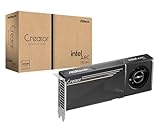


Which Arc GPU should you buy?
Best Intel GPU for most 1440p builds: Arc B580
The B580 is the easiest Arc card to recommend when you want a modern budget GPU for a 1440p monitor. Its 12GB of VRAM gives it more breathing room than an 8GB card in games with large textures, while its 190W board-power rating keeps system demands moderate. It also uses Intel’s newer Xe2 architecture and supports XeSS, including newer frame-generation features in supported games.
At 1440p, expect to adjust demanding settings rather than assume every new game will run at maximum detail. If a title struggles, lower ray tracing first, then reduce texture quality only if VRAM use is near capacity. Upscaling can help recover performance, but it cannot fix a game that is limited by CPU performance or incompatible software.
Best lower-cost choice for 1080p: Arc B570
The B570 makes sense for a value-focused 1080p PC, particularly if it costs meaningfully less than the B580. Its 10GB of VRAM is a useful step above 8GB for some newer games, but the smaller memory capacity and lower performance ceiling make it less comfortable for high-resolution textures, heavy ray tracing, or a future move to 1440p.
For a 1080p, 60–100Hz display, the B570 is the more sensible Arc option if the price gap is substantial. For a 1440p monitor or a high-refresh 1080p screen, compare the B580’s extra headroom against the actual price difference.
Best older Arc option for extra VRAM: A770 16GB
The A770 16GB can be attractive when sold at a large discount. Its 16GB memory capacity helps with high-resolution textures and some creative workloads, but more VRAM does not automatically make it faster: the older architecture, game engine, and driver can matter more than capacity. Its 225W rating also means it draws more power than either Battlemage card listed above.
Consider the A770 only after checking recent game-specific results and confirming your case has room for the exact card model. It is not a default upgrade from the B580 just because it has four extra gigabytes of memory.
When the A750 is worth considering
The A750 is an older 8GB option that can still suit a budget 1080p build if clearance pricing makes it substantially cheaper than the B570. At similar prices, the newer card’s architecture, lower reference power rating, and extra VRAM make it the safer buy for most new systems.
Match the card to your PC and monitor
| Your situation | Starting choice | Why |
|---|---|---|
| 1080p, low-cost build, modest power supply | Arc B570 | Lower reference power than the other listed cards, with 10GB of VRAM |
| 1440p gaming and a balanced budget | Arc B580 | 12GB of VRAM and a stronger fit for higher-resolution gaming |
| 1440p with texture-heavy games; A770 is heavily discounted | Arc A770 16GB | More memory can help avoid capacity limits, provided its performance and compatibility suit your games |
| Existing PC without Resizable BAR | Check platform support before buying any Arc card | Resizable BAR is important to Arc performance; without it, results can be substantially worse in some games |
Check power, fit, and platform before buying
Do not size a power supply from the graphics card’s board-power number alone. Add the CPU’s rated power, the rest of the system, and room for short power spikes. As a rough planning example, a B580 at 190W plus a 125W CPU, 60W for the motherboard, drives, and fans, and 50W of headroom totals about 425W. That is not a recommended PSU rating by itself: allow additional margin, check the card maker’s PSU guidance, and make sure the supply has the required PCIe power connectors. A quality 550W supply may suit many such systems, while a power-hungry CPU or overclocked build can call for more.
Also check the specific card’s length, thickness, and connector placement against your case. Partner models vary, and a nominally compact build may have limited room for a long, multi-slot GPU.
Intel Arc benefits from Resizable BAR (ReBAR). In your motherboard’s UEFI, look for options such as “Above 4G Decoding” and “Resizable BAR” and enable them if available. Update the motherboard BIOS if support depends on a newer version. On older PCs without ReBAR, check results for your particular games before committing; performance may be inconsistent, and a newer GPU is not guaranteed to overcome that limitation.
XeSS, frame generation, and image quality
XeSS is Intel’s upscaling technology: the game renders internally at a lower resolution and reconstructs an image for your display. It can improve frame rates when supported, but it is not a universal switch—availability and implementation vary by game. Choose a quality-focused mode first at 1440p; try a more performance-focused mode only if you still need additional speed and the softer image is acceptable.
Some newer XeSS implementations also offer frame generation. That can make motion look smoother, but generated frames are not the same as improved underlying responsiveness. It works best when the base frame rate is already reasonably stable. For competitive games, prioritize a consistent native or upscaled frame rate and low latency over generated frames.
Driver considerations: what to check before and after installation
- Check your games, not just average benchmarks. Arc performance has improved through driver updates, but older DirectX titles, unusual engines, and newly released games can behave differently. Look for recent results for the exact card and games you play.
- Use a supported operating system and current driver. Install the current Intel graphics driver for your Arc model, then check for game-specific driver updates if a title has graphical glitches or unexpectedly poor performance.
- Expect occasional troubleshooting. If a game stutters after a driver update, restart the PC, let shader compilation finish, and check whether the game is using the discrete GPU. For persistent problems, reinstall the latest driver using Intel’s clean-install option.
- Keep expectations realistic for older PCs. A current driver cannot add ReBAR support to a motherboard that lacks it, nor can it make every older game behave identically to a more established GPU platform.
Bottom line
For a new Intel gaming build, start with the B580 for 1440p and the B570 for a cheaper 1080p system. Choose the A770 16GB only when its price is compelling and its game-specific performance is a good match; consider the A750 only at a deeper discount. Before ordering, verify ReBAR support, power connectors, card clearance, and recent driver results for the games you care about.







