
As an Amazon Associate we earn from qualifying purchases at no extra cost to you.



Buying RAM feels simple until you hit the product pages. Prices for what looks like the same 32GB kit range from under $100 to nearly $500, spec sheets are full of numbers that mean nothing to most buyers, and the advice online ranges from “16GB is plenty” to “you need 64GB or you’re wasting your money.” Both can be true, depending on what you actually do with your PC.
The most common mistakes come down to three things: people buy capacity they’ll never use, chase speeds their CPU and motherboard can’t run, or pay a premium for RGB lighting while ignoring timings that affect real performance. Others buy a single stick to “save money for an upgrade later,” then wonder why their dual-channel-capable system is leaving performance on the table. And plenty of laptop buyers order desktop DIMMs by accident, or buy DDR4 for a board that only takes DDR5.
This guide cuts through that. Here’s what actually matters when picking RAM capacity (and the specs around it) for gaming and multitasking.
Our Top Picks
 CORSAIR Vengeance RGB RS DDR5 32GB32GB (2 x 16GB)5.43 x 0.28 x 1.73 inches0.11 poundsCheck on Amazon


Top 3 picks at a glance
Decide These 3 Things First
Before you look at a single product listing, answer these:
**1. DDR4 or DDR5?** Check your motherboard’s spec sheet, not the CPU. DDR4 and DDR5 are physically keyed differently — they will not fit in the wrong slot. As of 2026, nearly all new motherboards are DDR5-only, but DDR4 systems are still common enough that mixing them up remains the #1 return reason. DDR5 kits run at higher speeds (4800MT/s up past 7000MT/s) versus DDR4’s typical 3200–3600MT/s ceiling.
**2. Desktop DIMM or laptop SODIMM?** Desktop modules are roughly 5.25 inches long with 288 pins (DDR5) or 288-pin DDR4 equivalents. Laptop SODIMMs are about 2.7 inches long, 262-pin for DDR5, and sit flat against the board. They are not interchangeable.
**3. What’s your realistic workload?** Be honest. If you game with Discord, a browser with 20 tabs, and Spotify open, that’s one budget. If you stream, edit video, or run virtual machines alongside games, that’s another. We’ll break down exact numbers next.
Capacity: How Much RAM You Actually Need
Capacity is the single biggest factor for multitasking, and it’s also where overspending is most common.
– **8GB:** Effectively obsolete for gaming. A modern open-world title alone can eat 10–12GB. Only consider this for office-only machines.
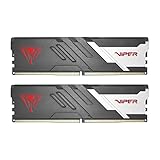
– **16GB (2x8GB):** The minimum viable gaming config. Fine for most games at 1080p, but you’ll hit the wall fast once you add Chrome tabs, Discord, and a second monitor running YouTube. The Patriot Viper Venom 16GB (2x8GB) 6000MT/s CL36 kit at around $240 is a typical entry point here — solid, but you’ll likely outgrow it.
– **32GB (2x16GB):** The sweet spot for gaming plus serious multitasking in 2026. This covers gaming while streaming, heavy browser use, and light photo/video editing with headroom to spare. Expect to pay roughly $90–$500 depending on speed and lighting — the Patriot Viper Venom 32GB 6000MHz CL30 kit (around $480) and the Corsair Vengeance RGB RS 32GB 6000MHz (around $490) sit at the premium end; slower 5600MHz kits without RGB often drop under $150.
– **64GB:** Only justified for heavy video editing, 3D rendering, virtual machines, or running memory-hogging production software alongside games. Games themselves rarely benefit.
**Rule of thumb:** If your current usage regularly exceeds about 80% of installed RAM, jump one tier up. Buy 32GB once rather than 16GB now and 16GB more later — mixing kits sometimes causes stability issues.
Speed and Timings: The Numbers That Matter
For DDR5, speed (measured in MT/s) and CAS latency (CL) together determine real-world responsiveness. Two useful reference points:
– **5600–6000MT/s** is the sweet spot for AMD Ryzen 7000/9000 and Intel 13th/14th/Core Ultra platforms. AMD’s sweet spot is specifically 6000MT/s because of how its memory controller scales; going faster often means instability or lowered effective performance.
– **CL30–CL36 at 6000MT/s** is the quality benchmark. A CL30 kit at the same speed will feel slightly snappier in games than CL36, typically worth 3–5% in frame rates — meaningful for competitive players, invisible for everyone else.
Timing math for comparing kits: divide CL by speed to get true latency in nanoseconds. CL30 at 6000MT/s ≈ 10ns; CL36 at 6000MT/s ≈ 12ns. Lower is better.
Don’t buy 6400MT/s+ kits for an AMD build expecting gains — you’ll often need to manually tune the memory controller, and gains evaporate. Intel platforms scale a bit higher, up to around 7200MT/s, with diminishing returns past that.
Kit Configuration: Why 2 Sticks Beat 1
Always buy a matched 2-stick kit rather than a single stick of double the capacity. Dual-channel mode roughly doubles memory bandwidth, and in games this is worth 5–15% in average frame rates on CPU-limited titles — a free performance gain you get just by buying correctly.
Some high-end platforms (Threadripper, certain Core Ultra boards) support four channels, but for mainstream AMD and Intel builds, 2x16GB is the correct configuration for 32GB. If your board has four slots, populate slots 2 and 4 (check your motherboard manual — it’s printed in there).
Heat Spreaders, RGB, and Physical Build
RAM is one of the few components where build quality matters less than you’d think — but a few things are worth checking:
– **Heat spreaders:** All kits above bare-bones include aluminum spreaders. These matter mainly if you’re overclocking; stock DDR5 at 1.1–1.35V runs cool enough that spreaders are cosmetic. Low-profile spreaders (under 1.4 inches tall) matter if you have a large air cooler like a Noctua NH-D15 — tall RGB heat spreaders can reach 2+ inches and clash.
– **RGB lighting:** Adds $20–60 to a kit’s price with zero performance impact. The Corsair Vengeance RGB RS at around $490 versus a similar non-RGB kit at $150 is the premium you’re paying for aesthetics. Fine if you want it — just know what you’re buying.
– **Voltage:** Standard DDR5 runs at 1.1V (JEDEC) to 1.35V (XMP/EXPO profiles). Anything above 1.4V is enthusiast overclocking territory and unnecessary for a typical build.
XMP and EXPO: Don’t Skip This Step
RAM runs at its base JEDEC speed (usually 4800MT/s for DDR5) out of the box. To hit the advertised 6000MT/s, you must enable XMP (Intel) or EXPO (AMD) in your motherboard’s BIOS. This is a one-toggle setting, but an estimated 30–40% of builders never flip it and quietly run their expensive kit at half speed.
Check that your kit lists compatibility profiles: an EXPO-certified kit on an AMD board or XMP-certified on Intel. Many kits carry both. If you enable the profile and the system won’t boot, most boards will auto-recover after a couple of failed attempts — reseat the RAM and try a slightly slower profile.
Price Tiers: What Your Money Buys
– **Budget ($60–$130 for 32GB DDR5):** 4800–5600MT/s, CL40+, no RGB. Perfectly fine for gaming; you lose maybe 5% of frames versus the sweet spot. Example category: the Crucial 32GB DDR5 SODIMM kit (CT2K16G56C46S5, 5600MHz, CL46) — though note its current around $590 list price is far above historical norms for this class of kit; laptop SODIMM pricing is volatile and this one is worth waiting on or shopping around.
– **Mid-range ($130–$250 for 32GB DDR5):** 5600–6000MT/s, CL36, basic heat spreaders. The best value zone for most gamers.
– **Premium ($250–$500 for 32GB DDR5):** 6000MT/s+ at CL30–CL32, tight binned chips, RGB, better PCBs. Worth it for competitive gamers and builders who want the aesthetics; unnecessary otherwise.
Laptop RAM pricing deserves a warning: SODIMM kits have swung wildly in price, and the same 32GB DDR5-5600 kit has sold anywhere from $90 to $590. Never pay a “premium” tier price for a spec that’s mid-range at worst — compare the per-GB price against desktop kits as a sanity check.
Spec Checklist
| Spec | Budget | Mid-Range | Premium |
|---|---|---|---|
| Capacity (desktop) | 16GB (2x8GB) | 32GB (2x16GB) | 32–64GB (2×16/2x32GB) |
| Speed (DDR5) | 4800–5200MT/s | 5600–6000MT/s | 6000–6400MT/s+ |
| CAS Latency | CL38–CL46 | CL36 | CL30–CL32 |
| Voltage | 1.1–1.25V | 1.25–1.35V | 1.35–1.4V |
| Profiles | XMP or EXPO | XMP + EXPO | XMP + EXPO |
| Heat spreader | Basic aluminum | Aluminum, low-profile option | Premium spreader, RGB |
| Price (32GB desktop kit) | $60–$130 | $130–$250 | $250–$500 |
Red Flags
– **Listings that hide the kit configuration.** “32GB RAM” could mean 1x32GB (no dual-channel). The listing must say 2x16GB.
– **Suspiciously cheap name-brand kits.** Counterfeit and re-marketed pulls exist. Buy from the brand’s official store or authorized retailers.
– **No XMP/EXPO profile listed.** A 6000MT/s kit with no profile mentioned may only run at 4800MT/s.
– **Mismatched speed between advertised and JEDEC specs.** If the title says 6000MT/s but details only mention 4800MT/s, ask before buying.
– **Laptop SODIMMs in a desktop listing photo** (or vice versa) — check the pin count: 262-pin is SODIMM, 288-pin is desktop DIMM.
– **Prices wildly out of line with the market** — like a 5600MHz CL46 SODIMM kit at around $590 when equivalent kits sell for a quarter of that.
FAQ
Is 16GB enough for gaming in 2026?
For most games alone, yes — barely. But if you keep Discord, a browser, and stream or record, 16GB will bottleneck you. If you’re building new, 32GB is the right call; the price gap between 16GB and 32GB kits has shrunk enough that it’s rarely worth saving.
Does faster RAM actually increase FPS?
It can, by 5–15% in CPU-bound games at 1080p, especially on AMD Ryzen chips that are sensitive to memory speed. At 1440p or 4K with a GPU-limited setup, the difference usually drops to a few percent. Faster RAM won’t hurt — just don’t expect it to fix a weak GPU.
Can I mix RAM kits of different sizes or brands?
It sometimes works, but it’s a gamble. Mismatched kits can refuse to run at rated speeds, cause instability, or drop into single-channel mode. Matched 2-stick kits from one manufacturer and one part number are tested together — always the safer buy.
Do I need to enable XMP or EXPO?
Yes. Without it, your RAM runs at the base JEDEC speed — a 6000MT/s kit will run at 4800MT/s, wasting the money you spent. It’s a single BIOS setting and takes under a minute. If the system fails to boot after enabling, clear CMOS and try the next-lower profile.









