
When assembling a home office computer, upgrading a family gaming setup, or reviving an aging console, thermal paste is often treated as an afterthought. Many buyers grab the first syringe they see online or simply purchase the one with the highest number on the box. However, focusing solely on a single metric is one of the most common mistakes builders make.
Choosing the wrong compound can lead to a host of headaches. Some high-performance pastes degrade rapidly under sustained heat, requiring you to dismantle your system for maintenance every year. Others are electrically conductive, risking a catastrophic short circuit if a tiny droplet slips onto your motherboard during installation. To get the best balance of cooling performance, longevity, and safety, you must look beyond marketing buzzwords and learn how to choose the right thermal paste conductivity for your specific setup.
As an Amazon Associate we earn from qualifying purchases at no extra cost to you.

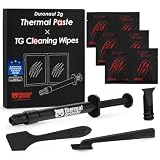


As we look toward the hardware demands of 2026, processors and graphics cards are packing more transistors into smaller silicon dies, making efficient heat transfer more critical than ever. This guide will break down the exact science of thermal conductivity, clear up common misconceptions, and help you choose the ideal compound for your budget and performance needs.
Our Top Picks

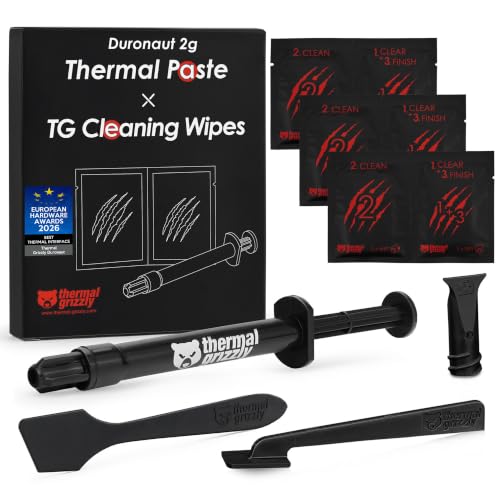


Top 3 picks at a glance
Decide These 3 Things First
Before diving into individual specifications, narrow your search by answering three fundamental questions about your system and your building style:
- What is your realistic workload? If your computer is primarily used for standard office tasks, web browsing, and occasional streaming, your processor will rarely break a sweat. A standard, highly durable paste is your best bet. If you run intensive video editing suites, 3D rendering software, or demanding modern games, you will need a compound with higher thermal conductivity to prevent thermal throttling.
- Are you comfortable with electrical conductivity risks? Thermal pastes generally fall into two categories: non-conductive (ceramic, silicon, or carbon-based) and conductive (liquid metal). Liquid metal offers unmatched thermal transfer but can permanently destroy your components if applied incorrectly. For 95% of users, non-conductive paste is the only logical choice.
- How often do you want to reapply the paste? Some ultra-high-performance pastes are designed for competitive overclockers who do not mind re-pasting their chips every 12 months. If you want a “set-it-and-forget-it” system that runs reliably for 3 to 5 years without opening the case, you must prioritize long-term stability over raw, peak thermal performance.
Thermal Conductivity Rating (W/mK)
Thermal conductivity is measured in Watts per meter-Kelvin (W/mK). This rating indicates how efficiently heat travels through the material from your silicon die to the metal base of your cooler. While a higher number is theoretically better, the practical real-world temperature difference between mid-tier and premium pastes is often much smaller than the numbers suggest.
- Standard/Budget (3 to 6 W/mK): Ideal for basic office PCs, home theater setups, and low-power processors. These pastes are cheap, incredibly stable, and can easily last half a decade without drying out.
- High Performance (8 to 13 W/mK): This is the sweet spot for gaming PCs, creative workstations, and console upgrades. Pastes in this range, such as those rated around 12.8 W/mK, offer excellent thermal transfer that keeps modern multi-core CPUs running well below their thermal limits under heavy loads.
- Extreme/Overclocking (14+ W/mK): These are top-tier traditional pastes designed to squeeze every last degree of cooling performance out of a system. They are ideal for high-end desktop (HEDT) platforms and overclocked systems.
- Liquid Metal (70 to 80+ W/mK): These gallium-based alloys offer astonishing conductivity ratings but are highly electrically conductive and chemically react with aluminum heatsinks. They require specialized application techniques and are strictly for advanced enthusiasts.
Syringe Volume and Quantity
Thermal paste is typically sold in small syringes measured by weight in grams. Because you only need a tiny amount—roughly the size of a pea or a small grain of rice—for a standard CPU, a little goes a long way. Buying more than you need is a waste of money, as the compound can separate or dry out inside the tube over time.
- 1-Gram Syringes: This is the perfect amount for a single build. A 1-gram tube will provide 1 to 3 applications depending on the size of your CPU, leaving just enough for a backup attempt if you make a mistake on your first try.
- 2-Gram to 4-Gram Syringes: Choose this size if you are building a new PC and also plan to repaste an older graphics card or a game console. This volume yields roughly 4 to 10 applications.
- 10+ Gram Syringes: Avoid these large quantities unless you run a professional repair shop or build multiple computers every month. Once opened, the shelf life of a syringe starts ticking, and the oil can separate from the conductive suspended particles within 2 years.
Viscosity and Ease of Application
Viscosity refers to how thick or runny the paste is, typically measured in Pascal-seconds (Pa·s). Viscosity directly dictates how easy the compound is to apply and how well it resists the “pump-out” effect—a phenomenon where thermal expansion and contraction push the paste out from between the CPU and the cooler over time.
- Low Viscosity (Runny, <100 Pa·s): Easy to spread flat with a plastic spatula. However, low-viscosity pastes are highly susceptible to pump-out and can dry out or escape the contact area prematurely under high-temperature cycles.
- Medium Viscosity (Balanced, 100 to 400 Pa·s): The industry standard. These pastes are thick enough to stay exactly where you put them but pliable enough to spread evenly under the natural clamping pressure of your CPU cooler.
- High Viscosity (Thick/Clay-like, >400 Pa·s): Very difficult to spread manually and often requires warming the syringe in a cup of warm water before application. The benefit is extreme durability; these pastes are highly resistant to pump-out and are favored for direct-die cooling (like laptop GPUs) where clearances are microscopic.
Durability and the Degradation Curve
A paste with a massive 14 W/mK conductivity rating is useless if it dries out and cracks after six months of heavy use. When choosing a compound, look closely at its rated lifespan and “enhanced durability” claims. Traditional high-performance pastes often use volatile solvents to keep the paste workable in the syringe; once applied, these solvents evaporate under sustained temperatures above 80°C, causing the paste to degrade.
If you do not want to open your computer case regularly, look for carbon or ceramic-based silicone formulas engineered specifically for long-term stability. While they might run 1°C to 3°C warmer out of the box compared to extreme overclocking pastes, they will maintain that exact performance level for 5 to 8 years without drying out or requiring reapplication.
Application Kits and Accessories
Applying thermal paste requires pristine, clean surfaces. Any leftover residue from old paste, finger oils, or dust will create microscopic air pockets, severely limiting heat transfer regardless of how high your paste’s conductivity rating is. Many manufacturers package their syringes with specialized prep kits, which can save you a trip to the hardware store.
- Cleaning Wipes: Look for kits that include pre-saturated wipes. These should be soaked in high-purity isopropyl alcohol (ideally 70% to 99% concentration) to quickly dissolve old thermal compounds without leaving a residue.
- Spatulas and Spreaders: A small plastic spatula or a spreading card helps you achieve an even, paper-thin layer across the entire integrated heat spreader (IHS) of the processor, which is especially useful for larger processors like AMD Threadripper or Intel Core i9 chips.
- Value Math: A bare 1-gram syringe of premium paste might cost around $8, while a package bundled with 12 cleaning wipes (6 wet and 6 dry) and a spreader might run around $11 to around $13. If you do not have high-purity alcohol and lint-free microfiber cloths at home, paying the small premium for the accessory bundle is highly economical.
Price Tiers and Cost-Per-Gram
Because thermal paste is purchased in such small quantities, the price-per-gram variance can be massive. Understanding the price tiers helps you avoid overpaying for performance you do not need.
- Budget Tier (around $2 to around $5 total / ~$1 to around $2 per gram): Excellent value. These pastes offer respectable conductivity (typically 5 to 12.8 W/mK) and are incredibly forgiving to apply. They are perfect for budget gaming builds, office PCs, and standard maintenance.
- Mid-Range Tier (around $6 to around $10 total / ~$3 to around $6 per gram): This tier features high-performance, non-conductive formulas with optimized viscosity. They provide fantastic cooling performance for modern high-draw CPUs and GPUs without requiring frequent maintenance.
- Premium/Enthusiast Tier (around $11 to around $20+ total / ~$8 to around $15+ per gram): This tier includes specialized formulas designed for sub-zero cooling, competitive overclocking, or high-durability industrial applications. They often come bundled with comprehensive cleaning kits and application templates.
Spec Checklist
Use this quick reference table to match your specific system requirements with the correct thermal paste specifications:
| Specification | Budget Setup | Mid-Range / Gaming | Premium / Enthusiast |
|---|---|---|---|
| Conductivity (W/mK) | 3.0 to 6.0 W/mK | 8.0 to 12.8 W/mK | 12.5 to 15.0+ W/mK (or Liquid Metal) |
| Recommended Size | 2g to 4g (for multiple builds) | 1g to 2g | 1g (premium formulations) |
| Electrical Conductivity | No (Safe) | No (Safe) | No (Standard) / Yes (Liquid Metal) |
| Lifespan / Durability | 5 to 8 years | 3 to 5 years | 1 to 2 years (requires checking) |
| Viscosity Profile | Low to Medium (Easy spread) | Medium (Balanced) | High (Thick, resistant to pump-out) |
| Typical Price Range | around $3 to around $5 | around $6 to around $10 | around $11 to around $20+ |
Red Flags
When shopping for thermal paste, keep an eye out for these warning signs that indicate a low-quality or potentially counterfeit product:
- Missing or Inflated W/mK Ratings: If a brand claims a traditional silicone/carbon paste has a thermal conductivity rating over 20 W/mK, be highly skeptical. Non-metal pastes physically cannot reach these numbers. Conversely, if a manufacturer refuses to list the W/mK rating altogether, they are likely hiding a sub-par formula.
- Unrealistically Low Prices for Large Volumes: If you see a listing offering 30 grams or 50 grams of thermal paste for around $3, avoid it. These are industrial-grade silicone greases designed for low-power LED lightbulbs or basic household appliances. They lack the density, heat tolerance, and fine particulate structure required to cool a high-performance modern processor.
- Separation in the Syringe: When you push the plunger on a new syringe, the very first drop should be a uniform grey or white paste. If clear, watery oil squirts out first, the compound has separated and degraded. Do not use it, as the dry material left inside the syringe will not spread evenly and will fail to transfer heat.
- Generic “No-Name” Brands: Counterfeit thermal paste is a growing issue on online marketplaces. Stick to established thermal management brands. Saving $3 on a generic paste is not worth risking an expensive CPU or GPU to thermal degradation.
FAQ
Does a higher W/mK rating always guarantee lower CPU temperatures?
No. While a higher W/mK rating indicates a superior physical capacity to transfer heat, real-world temperatures depend heavily on your cooling system, contact pressure, and application technique. If your heatsink is poorly mounted, or if you apply the paste too thickly, even a premium 12.8 W/mK paste will perform worse than a cheap budget paste that has been applied flawlessly with perfect mounting pressure.
Is electrically conductive thermal paste dangerous for beginners?
Yes, liquid metal and other electrically conductive pastes carry a high risk for beginners. If a tiny bead of conductive paste squeezes out from under the cooler and lands on the delicate electrical traces of your motherboard or graphics card, it will cause a short circuit that can instantly kill your hardware. Beginners should stick to ceramic, carbon, or silicone-based pastes, which are 100% non-conductive and completely safe if they overflow.
How long can I store an opened syringe of thermal paste?
If stored correctly in a cool, dark place with the cap tightly sealed, a high-quality syringe of thermal paste will easily last 2 to 3 years. Before using an older tube on a high-end component, squeeze a small amount onto a piece of paper to verify that the oil has not separated from the paste and that the consistency is smooth and pliable.
How much thermal paste should I actually apply?
For standard consumer CPUs (Intel LGA 1700 or AMD AM5), a single pea-sized drop (about 5 to 6 millimeters in diameter) in the center of the chip is sufficient. The clamping pressure of the cooler will naturally spread the paste into a perfect, microscopic layer. For larger HEDT processors, a thin “X” pattern or spreading the paste manually into a paper-thin layer across the entire surface with a spatula is recommended to ensure complete coverage.









