
If you’ve shopped for a graphics card lately, you’ve probably noticed the VRAM conversation has gotten louder. Games that ran comfortably on 8GB just a few years ago now stutter, pop textures, or refuse to hit their stated frame rates. The biggest mistake buyers make is treating VRAM as the only number that matters — grabbing a cheap card with lots of memory and assuming bigger automatically means better. It doesn’t. A slow GPU with 16GB of VRAM will lose to a faster GPU with 8GB in most situations, because the memory controller, memory bandwidth, and raw compute behind that VRAM determine whether the card can actually use it.
The second mistake is buying for yesterday’s games. Card makers still sell 4GB DDR3 cards that were designed a decade ago, and they’re marketed at beginners who don’t know better. The third is overspending: plenty of 1080p gamers would never use 16GB, yet they buy it “to be safe.” This guide walks through what VRAM actually does, how much you need at each resolution, and how to read the spec sheet without falling for marketing.
As an Amazon Associate we earn from qualifying purchases at no extra cost to you.

Our Top Picks


Top 3 picks at a glance
Decide These 3 Things First
1. Your target resolution and refresh rate. This is the single biggest driver of VRAM requirements. Running 1080p at 60Hz demands far less than 1440p at 144Hz or 4K. A card that’s perfect for competitive 1080p play will choke on modern open-world titles at 4K with high-resolution texture packs.
2. The titles you actually play. Esports shooters like Counter-Strike 2 and Valorant are light on VRAM and heavy on raw frame rate. Modern AAA releases — especially ones with ray tracing, high-res texture packs, or large open worlds — allocate 10–12GB at 1440p maxed settings. If your library is mostly older or competitive titles, you can save serious money.
3. Your total budget and the rest of the system. A GPU is only one part of the equation. If you have $1,000, spending $600 on the card and pairing it with a weak CPU or 8GB of system RAM is a common trap. Budget the whole build: a balanced mid-range PC around $1,000–$1,200 (like a Core i5-class CPU with a 12GB Arc B580 and 32GB of RAM) delivers a far better experience than a flagship card bottlenecked by everything around it.
Factor 1: How Much VRAM You Actually Need by Resolution
Here’s the practical breakdown for modern titles, based on how games currently allocate memory:
- 1080p gaming: 8GB is the realistic floor in 2026. Many cross-gen games still run fine on 6GB at medium settings, but modern releases with high texture settings will exceed 8GB at 1080p maxed. Don’t buy anything below 6GB for new AAA games.
- 1440p gaming: 12GB is the sweet spot. Cards in this class handle maxed textures at 1440p with headroom for ray tracing where supported. 8GB cards work at 1440p if you dial textures down to high rather than ultra.
- 4K gaming: 16GB minimum, and honestly 16GB is where you should start looking if 4K is your goal — along with a card powerful enough to push those pixels, which is a $500+ proposition on its own.
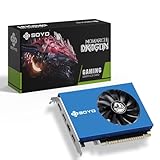
- Productivity and multi-monitor work: Video editing, 3D work, and AI tooling benefit from 12–16GB. If you run four monitors from one card (see the SOYO GT 730 class of cards), note that VRAM barely matters for static displays — 4GB handles a video wall fine.
Also pay attention to memory type and bus width. GDDR6 on a 192-bit bus moves far more data per second than GDDR5 on a 256-bit bus. Bandwidth (measured in GB/s) often predicts real-world performance better than raw capacity. A card with 8GB of GDDR6 at 400+ GB/s will outperform an 8GB GDDR5 card at ~256 GB/s in nearly every game.
Factor 2: Memory Type and Bandwidth
Modern cards use GDDR6 or GDDR6X; older cards use GDDR5 or, worst of all, DDR3. DDR3 system-style memory on a GPU (as on the SOYO GT 730 at around $79) runs at a fraction of the speed — fine for displaying spreadsheets across four monitors, useless for modern games. Check these numbers on any spec sheet:
- Memory bandwidth: Aim for roughly 200+ GB/s for 1080p, 300+ GB/s for 1440p, 500+ GB/s for 4K.
- Bus width: 128-bit is entry level, 192-bit is solid mid-range, 256-bit and above is enthusiast territory. A 64-bit bus is a red flag for gaming regardless of capacity.
- Memory speed: Listed in Gbps (e.g., 14–19 Gbps on current GDDR6 parts). Higher is better, but compare within the same memory generation.
Factor 3: GPU Performance Behind the VRAM
VRAM doesn’t generate frames — the GPU core does. When comparing two cards with the same capacity, look at:
- Compute units or CUDA/stream processor counts — more generally means faster.
- Boost clock speeds. A card like the XFX RX 580 runs a 1386MHz factory OC — modern cards boost well past 2500MHz, so treat decade-old architecture accordingly.
- Power draw (TDP/TBP). Modern mid-range cards pull 130–250W; 4K-class cards can exceed 300W. Verify your PSU: budget 550–650W for mid-range builds, 750–850W for high-end, and check that your PSU has the required 8-pin or 12V-2×6 connectors.
A useful reality check: the RX 580 with 8GB GDDR5 at ~$130 remains usable for 1080p esports and older AAA titles at medium settings, but it is not a “modern titles” card in 2026 — it’s a great budget or secondary-PC option. Don’t let 8GB on the box convince you otherwise; the architecture around it is what’s dated.
Factor 4: Cooling, Size, and Case Fit
VRAM chips sit on the card and generate heat, and thermal throttling kills sustained performance. Before buying:
- Measure your case. Mid-range cards typically run 240–290mm long and need two expansion slots. Check your case’s max GPU length spec and leave 10mm of margin.
- Fan configuration: Two or three axial fans is standard; single-fan blower designs run hotter and louder.
- Weight: Cards over 1.5kg benefit from an anti-sag bracket — many now include one.
- Power connectors: Confirm your PSU has the right connectors before checkout, not after.
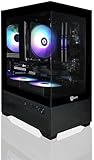
Prebuilt systems sidestep fit issues entirely. A compact build like the AVGPC Mini-X (i5-11400F, Arc B580 12GB, 32GB RAM, 1TB NVMe) at around $1,059 arrives assembled and tested — worth considering if you’d otherwise spend $1,000+ on parts and risk a mismatch.
Factor 5: Price Tiers — What Your Money Buys
- Under $150: Used/older cards like the RX 580 8GB (around $130), or display-output cards like the GT 730 4GB (around $79) for video walls and trading setups. Not for modern AAA gaming.
- $200–$350: The current value sweet spot. New-generation cards with 8–12GB GDDR6 that handle 1080p high/max and 1440p high settings comfortably.
- $350–$600: 12–16GB cards targeting 1440p at high refresh rates, with workable ray tracing.
- $600–$1,000+: 16GB+ flagships for 4K and heavy productivity. Only justified if your monitor actually is 4K/high-refresh.
Rule of thumb: match the card to your monitor, not to your budget ceiling. A $450 card paired with a 1080p 60Hz monitor is money wasted; put $150 of that toward a 1440p 144Hz display instead.
Factor 6: Warranty and Used-Market Cautions
New cards typically carry 2–3 year manufacturer warranties (ASUS, MSI, Sapphire, and XFX all sit in this range; register the card to activate extended coverage where offered). Buying used saves 20–40% but shifts risk to you: ex-mining cards may have run hot for years, and VRAM degrades under sustained heat. If buying used, ask for the original receipt, test with a memory stress run before the return window closes, and prefer sellers on platforms with buyer protection. Prebuilts like the AVGPC carry the system builder’s 1-year parts warranty typically — confirm the term before ordering.
Spec Checklist
| Spec | Budget ($100–$250) | Mid-Range ($250–$500) | Premium ($500+) |
|---|---|---|---|
| VRAM | 8GB | 12GB | 16GB+ |
| Memory type | GDDR5/GDDR6 | GDDR6 | GDDR6/GDDR6X |
| Bus width | 128–256-bit | 192-bit | 256-bit+ |
| Bandwidth | 200+ GB/s | 300+ GB/s | 500+ GB/s |
| Target resolution | 1080p medium–high | 1080p max / 1440p high | 1440p max / 4K |
| Power draw | 75–185W | 160–220W | 250W+ |
| Recommended PSU | 450–550W | 600–650W | 750–850W |
Red Flags
- DDR3 memory on a “gaming” card. The 4GB GT 730 is the classic example — fine for four-monitor office setups, not for games. Its 64-bit bus and DDR3 memory rule out modern titles entirely.
- Capacity without architecture. An 8GB card from 2017 is not equivalent to an 8GB card from this generation. Always check the GPU chip name, not just the VRAM figure.
- “4GB” or “8GB” as the headline spec with no bandwidth listed. Legitimate manufacturers publish memory speed and bus width. Omission usually hides something.
- Prices that look too good. A “new” current-generation card at 40% under street price is typically a scam listing, a refurbished unit, or a different card in disguise. Verify the exact model number (e.g., RX-580P8DFD6) against the manufacturer’s site.
- PSU mismatch. A card needing 2x 8-pin connectors won’t run on a 450W unit with a single 6-pin. Budget the PSU with the GPU.
FAQ
Is 8GB of VRAM still enough?
For 1080p gaming at high (not always ultra) settings, yes, for most games. For 1440p and above, or for heavy ray tracing and 4K texture packs, 12GB is the safer target. If you upgrade your monitor before your GPU, re-evaluate your VRAM needs at that point.
Does more VRAM increase FPS?
Only up to the point where a game runs out. If a title needs 10GB and your card has 8GB, adding capacity fixes stutter and texture pop — sometimes dramatically. But if the game fits in your existing VRAM, extra capacity adds nothing. That’s why pairing 16GB with a weak GPU is a poor buy.
Can I mix cards or add VRAM later?
No. VRAM is soldered to the card and cannot be upgraded. Multi-GPU for gaming is effectively dead — modern engines don’t support it — so buy the single fastest card your budget allows, with the capacity your resolution needs.
Is a prebuilt with a good GPU worth it versus building my own?
If the prebuilt uses a current-generation card with adequate VRAM (like a 12GB Arc B580 system at ~$1,059), pricing is often competitive with parts, and you get a warranty covering the whole machine plus assembled-and-tested convenience. You lose component-level choice, so verify the PSU quality and RAM capacity (32GB is ideal, 16GB acceptable) before buying.









