Phone galleries hold thousands of pictures that never leave the screen. A portable photo printer fixes that by turning a favorite shot into a physical print within moments, which is why they show up at birthday parties, scrapbooking nights, and travel journals. The first fork in the road is print size. Mini printers make 2×3 inch sticky-back prints that go on a phone case or notebook, while 4×6 models make a standard postcard-size photo that fits a frame.
The second fork is how the print is made. Some use Zink paper with embedded dye crystals, others use thermal dye sublimation with cartridges and sheets, and each changes your running cost and print feel. This 2026 guide compares eight portable printers using only what their listings say, so you can pick a size, a technology, and a pack of paper that suits how you actually share photos.
Our Top Picks



Top 3 picks at a glance
Quick Picks
As an Amazon Associate we earn from qualifying purchases at no extra cost to you.




| Product | Best for | Key spec from the title |
|---|---|---|
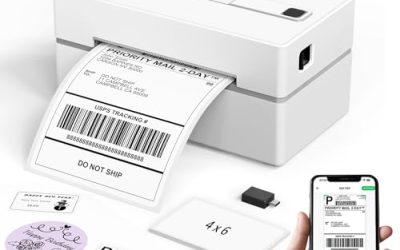
| Liene M100 | Standard 4×6 prints from a phone | 4×6, 100 sheets, 3 cartridges |
| Canon Ivy 2 | Simple pocket prints | iOS and Android, sticky-back prints |
| Kodak Step | Instant 2×3 stickers | Zink 2×3 inch, sticky-back, Bluetooth |
| Kodak Dock Plus | Family prints while charging | 4×6, 4PASS, 50 sheets, charges while printing |
| Nelko PP01 (White) | Low-cost mini stickers | 2×3, sticky-back, Bluetooth |
| Kodak Mini 2 Retro | Durable mini prints | 2×3, 4PASS, 38 sheets, smudge-proof |
| Liene Pearl N200 Pro | Dye-sublimation mini prints | Thermal dye sublimation, Bluetooth, sticker |
| Nelko PP01 (Pink) | Same printer in pink | 2×3, sticky-back, Bluetooth |
How to Choose
Choose a print size first
A 2×3 inch print is about the size of a credit card, perfect for stickers, lockers, and photo walls, but too small for a frame. A 4×6 inch print is the standard photo size that fits a regular album or frame, and it is the right choice for family keepsakes. Sticky-back paper lets you peel and stick, while standard paper suits albums. Decide the size before comparing anything else, because it narrows the field immediately.
Understand the printing technology
Zink printers use paper with dye crystals inside, so there is no ink or cartridge; you only buy paper. Thermal dye sublimation printers use a color cartridge and sheets, which can produce richer images and a more durable finish but require consumables to match. A listing that mentions smudge-proof, water-resistant, or tear-resistant output tells you the print holds up in a bag or on a refrigerator door. Verify which paper type you will keep buying before you commit.
Count the sheets and the cost of running it
The purchase covers a starter pack, and the real long-term cost is the paper afterward. A kit with 100 sheets and three cartridges, like the larger Liene listing, spreads the cost across many prints. A pack of 38 or 50 sheets is a smaller starter. Do the math by dividing the cost of a refill pack by the number of sheets, and compare per-print cost across models rather than the printer cost alone.
Check connection, app, and battery behavior
Almost all of these connect over Bluetooth to an iPhone or Android phone through an app, so check that your operating system is listed. Some models can charge your phone while printing, which helps at long events. Skim the listing for battery details and ignore vague claims. If you need to print from a camera or computer, check for other input options, because phone-only printers will not cover those.
The 8 Best Options
Liene M100 4×6 Photo Printer
A standard-size photo printer for phones. The title lists 4×6 inch prints, 100 sheets, three cartridges, full-color output, and compatibility with iPhone and Android. It suits families who want real photo-size prints in volume and a kit that arrives ready to use.
- Strength: the 100 sheet and three cartridge bundle is the largest starter kit in the group.
- Strength: 4×6 is the standard photo size for albums and frames.
- Trade-off: a larger printer is less pocketable than the mini models.
Skip it if you want a printer small enough for a jacket pocket. Buyers who only print a few pictures a month may also never use up such a large kit.
Canon Ivy 2 Mini Photo Printer
A well-known name in the mini format. The title lists printing from compatible iOS and Android devices, sticky-back prints, and a Pure White finish. It suits casual users who want a simple pocket printer from an established brand.
- Strength: it supports both iOS and Android devices.
- Strength: sticky-back prints are fun for journals and phone cases.
- Trade-off: the title gives no print size, sheet count, or technology, so check the details.
Skip it if you want 4×6 prints or a bundle with plenty of paper included. Because the listing is brief, buyers should read the product page for the paper type and sheet count before deciding, and treat it as a simple, friendly pocket option for casual sharing.
Kodak Step Instant Smartphone Photo Printer
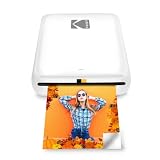
A portable mini printer with a wireless design. The title lists Zink technology, 2×3 inch prints at roughly 5.1 by 7.5 centimeters, sticky-back photos, and Bluetooth compatibility. It suits teens and travelers who want instant stickers with no cartridges.
- Strength: Zink printing means no ink cartridges to replace.
- Strength: 2×3 sticky-back prints are ideal for sharing and decorating.
- Trade-off: the small print size is not suitable for framing.
Skip it if you want standard-size photos for an album. Buyers should also plan to keep buying Zink paper, since the printer only works with that media.
Kodak Dock Plus 4×6 Photo Printer
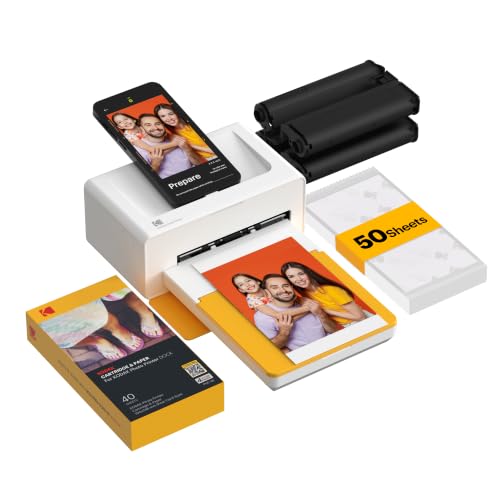
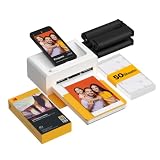
A docking printer for full-size prints. The title lists 4×6 prints, smartphone docking, 4PASS technology, a 50 sheet pack, Bluetooth, compatibility with iPhone and Android, and charging while printing. It suits families and event hosts who print many photos in one session.
- Strength: charging while printing keeps a phone alive through a long batch.
- Strength: 4×6 prints fit standard frames and albums.
- Trade-off: a docking printer is bulkier than a pocket mini.
Skip it if you want something that slips into a bag. It works best on a table or shelf at home or at a gathering, where its ability to charge a phone and print a stack of pictures in one sitting is the real selling point.
Nelko PP01 Photo Printer (White)
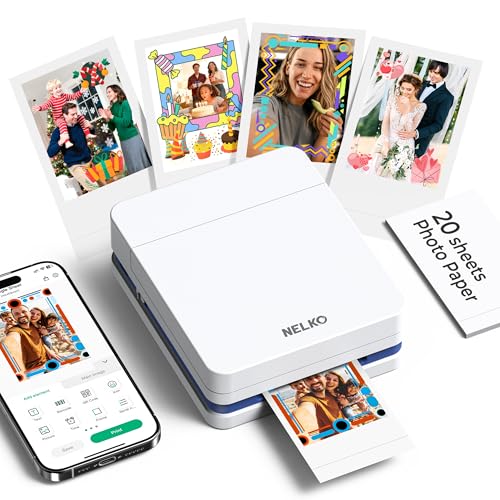
A compact mini printer for stickers. The title lists 2×3 inch prints, an instant color sticker printer design for smartphones, sticky-back photos, and Bluetooth. It suits students and crafters who want a low-commitment way to print small pictures.
- Strength: it is a basic 2×3 sticker printer with Bluetooth.
- Strength: sticky-back output suits crafts and decoration.
- Trade-off: the listing does not name an established photo brand or give a sheet count.
Skip it if you want 4×6 prints or a clearly stated paper pack. Anyone who cares about print longevity should look at the models that spell out smudge and water resistance. The pink version below shares the same listed specs, so choose by color and buy only one.
Kodak Mini 2 Retro
A retro-styled 2×3 printer. The title lists 4PASS technology, 38 sheets, a white finish, Bluetooth, compatibility with iPhone and Android, and smudge-proof, water-resistant output. It suits users who want a mini print that survives a pocket or a backpack.
- Strength: smudge-proof and water-resistant prints hold up in daily handling.
- Strength: a 38 sheet pack gets you started right away.
- Trade-off: the 2×3 size is small for display purposes.
Skip it if you want large prints. Buyers should also note that a smaller starter pack runs out faster than the larger kits.
Liene Pearl N200 Pro
A mini printer that uses a different technology. The title lists thermal dye sublimation, a Bluetooth connection, a sticker printer design for iPhone and smartphones, and a starter pack count that is cut off. It suits photo fans who care about print quality and a durable finish.
- Strength: thermal dye sublimation can produce a smoother look than other mini methods.
- Strength: Bluetooth sticker printing suits quick phone sharing.
- Trade-off: the listing is truncated before the sheet count and compatibility, so confirm both.
Skip it if you want a printer that needs no cartridges. Cartridge and paper costs matter more with this technology, so it makes the most sense for someone who will print often enough to justify keeping supplies on hand.
Nelko PP01 Photo Printer (Pink)
The same Nelko model in a different color. The title lists 2×3 inch prints, a mini instant color sticker design for smartphones, sticky-back photos, and Bluetooth. It suits younger users or gift buyers who want the same compact printer in a lighter shade.
- Strength: it has the same listed features as the white version.
- Strength: the pink finish suits gifts and desk accessories.
- Trade-off: it is the same printer, so there is no extra performance for choosing it.
Skip it if you want a larger print size. Choose between this and the white unit purely on color. Because the listed features match, there is no reason to buy both unless you want one as a gift, and you should still confirm the paper type before ordering refills.
Which One Fits Your Situation
You want real photos for a family album
The Kodak Dock Plus and Liene M100 both make 4×6 prints. The Dock Plus charges your phone while printing, and the M100 has the biggest starter bundle.
You travel and want something light
The Kodak Step or Kodak Mini 2 Retro suit a small bag and print 2×3 sticky-back photos without ink cartridges, though you should pack spare paper.
You print for crafts and gifts
The Nelko PP01 in white or pink keeps things simple, and the Canon Ivy 2 gives a trusted brand name for sticky-back prints. Either works well for decorating journals, laptop lids, and gift tags, where a small print is a feature rather than a limit.
You care most about print durability
The Kodak Mini 2 Retro lists smudge-proof and water-resistant output, and the Liene Pearl N200 Pro uses thermal dye sublimation for a smooth finish.
Common Mistakes
- Choosing a printer before deciding on print size.
- Ignoring the cost of refill paper and cartridges after the starter pack.
- Expecting a 2×3 sticker print to look good in a large frame.
- Skipping the app and operating system compatibility check.
- Buying two color versions of the same printer by mistake.
Related guides
- Windows Macos Linux Gaming Performance Comparison Strengths Weaknesses
- Desktop Operating Systems Gaming Performance Strengths Weaknesses
- 5G Home Internet Wifi Modem Settings Low Latency Gaming
Frequently Asked Questions
Do portable photo printers need ink?
Zink models need only special paper, while dye sublimation models use cartridges and sheets. Check which type you are buying so you know what to restock.
How do I print from my phone?
Most connect over Bluetooth and use a free app to choose and edit photos. Confirm that your phone’s operating system is supported before you buy.
Are mini prints good enough for photos?
They are great for stickers, journals, and sharing, and the quality is fine for casual use. For frames and albums, a 4×6 printer is the better fit.
Can a printer charge my phone?
Some can. The Kodak Dock Plus listing mentions charging while printing, which helps during long sessions with many pictures.