Printing in one color is a solved problem; printing in four is where the buying decision gets interesting. A multi-color 3D printer has to swap or blend filament mid-print without jamming, stringing, or wasting half a spool on purge waste, and the hardware approaches differ more than the spec sheets suggest. Some machines feed filament from an external unit into a single nozzle, while one design here gives each color its own toolhead. Which approach suits you depends on whether you want colorful figurines, signage, and gifts, or functional parts that mix a rigid material with a flexible one.
This guide is for hobbyists stepping up from a single-color machine, parents and teachers who want a printer that lets a beginner make something colorful on the first weekend, and makers who sell small printed goods and care about speed. It is written in 2026, when four-color printing has moved from a premium feature to a mainstream one, so the useful question is no longer whether a printer can do color, but how much waste, noise, and fiddling comes with it.
Our Top Picks
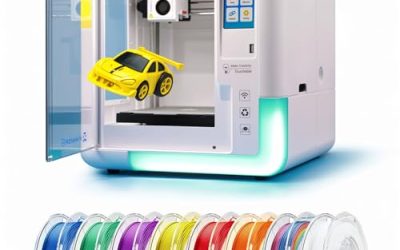
 ELEGOO Centauri 2 Combo 3D PrinterCentauri 2 Combo19.69 x 18.9 x 23.23 inches33.1 poundsCheck on Amazon


Top 3 picks at a glance
Quick Picks
As an Amazon Associate we earn from qualifying purchases at no extra cost to you.


| Product | Best for | Key spec from the title |
|---|---|---|
| Bambu Lab P1S Combo | Proven enclosed color printing | CoreXY with AMS included in the combo |
| Bambu Lab P2S Combo | Newer Bambu ecosystem buyers | AMS 2 Pro, high-speed CoreXY |
| ELEGOO Centauri 2 Combo | Beginners who want heat headroom | 4-color printing, 500mm/s, 350°C |
| Anycubic Kobra X | Quiet, easy setup | Native 4-color, up to 19 colors, 45dB |
| Flashforge AD5X | Compact color on a budget | 600mm/s, 300°C direct drive, 220x220x220mm |
| Creality K2 Combo | Ready-to-run assembly | CFS multicolor, 600mm/s, 95% pre-assembled |
| Snapmaker U1 | Low-waste color changes | 4-toolhead, 5s toolchanger, minimal purge |
| Flashforge AD5X with IFS | Color plus material mixing | 4-color, multi-color and material, 300°C extruder |
How to Choose
Color-change method and waste
Most machines here pair a single nozzle with a filament-feeding unit. Each time the color changes, the nozzle must purge the old filament, which creates waste that can outweigh the model itself on small, colorful prints. The Snapmaker U1 lists four toolheads with a 5-second toolchanger and minimal purge, so each color waits in its own nozzle instead of being flushed. If you plan to print many colorful pieces, ask how much purge a typical swap uses; if you mostly print one or two colors with occasional accents, purge waste is a minor concern.
Number of colors and expansion
Four colors is the standard entry point and enough for most figures, logos, and lithophane-style art. The Anycubic Kobra X lists native 4-color printing with expansion up to 19 colors, which matters if you want gradients or detailed multicolor models. Check whether more colors require buying additional units, because the cost and bench space add up. Beginners rarely need more than four to learn the workflow.
Speed, temperature, and material range
Listed speeds of 500mm/s to 600mm/s are peak travel and print figures, not the speed of quality prints, so use them to compare machines against each other rather than to predict print time. Hotend temperature determines materials: 300°C covers common filaments, while the 350°C listed on the Centauri 2 opens the door to high-temperature options. Enclosed machines handle materials that warp in open air. Ignore any speed claim without a stated acceleration or a CoreXY frame behind it.
Setup, build volume, and ecosystem
Auto leveling and pre-assembly cut the first-day frustration; the Creality K2 lists 95% pre-assembly and the Flashforge pair list one-click leveling. Build volume sets the biggest object you can make: the AD5X lists 220x220x220mm, which suits figurines and desk accessories but not large cosplay props. Also consider the software and model libraries. The Bambu machines point to the MakerWorld model library, which gives beginners a pile of ready-to-print color designs and removes the blank-page problem of modeling from scratch. Budget models cut corners on enclosure, noise damping, and software polish.
The 8 Best Options
Bambu Lab P1S Combo
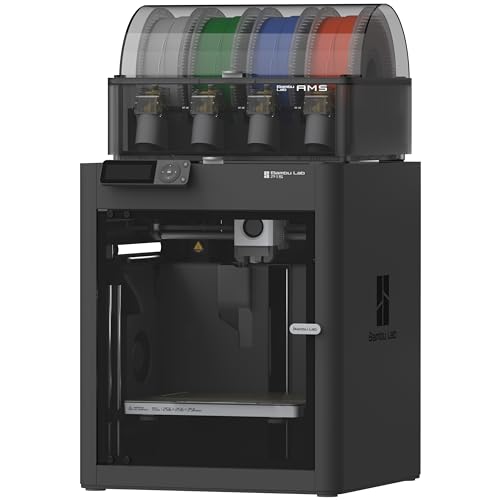
The P1S Combo pairs the P1S printer with the AMS filament system, so multicolor printing is part of the package. The title cites high speed and precision from a CoreXY design and access to the MakerWorld model library. It suits buyers who want a mature, enclosed color workflow with plenty of ready-made models, and who would rather download a community design than spend evenings tuning slicer settings. Because the feeder ships in the same box, there is no compatibility guesswork about which add-on belongs with which printer.
- Strength: the printer and AMS arrive together as one combo.
- Strength: MakerWorld access means you can print color designs on day one.
- Trade-off: the title lists no temperature or speed figures to compare against rivals.
Skip it if you want a toolchanger design with minimal purge waste.
Bambu Lab P2S Combo
The P2S Combo bundles the P2S printer with the AMS 2 Pro and also leans on MakerWorld and a high-speed CoreXY platform. It is aimed at people who like the Bambu ecosystem and want the newer generation of its multicolor hardware. Anyone choosing between this and the P1S is really choosing between generations of the same family, so compare the full listing details side by side and decide whether the newer feeder is worth the step up for the colors you actually print.
- Strength: the AMS 2 Pro is part of the combo rather than an add-on.
- Strength: it shares the MakerWorld library with the P1S.
- Trade-off: the title gives no build volume or hotend figures, so confirm them before buying.
Skip it if you would rather compare detailed numbers in the listing before committing.
ELEGOO Centauri 2 Combo
The Centauri 2 Combo targets beginners, with 4-color printing, a 500mm/s CoreXY frame, auto leveling, and a 350°C ceiling. That temperature figure is the highest in this group and suggests room for tougher filaments later. It is a sensible pick for a first multicolor machine in a household where the person setting it up is not a tinkerer, since the title leads with beginner-friendly operation rather than tuning.
- Strength: 350°C hotend capability leaves room to grow.
- Strength: beginner-friendly setup with auto leveling.
- Trade-off: its 500mm/s peak is the lowest speed figure of the group.
Skip it if you care most about the fastest listed speed.
Anycubic Kobra X Multicolor
The Kobra X offers native 4-color printing that scales up to 19 colors, 600mm/s speeds, an AI camera, and a stated 45dB noise level. It is a fit for classrooms, apartments, and households where a loud printer would be a problem, and its easy-setup positioning suits first-time owners. Teachers running a maker club can leave it running during a lesson without drowning out the room.
- Strength: expandable up to 19 colors for detailed models.
- Strength: quiet 45dB operation plus an AI camera for monitoring.
- Trade-off: reaching 19 colors implies extra hardware beyond the base four.
Skip it if four colors will always be enough and you want the simplest possible setup.
FLASHFORGE AD5X Multi-Color 3D Printer
This AD5X listing describes a CoreXY machine with 600mm/s speeds, one-click auto leveling, a 300°C direct drive extruder, and a 220x220x220mm build volume. It suits hobbyists who want a compact footprint and quick setup, such as someone clearing a corner of a desk for a first machine. The cube-shaped build volume is symmetrical, which makes it easy to judge in advance whether a model will fit.
- Strength: direct drive extruder handles flexible filament more reliably.
- Strength: one-click leveling shortens first-print setup.
- Trade-off: the 220x220x220mm build volume limits larger models.
Skip it if you plan to print large, single-piece objects.
Creality K2 Combo
The K2 Combo adds the CFS multicolor system to a 600mm/s printer that is 95% pre-assembled, with a smart AI camera and auto leveling. It appeals to buyers who dislike assembly and want to start printing quickly. The camera and automatic leveling reduce the number of chores between unboxing and a finished multicolor print, which matters if the machine will be shared by several family members with different skill levels.
- Strength: 95% pre-assembly means little building.
- Strength: AI camera helps watch long multicolor jobs remotely.
- Trade-off: the title lists no hotend temperature, so check material support.
Skip it if high-temperature filament support is a requirement.
Snapmaker U1
The U1 takes a different path with four toolheads and a 5-second toolchanger, claiming minimal purge and 5X faster printing. Smart calibration is also listed. It suits buyers who print many small colorful items and want to cut filament waste, such as makers who sell keychains, badges, or desk toys where every color change would otherwise add purge. Smart calibration in the title also hints at less manual setup work.
- Strength: separate toolheads reduce the purge waste of single-nozzle swaps.
- Strength: multi-material capability extends beyond color alone.
- Trade-off: the toolchanger design is newer than the established feeder-based systems.
Skip it if you want the widest pool of community tutorials from mature platforms.
FLASHFORGE AD5X Multi-Color and Material with IFS
This second AD5X listing features the IFS system, 4-color printing, 600mm/s speed, a 300°C high-temperature direct extruder, and a 220x220x220mm volume. The title emphasizes both color and material mixing, so this listing speaks to buyers who may pair a rigid body with a softer accent. It is the more feature-forward of the two AD5X listings on paper and a reasonable choice for small-batch makers.
- Strength: 4-color and multi-material printing in one machine.
- Strength: 300°C extruder supports a broader filament range.
- Trade-off: the compact 220x220x220mm volume limits project size.
Skip it if you already chose the other AD5X listing, since the core hardware overlaps.
Which One Fits Your Situation
You want to print figurines the first weekend
The Bambu Lab P1S Combo gives you the printer, the AMS, and a model library in one box, so you can start printing color designs without hunting for files.
You live in a small apartment and noise matters
The Anycubic Kobra X lists 45dB operation and an AI camera, which makes it the natural pick for shared spaces.
You print lots of small colorful items and hate wasted filament
The Snapmaker U1 and its separate toolheads are built around minimal purge, which pays off over many multicolor jobs.
You want room to grow into harder materials
The ELEGOO Centauri 2 Combo lists a 350°C ceiling, the highest here, so it leaves the most room for specialty filaments.
Common Mistakes
- Comparing peak speed figures as if they predicted real print time.
- Ignoring purge waste, then discovering a colorful print uses far more filament than the model weighs.
- Buying a four-color machine when most prints will use one color and an occasional accent.
- Skipping build volume, then finding a favorite model is too large to fit.
- Forgetting that enclosed and noisy machines need space and ventilation planning.
Related guides
- Windows Macos Linux Gaming Performance Comparison Strengths Weaknesses
- Desktop Operating Systems Gaming Performance Strengths Weaknesses
- 5G Home Internet Wifi Modem Settings Low Latency Gaming
Frequently Asked Questions
Do I need a separate unit for multi-color printing?
On most of these machines, yes: a feeder system such as an AMS, CFS, or IFS delivers filament to the nozzle. The Snapmaker U1 instead uses four toolheads. Combo listings usually include the feeder unit.
How many colors do I really need?
Four covers most figurines, signs, and gifts. More colors help with gradients and photographic detail but add complexity and filament cost.
Is faster always better?
Not by itself. A higher listed speed helps with throughput, but print quality depends on acceleration, tuning, and cooling as well. Use speed figures to compare machines, not to guess exact print times.
Can these printers use more than one material?
Some listings, including the Snapmaker U1 and the AD5X with IFS, mention multi-material printing. Confirm which filament types your chosen machine supports before planning mixed-material parts.