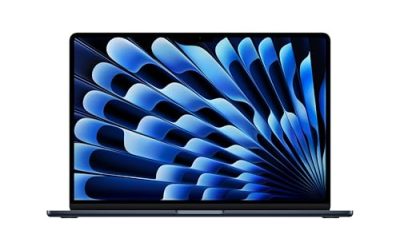
Shopping for a Hewlett Packard laptop sounds simple until you open the catalog and find the same brand name stretched across 14-inch starter machines, 15.6-inch workhorses, and 17.3-inch screens with a numeric keypad. The real decision is not “HP or not.” It is which slice of the HP lineup matches the way you work: a light 14-inch for the couch and classroom, a 17-inch desktop replacement for spreadsheets, or a mid-size machine with a faster processor and a roomy drive.
This guide is written for buyers who have already settled on HP and want to narrow seven listings down to one. It covers the Ryzen, Core Ultra, Core i7, and Intel N150 configurations that appear in the 2026 lineup, explains which spec lines deserve attention, and points out where the cheaper configurations trade away memory or storage to hit a lower tier. Everything below is based on the listed specs, so always confirm the final configuration on the product page before you order.
Our Top Picks


Top 3 picks at a glance
Quick Picks
As an Amazon Associate we earn from qualifying purchases at no extra cost to you.



| Product | Best for | Key spec from the title |
|---|---|---|
| HP 17 Business Laptop (Ryzen 5) | Big-screen office work | 16GB RAM, 512GB SSD, 17.3″ FHD |
| HP OmniBook 3 17 (Core Ultra 5) | Modern Intel platform on a large screen | Intel Core Ultra 5 225U, 512GB SSD |
| HP 14 inch (N150, Microsoft 365) | Basic browsing and documents | Intel N150, 128GB UFS, 1-year Microsoft 365 Personal |
| HP 14 Ultra-Light (N150) | Students who carry a laptop daily | 128GB storage plus 128GB SD card |
| HP 15.6 Core i7 | Heavier multitasking | Core i7-1255U, 16GB RAM, 1TB PCIe SSD |
| HP 17.3 Business (Core 5-120U) | Storage-hungry office users | 10-core Core 5-120U, 12GB RAM, 768GB total storage |
| HP OmniBook 3 17 (Ryzen 3) | Budget large-screen buyers | Ryzen 3, 8GB RAM, 512GB SSD, Radeon 610M |
How to Choose
Match the screen size to your life, not your desk
HP sells nearly identical internals in 14-inch, 15.6-inch, and 17.3-inch bodies. A 17.3-inch panel gives you room for two windows side by side and usually fits a full keyboard with a numeric keypad, but the chassis is larger and heavier to carry. A 14-inch model slides into a school bag easily. If the laptop will leave the house more than twice a week, lean toward 14 or 15.6 inches; if it mostly lives on a desk, 17.3 inches is the comfortable choice.
Treat 8GB of RAM as the floor and 16GB as the comfort zone
Among these seven listings, memory ranges from 4GB to 16GB, and that gap matters more than the processor name. A 4GB machine can run a browser and a document, but a dozen tabs plus a video call will make it stall. Eight gigabytes handles ordinary office use. Sixteen gigabytes is the sensible target if you keep many tabs open, run spreadsheets with large files, or plan to keep the laptop for several years.
Read the storage line carefully
Some HP titles list “128GB UFS” or add an SD card to reach a bigger number. A card in the slot is removable, slower, and not the same as an internal SSD. For a drive that boots Windows quickly and holds your files, look for a plain 512GB SSD or a 1TB PCIe SSD. UFS and eMMC-style storage is acceptable for light use but fills up fast once Windows updates arrive.
Decode the processor family
Intel N150 is an entry-level chip aimed at web pages, streaming, and documents. Ryzen 3 and Core 5 sit in the middle for general office work. Ryzen 5, Core Ultra 5, and Core i7 are the step-up options for multitasking. Ignore the “up to” boost clock in a title when comparing; core count, RAM, and storage type tell you more about daily speed. Budget models usually cut corners on RAM and storage first, so check those before the CPU.
The 7 Best Options
HP 17 Business Laptop (Ryzen 5)
This is the configuration for buyers who want a large display without giving up memory. The title lists an AMD Ryzen 5 processor, 16GB of RAM, a 512GB SSD, a 17.3-inch FHD screen, and a numeric keypad, which makes it a natural fit for anyone entering data all day.
- Strength: 16GB of RAM and a 512GB SSD are the comfortable pairing for office multitasking.
- Strength: the numeric keypad and 17.3-inch FHD panel suit spreadsheets and accounting work.
- Trade-off: a 17-inch body is bulkier to carry than the 14-inch models.
Skip it if you commute by bus or train with a small backpack. The battery claim in the title is vague, so check the listing for the actual capacity.
HP OmniBook 3 17 (Core Ultra 5)
The OmniBook 3 line pairs a 17.3-inch FHD display with an Intel Core Ultra 5 225U processor, Intel Graphics, and a 512GB SSD, running Windows 11 Home in a Glacier Silver finish. It is the pick for buyers who want a newer Intel platform rather than an older Core generation.
- Strength: Core Ultra 5 225U is a current-generation chip, a useful sign for longer software support.
- Strength: 512GB SSD gives room for apps and local files.
- Trade-off: only 8GB of RAM is listed, which is the minimum for comfortable multitasking.
Skip it if you routinely run many browser tabs alongside heavy documents, or check whether the memory can be upgraded in the listing details.
HP 14 inch Laptop (N150, Microsoft 365)
A basic 14-inch machine with an HD display, an Intel N150 processor, Intel Graphics, and Windows 11 Home. The title includes a one-year Microsoft 365 Personal subscription, which is handy for Word, Excel, and cloud storage from day one.
- Strength: the bundled one-year Microsoft 365 Personal subscription saves a separate purchase.
- Strength: the 14-inch size suits carrying around campus or the house.
- Trade-off: 4GB of RAM and 128GB of UFS storage are tight and will limit multitasking.
Skip it if you plan to keep the laptop for many years or use heavy spreadsheets; the memory and storage leave little headroom.
HP 14 Ultra-Light (N150, 128GB plus SD card)
This ultra-light 14-inch HP also uses the Intel N150 and 4GB of RAM, but it pairs 128GB of onboard storage with a 128GB SD card and adds a one-year Office 365 offer. The title targets students and home users and mentions fast charge and long battery life.
- Strength: the extra SD card adds expansion for documents and photos at the same tier.
- Strength: the light 14-inch body and fast-charge claim favor daily carry.
- Trade-off: SD storage is slower than an internal SSD and should not hold your main files only.
Skip it if you need smooth multitasking; 4GB of RAM is the weakest point, as with its sibling above.
HP 15.6 Core i7 (1TB PCIe SSD)
The performance pick of the group on paper. The listing names an Intel Core i7-1255U processor, 16GB of RAM, a 1TB PCIe SSD, a webcam, and an FHD 15.6-inch screen, with a long-battery claim.
- Strength: Core i7 plus 16GB of RAM is the strongest processor and memory combination in this guide.
- Strength: a 1TB PCIe SSD is generous for files, apps, and projects.
- Trade-off: the 15.6-inch body sits between portable and desktop replacement, so it is not the lightest carry.
Skip it if you only browse and stream; the extra capability would go unused for basic tasks.
HP 17.3 Business (Core 5-120U)
This 17.3-inch HP lists a 10-core Intel Core 5-120U processor, 12GB of RAM, and 768GB of combined storage, made of a 256GB SSD plus a 512GB SD card. The title also highlights an AI Copilot feature and Windows 11 in a business-oriented edition (the exact version is cut off, so confirm it).
- Strength: 12GB of RAM sits between the 8GB and 16GB tiers for a mid-range feel.
- Strength: the big total storage figure suits people with many documents and media files.
- Trade-off: only 256GB of that storage is the internal SSD; the rest is a removable card.
Skip it if you want one fast drive for everything, because the card is not equivalent to an SSD.
HP OmniBook 3 17 (Ryzen 3)
The AMD sibling to the Core Ultra OmniBook: a 17.3-inch FHD display, a Ryzen 3 processor, 8GB of RAM, a 512GB SSD, and AMD Radeon 610M graphics, in Mica Silver with Windows 11 Home. The processor name is truncated in the title, so check the listing for the full model.
- Strength: a 512GB SSD with a large screen at an entry processor tier.
- Strength: Radeon 610M graphics handle everyday video and light photo work.
- Trade-off: 8GB of RAM leaves little room for heavy multitasking.
Skip it if you want a faster processor than a Ryzen 3 class chip.
Which One Fits Your Situation
You work from a desk all day
The HP 17 Business Laptop with the Ryzen 5, 16GB of RAM, and numeric keypad is the practical match. The large screen and keypad reward long data-entry sessions.
You carry a laptop to class
The HP 14 Ultra-Light is the one to look at for weight and fast charging, as long as your coursework is documents, web research, and video lessons rather than heavy software.
You want the most performance in the group
Choose the HP 15.6 Core i7 with 16GB of RAM and a 1TB PCIe SSD. It is the pick for people who multitask, edit larger files, or keep a laptop for years.
You want a large screen on a tighter budget
The HP OmniBook 3 17 with the Ryzen 3 gives you a 17.3-inch display and 512GB SSD at the entry tier. If you prefer Intel and a newer platform, the Core Ultra 5 version is the alternative.
Common Mistakes
- Buying 4GB of RAM and expecting smooth multitasking; plan on at least 8GB.
- Counting an SD card as internal storage; it is slower and removable.
- Choosing by the “up to” boost clock in the title instead of RAM, storage type, and core count.
- Picking a 17-inch screen and then complaining about carrying weight.
- Assuming the bundled Microsoft 365 or Office offer lasts forever; the listings mention one year.
Related guides
- Windows Macos Linux Gaming Performance Comparison Strengths Weaknesses
- Desktop Operating Systems Gaming Performance Strengths Weaknesses
- 5G Home Internet Wifi Modem Settings Low Latency Gaming
Frequently Asked Questions
Is an HP laptop with 8GB of RAM enough?
For browsing, documents, video calls, and streaming, 8GB works. If you keep many tabs and apps open or plan to use the laptop for four or five years, 16GB is a safer target.
What is the difference between an SSD and the SD card in these listings?
An SSD is the internal drive that runs Windows and apps quickly. An SD card is removable and slower, so treat it as extra space for files rather than your main drive.
Do the Intel N150 models handle schoolwork?
They suit web research, documents, and video lessons. They are not the choice for large spreadsheets or demanding software, so match them to light tasks.
Should I pick Intel or AMD in an HP laptop?
Both families appear here. Compare RAM, storage, and screen size first, then use the processor tier (entry, middle, or step-up) to break the tie, and verify the full model name on the listing.