Shopping for a Ryzen gaming PC means decoding a ladder that the product titles rarely explain. A Ryzen 5 5500 and a Ryzen 7 9850X3D both carry the same brand name, yet they sit on different memory generations, different sockets, and wildly different levels of gaming headroom. The graphics card does most of the heavy lifting in a prebuilt, so the real question is whether to spend on the processor tier, the GPU tier, or the supporting parts such as power supply and cooling that decide how long the machine stays pleasant.
This roundup covers nine prebuilt desktops that all use AMD processors, from an entry-level Ryzen 5 build with an RTX 3060 Ti to premium towers pairing X3D chips with an RTX 5080 or RX 9070 XT. Everything below is judged only from what each listing states. Whether you want a first gaming tower for 1080p or a long-term 1440p and 4K machine for 2026 and beyond, start with the Quick Picks table, then read the reviews in order, because each one compares itself with the next.
Our Top Picks
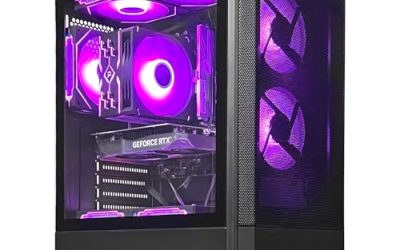
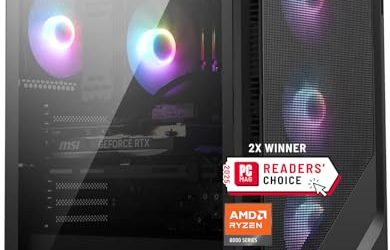
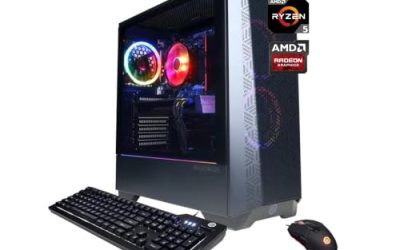
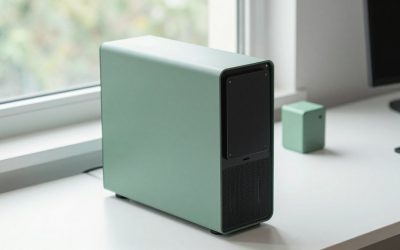
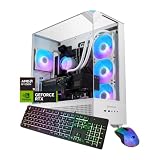
 iBUYPOWER Element Gaming PC Desktop Computer AMD Ryzen20 x 9.1 x 17.4 inches36 poundsCheck on Amazon



Top 3 picks at a glance
Quick Picks
As an Amazon Associate we earn from qualifying purchases at no extra cost to you.




| Product | Best for | Key spec from the title |
|---|---|---|
| CyberPowerPC Gamer Master | Balanced mid-range 1080p to 1440p | Ryzen 7 8700F, RTX 5060 Ti 8GB, 16GB DDR5, 1TB PCIe 4.0 SSD |
| YAWYORE Ryzen 7 5700X | Memory-rich value build | Ryzen 7 5700X, RTX 5060, 32GB DDR4, 1TB NVMe |
| iBUYPOWER Element | Gaming plus creator workloads | Ryzen 9 7900X, RTX 5070 12GB, 32GB DDR5, 1TB NVMe |
| Skytech Ryzen 7 9800X3D RTX 5070 Ti | High-refresh 1440p | 9800X3D, RTX 5070 Ti, 32GB, 2TB SSD, 850W Gold PSU, 360 AIO |
| CyberPowerPC Gamer Xtreme | Multitasking gamers | Ryzen 9 9900X, RTX 5070 12GB, 32GB DDR5, 1TB PCIe 4.0 |
| STORMCRAFT Phantom | Premium 4K-class build | 9800X3D, RTX 5080, 32GB DDR5, 2TB SSD, B850, 360mm AIO |
| Skytech Ryzen 7 9850X3D RX 9070 XT | AMD-only premium pairing | 9850X3D, RX 9070 XT, 32GB, 2TB SSD, DDR5 5600, 850W Gold |
| Skytech Ryzen 7 9850X3D RTX 5080 | Top-tier headroom | 9850X3D, RTX 5080, 32GB, 2TB SSD, DDR5 6000, 850W Gold |
| Olialia Ryzen 5 5500 | Entry-level 1080p | Ryzen 5 5500, RTX 3060 Ti, 16GB, 512GB SSD, 600W |
The 9 Best Options
CyberPowerPC Gamer Master (Ryzen 7 8700F, RTX 5060 Ti)
This is the sensible middle of the Ryzen ladder. The listing pairs a Ryzen 7 8700F with a GeForce RTX 5060 Ti 8GB, 16GB of DDR5 memory, a 1TB PCIe 4.0 SSD, WiFi readiness, and Windows 11 Home. It targets players who want a modern DDR5 platform and a current-generation graphics card without moving into premium territory. For 1080p and many 1440p games, this class of hardware is the most common sweet spot, and the DDR5 base leaves room to add memory later. Based on the listed specs, it also suits families who want one PC for homework and weekend gaming, because the Ryzen 7 8700F has enough processing power to stay responsive while a launcher, a browser, and a voice chat run in the background.
- A modern DDR5 platform with a Ryzen 7 processor offers headroom the older AM4 builds lack.
- PCIe 4.0 storage at 1TB gives space for several large games.
- Windows 11 Home and WiFi readiness make first-day setup simple.
- The RTX 5060 Ti is listed with only 8GB of video memory, which can limit very high texture settings.
- 16GB of RAM is adequate now, but heavy multitasking will push toward 32GB.
Skip it if you play at 4K or want maximum texture quality. Next to the YAWYORE, this one gives you a newer platform and a faster class of GPU, while the YAWYORE counters with double the memory on an older base.
YAWYORE Gaming PC (Ryzen 7 5700X, RTX 5060)
YAWYORE takes the opposite approach to its neighbor: older processor platform, more memory. The title lists a Ryzen 7 5700X, a GeForce RTX 5060, 32GB of DDR4, a 1TB M.2 NVMe SSD, ARGB fans, and WiFi plus Bluetooth. A Ryzen 7 5700X is an 8-core chip that remains capable for 1080p and 1440p gaming when paired with a recent graphics card, and 32GB gives plenty of space for a game, a browser, and a chat app together. The ARGB fans in the title point to a showcase-style case, which appeals to buyers who want the build to look good on a desk. It is a sensible pick for someone who values memory capacity and a current graphics card over platform longevity.
- 32GB of RAM is generous for the class and helps with streaming or heavy multitasking.
- The RTX 5060 is a current-generation graphics card, so newer features are available.
- WiFi and Bluetooth are both listed, which avoids adapter purchases.
- DDR4 memory and the Ryzen 5000 series sit on an older platform with a limited upgrade path.
- The brand is less established than CyberPowerPC or iBUYPOWER, so buyers should read warranty terms closely.
Skip it if long-term upgradeability matters, since the newer DDR5 builds around it keep more doors open. Compared with the iBUYPOWER that follows, you lose the newer processor and a step of GPU power but keep the same 1TB of storage with more total memory.
iBUYPOWER Element (Ryzen 9 7900X, RTX 5070)
The Element leans toward people who game and also create. The listing names a Ryzen 9 7900X, an NVIDIA GeForce RTX 5070 with 12GB, 32GB of DDR5, a 1TB NVMe SSD, and Windows 11 Home. A 12-core class processor like the 7900X is more than most games need, but it pays off when you edit video, compile code, or keep a stream running while you play. The listing does not name the cooler or power supply, so buyers should look those details up on the product page before assuming the supporting parts match the headline processor and graphics card. That check is worth doing on any prebuilt that leaves the extras unstated.
- The Ryzen 9 tier provides strong multithreaded performance for creative work.
- 12GB of video memory on the RTX 5070 gives more breathing room than the 8GB cards above.
- 32GB of DDR5 is a comfortable configuration for gaming and multitasking.
- 1TB of storage fills fast on a machine used for both games and video projects.
- Spending on a Ryzen 9 may be overkill for a player who only games.
Skip it if gaming is the only goal, because an X3D build usually gives better gaming value. Next up, the Skytech with a 9800X3D and RTX 5070 Ti pushes the gaming side further, while this iBUYPOWER stays the better fit for mixed workloads.
Skytech Gaming PC (Ryzen 7 9800X3D, RTX 5070 Ti)
Skytech’s 9800X3D build is the clearest gaming-first configuration in the middle of the list. The title shows a Ryzen 7 9800X3D, an RTX 5070 Ti, 32GB of RAM, a 2TB Gen4 NVMe SSD, DDR5 6000, an 850W Gold ATX 3.0 power supply, and a 360mm ARGB liquid cooler. The detail in the supporting components is what stands out: a high-wattage Gold PSU and a large radiator suggest the parts around the processor were chosen with care. Few prebuilt titles spell out this much, which makes the listing easier to compare against a custom parts list. For a gamer who wants a high-refresh 1440p machine that will not need a power supply swap when the next graphics card arrives, this is the configuration to study first.
- The 9800X3D is an X3D gaming-focused processor, a favorite for high-refresh play.
- 2TB of Gen4 storage is roomy for a large library.
- An 850W Gold ATX 3.0 power supply leaves headroom for graphics-card upgrades.
- It sits in the premium tier, so the cost rises well above the mid-range builds.
- A 360mm AIO is more to maintain than an air cooler, and the case needs to fit it.
Skip it if you play at 1080p on a basic monitor, since the processor and GPU would outrun the screen. Against the CyberPowerPC Gamer Xtreme, this one trades extra processor cores for stronger gaming cache and a higher GPU tier.
CyberPowerPC Gamer Xtreme (Ryzen 9 9900X, RTX 5070)
The Gamer Xtreme matches a Ryzen 9 9900X with an RTX 5070 12GB, 32GB of DDR5, a 1TB PCIe 4.0 SSD, WiFi readiness, and Windows 11 Home. It targets the same crowd as the iBUYPOWER Element but on the newer processor generation. If you stream, record, or run background tools while gaming, the 12-core class chip adds smoothness that an 8-core part can lack. The title is shorter on supporting details than the Skytech listings, so the power supply and cooling are the items to verify. A builder with a long track record and a named case line tends to make that verification easier, which counts for something when you are spending this much. Treat it as the practical all-rounder of the upper tier.
- The Ryzen 9 9900X is a newer-generation, 12-core class processor with multitasking strength.
- RTX 5070 12GB is a capable GPU for 1440p play.
- 32GB of DDR5 memory suits modern titles and background applications.
- Only 1TB of storage is listed, which is smaller than the Skytech models.
- An X3D processor would typically give better pure gaming performance for similar money.
Skip it if your priority is the highest frame rate in competitive games. It is essentially a newer-generation answer to the iBUYPOWER, and the STORMCRAFT that follows moves up to an RTX 5080 for buyers who want more graphics power.
STORMCRAFT Phantom (Ryzen 7 9800X3D, RTX 5080)
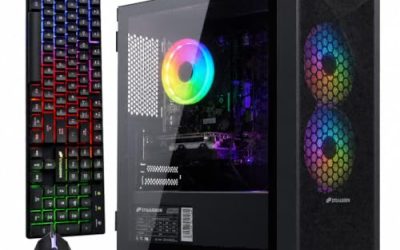
The Phantom targets premium builders. The listing names a Ryzen 7 9800X3D at 5.2GHz, an RTX 5080, 32GB of DDR5 at 6000MHz, a 2TB SSD, a B850 chipset, an 850W PSU, a 360mm AIO, and an RGB keyboard bundle. Pairing the 9800X3D with the RTX 5080 gives both processor cache and graphics muscle, which suits 1440p ultrawide and 4K play where the GPU does the work. The Phantom is also the only listing that names its chipset and bundles a keyboard, so it behaves like a small desk kit as well as a tower. Buyers who already own good peripherals may treat the bundle as a bonus rather than a reason to buy.
- The RTX 5080 tier is aimed at 4K and high-refresh 1440p gaming.
- A B850 chipset supports modern features and offers room for future upgrades.
- An included RGB keyboard bundle adds peripherals out of the box.
- This is a premium purchase and pushes the cost far past entry and mid-range builds.
- The title lists an 850W power supply but no tier, so buyers should confirm the efficiency level.
Skip it if you do not own a high-resolution or high-refresh monitor. Compared with the Skytech 9850X3D RTX 5080 later, the processor model differs and the Skytech lists its Gold-tier PSU more clearly, so the title detail is the main separator.
Skytech Gaming PC (Ryzen 7 9850X3D, RX 9070 XT)
This is the all-AMD option. The title lists a Ryzen 7 9850X3D, a Radeon RX 9070 XT, 32GB of RAM, a 2TB SSD, DDR5 5600, an 850W Gold ATX 3.0 PSU, and a 360mm ARGB liquid cooler. Pairing an AMD processor with an AMD graphics card suits buyers who prefer a single-brand ecosystem, and the RX 9070 XT is a high-end Radeon card aimed at demanding 1440p and entry 4K play. It suits players who plan to use AMD software features, who like open driver tooling on other systems, or who simply prefer to avoid NVIDIA hardware for personal reasons. Because the title shows DDR5 5600 rather than 6000, it is also the premium listing where a later memory upgrade is the most natural.
- An all-AMD pairing keeps the platform simple for people who prefer one vendor.
- 2TB of storage and 850W Gold power are the same strong supporting parts as the other Skytech models.
- The 9850X3D is a gaming-focused X3D chip.
- DDR5 5600 is listed, a step below the 6000 speeds on the other premium builds.
- NVIDIA-specific features are not available on a Radeon card.
Skip it if you rely on NVIDIA features for streaming or creative software. Next to the Skytech RTX 5080 that follows, this is the lower-tier graphics option on the same platform, which matters when comparing premium configurations.
Skytech Gaming PC (Ryzen 7 9850X3D, RTX 5080)
The top of the Skytech family combines the Ryzen 7 9850X3D with a GeForce RTX 5080, 32GB of RAM, a 2TB SSD, DDR5 6000, an 850W Gold ATX 3.0 PSU, and a 360mm ARGB AIO. It is the configuration for buyers who want little compromise: a gaming-focused processor, a high-end graphics card, fast memory, and a supporting cast chosen to match. Because the other Skytech listing uses identical supporting parts, the comparison between them is clean: the only major variable is the graphics card. That makes this listing a useful way to see exactly what the extra graphics tier adds, and what it costs in budget terms, without other differences clouding the decision.
- RTX 5080 and an X3D processor form a high-end gaming pairing.
- DDR5 6000 memory is a popular speed for Ryzen 9000 systems.
- Large storage, a Gold PSU, and a 360mm AIO round out the premium package.
- It is among the most expensive options, so value is limited if you game at 1080p.
- Large liquid coolers and big GPUs need a case with sufficient clearance, which is hard to verify from a title alone.
Skip it if budget matters more than headroom. Compared with the entry-level Olialia that follows, the gap is enormous, and which end suits you depends entirely on your monitor and budget.
Olialia Gaming PC (Ryzen 5 5500, RTX 3060 Ti)
The Olialia is the entry ticket. The title lists a Ryzen 5 5500, a GeForce RTX 3060 Ti, 16GB of RAM, a 512GB SSD, RGB lighting, WiFi 6, a 600W power supply, Windows 11, and a panoramic tower case. It is the lowest-tier listing here and fits a player who wants a working 1080p gaming PC at the lowest cost. Because it uses the older Ryzen 5000-class platform, treat it as a machine to enjoy for a few years rather than a foundation to build on. It suits a teenager, a casual player, or a second PC for a spare room where top-tier graphics are not a priority. Pair it with a 1080p monitor and moderate settings for the best experience.
- The RTX 3060 Ti is a capable 1080p graphics card.
- WiFi 6 and Windows 11 are included.
- A panoramic case adds visual appeal for an entry-level class.
- Only 512GB of storage will fill up with a handful of modern games.
- The older Ryzen 5 platform and 600W PSU offer little room to upgrade.
Skip it if you want a machine that will stay current for many years. Compared with the CyberPowerPC Gamer Master that opened the list, the Olialia is the budget path and the Gamer Master is the safer step toward a modern platform.
Who Needs a Ryzen Gaming PC
Ryzen has become the default choice for gamers who care about efficiency and value, and prebuilt towers make that choice easy for people who do not want to source parts. Choose AMD when you want strong gaming cache, an upgrade-friendly AM5 platform, or lower power draw than comparable alternatives. A Ryzen tower also makes sense when you want a single machine that handles gaming on weeknights and light creative work on weekends, since the range runs from budget 6-core parts up to 12-core processors. It is a weaker choice for someone who needs a compact living-room box or a quiet silent build, because most of these listings are full-size towers with high-output cooling.
Competitive and high-refresh players
X3D processors such as the 9800X3D and 9850X3D are the standout for frame-rate-focused play. If you use a 240Hz monitor, those chips make the most of it, and the Skytech models are the most direct fit. Competitive players also benefit from pairing the processor with a monitor that matches its output, because a fast chip behind a 60Hz screen is wasted potential.
Streamers and creators
Ryzen 9 chips such as the 7900X and 9900X give extra cores for encoding and editing. The iBUYPOWER Element and CyberPowerPC Gamer Xtreme suit this group because they avoid the premium X3D tier. Anyone who keeps a game, a capture tool, and a browser open together will value the extra threads more than a few percent of peak frame rate.
First-time and budget buyers
A prebuilt saves the hassle of assembly and troubleshooting. For a first PC, the Olialia or the CyberPowerPC Gamer Master offer a manageable entry into PC gaming without needing to learn compatibility rules. Parents buying for a teenager will also appreciate that a prebuilt arrives with Windows 11 installed and a single warranty contact if something fails.
How to Choose
Processor: X3D, core count, and generation
For gaming alone, an 8-core X3D chip beats a 12-core standard chip in most titles, because the extra cache feeds the graphics card more consistently. For gaming plus work, 12 cores are worth considering. Avoid builds based on older Ryzen 5000 chips if you want a long upgrade path, because those sit on an older platform that is no longer receiving new processor generations. As a working threshold, look for at least 6 cores and 12 threads for any new purchase, 8 cores for a machine meant to last, and 12 cores only if rendering, streaming, or compiling is part of the weekly routine. Ignore peak boost-clock claims, since cooling and cache shape real results.
Graphics card and VRAM
Choose the GPU for your monitor. For 1080p, an RTX 3060 Ti or RTX 5060 class card is adequate. For 1440p, aim for RTX 5060 Ti with the caveat of 8GB, or better, 12GB cards such as the RTX 5070. For 4K or ultrawide, look at RTX 5080 or RX 9070 XT class cards. Ignore boost-clock marketing and prioritize video memory capacity. As a rule, 8GB is a 1080p figure, 12GB to 16GB is a 1440p figure, and 16GB or more is the safer pick for 4K textures. Also check that the card is a full desktop model, and remember that a higher tier on an old processor can be bottlenecked in CPU-heavy games.
Memory: capacity, speed, and generation
16GB is the minimum for modern gaming, and 32GB is the better target for longevity. DDR5 is the current standard; DDR4 is cheaper but ties you to older processors. Speed matters less than capacity, though DDR5 6000 is a popular match for Ryzen 9000 chips. Avoid single-stick configurations, as dual-channel memory performs better. For DDR5 on Ryzen 9000 chips, a 6000 speed with low latency is a widely used target, whereas a 5600 kit is perfectly serviceable. Do not pay a large premium for extreme speeds, because capacity and stable operation matter more for a prebuilt that must run unattended for years.
Storage: size and interface
1TB is the practical minimum for a modern game library, because many titles exceed 100GB. A 2TB drive removes constant uninstalling. PCIe Gen4 NVMe drives are plenty fast; the title wording matters more than headline speeds. Check for an open M.2 slot so adding a second drive later is easy. Avoid listings that mention only a hard drive for the main volume, and prefer drives with a stated capacity over vague terms such as “fast storage”. If you capture video or keep many large mod folders, plan for 2TB from the start.
Power supply and cooling
Look for named wattage and efficiency tiers. An 850W Gold ATX 3.0 unit suits an RTX 5080 class card, while 600W is the floor for a mid-range card. Avoid builds that list only a generic power supply. For cooling, 360mm AIOs suit X3D chips under sustained load, but a quality air cooler is simpler and often quieter. Check the case for mesh front airflow. A 360mm radiator needs top or front mounting space, and a 240mm unit is a reasonable middle ground. Whichever cooler you pick, confirm that the case includes dust filters, since gaming towers collect lint quickly and heat is the main thing that shortens a machine’s comfortable life.
Warranty and where budget builds cut corners
Budget prebuilts most often cut corners on the power supply, motherboard features, and case airflow, then hide it behind RGB lighting. Prefer listings that name parts. Read warranty length, labor coverage, and who handles support. A well-known builder with named components usually beats an unnamed bundle with flashy extras. A one-year parts warranty is common, while two or three years of coverage is a genuine advantage. Also look at whether the builder offers phone or chat support, because a fast answer matters when a new machine refuses to boot on day one.
X3D Chips or Standard Ryzen
The big Ryzen choice is between X3D gaming chips and standard high-core-count parts. X3D processors add large cache that benefits many games, while standard Ryzen 7 and Ryzen 9 chips offer broader multitasking value. Your usage should decide. This is the comparison that most Ryzen shoppers face once the budget is set, because the same money can buy a faster gaming chip or a chip with more cores, but rarely both. The table below summarizes the trade as the listings in this roundup present it, and the two short notes after it explain who each side suits.
| Factor | X3D (9800X3D, 9850X3D) | Standard Ryzen 9 (7900X, 9900X) |
|---|---|---|
| Core count | 8 cores | 12 cores |
| Strength | Gaming frame rates | Multithreaded creative work |
| Listings here | Skytech, STORMCRAFT | iBUYPOWER, CyberPowerPC |
| Best monitor match | High-refresh 1440p and 4K | 1440p with streaming or editing |
Choose X3D for pure gaming
If most of your hours are in games, an X3D chip paired with a high-end GPU is the best use of money. The extra cache helps in simulation, strategy, and competitive titles, and the Skytech and STORMCRAFT listings pair that cache with strong supporting parts. Keep in mind that the advantage grows with a fast monitor and a strong graphics card, and shrinks at 4K, where the GPU is the limit.
Choose standard Ryzen for mixed work
If you edit video, stream, or run virtual machines, the added cores of a 7900X or 9900X will save time. The iBUYPOWER Element and CyberPowerPC Gamer Xtreme are practical choices, and they leave more of the budget for storage or the graphics card. The cost is a slightly smaller edge in competitive frame rates, which many players never notice on a standard 144Hz display. Standard Ryzen 9 builds also keep a spare pool of cores free during long creative sessions, a quiet benefit for people who edit while a game or chat app stays open.
Setup, Compatibility and Upgrade Tips
What to check before buying
Confirm the exact GPU model and video memory, the memory type and speed, the power supply wattage and efficiency tier, and the storage size. Check your monitor: a 1080p screen will not show the benefit of an RTX 5080. Look for included Wi-Fi, since not every listing includes it, and note whether peripherals are bundled or sold separately. Measure the space under your desk too, since full-size towers with panoramic glass are bulky, and leave a few inches behind the case for airflow and cables. Confirm your outlet and surge protector can handle the load of a high-end graphics card as well.
What to upgrade first
Storage is the easiest early upgrade, since most boards have a spare M.2 slot. On 16GB builds, adding another pair of memory modules is next. Graphics-card upgrades are possible later, but check the power supply and case clearance first. On AM5 builds, a newer processor can usually be dropped in later, which is not true of older platforms. Also keep the original box and packing for the first few weeks, since returns and warranty claims on a tower are far easier when the machine can be shipped safely.
Common compatibility traps
Long graphics cards and 360mm radiators require case clearance, and some prebuilts use proprietary parts that limit replacements. Mixing DDR4 and DDR5 parts is impossible, so match memory to the platform. Some cases ship with USB or front panel connectors that differ from standard designs. Finally, make sure Windows is activated and that driver updates are installed before gaming. Check that the monitor cable goes into the graphics card rather than the motherboard, a surprisingly common reason new owners see poor performance. Finally, update the BIOS only if the builder advises it, because a failed update can disable a prebuilt.
Which One Fits Your Situation
A first PC for 1080p
The Olialia Ryzen 5 5500 with the RTX 3060 Ti is the entry option, with the CyberPowerPC Gamer Master as a better long-term step if you can stretch. Either path handles popular esports titles and many single-player games at sensible settings.
A 1440p player who also streams
The CyberPowerPC Gamer Xtreme gives 12 cores, 32GB of DDR5, and an RTX 5070 for running a game and a stream together. Its 1TB drive is the one limitation, so a second SSD is a likely early addition.
A competitive player with a fast monitor
The Skytech Ryzen 7 9800X3D with the RTX 5070 Ti pairs gaming cache with a strong supporting cast for high refresh rates. The 2TB drive also means fewer uninstalls.
A 4K or ultrawide enthusiast
The Skytech Ryzen 7 9850X3D with the RTX 5080 offers the most graphics power on the list, with DDR5 6000 memory and a 360mm AIO. Buyers who prefer an AMD graphics card should look at the RX 9070 XT sibling instead.
Common Mistakes
- Overspending on the processor while leaving the graphics card underpowered for the monitor.
- Ignoring the 8GB video memory limit of some graphics cards at higher settings.
- Choosing an older platform without realizing it limits upgrades.
- Skipping the power supply details and trusting a flashy case instead.
- Buying a 4K-class card for a 1080p monitor.
- Forgetting to budget for a monitor, keyboard, or mouse when the PC does not include them.
Frequently Asked Questions
Is Ryzen better than Intel for gaming?
Ryzen X3D chips are widely regarded as strong gaming processors, and the AM5 platform offers a clear upgrade path. Intel remains competitive, so the best choice depends on the specific model and the graphics card you pair it with.
Is 16GB of RAM enough?
It is enough for most games today, but 32GB gives more headroom for multitasking and future titles. If your listing offers 16GB on DDR5, upgrading later is simple. Pairs of matched modules are the safest way to add capacity without stability surprises.
Do I need an X3D chip?
Not for 1080p or casual play, but X3D chips deliver the strongest gaming results at high refresh rates. They matter most when you pair them with a fast monitor and a powerful graphics card.
Is 8GB of VRAM enough?
For 1080p and many 1440p games it is fine, but some newer titles want more at high texture settings. A 12GB or larger card is safer for longevity.
Are prebuilt gaming PCs worth it?
They can be, especially when the listing names the power supply, motherboard chipset, and cooling. Prebuilts save time and include a warranty, though custom builds allow more control over every part.
What power supply do I need?
Mid-range cards are comfortable with 600W to 750W, while RTX 5080 class builds suit 850W Gold or better. Look for a named, efficiency-tiered unit rather than a generic wattage figure.
Final Words
The best Ryzen gaming PC is the one that matches your monitor and your work. For most players the CyberPowerPC Gamer Master or Gamer Xtreme offer a modern DDR5 platform without premium pricing, while the Skytech and STORMCRAFT builds reward buyers who want X3D gaming speed and high-end graphics. The Olialia and YAWYORE serve tighter budgets with older platforms. Read part lists carefully, favor named components, and keep room for storage upgrades. A balanced build always beats a lopsided one, and a machine you can upgrade in two years is worth more than a slightly faster one you cannot. If you are unsure, shortlist two towers, compare the supporting parts, and choose the one whose power supply and storage you would be happy with on day one.