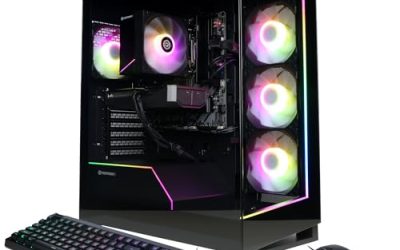
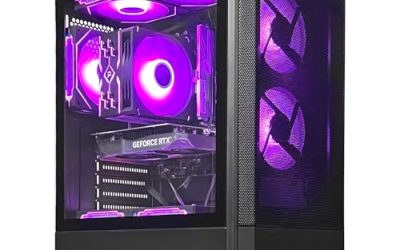
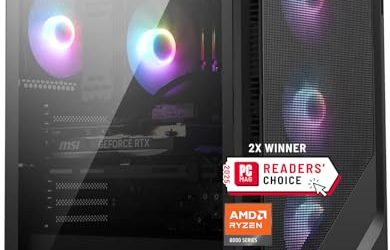
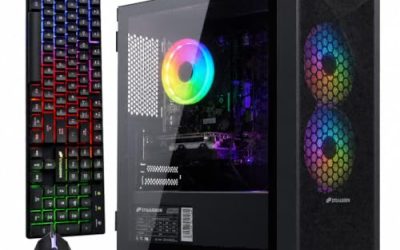
The case for buying a prebuilt gaming PC is speed and a single warranty. The case against it is the fear of getting locked in: a proprietary motherboard, a tiny power supply, or a case that cannot fit a new graphics card two years from now. Searching for an upgradable prebuilt is really a search for a machine built from standard parts, with a power supply that has spare wattage, memory and storage slots left open, and a processor platform that still has newer chips ahead of it. That is the filter used here, and it separates a PC you can grow from one you will replace.
The audience is first-time gaming PC buyers who do not want to build from scratch, and upgraders who plan to add RAM, storage, or a better graphics card in a year or two. Titles rarely say how many slots are free, so this guide judges upgrade headroom by the facts that are stated: the power supply rating and certification, the memory type and capacity, the cooling, and the processor platform. As the market looks in 2026, DDR5 and the AM5 platform are the safest bets for longevity, and older DDR4 systems are the ones to approach with care.
Our Top Picks



Top 3 picks at a glance
Quick Picks
As an Amazon Associate we earn from qualifying purchases at no extra cost to you.




| Product | Best for | Key spec from the title |
|---|---|---|
| CyberPowerPC Gamer Master (Ryzen 5) | Buyers who want upgrade limits spelled out | RAM upgradable to 64GB, storage upgradable, Windows 11 |
| KOTIN Gaming PC (Ryzen 7 9700X) | High-end build with current parts | RX 9070 XT 16GB, 32GB DDR5, 360mm liquid cooler, WiFi 7 |
| LXZ Prebuilt (Ryzen 7 8700F) | Mid-range entry to a modern platform | RTX 5060, DDR5, 1TB SSD, 650W PSU |
| Olialia Gaming PC (Ryzen 5 5500) | Lower-tier 1080p play | RTX 3060 Ti, 16GB RAM, 512GB SSD, 600W power |
| Skytech (Ryzen 7 9850X3D, RTX 5080) | Top-tier power with long-term headroom | RTX 5080, 32GB DDR5 6000, 2TB SSD, 850W Gold ATX 3 PSU |
| Skytech (Ryzen 7 9800X3D, RTX 5070) | High-end value with the same platform | RTX 5070, 32GB DDR5 6000, 2TB SSD, 850W Gold ATX 3 PSU |
How to Choose
Power supply headroom
The power supply is the first limit on a future graphics card upgrade. A unit rated 650W can feed a mid-range card, but a high-end card may demand 750W to 850W or more. Look for a stated wattage and an efficiency tier like Gold, and for ATX 3 support if you expect to move to newer cards that use the updated power connector. A listing that omits the wattage is a warning, because the seller may be hiding a weak unit. Also check the connector type: newer high-end cards use a different power plug, and an ATX 3 unit supports it natively without a clumsy adapter.
Platform and memory slots
The processor socket decides how many future chips you can drop in. Ryzen 7 8700F and Ryzen 9000-series chips sit on the AM5 platform, which pairs with DDR5 and has a longer runway ahead. A Ryzen 5 5500 belongs to the older AM4 platform, which is mature but near the end of its upgrade path. Memory matters too: two sticks in a four-slot board leave room to expand, while a board with two slots forces you to replace sticks later. Memory speed matters less than capacity, so a kit of 32GB at a moderate speed beats 16GB at a high one for modern games and background apps.
Storage and cooling
Look for an NVMe SSD with a free M.2 slot or space for extra drives. A 1TB drive fills fast with modern games, so plan for a second drive within a year. Cooling also affects longevity: a 360mm liquid cooler, as in two of these systems, keeps high-end processors quiet, while a tower air cooler is simpler and easy to service. Case airflow with several fans helps a new, hotter graphics card later. If the title shows a liquid cooler, remember that the radiator needs case space and the pump is one more part that can eventually fail, so a well-sized air cooler is a perfectly good alternative.
What to ignore and where budgets cut corners
Ignore RGB fan counts, extra USB-A ports, and marketing words like gaming beast. Budget prebuilts most often cut corners on the power supply, motherboard quality, and memory speed, and some use proprietary parts that block upgrades. A system with only the graphics card and CPU named in the title and nothing else is hiding something. Prefer listings that spell out the PSU and RAM, and be wary of any seller that will not name the motherboard chipset.
The 6 Best Options
CyberPowerPC Gamer Master (Ryzen 5)
A customized CyberPowerPC Gamer Master with a Ryzen 5, 8GB of RAM, a 240GB SSD plus a 2TB hard drive, and Windows 11. Its title explicitly says RAM is upgradable to 64GB and storage is upgradable, which is rare.
- Strength: the listing states upgrade ceilings for both memory and storage.
- Strength: the SSD plus 2TB hard drive combination gives a large base for games and files.
- Trade-off: 8GB of RAM and a small 240GB SSD mean you will want to upgrade soon.
Skip it if you want strong gaming performance out of the box; the visible title names no graphics card.
KOTIN Gaming PC (Ryzen 7 9700X)
A prebuilt with a Ryzen 7 9700X, a Radeon RX 9070 XT with 16GB, 32GB of DDR5, a 1TB SSD, an 11.3-inch smart display, a 360mm liquid cooler, WiFi 7, and a power supply whose rating is cut off in the title, so confirm it on the product page. It suits buyers who want current-generation parts.
- Strength: a current Ryzen platform with DDR5 and a 360mm liquid cooler leaves room for future processors.
- Strength: 32GB of DDR5 and an RX 9070 XT target high-resolution gaming.
- Trade-off: the smart display is a novelty feature that adds to the price without improving performance.
Skip it if you want a well-known brand with a long support record. Buyers who dislike show features should also pass, since the display and lighting add cost without raising frame rates.
LXZ Prebuilt (Ryzen 7 8700F)
A prebuilt with a Ryzen 7 8700F, an RTX 5060, DDR5 memory, a 1TB SSD, six RGB fans, a 650W power supply, and a mix of USB 2.0 and 3.0 ports. It is a mid-range entry onto the AM5 platform.
- Strength: DDR5 and a current-generation GPU give a modern base for 1080p and 1440p gaming.
- Strength: six fans suggest airflow was considered.
- Trade-off: a 650W unit limits how far you can push a graphics card upgrade.
Skip it if you plan to install a high-end card later, since the power supply is the ceiling. The memory listing is ambiguous, so confirm capacity on the product page, and ask whether a spare slot remains for adding more.
Olialia Gaming PC (Ryzen 5 5500)
A Ryzen 5 5500 system with an RTX 3060 Ti, 16GB of RAM, a 512GB SSD, RGB lighting, WiFi 6, a 600W power supply, and Windows 11 in a panoramic tower. It targets budget 1080p play.
- Strength: an RTX 3060 Ti and 16GB of RAM handle 1080p comfortably.
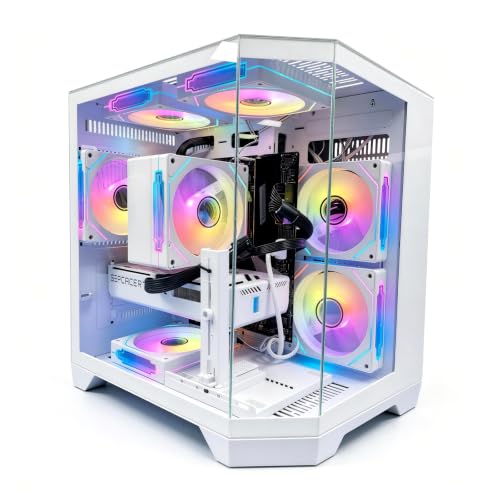
- Strength: the panoramic glass tower makes it easy to see and service the parts.
- Trade-off: the processor sits on an older platform with a limited upgrade path, and 600W caps graphics upgrades.
Skip it if long-term upgradability matters more than the lowest entry point. Buyers who expect to swap in a new processor in a few years will find few options on this older platform.
Skytech (Ryzen 7 9850X3D, RTX 5080)
A Skytech desktop with a Ryzen 7 9850X3D, an RTX 5080, 32GB of DDR5 6000, a 2TB NVMe SSD, an 850W Gold ATX 3 PSU, and a 360mm ARGB liquid cooler. It is the top-tier option here.
- Strength: an 850W Gold ATX 3 PSU gives real headroom for future graphics cards.
- Strength: DDR5 6000 and a 2TB SSD offer ample speed and space on a modern platform.
- Trade-off: it sits at the premium tier, so it costs well above the other options.
Skip it if you game at 1080p or want to save, since the power is unlikely to be used. A cheaper system would give the same visible results at those settings.
Skytech (Ryzen 7 9800X3D, RTX 5070)
A Skytech desktop with a Ryzen 7 9800X3D, an RTX 5070, 32GB of DDR5 6000, a 2TB Gen4 NVMe SSD, an 850W Gold ATX 3 PSU, and a 360mm ARGB cooler. It shares its platform with the RTX 5080 model at a lower tier.
- Strength: it uses the same PSU, memory, and cooling as the top model, so later upgrades fit.
- Strength: the X3D processor with an RTX 5070 targets high-frame-rate play.
- Trade-off: it still sits in the premium bracket, and a second drive would be needed once the 2TB fills.
Skip it if you want the strongest graphics card on day one or you game on a tight budget. Players who only want 1080p can also save by choosing a lower tier.
Which One Fits Your Situation
You want to upgrade the graphics card in two years
The Skytech RTX 5070 system keeps an 850W Gold ATX 3 PSU and a modern platform, so it has the most room to swap in a future card.
You want a clear upgrade path from a small start
The CyberPowerPC Gamer Master spells out its RAM and storage ceilings. Plan to add a graphics card and more memory soon after purchase, and budget for a power supply check before you do.
You want current parts and extra features
The KOTIN pairs a Ryzen 9700X and RX 9070 XT with a 360mm cooler and WiFi 7, which suits buyers who want the newest hardware.
You game at 1080p on a budget
The Olialia with an RTX 3060 Ti and the LXZ with an RTX 5060 both cover the basics. The LXZ sits on the newer platform, so it has the better long-term story.
Common Mistakes
- Buying a system with a weak power supply and then finding no room for a better graphics card.
- Choosing an older platform without realizing there are few processors left to upgrade to.
- Ignoring free M.2 and memory slots, which titles rarely mention.
- Paying extra for RGB and smart displays instead of power and cooling.
- Skipping the case dimensions when planning a larger graphics card, then finding it will not fit beside the cooler or drive cage.
Frequently Asked Questions
What makes a prebuilt PC upgradable?
Standard parts, a power supply with spare wattage, open memory and storage slots, and a platform with newer processors ahead. Proprietary cases and boards are the main obstacles.
How much power supply do I need for a future graphics card?
Aim for 750W to 850W for a high-end card, and look for Gold efficiency and ATX 3 support. A 600W or 650W unit limits you to mid-range cards.
Is DDR5 important?
For a new build it is the sensible choice, since DDR5 platforms will see newer processors. DDR4 systems work well today but offer fewer future upgrades.
Can I upgrade a prebuilt without voiding the warranty?
Policies vary by seller. Read the warranty terms before opening the case, and keep original parts if you may need to return the system.