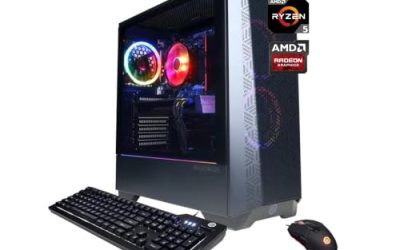
The AMD Ryzen 7 9800X3D is the best Ryzen CPU for a gaming build in this group: it pairs eight Zen 5 cores with 96 MB of stacked 3D V-Cache, and independent reviewers have consistently placed this class of chip at or near the top of gaming charts. “Ryzen for gaming” really comes down to cache and clock speed, not core count, which is why the X3D models lead this list and why a 6-core Ryzen 5 9600X can still make a very sensible budget-minded gaming build. All six processors here use the AM5 socket and DDR5 memory, so the right choice depends on how you split your spending between the CPU, graphics card and other parts.
Our Top Picks

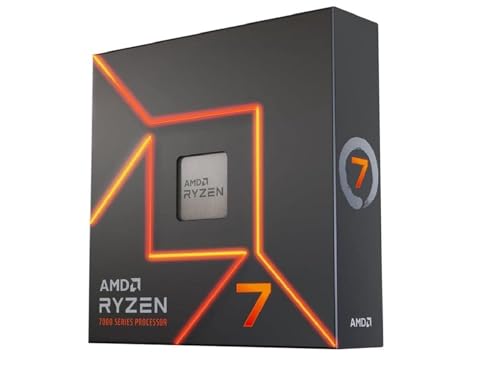


Top 3 picks at a glance

Quick List
- Ryzen 7 9800X3D – best overall for high-refresh gaming on AM5
- Ryzen 7 7700X – best for a Zen 4 build that wants high clock speeds without 3D V-Cache
- Ryzen 7 7800X3D – best for gamers who want V-Cache on a mature Zen 4 platform
- Ryzen 7 9700X – best for a cool, efficient 8-core with modern Zen 5 architecture
- Ryzen 9 9950X3D – best for gaming plus heavy creative or workstation use
- Ryzen 5 9600X – best entry point into Zen 5 for gaming-focused builds
Which One Is Right for You?
| If you… | Choose |
|---|---|
| Want the strongest gaming chip and do not need more than eight cores | Ryzen 7 9800X3D |
| Also edit video, render 3D or compile code between gaming sessions | Ryzen 9 9950X3D |
| Want V-Cache on Zen 4 and a slightly older platform generation | Ryzen 7 7800X3D |
| Need a mainstream 8-core with a low 65 W rating for a quiet, compact case | Ryzen 7 9700X |
| Are building for the lowest sensible cost of entry and play at higher resolutions | Ryzen 5 9600X |
| Prefer high boost clocks and an unlocked chip from the Zen 4 generation | Ryzen 7 7700X |
At 1440p and 4K the graphics card usually sets the ceiling, so putting more money into the GPU and less into the CPU is a legitimate approach. At 1080p and high refresh rates, the CPU matters more, and the X3D chips pull ahead.
All 6 Picks in Detail
1. AMD Ryzen 7 9800X3D – Best Overall for High-Refresh Gaming
As an Amazon Associate we earn from qualifying purchases at no extra cost to you.
The Ryzen 7 9800X3D is an 8-core, 16-thread Zen 5 processor on the AM5 socket with 96 MB of L3 cache thanks to stacked 3D V-Cache. AMD lists a 4.7 GHz base clock and a boost clock of up to 5.2 GHz, with a 120 W TDP. It suits gamers who chase high frame rates, particularly in CPU-limited titles such as simulators, strategy games and competitive shooters.
- 8 cores, 16 threads, Zen 5 architecture
- 4.7 GHz base, up to 5.2 GHz boost
- 96 MB L3 cache with 3D V-Cache
- 120 W TDP; socket AM5, DDR5 memory
- PCIe 5.0 support on AM5 platforms
- Integrated Radeon graphics for basic display output; no cooler in the box
Build notes: because the X3D chip runs at a 120 W rating, pair it with a good tower air cooler or a 240 mm all-in-one liquid cooler rather than a basic low-profile unit. Memory in the DDR5-6000 range is the common sweet spot for AM5. Update the motherboard firmware before installing, since early boards may need a newer version to recognize the chip.
Who should skip it: if your gaming happens at 4K with a mid-range graphics card, the graphics card will set your frame rate and a cheaper chip will feel nearly the same. It is also more than a pure office or browsing machine needs. Buyers in that position can put the difference toward a better GPU or faster storage.
Pros:
- Single-chiplet design with V-Cache accessible to all eight cores
- Top-tier gaming design with simple scheduling
Cons:
- Costs more than the non-X3D eight-core chips
- Eight cores limit heavy rendering compared with the 16-core option
Against the 9950X3D, it gives up cores but avoids the dual-chiplet scheduling complexity.
2. AMD Ryzen 7 7700X – Best for a Zen 4 Build with High Clocks
The Ryzen 7 7700X is an 8-core, 16-thread Zen 4 chip with a 4.5 GHz base clock and a boost of up to 5.4 GHz. It carries 32 MB of L3 cache and a 105 W TDP. It suits builders who want a capable all-around gaming and productivity CPU on the AM5 socket without paying for V-Cache.
- 8 cores, 16 threads, Zen 4 architecture
- 4.5 GHz base, up to 5.4 GHz boost
- 32 MB L3 cache
- 105 W TDP; AM5 socket, DDR5 memory
- Unlocked for overclocking; no cooler included
- Integrated Radeon graphics
Build notes: this chip is the oldest in the list and its architecture is one generation behind the Zen 5 models. For a pure gaming build, the V-Cache chips are stronger, and for efficiency, the 9700X draws far less power. It remains a flexible choice if you find it at a good deal and want an easy AM5 entry point.
Who should skip it: anyone building a small, quiet system, since the 105 W rating asks more of the cooler than the 65 W chips do. Buyers chasing the best gaming results should look at the V-Cache models, and those who want the latest architecture should choose a Zen 5 part.
Pros:
- High boost clock and unlocked multiplier
- Strong all-rounder for games and general tasks
Cons:
- Higher power draw than the Zen 5 65 W chips
- No V-Cache, so gaming lead is smaller
The 9700X matches its core count with a newer architecture and a lower power rating.
3. AMD Ryzen 7 7800X3D – Best for V-Cache on a Mature Platform
The Ryzen 7 7800X3D is an 8-core, 16-thread Zen 4 processor with 96 MB of L3 cache through 3D V-Cache, a 4.2 GHz base clock and up to 5.0 GHz boost. It has a 120 W rating. It suits gamers who want the V-Cache advantage on a platform that has had time to mature.
- 8 cores, 16 threads, Zen 4 architecture
- 4.2 GHz base, up to 5.0 GHz boost
- 96 MB L3 cache with 3D V-Cache
- 120 W TDP; AM5, DDR5
- Multiplier is locked, though memory tuning is supported
- No cooler included
Build notes: the 7800X3D is the earlier-generation counterpart to the 9800X3D and has the same core count and cache size. Its main trade-off is lower clock speeds and an older architecture. Since it has been on the market longer, it can be easier to find on sale and pairs well with the same boards and memory as the newer chips.
Who should skip it: people who like to tune CPU clocks by hand, because the multiplier is locked, and anyone who wants the newest architecture and the highest boost clock. It is a better fit for buyers who prefer to set the system up once and leave it alone.
Pros:
- Excellent gaming design with 96 MB L3
- Mature, well-supported platform
Cons:
- Zen 4 rather than Zen 5
- Locked multiplier limits overclocking
It is the direct predecessor of the top pick and the sensible choice if the newer chip is out of reach.
4. AMD Ryzen 7 9700X – Best for a Cool, Efficient 8-Core

The Ryzen 7 9700X is an 8-core, 16-thread Zen 5 processor with a 3.8 GHz base clock, up to 5.5 GHz boost, 32 MB of L3 cache and a 65 W TDP. It suits builders who want a modern, efficient chip for gaming and everyday work that runs cool and quiet, particularly in smaller cases.
- 8 cores, 16 threads, Zen 5 architecture
- 3.8 GHz base, up to 5.5 GHz boost
- 32 MB L3 cache
- 65 W TDP; AM5, DDR5
- Unlocked; no cooler included per AMD
- Integrated Radeon graphics
Build notes: the 65 W rating means a mid-range tower cooler is more than enough, which saves money and noise. It does not have V-Cache, so for high-refresh gaming it sits below the X3D chips, but it handles productivity work well and leaves headroom for a strong graphics card.
Who should skip it: competitive players who want the maximum frame rate at 1080p. The gap between a non-X3D chip and an X3D chip is clearest there, and the 9700X is better viewed as an efficient all-rounder than as a gaming specialist.
Pros:
- Low power and heat for an 8-core
- Modern Zen 5 features at a lower cooling requirement
Cons:
- Gaming performance trails the X3D models
- Lower base clock than Zen 4 predecessors
It trades the 7700X’s higher clocks for efficiency, which is a better fit for small cases.
5. AMD Ryzen 9 9950X3D – Best for Gaming Plus Heavy Creative Work

The Ryzen 9 9950X3D is a 16-core, 32-thread Zen 5 processor with a 4.3 GHz base clock, up to 5.7 GHz boost and 128 MB of L3 cache, and a 170 W TDP. It uses two chiplets, with 3D V-Cache on one of them. It suits users who game and also render, encode or compile code on the same machine.
- 16 cores, 32 threads, Zen 5 architecture
- 4.3 GHz base, up to 5.7 GHz boost
- 128 MB L3 cache, with V-Cache on one chiplet
- 170 W TDP; AM5, DDR5
- Requires a strong cooler; none included
- Integrated Radeon graphics
Build notes: games typically use the cache-equipped chiplet, while heavy workloads use both, so the chip aims to give a gaming profile close to the 9800X3D along with workstation throughput. Use a high-quality 280 mm or 360 mm liquid cooler or a top-tier dual-tower air cooler and a board with robust power delivery, since the 170 W rating demands it.
Who should skip it: gamers who do not edit video, render 3D or run heavy workloads. Sixteen cores sit idle in most games, and the 170 W rating means a larger cooler, a better power supply and a stronger motherboard. The single-chiplet 9800X3D is cheaper to support.
Pros:
- 16 cores for production work
- Highest boost clock in the list
Cons:
- Highest cooling and motherboard demands
- Paying for cores that most gamers will not use
If you only game, the 9800X3D is the more focused choice.
6. AMD Ryzen 5 9600X – Best Entry Point into Zen 5 Gaming
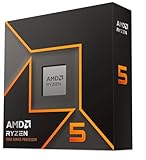
The Ryzen 5 9600X is a 6-core, 12-thread Zen 5 processor with a 3.9 GHz base clock, up to 5.4 GHz boost, 32 MB of L3 cache and a 65 W TDP. It suits gamers on a tighter budget who still want a modern platform and plan to put most spending into the graphics card.
- 6 cores, 12 threads, Zen 5 architecture
- 3.9 GHz base, up to 5.4 GHz boost
- 32 MB L3 cache
- 65 W TDP; AM5, DDR5
- Unlocked; no cooler included per AMD
- Integrated Radeon graphics
Build notes: six cores are plenty for current games, and the 65 W rating keeps cooling cheap. If you later want more power, the AM5 socket allows an upgrade to the eight-core or X3D chips without replacing the motherboard, assuming firmware support.
Who should skip it: streamers and creators who multitask while gaming, since six cores leave less spare capacity for background work. It is also not the pick for high-refresh competitive play, where a V-Cache processor offers a larger gain.
Pros:
- Efficient and easy to cool
- Clear upgrade path on AM5
Cons:
- Fewer cores for heavy multitasking
- Gaming lead over older chips is modest outside CPU-limited titles
It sits one step below the 9700X in cores, and well below the X3D chips in gaming ceiling.
Specs Compared
| Processor | Architecture | Cores / threads | Base / boost | L3 cache | TDP | Socket |
|---|---|---|---|---|---|---|
| Ryzen 7 9800X3D | Zen 5 | 8 / 16 | 4.7 / 5.2 GHz | 96 MB | 120 W | AM5 |
| Ryzen 7 7700X | Zen 4 | 8 / 16 | 4.5 / 5.4 GHz | 32 MB | 105 W | AM5 |
| Ryzen 7 7800X3D | Zen 4 | 8 / 16 | 4.2 / 5.0 GHz | 96 MB | 120 W | AM5 |
| Ryzen 7 9700X | Zen 5 | 8 / 16 | 3.8 / 5.5 GHz | 32 MB | 65 W | AM5 |
| Ryzen 9 9950X3D | Zen 5 | 16 / 32 | 4.3 / 5.7 GHz | 128 MB | 170 W | AM5 |
| Ryzen 5 9600X | Zen 5 | 6 / 12 | 3.9 / 5.4 GHz | 32 MB | 65 W | AM5 |
How We Chose These
This guide is based on AMD’s published specifications and listing details, not on personal use of the processors. We took the six Ryzen CPUs in the current catalog set and compared them on factors that matter for gaming: cache size, boost clock, core count, power rating, architecture generation and platform requirements. We did not quote frame-rate figures, because results vary with the graphics card, resolution and game. Instead, we describe where each chip tends to land based on its design and note that independent reviews are the best source for specific game results.
What to Look For
Choosing a Ryzen CPU for gaming is mostly about matching the chip to your resolution, your graphics card and your cooling. The points below turn the spec sheet into practical rules, and they apply to any AM5 processor, not just the six in this guide. Keep in mind that every figure quoted here comes from AMD’s published specifications, so real-world clock speeds and power draw will vary with your cooler, motherboard and firmware settings, and you should confirm the details on the product page before you buy.
Cache vs Cores vs Clock Speed
Games tend to depend on a handful of fast threads and a lot of fast memory access. That is why 3D V-Cache chips lead gaming: with 96 MB or more of L3 cache, more data stays close to the cores, reducing waits on main memory. Clock speed still matters, so the 5.0 to 5.7 GHz boost range on these chips is relevant, but cache has been the bigger differentiator in recent generations. Core count above eight matters mainly for productivity, streaming while gaming and heavy multitasking. As a rule of thumb, buy the cache first, the clock second and the cores last if gaming is the priority.
Platform: AM5, DDR5, PCIe 5.0 and Chipsets
All six chips use the AM5 socket and DDR5 memory; none will fit older AM4 boards. Motherboards in the A620, B650, B850, X670 and X870 families support these processors, though older boards may need a firmware update for the newest chips. DDR5-6000 memory is widely used because it keeps the memory controller and fabric in a balanced ratio. Check that your board has a PCIe 5.0 graphics slot or at least PCIe 4.0 x16 if you are buying a recent graphics card, and look for an M.2 slot with PCIe 5.0 if you want next-generation SSDs.
Cooling and Power Delivery
None of these processors include a cooler. A 65 W chip like the 9600X or 9700X is happy with a mid-range tower. The 120 W X3D models appreciate a quality tower or 240 mm liquid cooler, and the 170 W 9950X3D wants a 280 or 360 mm liquid cooler or a flagship dual-tower. Worked example: if a cooler is rated for 200 W, it comfortably handles a 120 W chip and leaves headroom for quiet fan curves, while a 150 W cooler would be close to its limit on the 170 W chip. Boards with beefier voltage regulators handle the high-power chips better.
Pairing the CPU with the Graphics Card
The best balance depends on resolution. At 1080p with a fast graphics card, the CPU is more likely to limit performance, so an X3D chip pays off. At 1440p it matters less, and at 4K the GPU is usually the limiter, so a 6- or 8-core non-X3D chip can pair well with a high-end graphics card. A sensible rule is to avoid spending so much on the CPU that the graphics card must be downgraded.
Memory, Storage and the Rest of the Build
A fast CPU only helps if the rest of the system keeps up. Two DDR5 modules in a dual-channel layout, usually 32 GB for current games, are the standard pairing. A PCIe 4.0 or 5.0 NVMe SSD keeps load times short, and a power supply sized for the graphics card matters more than anything else on the power side because the CPUs here draw 65 to 170 W. Spend in this order for gaming: graphics card, then CPU, then memory and storage, then everything else.
Integrated Graphics and Troubleshooting
The small Radeon graphics in each chip is useful for troubleshooting, since you can boot the system with no graphics card installed to check whether a problem lies with the card. It is not designed to play modern games, but it handles desktop work, video playback and basic display output.
Upgrade Path and Longevity
AMD has supported the AM5 socket across multiple generations, so a board bought for a 9600X can often accept an X3D chip later with a firmware update. That makes starting with a more modest chip a flexible strategy, as long as you confirm the board’s supported CPU list.
Questions
Is the Ryzen 7 9800X3D better than the 9950X3D for gaming?
The two are close in gaming because both give games access to V-Cache, and the 9800X3D has a simpler single-chiplet design. The 9950X3D adds more cores for production work, so it is a better pick if you do both.
Do these Ryzen CPUs include a cooler?
AMD lists the thermal solution as not included for these models. Budget for a separate air or liquid cooler.
Will these chips work on an AM4 motherboard?
No. They need an AM5 board and DDR5 memory.
Is the 7800X3D still worth buying?
It remains a strong gaming chip with 96 MB of L3 cache and 8 cores. The 9800X3D is newer and faster in clocks, but the 7800X3D can be a good alternative when it is available.
Is 6 cores enough for gaming?
For most current games, yes. If you stream, run background apps or edit video, an 8-core chip gives more headroom.
Which Ryzen is best if I also stream my games?
The 9950X3D has the most spare cores for encoding while a game runs, though an 8-core chip with a modern hardware encoder on your graphics card also works well. Streamers who want a balance of gaming speed and headroom usually look at the 9800X3D or the 9950X3D.
Update History
- October 21, 2026 – Initial publication; product set drawn from current catalog listings.
- Check the product page for current specifications and availability before buying.
Sources
- AMD product and specification pages for the Ryzen 5, 7 and 9 desktop processors listed
- Retailer listing titles and specification fields for each processor
- Published CPU reviews, consulted for architecture and cache comparisons