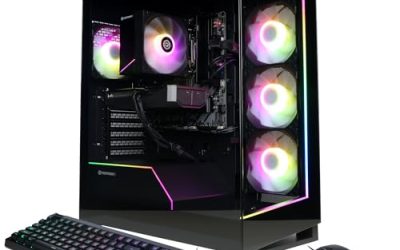
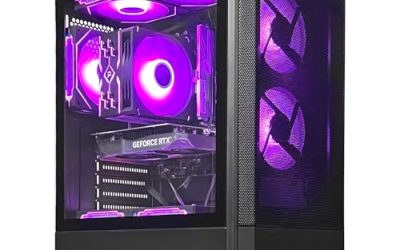
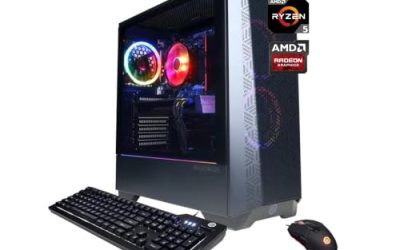
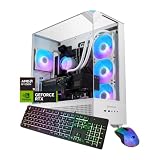
The first gaming PC is a strange purchase because you do not yet know which of your habits will matter. You might play one esports title every night, or you might want a quiet machine that also handles homework, streaming clips and the odd weekend with a big single-player game. The risk runs in both directions: spend too little and the machine feels slow within a year, spend too much and you pay for a graphics card and cooling you never push.
The seven desktops below cover the realistic entry range for 2026, from a modest tower with older graphics hardware to a DDR5 system with a current mid-range GeForce card. Everything said about each machine comes from its listing title, so treat the write-ups as a way to decide which questions to ask. If you have never opened a PC case, a dedicated graphics card, at least 16GB of memory and a 1TB solid-state drive give you a machine that is easy to live with.
Our Top Picks


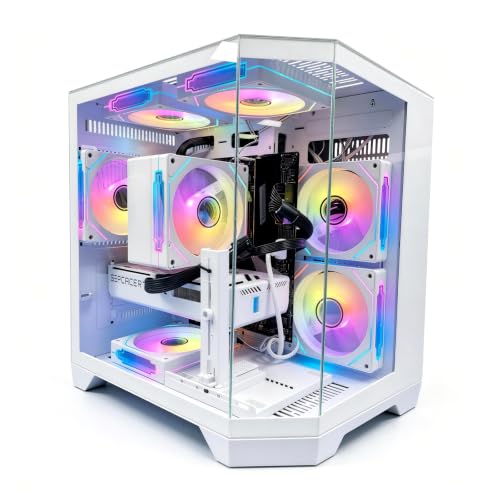


Top 3 picks at a glance
Quick Picks
As an Amazon Associate we earn from qualifying purchases at no extra cost to you.


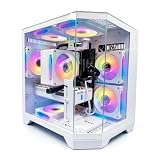


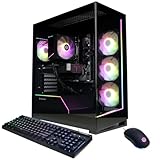
| Product | Best for | Key spec from the title |
|---|---|---|
| STGAubron Core i5 RX 550 | Lowest-pressure entry, light games and schoolwork | Core i5, RX 550 4G, 16G RAM, 512G SSD |
| ZYNEEX Ryzen 5 5500 RTX 3050 | Sensible 1080p starter with a modern GeForce card | Ryzen 5 5500, RTX 3050 6GB, 16GB DDR4 3200MHz, 1TB NVMe |
| YAWYORE Ryzen 7 5700X RTX 5060 | Buyers who want extra memory headroom | Ryzen 7 5700X, RTX 5060, 32GB DDR4, 1TB M.2 NVMe |
| LXZ Ryzen 7 8700F RTX 5060 | Newer DDR5 platform for a first build | Ryzen 7 8700F, RTX 5060, 16GB DDR5, 650W PSU |
| YAWYORE Ryzen 5 5600GT | Quiet everyday PC that can grow into a gaming one | R5 5600GT, 16GB DDR4 3200MHz, 1TB NVMe, 550W 80PLUS PSU |
| Olialia Ryzen 5 5600GT | Memory-heavy multitasking on a six-core chip | Ryzen 5 5600GT 6-core, 32GB RAM, 1TB SSD, 600W power |
| CyberPowerPC Gamer Master RTX 5060 Ti | Buy-once buyers who will not upgrade soon | Ryzen 7 8700F, RTX 5060 Ti 8GB, 16GB DDR5, 1TB PCIe 4.0 SSD |
The 7 Best Options
STGAubron Core i5 RX 550 Gaming PC
This is the most modest machine in the group, and it suits a buyer whose real goal is a first computer that can also run lighter games. Think of a teenager who mostly plays older multiplayer titles with friends, or a household that wants one tower for homework, video calls and the occasional casual session. Nobody should expect it to push a modern blockbuster at high settings, and the budget tier it occupies reflects that. Its best trait is honesty about what it is: a low-pressure way into PC gaming that leaves every upgrade path open.
The title lists a Core i5 running up to 3.6G, an RX 550 4G graphics card, 16G of RAM and a 512G SSD inside a tower with an ARGB fan. It also positions the PC for streaming, video editing, home and school use, which tells you the seller is aiming at general households rather than competitive players.
- The 16G of RAM is enough for a browser with many tabs running beside a game.
- A solid-state drive keeps boot and load times far shorter than a hard drive would.
- The tower format leaves room to add a stronger graphics card later.
- The RX 550 4G is an entry-level graphics chip, so expect low settings in newer titles.
- 512G fills quickly once a few large games are installed.
Skip it if you already know you want recent releases at smooth frame rates. Next to the ZYNEEX build, you give up a newer graphics architecture and half the storage in exchange for the lowest entry tier.
ZYNEEX Ryzen 5 5500 RTX 3050 Prebuilt
For many first-time buyers this is the cleanest balance in the group. It fits the person who wants smooth 1080p play in popular esports and mid-weight games without paying for a flagship card. The mix of a six-core Ryzen, a GeForce card and a full 1TB drive is the kind of combination that rarely feels like a mistake in the first year.
The title lists a Ryzen 5 5500, an RTX 3050 6GB card, 16GB of DDR4 at 3200MHz and a 1TB NVMe drive, cooled by an air cooler with ARGB lighting and sold with Wi-Fi in a tower case. Nothing here is exciting, and that is the point: every major part is a recognizable, sensible entry-level choice.
- A dedicated RTX 3050 gives a real step up from older entry cards.
- 1TB of NVMe storage gives room for a library and quick loading.
- Air cooling is simple, and there is no pump to fail.
- DDR4 means the platform is a generation behind the DDR5 builds further down.
- 6GB of video memory will limit texture settings in newer games.
Skip it if you want the longest possible runway before the next upgrade. Compared with the YAWYORE Ryzen 7 build that follows, it asks for less money in parts terms but offers a weaker graphics tier and half the memory. Also keep in mind that 16GB is a comfortable starting amount that is easy to double later, so the memory gap is cheaper to close than the graphics gap.
YAWYORE Ryzen 7 5700X RTX 5060 Gaming PC
This one rewards buyers who plan to run a game, a voice chat app, a browser and a recording tool together without thinking about it. It is a good match for a new streamer or a student who edits short videos between matches. The graphics card is a current-generation model, and the memory total is unusual for a starter machine.
The title shows a Ryzen 7 5700X, a GeForce RTX 5060, 32GB of DDR4 and a 1TB M.2 NVMe drive, with ARGB fans and WiFi plus Bluetooth. Compared with the cheaper towers above, the processor tier and the memory are both a notch higher, while the platform itself stays on DDR4.
- 32GB of RAM leaves slack for streaming or content work alongside games.
- A current-generation RTX 5060 is a meaningful graphics step above the 3050 tier.
- Wireless networking is built in, so no extra adapter is needed.
- The platform uses DDR4, which has a narrower upgrade path than DDR5.
- The title does not state a power supply wattage, so confirm it before planning a bigger card.
Skip it if future memory or processor upgrades matter more than day-one capacity. Against the LXZ build, you trade DDR5 for double the RAM, which many beginners will actually feel sooner than a platform advantage. A buyer who expects to keep the case for years should still ask what power supply sits inside, because that single part decides how freely the card can be replaced.
LXZ Ryzen 7 8700F RTX 5060 Prebuilt
The LXZ listing is the one to read if you want a newer platform without stepping up to the most expensive tier. It suits a buyer who wants to keep the machine for several years and expects to add memory or a better card at some point. The stated power supply gives some reassurance for that plan.
It names a Ryzen 7 8700F, an RTX 5060, 16GB of DDR5 and a 1TB SSD, with six RGB fans and a 650W PSU. It also lists seven USB 2.0 ports and three USB 3.0 ports, which is a lot of connectivity for peripherals but skews toward the slower standard.
- DDR5 memory gives the platform a longer life than DDR4 builds.
- The stated 650W supply leaves headroom for a graphics upgrade.
- Plenty of USB ports cover keyboard, mouse, headset and controllers.
- Most of the USB ports are the older 2.0 standard, which is slow for external drives.
- 16GB is adequate, but it is half of the Ryzen 7 5700X build above.
Skip it if you plan to move large files over USB often. It sits one step below the CyberPowerPC Gamer Master that closes this list, with the same processor family but a lower graphics tier, and it is the cleaner choice if you want DDR5 without paying for the top graphics tier. Buyers who like a tidy, fully specified listing will find this one easier to evaluate than the vaguer entries around it.
YAWYORE Ryzen 5 5600GT Desktop
This machine is a better fit for someone who is not sure gaming will stay the main use. It reads like a general-purpose family computer that could pick up a graphics card later, rather than a finished gaming rig. If a relative needs a fast everyday PC and may occasionally game, the specification list is sensible.
The title lists an R5 5600GT, 16GB of DDR4 at 3200MHz, a 1TB M.2 NVMe PCIe drive and a 550W 80PLUS power supply, with WiFi and Bluetooth in a tower. The listing names the processor but no separate graphics card, so confirm the graphics hardware before ordering.
- A 1TB NVMe drive is a good storage size at this tier.
- An 80PLUS power supply points to a reasonable power conversion standard.
- Wireless networking is included.
- Without a listed graphics card, game performance depends on the processor alone.
- A 550W supply limits how large a later graphics card can be.
Skip it if you want guaranteed modern game performance from day one. Compared with the Olialia machine next, you get the same processor name but half the memory, so the choice comes down to whether capacity or the power supply matters more to you. Either way, a short message to the seller about the graphics hardware is worth sending before you pay.
Olialia Ryzen 5 5600GT Gaming PC
Olialia sells a similar Ryzen 5 5600GT tower, and this one’s draw is memory. It is a sensible option for a beginner who works on large spreadsheets, runs several browser windows and wants to try games on the side. The extra capacity makes the system feel relaxed under mixed workloads.
The title cites a six-core processor, 32GB of RAM, a 1TB SSD, a 600W power supply, ARGB fans and WiFi. As with the previous listing, no separate graphics card is named in the visible title text, so buyers should confirm what handles graphics before relying on it for demanding games.
- 32GB of RAM is rare at this tier and helps multitasking.
- A 600W supply gives somewhat more upgrade room than 550W.
- Six cores handle everyday work and background apps comfortably.
- The visible title gives no graphics card, so gaming ability is unconfirmed.
- No storage interface or RAM speed is stated.
Skip it if you want a guaranteed discrete GPU. It is a stronger buy for productivity than the YAWYORE 5600GT, and both ask you to verify graphics details before you commit. If the seller confirms a capable discrete card, this becomes a very roomy starter system; if not, treat it as an office and study computer that happens to look like a gaming tower.
CyberPowerPC Gamer Master RTX 5060 Ti
The most capable machine here suits a beginner who wants to buy once and play for years. It targets someone who has watched friends struggle with underpowered first builds and would rather start with a solid graphics card, a fast drive and an operating system that is already installed.
The title lists a Ryzen 7 8700F, a GeForce RTX 5060 Ti 8GB, 16GB of DDR5 and a 1TB PCIe 4.0 SSD, with WiFi readiness and Windows 11 Home preinstalled. The processor matches the LXZ build, so the difference is mostly the stronger graphics card.
- The RTX 5060 Ti is the strongest graphics card in the group.
- A PCIe 4.0 SSD loads games quickly.
- Windows 11 Home is included, so setup starts immediately.
- It sits at the top of the group, so it asks for the biggest budget.
- 16GB of DDR5 is enough today, but 32GB would be more future-proof.
Skip it if you only play light titles, since the extra graphics power would sit idle. It is the destination pick, and the LXZ build is the closest cheaper alternative. Its real advantage is peace of mind: a stronger card, a fast drive and a preinstalled operating system mean fewer decisions after the box arrives.
Who Needs a Beginner Gaming PC
A first gaming desktop makes sense in a few distinct situations, and which one describes you changes the right choice. The common thread is that you want a machine that works on day one and leaves room to grow, rather than one that demands constant tinkering.
The student who needs one machine for everything
If the same computer must handle coursework, video calls and games after class, favor memory and storage over peak graphics. The ZYNEEX or Olialia towers fit this person, since 16GB to 32GB of RAM and a 1TB drive keep the system responsive when many apps are open at once.
The console player switching to PC
Someone moving from a console wants games to just work at comfortable frame rates. A current graphics card matters most here, which points to the RTX 5060 or RTX 5060 Ti builds. These come ready to turn on, so setup is closer to plugging in a console than to building a computer. Add a controller or a keyboard and mouse you already like, and the learning curve is mostly about the game launcher rather than the hardware.
The parent buying for a young gamer
A parent usually values quiet operation, wireless networking and an easy upgrade path over the largest numbers. A tower with an air cooler, a 600W or larger supply and a dedicated card can be improved one part at a time as interest grows, without replacing the whole machine.
How to Choose Your First Gaming PC
Start with the graphics card
The graphics card sets what games look like and how smoothly they run. For a newcomer, look for a dedicated card with at least 6GB of video memory, and prefer 8GB if you want current releases at higher texture settings. Entry cards such as the RX 550 4G cope with older and lighter titles, while RTX 3050 and RTX 5060 tier cards move into modern 1080p play. If a listing names only a processor, ask whether a graphics card is included, and treat silence as a warning sign.
Memory and storage thresholds
Aim for 16GB of RAM as the floor and 32GB if you also stream or edit. Dual-channel memory, meaning two sticks, performs better than a single stick of the same total size, so check for it. Memory speed matters less than capacity at this level: DDR4 at 3200MHz and DDR5 at the common speeds are both fine for games, and chasing a higher number rarely changes what you see on screen. For storage, 1TB is the practical minimum because several modern games each take a large share, and 512G fills fast. An NVMe solid-state drive is the standard to look for, and PCIe 4.0 is a bonus rather than a requirement at this level.
Processor cores and platform
Six cores with twelve threads handle most games well, and eight cores give breathing room for background apps. Between platforms, DDR5 systems offer a longer upgrade path than DDR4 ones, but a well-balanced DDR4 build is perfectly playable. Do not pay extra for processor speed if the graphics card is weak, since that pairing leaves the money unused. A chip with a letter F in its name has no integrated graphics, so it depends entirely on the separate card.
Power supply and cooling
For a build with a mid-range card, look for a power supply of about 550W to 650W from a named 80PLUS tier, and larger if you expect to upgrade. Air cooling is simple and quiet at this level. A liquid cooler adds noise sources and cost, and it is rarely necessary on entry processors. Look for at least one intake and one exhaust fan so heat does not build up inside the case. Dust filters on the front and bottom are a small feature that keeps temperatures steady for years, and they cost the seller almost nothing to include.
Ports, wireless and case
Count the USB ports you need, and note how many are USB 3.0 or faster, since older USB 2.0 ports slow external storage. WiFi and Bluetooth are convenient if you cannot run a cable to your router. Check that the case has airflow through the front and a vented panel, since closed glass panels can trap heat on a crowded desk. Also look at the rear of the machine in the photos: a graphics card with at least one HDMI and one DisplayPort output gives you flexibility if you later change monitors, and front USB-C or headphone jacks save you from crawling behind the desk every day.
What to ignore and where budget models cut corners
Ignore RGB fan counts, flashy case names and unexplained gaming labels; they say nothing about performance. Budget models most often save money on the power supply, the SSD quality and the motherboard features, so look for a stated wattage, a named SSD interface and a listed warranty. Treat missing details as a question to ask the seller rather than a detail to assume. A quick checklist helps: named graphics card, 16GB or more of RAM, 1TB NVMe storage, a power supply wattage you can read, and a stated warranty period. If a listing fails two or more of those, move on to the next candidate.
DDR4 Platform or DDR5 Platform
Among the listed machines, the real fork is memory generation. The ZYNEEX, YAWYORE Ryzen 7 5700X and Ryzen 5 5600GT builds use DDR4, while the LXZ and CyberPowerPC machines use DDR5. A beginner often fixates on the label, so the table below summarizes what actually changes.
| Factor | DDR4 builds | DDR5 builds |
|---|---|---|
| Listed examples | ZYNEEX, YAWYORE, Olialia | LXZ, CyberPowerPC |
| Upgrade path | Narrower, older platform | Longer runway |
| Memory on the listing | 16GB to 32GB | 16GB on both |
| Best for | Maximum capacity at the entry tier | Buying once and keeping it |
When DDR4 is the smarter buy
DDR4 systems often put more memory and storage into the same budget. If your games are modest and you want 32GB for multitasking, the YAWYORE Ryzen 7 5700X is a fair example of where the savings go. A newcomer will rarely notice the platform difference in daily play, and the extra capacity is something you can use immediately.
One more practical point: the DDR4 builds here tend to pair older processors with newer graphics cards, such as the Ryzen 7 5700X with an RTX 5060. That pairing is fine for 1080p, but it means the processor, not the card, is the part you will want to replace first when you eventually upgrade.
When DDR5 pays off
DDR5 matters if you expect to keep the computer for many years and upgrade the memory and processor along the way. The LXZ and CyberPowerPC machines are the picks that fit that plan, since their platform is newer and less likely to feel dated. You can always add a second memory kit later, which is harder to justify on an aging platform.
Setup, Compatibility and Upgrade Tips
What to check before buying
Confirm the graphics card is named in the listing, the memory runs as two sticks if possible, and the power supply has a stated wattage. Check your monitor inputs: a card with HDMI and DisplayPort covers most displays. Also check the warranty terms and whether the operating system is already included, because a bare machine adds another purchase and an installation step.
What to upgrade first
If a machine arrives with a single memory stick, adding a matching second stick is the cheapest meaningful improvement. After that, the graphics card is the next lever, followed by extra storage. Most entry towers have a free M.2 slot or drive bay for additional space, but check the case and motherboard before you buy a drive. Keep the original packaging and paperwork for the first weeks, since any problem with a part is easiest to resolve while the return window is open.
Common compatibility traps
Mixing DDR4 and DDR5 is impossible, so buy memory that matches your platform. A small power supply can block a larger graphics card, and some compact cases limit card length. Proprietary motherboards or power connectors in a few prebuilt towers restrict later part swaps, so look for standard parts and ask the seller before planning a major upgrade. Finally, remember that a new machine needs its graphics driver installed from the card maker, and that plugging the monitor into the card rather than the motherboard is the most common first-day mistake that makes a powerful PC look slow.
Which One Fits Your Situation
You want the lowest entry tier and mostly light games
The STGAubron Core i5 RX 550 tower fits a buyer who mostly plays older or lighter titles and wants a computer for school as well. Plan on adding storage soon, since 512G goes quickly.
You want a balanced 1080p starter
The ZYNEEX Ryzen 5 5500 RTX 3050 is the straightforward choice, with a dedicated card, 1TB of NVMe storage and 16GB of RAM in a tower that is easy to open and improve.
You stream or edit alongside gaming
The YAWYORE Ryzen 7 5700X RTX 5060 suits this person, since 32GB of RAM and a current graphics card cover both tasks without an immediate upgrade.
You want to buy once and keep it
The CyberPowerPC Gamer Master RTX 5060 Ti has the strongest graphics card and a DDR5, PCIe 4.0 platform that should stay current longest, which makes it the pick for someone who dislikes upgrading.
Common Mistakes
- Buying on RGB fan count rather than the graphics card and memory, when lighting adds nothing to performance.
- Choosing a machine that lists only a processor and assuming a graphics card is included.
- Settling for 512G of storage and running out of room after a few large installs.
- Ignoring the power supply wattage when planning a later graphics upgrade.
- Paying for a top processor while pairing it with an entry graphics card, which leaves the processor underused.
- Skipping the warranty terms and return policy because the case looks impressive.
Frequently Asked Questions
How much RAM does a beginner gaming PC need?
Sixteen gigabytes is the practical floor for current games, and it covers most players. If you stream, edit video or keep many browser tabs open, 32GB is more comfortable and avoids slowdowns.
Is a prebuilt gaming PC a good first choice?
Yes, for most newcomers. It arrives assembled, and the parts are chosen to work together, which removes compatibility guesswork. Look for standard components if you plan to upgrade later.
Do I need a dedicated graphics card?
For modern games, yes. Integrated graphics handle older and lighter titles, but a dedicated card is what lets a gaming PC run current releases at comfortable settings and resolutions.
Is 512G of storage enough?
It works for a few games and daily use, but it fills quickly because many titles are large. A 1TB solid-state drive is the safer starting point and is common at this tier.
Will I need a monitor and peripherals?
Almost always, yes. Prebuilt towers usually ship without a monitor, keyboard or mouse, so factor those in when planning your total setup and check that your display has a matching input.
Can I upgrade these desktops later?
Generally yes, since they are towers. Memory, storage and the graphics card are the usual upgrades, though power supply size and case clearance set limits on how far you can go.
Final Words
A good first gaming PC is not the one with the biggest numbers; it is the one whose graphics card, memory and storage are balanced for how you will actually play. For a modest budget, the ZYNEEX RTX 3050 tower is the safe middle road, while the CyberPowerPC RTX 5060 Ti machine is the stronger long-term purchase. Read each title for a named graphics card, at least 16GB of RAM and a 1TB drive, and you will avoid most first-time mistakes and enjoy the machine from the first evening. Whichever tower you pick, buy a matching second memory stick or extra storage only after you have lived with it for a few weeks.