A budget of under 2000 dollars is a generous ceiling for a prebuilt gaming PC, and that generosity is exactly what makes shopping tricky. Spend it badly and you end up with an older processor wrapped in a showy case; spend it well and you get a machine that plays current games at high settings for years. The temptation is to chase the biggest graphics card on the page, but at this level the balance between the card, the processor, the memory and the cooling decides how the computer feels day to day.
The six desktops here span a wide range: a modest RTX 3050 tower, a trio of RTX 5060 machines, an older RTX 3060 Ti build and a Radeon RX 9070 XT system with a liquid cooler and a built-in display. Everything stated about them comes from the listing titles, so treat the notes as a shortlist guide for 2026 rather than a verdict on any single unit. The most useful habit is to ask which part of each machine is the weakest link, and whether that weakness matters for the games you actually play.
Our Top Picks



Top 3 picks at a glance
Quick Picks
As an Amazon Associate we earn from qualifying purchases at no extra cost to you.



| Product | Best for | Key spec from the title |
|---|---|---|
| ZYNEEX Ryzen 5 5500 RTX 3050 | Entry 1080p play without using the whole allowance | Ryzen 5 5500, RTX 3050 6GB, 16GB DDR4 3200MHz, 1TB NVMe |
| LXZ Ryzen 7 8700F RTX 5060 | DDR5 platform at a mid-range tier | Ryzen 7 8700F, RTX 5060, 16GB DDR5, 650W PSU |
| KOTIN Ryzen 7 9700X RX 9070 XT | Highest-performance pick with a liquid cooler | Ryzen 7 9700X, RX 9070 XT 16GB, 32GB DDR5, 360mm liquid cooler, WiFi 7 |
| Unbranded Ryzen 7 5700X RTX 5060 | Plain RTX 5060 system with remote-controlled RGB | Ryzen 7 5700X, RTX 5060, 1TB SSD, 16GB DDR4 |
| Olialia Ryzen 5 5500 RTX 3060 Ti | Older high-tier GeForce card in a panoramic case | RTX 3060 Ti, Ryzen 5 5500, 16GB RAM, 512GB SSD, 600W |
| HOENGAGER Panorama Ryzen 7 5700X RTX 5060 | Memory-rich build with an AIO cooler | Ryzen 7 5700X, RTX 5060, 32GB DDR4, 1TB NVMe, 240mm AIO |
The 6 Best Options
ZYNEEX Ryzen 5 5500 RTX 3050 Prebuilt
This is the lowest-tier machine in a list with a high ceiling, and it makes sense for a buyer who would rather keep money back than use the whole allowance. It suits a player of popular esports and mid-weight titles at 1080p who sees a gaming PC as a long-term tool rather than a showpiece, and who would happily put the savings toward a better monitor.
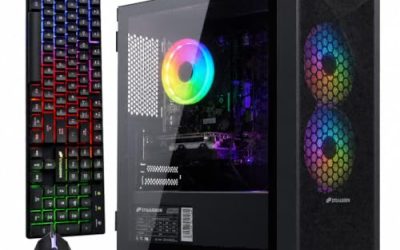
The title lists a Ryzen 5 5500, a GeForce RTX 3050 6GB, 16GB of DDR4 at 3200MHz and a 1TB NVMe drive, cooled by ARGB air cooling, with Wi-Fi in a tower case. The pieces are sensible and balanced, but the graphics card sits on the entry rung of the GeForce range, so the machine reads as a careful starter system rather than a performance statement.
- A dedicated RTX 3050 handles popular titles at 1080p.
- 1TB of NVMe storage gives plenty of room for a starter library.
- Air cooling keeps maintenance simple and noise modest.
- 6GB of video memory limits texture settings in newer releases.
- DDR4 and an older Ryzen platform offer a shorter upgrade path.
Skip it if you plan to use most of a 2000-dollar allowance and expect to play new releases at high settings. The LXZ build next moves you to an RTX 5060 and DDR5, which is the more natural step for a larger budget, so treat this tower as the frugal option and the LXZ as the mainstream one. A sensible middle path is to buy this tower and spend the difference on a better monitor, a good chair or a second drive; you can always swap in a stronger graphics card later because the case and cooling are straightforward.
LXZ Ryzen 7 8700F RTX 5060 Prebuilt
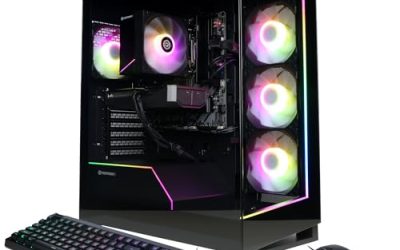
The LXZ machine is the one to read if you want a newer platform without leaving the mid-range tier. It fits a buyer who plays recent games at high settings, wants DDR5 and expects to add memory or storage later without replacing the whole computer. The stated power supply is a useful sign that the maker is willing to publish the details that matter.
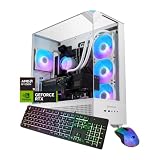
The listing names a Ryzen 7 8700F, an RTX 5060, 16GB of DDR5 and a 1TB SSD, with six RGB fans and a 650W power supply. It also lists seven USB 2.0 ports and three USB 3.0 ports, which suits keyboards, mice and headsets but is slow for moving files to an external drive.
- DDR5 gives the platform a longer life than DDR4 competitors.
- A stated 650W supply leaves headroom for a larger graphics card.
- Ten USB ports cover a full desk of peripherals.
- Seven of the ten USB ports are the older 2.0 standard.
- 16GB of memory is adequate but not generous at this budget.
Skip it if you want 32GB of memory included from the start. Next to the unbranded Ryzen 7 5700X system, you trade a DDR4 platform for a newer chip and DDR5, and the LXZ listing gives more power supply detail than most of its neighbors, which counts for a lot when you cannot inspect the box before buying. Buyers who like a clean, conventional parts list will find this the easiest of the mid-range machines to reason about, and the DDR5 platform leaves a clear route to 32GB or 64GB later.
KOTIN Ryzen 7 9700X RX 9070 XT Gaming PC
This is the performance leader, and it is the pick for a buyer who wants to use the full budget on a machine that stays ahead of the curve. It targets high refresh rate play at higher resolutions, and the rest of the build is chosen to keep up with the graphics card instead of holding it back.
The title lists a Ryzen 7 9700X, an RX 9070 XT with 16GB, 32GB of DDR5 and a 1TB SSD, plus a 360mm liquid cooler, WiFi 7 and an 11.3 inch smart display. The visible title is cut off after an 850 figure, so confirm the power supply wattage with the seller rather than assuming what that number refers to.
- The RX 9070 XT with 16GB is the strongest graphics card in the group.
- 32GB of DDR5 is comfortable for gaming and multitasking.
- A 360mm liquid cooler suits a high-performance processor.
- The built-in display is a novelty that adds one more part that could fail.
- 1TB of storage is modest for a machine at this tier.
Skip it if you play lighter games and would not use the extra graphics power. It sits well above the rest of the list, so if you want a middle path the LXZ system is the closest sensible alternative, while the ZYNEEX tower remains the thriftiest way to get a dedicated card. If you do choose this machine, ask whether the display is a replaceable module and how its software runs, because novelty hardware is the part most likely to cause support questions down the line.
Unbranded Ryzen 7 5700X RTX 5060 Prebuilt Gaming PC
This listing carries no visible brand, and it is a straightforward RTX 5060 machine for a buyer who wants a current graphics card and does not care about a manufacturer name. It tends to suit someone who reads the parts list closely and accepts that support may be thinner than with a known maker.
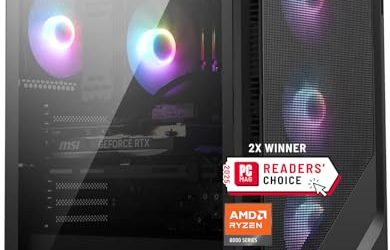
The title lists an AMD Ryzen 7 5700X, a GeForce RTX 5060, a 1TB SSD and 16GB of DDR4, with an RGB fan that comes with a remote control, WiFi plus Bluetooth and Windows 11. The visible title ends in a truncated word, so check the full description for the missing details.
- A current RTX 5060 sits well above the RTX 3050 tier.
- WiFi and Bluetooth are built in.
- Windows 11 appears in the title, so setup should be quick.
- The listing shows no brand, so warranty and support details need checking.
- 16GB of DDR4 is the minimum for modern games.
Skip it if after-sales support is important to you. It resembles the HOENGAGER build that follows, but with half the memory and no named AIO cooler, which makes the HOENGAGER the stronger specification at a similar graphics tier. The one scenario where this listing wins is when it is the only one in stock or the clear choice on cost; in that case, confirm the warranty period, return window and the seller’s contact route before paying, because those are the details an unbranded title does not show.
Olialia Ryzen 5 5500 RTX 3060 Ti Gaming PC
The Olialia machine pairs an older but still capable graphics card with a modest processor. It will appeal to buyers who recognize the RTX 3060 Ti name and want solid 1080p performance, but it also shows the compromises a buyer accepts with an earlier design: less storage and no newest-generation graphics features.
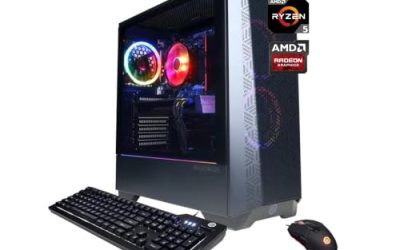
The title lists an RTX 3060 Ti, a Ryzen 5 5500, 16GB of RAM, a 512GB SSD, RGB lighting, WiFi 6, a 600W power supply and Windows 11 in a panoramic tower. The visible title gives no RAM generation, so confirm that with the seller before you order.
- The RTX 3060 Ti is a capable graphics card for 1080p play.
- A 600W supply is adequate for the parts listed.
- The panoramic case shows off the components.
- 512GB of storage fills quickly and is small at this budget.
- The graphics card is from an earlier generation than the RTX 5060.
Skip it if you want current-generation features or plenty of storage. Compared with the ZYNEEX tower, you get a stronger card but half the storage, and the RTX 5060 machines on either side of it now offer a newer alternative with a full terabyte. Where this machine still makes sense is for a player with a 1080p monitor who values raw rasterization from a known card and who plans to add an inexpensive second drive; for everyone else, the newer tier is the better long-term base.
HOENGAGER Panorama Ryzen 7 5700X RTX 5060
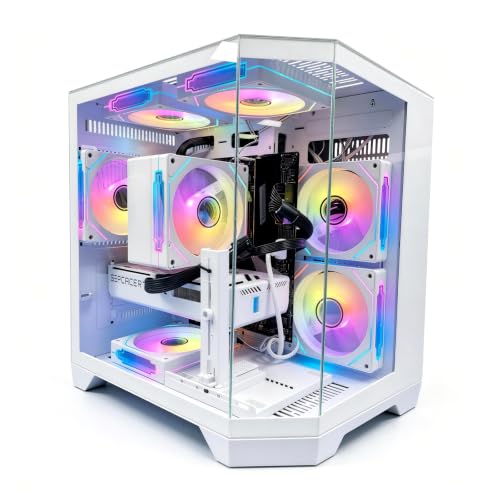
This build gives the most memory and cooling in the RTX 5060 tier, and it suits buyers who stream, edit or keep many programs open next to their games. The panoramic case style and software-controlled lighting add a visual touch for those who care about looks, and the software control means you can turn the lighting down when you do not.
The title lists a Ryzen 7 5700X, a GeForce RTX 5060, 32GB of DDR4, a 1TB NVMe drive, a 240mm AIO liquid cooler and software-controlled ARGB fans, plus Wi-Fi. The visible title ends there, so confirm the operating system and power supply with the seller.
- 32GB of memory doubles the capacity of the unbranded RTX 5060 system.
- A 240mm AIO cooler keeps temperatures steady.
- 1TB NVMe storage is a good size.
- DDR4 offers a narrower upgrade path than DDR5.
- No power supply wattage appears in the visible title.
Skip it if you want the newest platform, because the LXZ and KOTIN machines use DDR5. It is the best-equipped of the RTX 5060 machines for people who need memory, and the closest rival is the LXZ if platform age matters more to you than capacity. Both machines share the same graphics tier, so the decision is mostly about memory, cooling and how much you value the upgrade path on the motherboard side.
Why Buy a Prebuilt Gaming PC at This Budget
With a ceiling near 2000 dollars, a prebuilt is mainly about convenience and risk management. The parts arrive working, a single seller stands behind them and Windows is usually ready to use. The real question is whether those advantages outweigh the extra control of building yourself.
Buyers who value time over tinkering
If you would rather play than research compatibility charts, a prebuilt skips the sourcing and assembly steps. You trade a little parts choice for a machine you can switch on the day it arrives, and for many people the lost evenings of research are the larger cost.
Buyers who want one warranty path
A prebuilt usually carries a single warranty for the whole system, so a failure does not become a debate about which part is to blame. That is worth checking on every listing, especially unbranded ones, where the terms may be thinner than the photos suggest.
Buyers who want a tidy first serious rig
Cable management, airflow and part pairing are handled for you, which makes prebuilts attractive for a first serious gaming desktop. At this budget you can also expect liquid cooling and a current graphics card without piecing them together yourself. The honest downside is that prebuilt makers sometimes choose the cheapest acceptable power supply, motherboard and drive, which is why the checklist in the next section matters more than any single headline spec.
How to Choose a Prebuilt Gaming PC Under 2000 Dollars
Match the graphics card to your monitor
For a 1080p monitor, an RTX 3050 or RTX 5060 class card is a sensible choice. For 1440p or high refresh rates, look at the RTX 5060 and above, and consider 16GB of video memory such as on the RX 9070 XT for demanding titles. Do not pay for a flagship card if your monitor cannot show its output, and remember that a better display is sometimes the smarter use of a leftover allowance.
Processor cores and generation
Six cores with twelve threads handle most games, and eight cores add headroom for streaming and background work. Newer chips such as the Ryzen 7 8700F and 9700X sit on platforms with a longer upgrade path than the Ryzen 5000 series. If a processor carries an F suffix in its name, it has no integrated graphics and needs the separate card for display output, which is normal for gaming systems but worth knowing.
Memory type and capacity
Look for 16GB as the floor and 32GB for streaming or heavy multitasking. DDR5 gives a newer platform, while DDR4 can offer more capacity for the same outlay. Check that the memory runs as two sticks for better performance, since a single stick holds back both processor and integrated features. Memory speed is a secondary concern after capacity. At this budget there is no good reason to accept a single-channel layout or a machine that lists only a total without saying how it is split across sticks.
Storage and power supply
A 1TB NVMe drive is the practical minimum, and 512GB is too small for a modern library. For the power supply, look for 650W or more from a named 80PLUS tier with an RTX 5060 class card, and a larger unit for higher tiers like the RX 9070 XT. A missing wattage in the title is a reason to ask, not a detail to assume. Also look for a drive that names its interface, since a large capacity on a slow drive is one of the quieter ways a budget model saves money while still looking generous on paper.
Cooling and airflow
Air coolers are quiet and simple on mid-range processors, while 240mm and 360mm AIO coolers suit higher-power chips. Case airflow matters as much as the cooler, and panoramic glass cases can trap heat, so look for mesh or vented panels and at least one exhaust fan. Liquid coolers add a pump that can eventually fail, so check the cooler warranty as well. Radiator placement matters too: a front-mounted radiator draws cooler air than a top-mounted one in some cases, and a tidy listing shows where the fans and radiator sit instead of leaving it to guesswork.
Warranty, support and where corners are cut
The places where corners get cut are the power supply, the motherboard and the storage drive. Ignore RGB fan counts and display gimmicks, and focus on the warranty length and the seller’s support record. Unbranded listings deserve extra scrutiny on these points, and a machine that lists a clear power supply and drive interface is usually a more honest product. When two listings look alike, prefer the one that publishes more of these details, and be skeptical of titles that stuff in marketing words but leave out the power supply and cooler model.
Ryzen 5000 on DDR4 or Ryzen 8000 and 9000 on DDR5
The listed machines divide into two platforms, and the table shows what each choice means for a buyer with a large budget. The older platform stretches capacity further, while the newer one buys longevity.
| Factor | Ryzen 5000 on DDR4 | Ryzen 8000 and 9000 on DDR5 |
|---|---|---|
| Listed examples | ZYNEEX, Olialia, unbranded 5700X, HOENGAGER | LXZ, KOTIN |
| Memory on the listing | 16GB to 32GB DDR4 | 16GB to 32GB DDR5 |
| Upgrade path | Limited, older socket | Longer, newer platform |
| Best for | Maximum capacity for the cost | Longevity and performance |
When the older platform is enough
If you play at 1080p and want more memory for the same outlay, the DDR4 systems deliver real-world value. The HOENGAGER build is a good example, with 32GB and an AIO cooler, and a player who upgrades the whole machine every few years will rarely feel the platform age. The trade-off is that a later processor upgrade will be limited to the last chips the older socket supports, so plan on graphics and memory as your main upgrade levers.
When the newer platform pays off
If you plan to keep the machine for years, the DDR5 systems are a safer base. The KOTIN build combines DDR5, WiFi 7 and a liquid cooler for a long service life, and the LXZ build offers the same platform logic at a lower tier with room to add memory later. DDR5 platforms also tend to support faster memory kits and newer storage standards as they mature, which keeps the machine feeling current when software demands grow.
Setup, Compatibility and Upgrade Tips
What to check before buying
Confirm the graphics card model, memory size and type, storage capacity and power supply wattage in the listing. Check the warranty terms, and see what ports the tower offers for your monitor and peripherals. If the listing lacks these details, ask the seller before paying, and keep the answers in writing in case there is a dispute later. It also pays to read the return policy before the box arrives, and to photograph the unpacking if any part looks damaged, so a claim is simple to file.
What to upgrade first
If a machine ships with a single memory stick, pair it with a matching second one. Extra NVMe storage is the next simple addition, and the graphics card comes after that if your budget allows. Make sure the case and power supply can handle a larger card, and measure the available length before ordering one. A graphics card draws power through dedicated connectors from the supply, so confirm that the unit has the right cables free as well as the right wattage.
Common compatibility traps
DDR4 and DDR5 are not interchangeable, so buy memory for your platform. Some prebuilt cases use proprietary parts that limit upgrades, and radiators on AIO coolers need case clearance, so check before swapping a case. Finally, plug your monitor into the graphics card rather than the motherboard, a simple mistake that makes a powerful PC look slow.
Which One Fits Your Situation
You want to keep money in your pocket
The ZYNEEX Ryzen 5 5500 RTX 3050 handles 1080p well and leaves most of the allowance unspent, which you could direct toward a monitor, a headset or a second drive. This is also the right pick for a household sharing the machine, since the modest graphics card keeps heat and noise low.
You want a balanced mid-range gamer
The LXZ Ryzen 7 8700F RTX 5060 offers a newer platform and a named 650W power supply, which makes later upgrades less of a gamble. It is the machine to choose if you want a current card and a long platform life without paying for a liquid cooler you may not need.
You want the strongest performance
The KOTIN Ryzen 7 9700X RX 9070 XT combines a top graphics card, 32GB of DDR5 and a 360mm liquid cooler for high refresh rates at higher resolutions. Pair it with a 1440p or 4K monitor, otherwise much of its graphics headroom goes unused.
You stream or edit while gaming
The HOENGAGER Panorama Ryzen 7 5700X RTX 5060 gives 32GB of memory and an AIO cooler for running a game, a capture tool and a browser together. If you also want a platform that will last longer, the LXZ build is the alternative, though it ships with half the memory.
Common Mistakes
- Treating the budget ceiling as a target and paying for features you will not use.
- Picking a machine with 512GB of storage and running out of room within months.
- Ignoring the power supply wattage and brand, which limits later upgrades.
- Choosing a flagship card for a 1080p monitor that cannot show the difference.
- Skipping the warranty details on an unbranded listing.
- Judging a machine by its lighting and display rather than by its parts list.
- Forgetting to budget for a monitor, keyboard and mouse, which a bare tower does not include.
Frequently Asked Questions
Is under 2000 dollars enough for a good prebuilt gaming PC?
Yes. That budget covers capable machines with RTX 5060 class graphics, and the strongest listing here includes RX 9070 XT graphics. The key is balancing the parts rather than spending on one component.
Is 16GB of RAM enough?
For gaming it works, but 32GB is better if you stream, edit or multitask. Several listings here include 32GB, and adding a second kit later is simple on most towers. With a budget this large, there is little reason to accept the minimum if a similar machine offers more.
Should I choose AMD or NVIDIA graphics?
Both are strong. The listings include GeForce and Radeon cards, so choose based on the performance tier and features you want rather than the logo on the box. Check that the games you play run well on the card family, and look at the memory amount, since 16GB on the RX 9070 XT is notable at this level.
Are liquid coolers worth it?
They help with high-power processors and can be quieter under load. For mid-range chips, a good air cooler is usually enough and has fewer parts that can fail.
Do prebuilt PCs include Windows?
Many do, and several listings mention Windows 11. Confirm it before buying so you do not have to purchase a license separately after the machine arrives.
Can I upgrade a prebuilt PC later?
Usually yes, within limits. Memory, storage and the graphics card are common upgrades, but the power supply wattage and case size set the boundaries.
Final Words
The best prebuilt gaming PC under 2000 dollars is the one whose parts are balanced and whose seller stands behind it. The KOTIN RX 9070 XT build leads on raw performance, the LXZ RTX 5060 machine is the sensible mid-range platform, and the HOENGAGER offers the most memory and cooling in its tier. Use the listing details to verify the power supply, warranty and storage before you order, and do not feel obliged to spend the whole ceiling. A balanced RTX 5060 machine with 32GB and good cooling will serve most players better than an unbalanced build that merely looks expensive.