
Picking the best ASUS laptop is really two separate shopping trips hiding under one name. The company sells ROG Strix gaming machines with dedicated RTX graphics and fast panels, and it sells Vivobook models built around everyday portability and modest cost. A buyer who mixes the two up ends up either overpaying for graphics they never use or expecting a slim student laptop to run modern games. The first step is deciding which of those two families fits your week, because the spec sheets barely overlap.
This guide covers seven ASUS configurations, from a 4GB entry model to a flagship with an RTX 5080. It is written for students, remote workers, and gamers who have already settled on the brand and want to compare configurations by their listed specifications. As 2026 moves along, the gap between entry and enthusiast models keeps widening, which makes the choice between a Vivobook and a ROG Strix far more important than the logo on the lid.
Our Top Picks


Top 3 picks at a glance
Quick Picks
As an Amazon Associate we earn from qualifying purchases at no extra cost to you.



| Product | Best for | Key spec from the title |
|---|---|---|
| ASUS ROG Strix G16 RTX 5060 | Balanced gaming | RTX 5060, Core i7 14650HX, 165Hz |
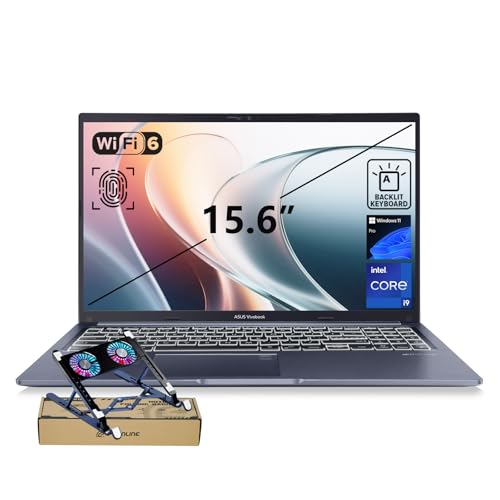
| ASUS Vivobook 15 Core i9 | Heavy multitasking at a desk | i9-13900H, 32GB RAM, 1TB SSD |
| ASUS ROG Strix G16 RTX 5050 | Entry gaming | RTX 5050, Core i5 14450HX |
| ASUS Vivobook Go 15 N150 | Basic web tasks | Intel N150, 4GB RAM |
| ASUS Vivobook Go 15 Ryzen 5 | Student all-rounder | 8GB RAM, 512GB SSD, WiFi 6E |
| ASUS ROG Strix G16 RTX 5080 | Top-end gaming and creation | 2.5K 240Hz, RTX 5080, 32GB DDR5 |
| ASUS Vivobook Go Slim N4500 | Lightest school duty | Dual Core N4500, 128GB SSD |
How to Choose
Match the family to the workload
ROG Strix models carry a dedicated GeForce GPU and an HX-class processor, which is what games, 3D work, and video rendering need. Vivobook models rely on integrated graphics, which is fine for documents, streaming, and browsing. If the spec sheet has no RTX or GeForce line, do not plan on modern gaming, no matter how fast the processor sounds.
Memory and storage thresholds
For work and study, 8GB of RAM is the minimum worth considering and 16GB is the comfortable level. Entry listings with 4GB and a 128GB drive run out of room fast once Windows updates arrive. Gamers should look for 16GB of DDR5 and at least 512GB of SSD, because current titles are large and a single install can take a big share of a small drive.
Display refresh and panel
A 60Hz panel is normal for everyday models. Gaming models list 165Hz or 240Hz, which makes motion visibly smoother when the GPU can feed it frames. A 16:10 aspect ratio gives extra vertical space for documents and timelines, and an HDR-capable 2.5K panel suits creators more than competitive players who prefer raw speed.
What to ignore, and where corners get cut
Phrases such as AI ready or military grade describe features, not speed. Entry models trim memory, storage, and screen quality, while mid-range gaming models usually trim the SSD size and panel resolution before they trim the GPU. Read each line of the title for what is missing as well as what is present. A listing that never mentions graphics, for example, is telling you something, and a listing with only 4GB of memory is telling you even more about how long the machine will stay comfortable.
The 7 Best Options
ASUS ROG Strix G16 RTX 5060
The gaming pick for people who want strong frame rates without paying flagship money. It lists a 16 inch FHD+ 16:10 display at 165Hz with 3ms response, an RTX 5060, a Core i7 14650HX, 16GB of DDR5, and a 1TB Gen 4 SSD, which is a well-rounded gaming spec.
- Strength: a 1TB Gen 4 drive holds a sizable game library.
- Strength: the 165Hz panel pairs well with the RTX 5060 tier.
- Trade-off: gaming laptops of this class are heavier than a Vivobook.
Skip it if you only need a machine for office work or if you carry it across campus all day. The cooling hardware that lets a gaming chassis sustain high clocks also adds bulk, and the power adapter is a heavy brick you will want to keep at a desk.
ASUS Vivobook 15 Core i9
For professionals who want raw processing power in a conventional laptop shell. The title shows an i9-13900H, 32GB of RAM, a 1TB SSD, a physical webcam shield, a backlit keyboard, and a fingerprint reader, which reads like a high-end workhorse.
- Strength: 32GB of RAM makes large spreadsheets and many browser tabs manageable.
- Strength: the webcam shield and fingerprint sensor add practical privacy.
- Trade-off: no dedicated graphics are listed, so gaming is limited.
Skip it if you want a dedicated GPU for games or video effects. It is better thought of as a fast office and study machine than a creative workstation, and its strengths show in memory-hungry multitasking rather than graphics.
ASUS ROG Strix G16 RTX 5050
A way into ROG gaming for buyers who want the 16:10 display and an HX-class processor at a lower tier. The listing mentions an RTX 5050, a Core i5 14450HX, 16GB of DDR5-5600, and a 512GB drive, plus the same 165Hz FHD+ panel style as its larger sibling.
- Strength: dedicated graphics and a 165Hz panel in the same family as the larger models.
- Strength: 16GB of DDR5 is enough for current games.
- Trade-off: 512GB fills quickly with large installs.
Skip it if you plan to keep many big games installed at once. Buyers who rotate through a few titles at a time will be fine, but a collector of large installs will want the larger drive found on the step-up model.
ASUS Vivobook Go 15 N150
Meant for the lightest tasks: web pages, streaming, and writing. The title lists a 15.6 inch FHD 60Hz display, an Intel N150, Intel UHD Graphics, 4GB of RAM, and a 128GB SSD, so it is a basic machine for basic needs.
- Strength: a full HD screen on a simple, entry-level machine, with text that stays sharper than on HD-only rivals.
- Strength: a plain configuration that suits plain tasks without extra cost.
- Trade-off: 4GB of RAM leaves little headroom for multitasking.
Skip it if you keep more than a few tabs open or run office apps alongside video calls. Anyone who expects the laptop to stay useful for several years should treat this as a short-term or secondary machine and look one tier up.
ASUS Vivobook Go 15 Ryzen 5
The most sensible Vivobook for a student. It lists a Ryzen 5 chip, 8GB of RAM, a 512GB SSD, a 15.6 inch FHD 60Hz screen, WiFi 6E, an ErgoSense keyboard, and military grade durability, which is a practical spread for classes and coursework.
- Strength: 8GB with a 512GB SSD is a workable everyday balance.
- Strength: WiFi 6E suits modern routers.
- Trade-off: the 60Hz screen and integrated graphics keep it away from games.
Skip it if you need a high refresh panel or a dedicated GPU. Light photo edits and spreadsheet work are within reach, but graphics-heavy hobbies belong to the ROG family on this list instead.
ASUS ROG Strix G16 RTX 5080
The flagship for creators and gamers who want the fastest configuration here. It lists a 16 inch ROG Nebula HDR 2.5K panel at 240Hz, a Core Ultra 9 290HX Plus, an RTX 5080, 32GB of DDR5, and a 1TB PCIe drive, which tops the other six on every headline spec.
- Strength: the 2.5K 240Hz HDR display is the most capable in this group.
- Strength: 32GB of DDR5 supports heavy creative work.
- Trade-off: it sits at the premium tier, so cost and weight are both high.
Skip it if your needs are modest or if portability matters more than frame rates. A machine with this much hardware is built to sit on a desk most of the time, and buyers who rarely need that power may find it wasteful.
ASUS Vivobook Go Slim N4500
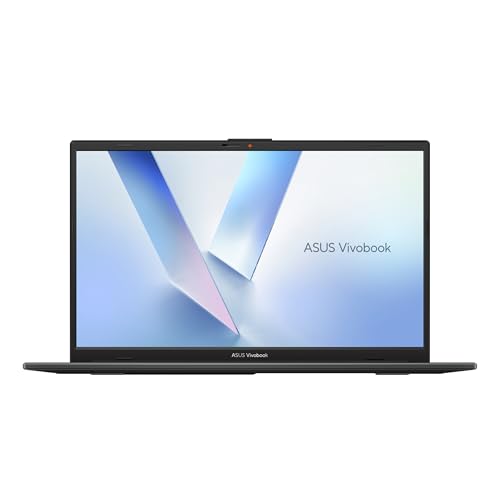
A student starter laptop. The title lists a 15.6 inch screen, an Intel Dual Core N4500, 4GB of RAM, a 128GB SSD, Windows 11, and a thin, portable design aimed at study use, so it targets the simplest school workloads.
- Strength: slim and portable for classroom use.
- Strength: Windows 11 comes preinstalled, so setup is quick for a first-time user or a gift.
- Trade-off: dual-core processing and 4GB of RAM limit multitasking.
Skip it if you need long-term performance or generous storage. A dual-core chip and 4GB of RAM can feel sluggish as software grows, so older relatives and light users are the best match rather than heavy multitaskers.
Which One Fits Your Situation
You game but must watch spending
Pick the ROG Strix G16 RTX 5050 and plan a storage upgrade later if needed. It keeps the same family look, the 16:10 screen, and the HX-class processor tier. The RTX 5060 version suits those who can stretch a little further and want a larger 1TB drive from day one.
You work in spreadsheets and multitask all day
Take the Vivobook 15 Core i9. Accountants, analysts, and consultants who keep dozens of windows open will appreciate the memory headroom. The 32GB of RAM and 1TB SSD matter more here than graphics, and the webcam shield and fingerprint reader suit shared offices.
You are a student on a tight plan
The Vivobook Go 15 Ryzen 5 offers the best balance of memory and storage among the budget models. Choose the N150 or N4500 versions only if the workload is strictly web and documents.
You create video or play at high settings
Go for the ROG Strix G16 RTX 5080 for its display, memory, and GPU. It is the only listing here with a 2.5K HDR panel and 32GB of DDR5 together.
Common Mistakes
- Buying a Vivobook and expecting gaming performance.
- Accepting 4GB of RAM for a laptop meant to last several years.
- Ignoring storage size on gaming models, where installs are large.
- Paying for a 240Hz panel without a GPU that can use it.
- Assuming the product name tells you the exact configuration instead of reading the full listing.
Related guides
- Windows Macos Linux Gaming Performance Comparison Strengths Weaknesses
- Desktop Operating Systems Gaming Performance Strengths Weaknesses
- 5G Home Internet Wifi Modem Settings Low Latency Gaming
Frequently Asked Questions
What does the RTX number tell me?
Higher numbers within a generation generally mean stronger graphics. An RTX 5080 outclasses an RTX 5050 by a wide margin, though the surrounding processor and memory still shape the result.
Is a Vivobook good enough for light photo editing?
Yes, for simple edits. The Core i9 model with 32GB of RAM handles larger files more comfortably than the entry models with 4GB.
Do I need a 165Hz screen?
Only for games and fast motion. For documents and video, 60Hz works fine, and the savings can go toward memory or storage. Competitive players are the group that gets the most visible benefit.
Is 4GB of RAM ever enough?
Barely, for a single browser and a document. Most buyers will want 8GB or more so the system stays responsive, especially after a few rounds of Windows updates and background apps.









