
The best cable management for a gaming desk in 2026 is a combination system: an under-desk tray to hold the power brick and surge protector, braided sleeves for the visible runs up to your monitor and PC, and adhesive clips only for low-stress cables like earbuds or USB dongles. No single product does all three jobs well, and picking the wrong mounting method for your desk material (particleboard, laminate, or glass) is the most common reason cable management fails within a few months.
As an Amazon Associate we earn from qualifying purchases at no extra cost to you.
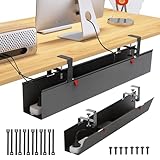


Our Top Picks


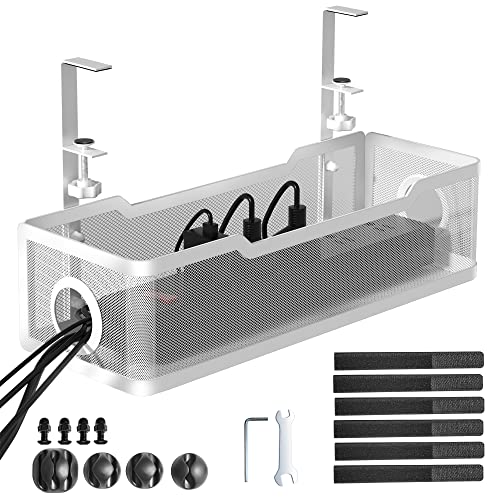
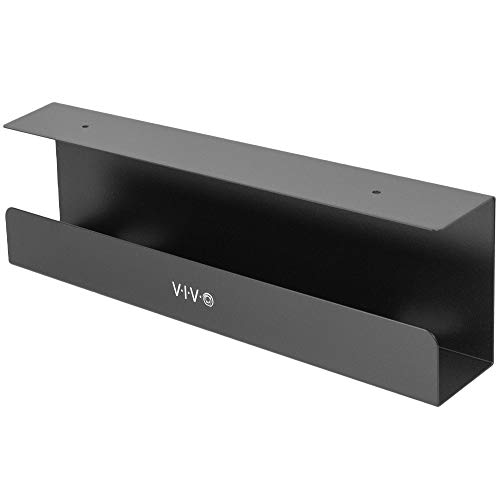
Top 3 picks at a glance
Why one product category never covers the whole desk
Trays, raceways, sleeves, and clips each solve a different physical problem. Trays carry weight. Raceways hide bulk horizontal runs. Sleeves bundle flexible cables that still need to move. Clips route single thin cables along a fixed path. Trying to make a raceway hold a 1.5kg power brick, or a clip hold a 6-outlet surge protector, is why cable management kits end up in a drawer after a month.
Load capacity: what actually falls off the desk
Weight capacity is the spec most buying guides skip, and it’s the one that determines whether your setup holds up after six months instead of six weeks.
| Product type | Typical rated capacity | Realistic safe load | Common failure mode |
|---|---|---|---|
| Steel wire under-desk tray | 7–15 kg | Up to rated limit | Clamp loosens on thin tabletops under 18mm |
| Plastic basket tray | 3–5 kg | 2–3 kg | Cracks at mounting tabs with power bricks |
| Cable raceway (screw or adhesive) | No official rating, holds 4–8 cables | Fine for cables, not for bricks | Adhesive strip peels after heat buildup |
| Braided sleeve (expandable mesh) | N/A, bundles 3–12 cables | Depends on bundle diameter, not weight | Overstuffing cracks the weave over time |
| Adhesive cable clip (single or multi-slot) | 0.1–0.3 kg per cable | 1–2 thin cables each | Pops off within days on textured or cold surfaces |
Mounting method: the real deciding factor
This is where most people get burned, because the mounting method that works on a solid wood desk will fail on the particleboard desk most gaming setups actually use.
- Clamp-on trays: grip the desk edge with a screw-tightened clamp. Work well on desktops 15mm thick or more. On thin particleboard (common in budget gaming desks), repeated tightening strips the clamp’s grip and the tray starts to tilt within weeks.
- Screw-mounted trays and raceways: the most secure option by far, but they require drilling into the underside of the desk. Fine for MDF, laminate, and solid wood. Not viable on glass desks or any desk you plan to resell, since the holes are permanent.
- 3M-style adhesive mounts: the only realistic option for glass and painted metal desks. They hold reliably on smooth, non-porous surfaces but fail quickly on the matte, slightly textured coating used on many particleboard desks, especially in humid rooms or near a desk lamp’s heat. Expect adhesive mounts to need reapplication every 3–6 months on particleboard versus 1–2 years on glass.
- Hook-and-loop (velcro) cable ties and sleeve closures: not a desk-mounting method at all, but worth noting because they’re the only reusable option when you need to open a bundle to add a cable later. Zip ties are cheaper but destructive to remove.
How many cables each option actually holds
- Under-desk tray (standard 30–40cm wire basket): fits one power strip plus 2–4 wall bricks (monitor, speakers, NAS adapter). Not meant for signal cables.
- Raceway (desk-mounted, 60–80cm channel): 4–8 cables depending on diameter; HDMI and thick USB-C cables eat space fast, so count on the low end if your setup is HDMI/DisplayPort heavy.
- Braided sleeve (19mm expandable, 1.2m length): comfortably bundles 3–6 cables; past that the weave stretches thin and loses its shape.
- Adhesive clips: one cable per clip in practice, even “multi-slot” clips tend to let cables jump slots under tension.
Sit-stand desks: the slack problem spec sheets don’t mention
A sit-stand desk with 65cm of vertical travel is the scenario where most cable management products quietly fail, because none of them are designed to flex with repeated motion.
Here’s the math that matters: if your desk travels 65cm from lowest to highest position, and cables run from a wall outlet or power strip mounted to the desk frame down to a floor-level device (or vice versa), you need enough slack to cover that full range without the cable going taut at the top or sagging into the floor at the bottom.
- Minimum slack needed: roughly 65cm of travel + 15–20cm of service loop (a loose “S” or “J” curve so the cable isn’t pulled straight) = 80–85cm of free cable length between the fixed point and the moving point.
- A rigid raceway or a tightly cinched braided sleeve removes that slack by design. Mounting either one across the frame-to-floor gap on a standing desk will yank the cable taut at full height, straining the connector over time.
- The fix: mount trays and raceways only on the desktop itself, where everything moves together, and leave frame-to-floor runs (power cable, any floor-mounted PC) completely unsleeved and coiled loosely with a single velcro tie, not clipped down at multiple points.
- Spine-style cable management arms (an articulated chain that moves with the desk) are the only purpose-built solution for the vertical run, but they add cost and are overkill unless you’re moving the desk height multiple times a day.
Picks by desk type and budget
| Situation | Recommended combo | Typical cost |
|---|---|---|
| Budget particleboard desk, fixed height | Adhesive-backed raceway on desktop + velcro ties under desk (skip clamp trays, they won’t grip) | usually $15–$30 |
| Mid-range laminate desk, fixed height | Clamp-on steel wire tray for power brick + braided sleeves for visible runs | usually $30–$60 |
| Solid wood or MDF desk, want it permanent | Screw-mounted tray + screw-mounted raceway | usually $25–$50 |
| Glass desk | 3M adhesive tray rated for glass + adhesive clips only (no screws, no clamps) | usually $20–$40 |
| Sit-stand desk, 60–70cm travel | Desktop-mounted raceway/tray for everything on top + loose coiled slack (no sleeve) for frame-to-floor cables | usually $25–$45 |
| Sit-stand desk, moved multiple times daily | Articulated cable management arm/spine for vertical run + desktop tray for the rest | usually $40–$80 |
Quick decision checklist
- Desk thinner than 15mm or made of particleboard: avoid clamps, use adhesive or go screw-mounted if you don’t mind drilling.
- Desk is glass or painted metal: adhesive only, check the product specifically lists glass compatibility, generic 3M tape rated for drywall will not hold.
- Desk moves vertically: never sleeve or clip the frame-to-floor run tight; budget 80cm+ of slack and leave it loose.
- You’re renting or plan to resell the desk: adhesive or clamp, never screw-mounted.
- You have a power brick heavier than 1kg (common with gaming laptops or large monitors): steel wire tray only, plastic baskets crack under sustained weight.
Frequently asked questions
Can I use a plastic tray for a heavy gaming-laptop power brick?
No, a steel wire tray is the safer choice for a power brick heavier than 1kg. Plastic basket trays are typically rated for 3–5 kg, but the article gives a realistic safe load of 2–3 kg and notes that they can crack at the mounting tabs with power bricks. Steel wire trays are listed at 7–15 kg and can handle loads up to their rated limit.
Should signal cables go inside an under-desk tray?
Usually, no; an under-desk tray is mainly for a power strip and wall bricks, not signal cables. A standard 30–40cm wire basket can fit one power strip plus 2–4 wall bricks for devices such as monitors or speakers. Use a 60–80cm raceway for horizontal cable runs, or a braided sleeve for flexible visible bundles.
How can I add another cable to a bundle later?
Use hook-and-loop cable ties or a sleeve with a hook-and-loop closure. They are reusable, so you can open the bundle when adding a cable. Zip ties cost less but are destructive to remove. Adhesive clips are less suitable for this purpose because they route individual cables along fixed paths rather than managing a bundle that may need to be reopened.
How often might adhesive mounts need to be replaced?
On particleboard, adhesive mounts may need reapplication every 3–6 months, while on glass they may last 1–2 years. They hold most reliably on smooth, non-porous surfaces, but can fail quickly on matte or slightly textured particleboard, especially in humid rooms or near a desk lamp’s heat. Check that the product specifically lists compatibility with the desk surface.
What should I do with cables if I plan to resell my desk?
Choose adhesive or clamp-mounted equipment rather than screw-mounted trays and raceways. Screw mounting is described as the most secure option, but it requires drilling into the underside of the desk and leaves permanent holes. Adhesive mounts avoid drilling, while clamp-on products can be removed, though clamps may not grip thin particleboard desks reliably.







