The phrase “SmartThings thermostat” can mean two different things, and the difference decides what you should buy. Some buyers want a thermostat that shows up inside the SmartThings app so it can trigger routines with lights, door sensors, and a Samsung TV. Others just want a good smart thermostat that happens to work alongside a SmartThings hub. Compatibility is the whole game here, because a thermostat that cannot talk to your hub is just an expensive wall ornament that needs its own app.
This guide is for Samsung SmartThings households, including people who run the app from a Galaxy phone, a SmartThings Station, or a Samsung TV or fridge acting as a hub. It compares six thermostats using only the details printed in their titles, and the honest finding is that few titles name SmartThings directly. One does. Others list Alexa, Google, or Apple support, or the Matter standard, which is the most useful route to SmartThings. Verify any model in the SmartThings app’s device list before installing in 2026, and treat every claim of seamless integration as unproven until you see the model in your own app.
Our Top Picks

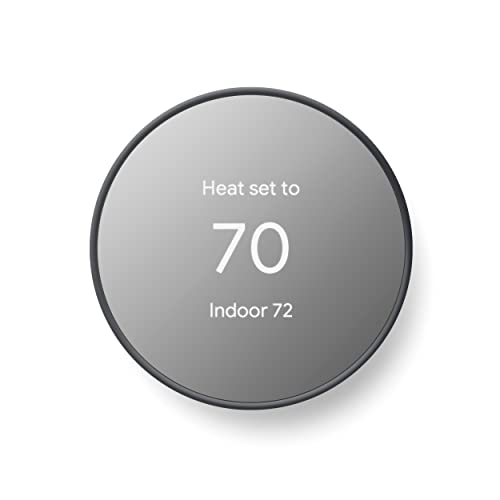

Top 3 picks at a glance
Quick Picks
As an Amazon Associate we earn from qualifying purchases at no extra cost to you.


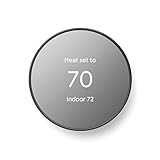

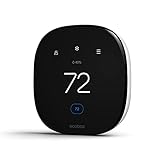
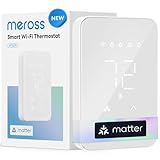
| Product | Best for | Key spec from the title |
|---|---|---|
| meross Matter Smart Thermostat for Electric Baseboard Heaters | Baseboard heat with explicit SmartThings support | Matter, works with HomeKit, Alexa, Google Home and SmartThings |
| Aqara Smart Thermostat W200 | Matter-first smart homes | 4-inch touchscreen, Matter controller, built-in radar sensor |
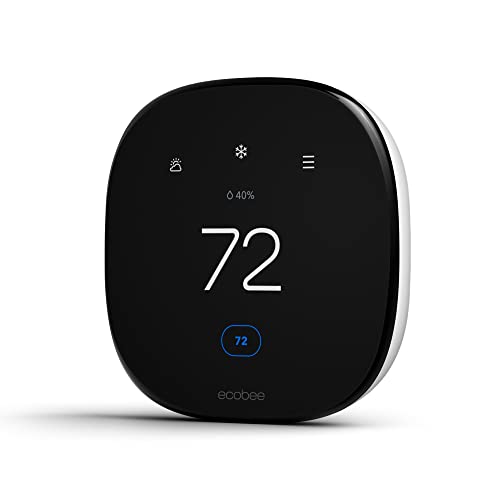
| ecobee Smart Thermostat Essential | Straightforward Wi-Fi control | Energy Star certified, programmable, Siri, Alexa, Google Assistant |
| ecobee Smart Thermostat Enhanced | Smart-home users who want more than the basics | Programmable Wi-Fi, Siri, Alexa, Google Assistant, Energy Star |
| Sensi Smart Thermostat ST55 | Simple DIY upgrade | Wi-Fi, DIY, Alexa, Energy Star certified |
| Honeywell Home T5 RTH8800WF2022 | Touchscreen with a 7-day schedule | 7-day programmable, geofencing, Alexa ready, C-wire required |
How to Choose
Look for SmartThings or Matter in the listing
The cleanest path is a thermostat that names SmartThings outright, or one that supports Matter, the shared smart-home standard that SmartThings can generally add as a controller. A listing that mentions only Alexa or Google Assistant tells you the thermostat works with those platforms, not that it appears inside SmartThings. Some brands also offer a cloud connection to SmartThings that behaves differently from local Matter control. Before buying, search the SmartThings app’s supported device list for the exact model, and confirm whether control is local or cloud-based. Local control keeps routines running when the internet drops, while cloud-only links can leave a thermostat unresponsive during an outage, which matters in winter.
Match the thermostat to your heating system
Smart thermostats are not universal. Forced-air furnaces, heat pumps, and low-voltage systems use one wiring scheme, while electric baseboard heaters run on line voltage and need a thermostat built for that load. Mixing them up is a safety problem as well as a compatibility one. The Honeywell title notes that a C-wire is required, so check for that wire before buying. Take a photo of the wiring behind your current unit and match the description on the listing before ordering. If you rent, ask the landlord before swapping anything, and shut off power at the breaker before touching the wires.
Features that matter, and those that do not
For SmartThings routines, the useful features are accurate temperature reporting, scheduling, and occupancy or geofencing so the system knows when you are home. A radar or motion sensor, like the one named in the Aqara title, can help the thermostat react to people in the room. A touchscreen is a nicety. Voice support matters only if you use the platform. Do not pay extra for features that your hub cannot expose to routines, because many extras live in the thermostat’s own app. Before deciding, write down the three automations you actually want, such as away mode, window-open shutoff, or a bedtime setback, and check each one is possible.
Where cheaper models cut corners
Entry-level thermostats usually trim sensors, display quality, and integration depth instead of core heating and cooling control. A model with strong app features may offer weak SmartThings support, and the reverse also happens. Budget choices may need a power wire you do not have. Ignore bold claims about energy savings, and focus on certifications like Energy Star, wiring needs, and a platform list that includes the ecosystem you actually run at home.
The 6 Best Options
meross Matter Smart Thermostat for Electric Baseboard Heaters
This is the only title here that names SmartThings outright, alongside HomeKit, Alexa, and Google Home, and it is built on Matter for electric baseboard heaters. It is aimed at homes heated by line-voltage baseboards, where most popular smart thermostats do not apply. It suits a SmartThings household with baseboard heat that wants app control and schedules, and it is the one listing where the integration is stated rather than implied. Homes with a furnace, heat pump, or central air should skip it, since it is made for a different kind of heating system. Always confirm the voltage rating on the listing matches your heaters before installation, and consider hiring an electrician if you are unsure.
- Strength: Names SmartThings, HomeKit, Alexa, and Google Home in the title.
- Strength: Matter support with Wi-Fi programming for baseboard heat.
- Trade-off: Only for electric baseboard systems, not forced air or heat pumps.
Aqara Smart Thermostat W200
The W200 combines a 4-inch touchscreen, a built-in radar sensor, and Matter controller capability, with adaptive temperature features tied to Apple Home. It suits smart-home enthusiasts who already use Matter and want a thermostat that senses occupancy. The title does not spell out SmartThings, so confirm in the app before purchase. Buyers who want a basic scheduling thermostat, or who prefer a lower-cost model without radar and a large screen, will find simpler choices below. It also pairs naturally with other Matter gear, which makes later expansion easier.
- Strength: Matter controller capability with a 4-inch touchscreen.
- Strength: Built-in radar sensor for occupancy awareness.
- Trade-off: SmartThings is not named in the title and needs verification.
ecobee Smart Thermostat Essential
The Essential is ecobee’s entry model: Energy Star certified, programmable Wi-Fi, and compatible with Siri, Alexa, and Google Assistant according to the title. It fits households that want a well-known brand with good app scheduling and are comfortable verifying the SmartThings connection themselves. It is modest on features, so buyers wanting an on-wall sensor or Matter-first design should look elsewhere. Think of it as a dependable thermostat first and a SmartThings partner second. Many owners choose it for the app and treat any hub link as a bonus.
- Strength: Energy Star certified and programmable.
- Strength: Works with three major voice platforms.
- Trade-off: SmartThings is not named in the title.
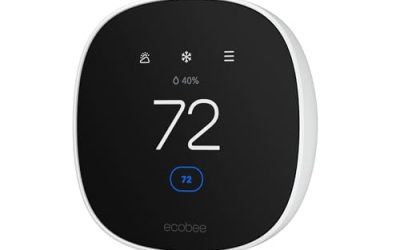
ecobee Smart Thermostat Enhanced
The Enhanced steps up from the Essential while keeping the same platform list: programmable Wi-Fi, Siri, Alexa, Google Assistant, and Energy Star certification, with a smart-home and energy focus in the title. It suits homes already deep in smart-home automation that want a feature-rich thermostat. As with the Essential, SmartThings support is not stated, so confirm it in the app. Buyers who only need scheduling can choose a cheaper model instead, and those who care mostly about SmartThings routines should read the integration notes closely first.
- Strength: Broad voice-assistant support plus programmable scheduling.
- Strength: Energy Star certified.
- Trade-off: SmartThings is not listed, and the feature set exceeds basic needs.
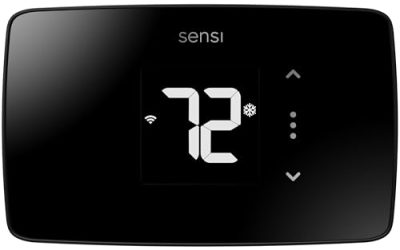
Sensi Smart Thermostat ST55
The Sensi ST55 is a Wi-Fi, DIY-install thermostat that works with Alexa and is Energy Star certified. Its title is short, which tells you the pitch: an easy replacement without frills. It fits renters with permission and first-time smart thermostat buyers. Anyone who wants rich automation inside SmartThings, radar sensing, or a large touchscreen should skip it. SmartThings compatibility is not named, so verify before you buy. Its short feature list is also a plus for anyone who finds app-heavy thermostats overwhelming.
- Strength: DIY installation and Energy Star certification.
- Strength: Works with Alexa.
- Trade-off: Sparse title detail, and SmartThings support is unstated.
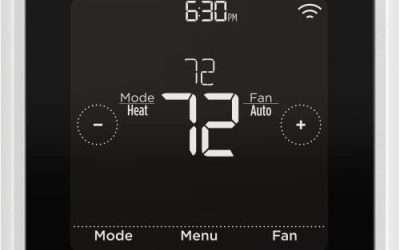
Honeywell Home T5 RTH8800WF2022
The T5 offers a 7-day programmable touchscreen, geofencing, Alexa readiness, and Energy Star certification, and the title notes a C-wire is required. Geofencing is relevant to SmartThings households because presence-based control is a common routine goal. It suits buyers who want a familiar thermostat brand and already have a common wire. Homes without a C-wire should look for models that include a power adapter, and SmartThings support is not named in the title.
- Strength: 7-day programmable touchscreen with geofencing.
- Strength: Energy Star certified and Alexa ready.
- Trade-off: Requires a C-wire and does not name SmartThings.
Which One Fits Your Situation
You heat with electric baseboards
The meross Matter Smart Thermostat is the clear pick. It is built for baseboard heat and names SmartThings in the listing.
You have already built a Matter-based smart home
The Aqara Smart Thermostat W200 fits best. Its Matter controller capability and radar sensor suit a setup where presence drives automation.
You want a trusted brand with deep app features
Choose between the ecobee Essential and Enhanced. The Essential covers scheduling, and the Enhanced adds more smart-home emphasis. Verify SmartThings integration for either.
You want an easy swap for an older programmable unit
The Sensi ST55 is the simplest DIY option, and the Honeywell T5 suits those who like a touchscreen with geofencing and already have a C-wire. Either way, plan a quick test routine on day one so you know the link to SmartThings works before relying on it.
Common Mistakes
- Assuming a thermostat works with SmartThings because it works with Alexa or Google.
- Buying a low-voltage thermostat for electric baseboard heat, which is unsafe and incompatible.
- Skipping the C-wire check and discovering mid-install that the thermostat has no power.
- Paying for sensors and screens that SmartThings routines can never use.
- Ignoring whether control is local through Matter or cloud-dependent, which affects reliability during outages and how quickly routines react.
Related guides
- Windows Macos Linux Gaming Performance Comparison Strengths Weaknesses
- Desktop Operating Systems Gaming Performance Strengths Weaknesses
- 5G Home Internet Wifi Modem Settings Low Latency Gaming
Frequently Asked Questions
Does Matter make a thermostat work with SmartThings?
Matter is designed so devices from different brands work together without a separate bridge for each, and SmartThings can generally act as a Matter controller. Still, confirm that a specific model and its features appear in the app.
Do I need a SmartThings hub?
Many Samsung devices and the SmartThings app can act as the controller, but the exact setup depends on the thermostat’s connection type. Check the manufacturer’s instructions for your model.
Can a thermostat run routines with other devices?
Yes, if it exposes its temperature and mode controls to SmartThings. Examples include setting a cooler target when a door sensor reports an open window or an away mode when everyone leaves.
What if my thermostat is not on the supported list?
You can still use its own app and voice assistants, but you will lose SmartThings routines. Consider a Matter-labeled model if cross-brand automation is your main goal, and keep the receipt and packaging until you have confirmed the connection works in your own home.