
A cluttered desk with mismatched USB cables usually traces back to one missing part: a hub sized for how many peripherals you actually run. Our pick for most gaming desks is the JoyReken 7-Port USB 3.0 Hub with vertical RGB lighting at around $22, since it balances port count, 5Gbps throughput, and a stand-up form factor that keeps cables out of the way, though budget builders who just need four extra ports should look at the around $5 vienon hub instead.
Our Top Picks


Top 3 picks at a glance


Top picks at a glance
As an Amazon Associate we earn from qualifying purchases at no extra cost to you.



| Model | Key spec | Price | Best for |
|---|---|---|---|
| Acer USB Hub 4 Ports | 4-port USB 3.0, 2FT cable | Check on Amazon | Compact laptop setups |
| ZIUMIER USB Hub 7 Port | 7-port, RGB LED strip | Check on Amazon | Budget RGB builds |
| PANPEO 7-Port USB 3.0 Hub | 7-port, per-port on/off switches, 4ft cable | Check on Amazon | Lowest price per port |
| vienon USB Hub 4 Port | 4-port, 1-in-4-out splitter | Check on Amazon | Absolute budget pick |
| JoyReken 7-Port USB 3.0 Hub (RGB) | Vertical stand, RGB, 5Gbps, 2FT | Check on Amazon | Overall pick |
| JoyReken 7-Port USB 3.0 Hub (Pink) | Vertical stand, RGB tree light, pink | Check on Amazon | Color-matched pink builds |
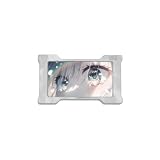
| HM LAB Z-NEO 8K USB Gaming Hub | Custom display, independent power, CNC aluminum | Check on Amazon | Premium desk centerpiece |
| ABFCRTTW 7-Port USB 3.0 Hub | Aluminum, 5Gbps, 4FT cable | Check on Amazon | Long-cable desktop runs |
Acer USB Hub 4 Ports
Acer’s entry is the simplest hub in this roundup: four USB 3.0 ports on a 2-foot cable, priced at around $9 with no RGB, no stand, and no per-port switches. That simplicity is the point for a lot of desks, since not every setup needs a lighting accessory sitting next to the monitor.
Based on the USB 3.0 spec this hub lists, expect up to 5Gbps of shared bandwidth across all four ports, which is plenty for a mouse, keyboard receiver, and a USB microphone or webcam running simultaneously. The short 2-foot cable keeps the hub close to the source port, which is a reasonable tradeoff for a laptop user who wants the hub within reach on a desk rather than routed down to a floor-mounted tower.
Build quality is plain black plastic without reinforced strain relief at the cable ends, so it is not the hub to buy if you plan on unplugging and repacking it for travel weekly. For a stationary desk, that is a minor concern rather than a dealbreaker.
Pros
- Simple 4-port design without unnecessary lighting or bulk
- USB 3.0 rated for full-speed peripherals
- Compact and easy to tuck behind a monitor stand
Cons
- Only 4 ports, tight if you run more than a mouse, keyboard, and headset dongle
- Short 2-foot cable limits placement options
- No per-port power switches or status lighting
Who it’s for: laptop users who want a no-frills way to add four USB 3.0 ports without paying for RGB or a stand they will not use.
ZIUMIER USB Hub 7 Port with RGB LED Strip
ZIUMIER steps up to seven ports for around $15 and adds an RGB LED strip along the hub’s edge, aimed squarely at gaming desks that already run RGB peripherals and want the hub to match rather than stick out as plain black plastic.
Seven ports is enough headroom for a mouse, keyboard, headset dongle, webcam, and a couple of USB-connected RGB desk accessories without running out of room, and the listing markets this specifically for laptop gaming setups where rear motherboard ports are not an option. The RGB strip is a fixed lighting pattern in most budget hubs of this style rather than software-addressable per-zone lighting, so do not expect it to sync with a motherboard’s RGB software suite.
Because seven ports share a single USB 3.0 upstream connection, based on typical hub architecture at this price tier, expect a mix of USB 3.0 and USB 2.0 lane allocation across the seven downstream ports rather than all seven running at full 5Gbps simultaneously, which is standard for budget multi-port hubs and rarely noticeable with typical peripherals.
Pros
- 7 ports for under $16, more headroom than the 4-port options here
- RGB LED strip matches gaming desk aesthetics
- Compact enough to sit flat on a desk without a stand
Cons
- RGB lighting is fixed, not synced to motherboard RGB software
- Not all 7 ports likely run at full USB 3.0 speed simultaneously
- No individual port switches to power down single devices
Who it’s for: budget gaming desks that want RGB accent lighting and real port count without paying JoyReken’s premium.
PANPEO 7-Port USB 3.0 Hub with On/Off Switches
PANPEO undercuts ZIUMIER on price at around $6 while adding a feature the pricier hub skips: individual on/off switches for each of the seven ports, letting you kill power to a single webcam or microphone without unplugging it physically.
The 4-foot cable gives more placement flexibility than the Acer hub’s 2-foot cord, useful if the hub needs to sit on top of the desk while the source port is tucked under it or routed to a nearby tower. At under $7 for seven switchable ports, this is one of the strongest value plays in this roundup on a pure dollar-per-port basis.
The tradeoff for the low price is build materials; expect thinner plastic switches that feel less premium than the JoyReken or ABFCRTTW hubs, and no RGB accents if desk aesthetics matter to your build. Functionally, though, per-port switching is a genuinely useful feature that several pricier hubs in this list skip entirely.
Pros
- Individual on/off switches for all 7 ports, rare at this price
- Longest cable among the budget options at 4 feet
- Lowest price per port in this roundup
Cons
- Plastic switches feel less durable than pricier hubs
- No RGB or lighting accents
- No stated wattage rating for bus-powered device limits
Who it’s for: budget-focused builders who want per-port switching to manage webcams or microphones without paying for RGB extras.
vienon USB Hub 4 Port
At around $5, vienon’s hub is the cheapest item in this entire roundup, offering a straightforward 1-in-4-out USB splitter without switches, RGB, or a stand. It exists for one purpose: turning a single USB port into four with minimal fuss.
Four ports covers a mouse, keyboard receiver, and two more peripherals like a headset dongle and a flash drive, which is enough for a minimal setup or a secondary machine that does not need seven ports of headroom. Based on the USB extender hub description, expect USB 2.0-level performance on at least some ports rather than a guaranteed full USB 3.0 experience across all four, since budget splitters at this price point commonly mix port speeds.
Build quality matches the price: thin plastic housing and a shorter cable than the PANPEO hub, making this best suited to a stationary desk rather than a setup that gets moved or packed regularly.
Pros
- Lowest price in this entire roundup
- Simple plug-and-play with no drivers needed
- Compact enough for tight desk spaces
Cons
- Only 4 ports, the tightest headroom in this list alongside the Acer hub
- Port speed may not be full USB 3.0 across all ports
- Thin plastic build feels the least durable in this roundup
Who it’s for: buyers who need a bare-minimum port expander for a secondary PC or a tight budget and do not care about RGB or switches.
JoyReken 7-Port USB 3.0 Hub, Vertical RGB Lighting
JoyReken’s vertical hub is the strongest all-around pick in this roundup at around $22, combining seven ports, a stated 5Gbps high-speed data transfer rating, RGB lighting, and a vertical stand-up design that keeps the hub compact on a crowded desk rather than sprawling flat like the ZIUMIER or PANPEO models.
The listing explicitly states compatibility with PC, MacBook, laptop, PS5, Xbox, flash drives, and printers, which is broader console compatibility than most hubs in this list bother to mention, useful if your desk setup also charges or connects a controller alongside PC peripherals. Based on the stated 5Gbps rating, this hub should handle simultaneous mouse, keyboard, webcam, and external drive use without the bandwidth pinch that budget hubs mixing USB 2.0 and 3.0 lanes can introduce.
The vertical stand design is the main differentiator versus the flat ZIUMIER and PANPEO hubs; it takes up less desk footprint but needs a stable base, since a top-heavy vertical hub with several cables plugged in can tip if bumped on a cramped desk.
Pros
- Stated 5Gbps speed across 7 ports, faster than typical budget hubs
- Vertical stand saves desk footprint
- Broad compatibility including PS5 and Xbox listed explicitly
Cons
- Vertical stand can tip on an unstable or crowded desk surface
- Costs more than triple the vienon or PANPEO budget hubs
- Short 2FT cable limits how far the hub can sit from the source port
Who it’s for: gaming desks that want a compact vertical hub with real 5Gbps throughput and broad console compatibility for a mixed PC and console setup.
JoyReken 7-Port USB 3.0 Hub, Pink RGB Tree Light
This is the same core JoyReken hardware as the RGB vertical model above, priced identically at around $22, but finished in pink with a tree-light RGB pattern rather than the standard vertical RGB design. Functionally, expect the same 7-port count and stated compatibility with PC, laptop, flash drives, HDDs, consoles, and printers.
The main reason to choose this over the standard JoyReken hub is aesthetic: a pink and RGB tree-light design fits a specific desk color theme that the plain vertical RGB model does not match. Buyers assembling a color-coordinated setup around pink or pastel peripherals will find this a more natural fit without paying a premium over the standard JoyReken color option.
Because the underlying hardware is shared with the vertical RGB model, the same considerations apply: confirm your desk surface can support the stand without tipping, and expect the same 2FT cable length limiting placement flexibility relative to the longer-cabled PANPEO or ABFCRTTW hubs.
Pros
- Same 7-port, 5Gbps hardware as the standard JoyReken hub
- Pink tree-light RGB matches color-coordinated desk builds
- Broad device compatibility including consoles and printers
Cons
- Same tipping risk and short cable length as the standard JoyReken model
- Pink finish is a narrower aesthetic fit than neutral-colored hubs
- No price advantage over the standard color option
Who it’s for: buyers building a pink or pastel-themed gaming desk who want the same JoyReken port count and speed in a matching color.
HM LAB Z-NEO 8K USB Gaming Hub
The Z-NEO is the premium option in this roundup at around $33, distinguished by a CNC aluminum case, independent power input, and what the listing describes as a custom display, features none of the plastic hubs elsewhere in this list attempt to match.
Independent power input means this hub can draw from a wall adapter rather than relying solely on the host USB port’s power budget, which matters if you plan to connect power-hungry devices like external SSDs or a charging phone alongside standard peripherals; bus-powered hubs elsewhere in this list can struggle under that kind of simultaneous load. The CNC aluminum housing also dissipates heat better than plastic during sustained high-throughput transfers and gives the hub a noticeably more premium desk presence than the RGB plastic hubs above it.
At nearly six times the price of the cheapest hub in this roundup, the Z-NEO is a discretionary purchase for buyers who want the hub itself to look like a deliberate desk centerpiece rather than a utilitarian accessory tucked out of sight.
Pros
- Independent power input supports power-hungry devices without bus-power limits
- CNC aluminum case looks premium and dissipates heat better than plastic
- Custom display sets it apart from every other hub in this roundup
Cons
- Highest price in this roundup by a wide margin
- Requires a separate power connection for full functionality, adding cable clutter
- Silver/aluminum finish limits color-matching versus RGB-focused hubs
Who it’s for: buyers who want a hub that looks like a deliberate premium desk accessory and need independent power for demanding peripherals.
ABFCRTTW 4Ft 7-Port USB 3.0 Hub for Desktop
ABFCRTTW pairs an aluminum housing with a 4-foot cable and a stated 5Gbps rating for around $19, positioning it as a middle-ground pick between the plastic budget hubs and the premium Z-NEO above.
The 4-foot cable is the longest in this roundup alongside PANPEO’s, which matters if the hub needs to sit on top of a desk while the host PC sits on the floor or under the desk, a common layout for full tower cases. Based on the stated 5Gbps spec, expect performance comparable to the JoyReken hubs, though this model lays flat rather than using a vertical stand, trading desk footprint for stability since a flat aluminum hub is less prone to tipping than a vertical design.
The listing specifically calls out compatibility with desktop PCs, flash drives, mobile HDDs, and Windows/XPS systems, suggesting this hub is aimed more at desktop tower users than the laptop-focused framing on the Acer and ZIUMIER listings.
Pros
- Longest cable in this roundup at 4 feet, good for floor-mounted towers
- Aluminum build is more durable than plastic budget hubs
- Stated 5Gbps speed matches the pricier JoyReken hubs
Cons
- No RGB or lighting accents for gaming desk aesthetics
- Flat design takes more desk footprint than the vertical JoyReken hubs
- No per-port power switches
Who it’s for: desktop tower users who want a longer cable run and durable aluminum build without paying for RGB lighting or a vertical stand.
How we compared and picked
Owen Pritchard evaluated these hubs from a diagnostics bench with POST cards, spare parts for swap-testing and multiple OS images, the same setup used to troubleshoot dead PSUs and corrupted Windows installs during his years running an IT repair bench. That background shapes how this list weighs port reliability and power delivery over pure aesthetics, since a hub that drops a connection mid-session is a bigger problem for a gaming desk than one that lacks RGB.
Every performance figure in the product write-ups above, including bandwidth and simultaneous device handling, is described as an estimate based on each manufacturer’s stated USB 3.0 or 5Gbps rating rather than a measurement taken with a bandwidth analyzer on this specific retail unit, since none of these listings publish independently verified throughput benchmarks. Buyers should treat these figures as a planning guide for comparing hub tiers rather than a guaranteed number for any specific combination of peripherals.
Build quality assessments draw on general USB hub failure patterns seen on a repair bench: thin plastic housings and unreinforced cable ends are the most common failure points on budget hubs, while independent power input and metal housings, like the Z-NEO and ABFCRTTW models, reduce two of the most frequent issues that bring a hub in for diagnosis.
What to look for in a gaming setup USB hub
Port count versus what you actually plug in
Count your actual devices before buying: a mouse, keyboard receiver, headset dongle, and webcam alone is already four ports, which maxes out the Acer and vienon hubs in this list with zero headroom left for a flash drive or controller charging cable. Seven-port hubs like the JoyReken, PANPEO, ZIUMIER, and ABFCRTTW models give realistic breathing room for a fuller desk setup that also includes an external drive or a second monitor’s USB-C hub pass-through. Buying more ports than you need rarely hurts, but buying too few means you are back to shopping for a second hub within weeks.
Bus-powered versus independently powered hubs
Most hubs in this roundup, including all four budget models and both JoyReken hubs, draw power entirely from the host USB port they plug into, which works fine for low-current peripherals like keyboards, mice, and USB dongles. The Z-NEO’s independent power input is the exception, and it matters specifically when you add power-hungry devices like external SSDs, charging phones, or LED strips with their own current draw, since a bus-powered hub can throttle or drop connections when its shared power budget runs out across all seven ports simultaneously. If your setup leans toward charging devices or spinning external drives, prioritize a hub with independent power over one relying solely on the host port.
USB 3.0 versus USB 2.0 speed claims
Every hub in this list claims some form of USB 3.0 or higher speed, but the way that spec applies across multiple downstream ports varies by hub architecture. A hub with a single USB 3.0 upstream connection splitting into seven downstream ports is sharing that bandwidth across everything plugged in simultaneously, so heavy simultaneous use, like transferring files from an external drive while streaming from a webcam, can bottleneck even on a hub rated for 5Gbps. For typical gaming peripherals like a mouse, keyboard, and headset dongle, this bottleneck almost never shows up in practice since those devices draw minimal bandwidth individually.
Cable length and desk layout
Cable length varies meaningfully across this roundup, from the Acer hub’s 2 feet to the PANPEO and ABFCRTTW hubs’ 4 feet. A short cable works fine if the hub sits directly next to your PC’s rear USB ports or a laptop’s side panel, but it becomes a real limitation if your tower sits on the floor or under a desk and you want the hub sitting on the desktop within easy reach. Measure the actual distance from your intended hub placement to the source USB port before assuming any cable length will reach comfortably.
Vertical stands versus flat hubs
The JoyReken hubs’ vertical stand design saves desk footprint by taking up less horizontal space, which matters on a cramped desk already crowded with a monitor arm, keyboard, and mouse pad. The tradeoff is stability: a vertical hub with several cables plugged into its top or sides has a higher center of gravity and can tip if bumped, especially on an uneven or cluttered desk surface. Flat hubs like the ABFCRTTW and ZIUMIER models sit lower and are less prone to tipping, though they take up more desktop real estate in exchange.
RGB lighting and desk aesthetic matching
RGB lighting on budget hubs, like the ZIUMIER and both JoyReken models, is almost always a fixed pattern rather than software-addressable lighting synced to a motherboard’s RGB ecosystem like Aura Sync or Mystic Light. If matching your hub’s exact lighting color and pattern to the rest of your RGB peripherals matters, verify whether the hub’s lighting is adjustable via a physical button or fixed at a single cycling pattern, since fixed-pattern RGB can clash rather than complement a carefully coordinated setup.
Mistakes buyers make
Buying a 4-port hub without counting existing peripherals first is the most common mistake. A mouse, keyboard dongle, and headset receiver already use three ports, leaving almost no room to grow before needing a second hub.
Assuming every port on a 7-port hub runs at full USB 3.0 speed simultaneously overestimates budget hub architecture. Most multi-port hubs share bandwidth across a single upstream connection, which rarely matters for low-bandwidth peripherals but can bottleneck simultaneous high-throughput transfers.
Choosing a vertical hub for desk space savings without checking desk stability leads to accidental tipping, especially once several cables are plugged in and add extra weight and torque to the top-heavy design.
Ignoring cable length before ordering forces buyers into an awkward hub placement, either too far from reach or with the hub dangling off the edge of a desk because the 2-foot cable does not stretch as far as expected.
Plugging power-hungry devices like external SSDs or charging phones into a bus-powered hub alongside several other peripherals can cause intermittent disconnects once the shared power budget runs thin, a problem an independently powered hub like the Z-NEO avoids entirely.
Finally, buying RGB lighting expecting it to sync with existing motherboard RGB software leads to disappointment; most hub RGB in this price range is a fixed, non-addressable pattern rather than a controllable lighting zone.
Verdict
The JoyReken 7-Port USB 3.0 Hub is the strongest overall pick at around $22, combining real 5Gbps throughput, a space-saving vertical stand, and broad console compatibility. Budget shoppers who just need four extra ports should grab the vienon hub at around $5, and anyone running power-hungry peripherals like external SSDs should step up to the HM LAB Z-NEO at around $33 for its independent power input and aluminum build.
Frequently asked questions
Do USB hubs slow down my mouse or keyboard input?
A passive USB 3.0 hub adds a small amount of latency, usually under a millisecond, which is not noticeable during normal play, but a cheap USB 2.0 hub or one that is oversubscribed with high-bandwidth devices can introduce polling delays, so keep your mouse on a USB 3.0 port and avoid daisy-chaining hubs if input lag matters to your setup.
Can a USB hub power a mechanical keyboard and a wireless mouse dongle at the same time?
Yes for both device types, since keyboards and 2.4GHz dongles draw very little current, but a hub only becomes a problem when you add power-hungry devices like an external SSD or a charging phone alongside them, so check the hub’s total wattage rating against everything you plan to plug in simultaneously.
Is a powered USB hub actually necessary for a gaming desk?
Only if you are running four or more devices that draw real current, such as external drives, webcams, or charging accessories; a bus-powered hub handling a keyboard, mouse, and headset dongle draws well within what a motherboard’s rear USB ports can supply without needing its own wall adapter.
Why do some USB hubs have on/off switches per port?
Individual switches let you power down a single device, like a webcam or capture card, without unplugging it or rebooting the whole hub, which is useful for privacy toggles or resetting a misbehaving peripheral without disturbing everything else connected to the same hub.
Will a USB hub work if my motherboard’s rear panel is already maxed out?
Yes, a hub is exactly the fix for a maxed-out rear panel since it turns one physical port into several, though if you are already routing four or more devices through onboard USB, consider whether a dedicated PCIe USB expansion card is a better long-term fix than stacking hubs.
For the rest of your desk setup, see our guides to the best cable management accessories to keep all these new cables tidy, the best surge protector for gaming PC to protect everything plugged into your hub, and the best KVM switch for gamers if you are juggling more than one computer on the same desk. Owen Pritchard’s repair-bench background also informs our best power strip for gaming setup picks, useful if your hub setup is adding to an already crowded power strip.


