
The right power strip for a gaming desk balances real surge protection with enough outlets and USB ports to stop the cable-juggling behind your setup, and our overall pick is the QINLIANF Surge Protector Power Strip at around $21 for its strong 4100J rating paired with 24 outlets and 4 USB ports. Buyers who want the highest protection ceiling in this roundup should instead look at the Green Box Innovations 4000J Gaming Surge Protector at around $49.
Our Top Picks
 Jgstkcity Desk Clamp Power Strip USB C5 Outlets & 6 USB Ports - 40W11.5 x 1.9 x 0 inchesCheck on Amazon


Top 3 picks at a glance
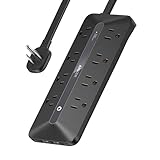
Top picks at a glance
As an Amazon Associate we earn from qualifying purchases at no extra cost to you.


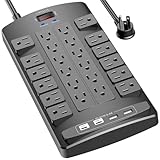


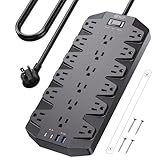
| Model | Key spec | Price | Best for |
|---|---|---|---|
| Anker Power Strip (12 AC) | 2100J surge protection, 12 AC outlets, 20W USB | Check on Amazon | Trusted brand, high outlet count |
| SUPERDANNY Power Strip (22 AC) | 2100J, 22 AC outlets, 6 USB, 1875W/15A | Check on Amazon | Maximum outlet count on a budget |
| Anker Power Strip (900J) | 900J surge protection, 35W max | Check on Amazon | Compact trusted-brand pick |
| QINLIANF Surge Protector | 4100J, 24 outlets, 4 USB (2 USB-C) | Check on Amazon | Overall pick, best joule-to-price ratio |
| Jgstkcity Desk Clamp Power Strip | 40W total, 4 PD 20W USB-C, desk-edge mount | Check on Amazon | Desk-clamp mounting, USB-C charging |
| Green Box Innovations Gaming Surge Protector | 4000J, USB ports included | Check on Amazon | Highest protection ceiling |
| JouleLoom Flat Plug Power Strip | 11 AC outlets, 6 USB ports, 6FT flat plug | Check on Amazon | Lowest price with flat plug |
| SUPERDANNY Power Strip (18 AC) | 18 AC outlets, 6.5FT, 1875W/15A flat plug | Check on Amazon | Balanced outlet count and cable length |
Anker Power Strip with 2100J Surge Protector, 12 AC
Anker’s 12-outlet strip carries a 2100J surge protection rating and 20W of USB charging capacity for around $28, backed by Anker’s broader reputation for reliable charging and power hardware across its product lineup. Twelve AC outlets is enough headroom for a gaming PC, monitor, speakers, and desk lighting without running out of plugs.
Based on the 2100J rating, this strip absorbs a meaningful surge event, comfortably above the entry-level 900J tier also offered by Anker elsewhere in this list, while the 20W USB output covers charging phones or small accessories without needing separate wall adapters cluttering other outlets. The brand recognition here carries real weight for buyers who prioritize a manufacturer with an established track record over a lesser-known brand offering similar specs.
At around $28, this strip sits in the middle of this roundup’s price range, reflecting Anker’s brand premium over similarly specced strips from less established manufacturers like SUPERDANNY or JouleLoom.
Pros
- 2100J surge rating from a well-established power hardware brand
- 12 AC outlets cover a full gaming desk setup
- 20W USB charging reduces the need for separate wall adapters
Cons
- Priced higher than similarly rated strips from less-known brands
- Fewer outlets than the 18-24 outlet strips elsewhere in this list
- No USB-C ports, only standard USB-A
Who it’s for: buyers who prioritize a trusted power hardware brand and want a reliable mid-range outlet count with solid surge protection.
SUPERDANNY Power Strip Surge Protector, 22 AC 6 USB
SUPERDANNY packs 22 AC outlets and 6 USB ports into a single strip for around $19, one of the highest outlet counts in this entire roundup at a genuinely budget price. The 2100J surge rating matches Anker’s 12-outlet strip despite costing roughly $9 less and offering nearly double the outlets.
Based on the 1875W/15A rating, this strip handles a full desk’s worth of devices, from a gaming PC and monitor to desk lighting, speakers, and phone chargers, all from the 6.5-foot cable that gives real placement flexibility relative to shorter cords. With 22 outlets, cable management becomes more important than with smaller strips, since a fully loaded unit this size can look cluttered without some planning.
SUPERDANNY is a less established brand than Anker, which may factor into a buyer’s confidence in long-term reliability, though the stated specifications, joule rating, and outlet count are directly competitive with pricier alternatives in this list.
Pros
- 22 AC outlets, among the highest count in this roundup
- 2100J surge rating matches pricier Anker strip at a lower cost
- 6.5-foot cable gives real placement flexibility
Cons
- Less established brand than Anker
- 22 outlets require deliberate cable management to avoid clutter
- No USB-C ports, only standard USB-A
Who it’s for: gaming desks with many devices to plug in that want maximum outlet count without paying Anker’s brand premium.
Anker Power Strip, 900J Surge Protector
This second Anker strip trades outlet count for compactness, rated at 900J surge protection and 35W max USB output for around $23. It suits a smaller desk setup or a secondary power need where 12 or more outlets would be excessive.
Based on the 900J rating, this strip still offers real surge protection, just with a lower absorption ceiling than the 2100J and 4100J strips elsewhere in this list, meaning it can handle typical minor surge events but may need replacement sooner if it absorbs a larger surge, such as one from a nearby lightning strike. The 35W USB output is higher than the 12-outlet Anker strip’s 20W rating, useful for charging a phone and tablet simultaneously at faster speeds.
For a gaming setup with modest outlet needs, such as just a PC and monitor plus a couple of accessories, this compact strip avoids paying for outlet capacity that would otherwise go unused on a larger strip.
Pros
- Higher 35W USB output than Anker’s 12-outlet strip
- Compact size suits smaller desks or secondary power needs
- Trusted Anker brand reliability
Cons
- Lower 900J surge rating than the 2100J and 4100J strips in this roundup
- Fewer outlets, not suited to a full multi-device gaming desk
- Costs more than the higher-outlet-count SUPERDANNY strip
Who it’s for: smaller desk setups with modest outlet needs that still want Anker’s brand reliability and decent surge protection.
QINLIANF Surge Protector Power Strip, 24 Outlets
QINLIANF’s strip is the strongest overall pick in this roundup at around $21, combining a 4100J surge rating, the highest in this list alongside Green Box Innovations, with 24 AC outlets and 4 USB ports including 2 USB-C connections, all on a 6-foot flat plug cord.
Based on the 4100J rating, this strip offers substantially more surge absorption capacity than the 900J and 2100J strips elsewhere in this roundup, at a price actually lower than several strips with weaker protection ratings. The 2 USB-C ports are a genuine advantage over the USB-A-only Anker and SUPERDANNY strips, useful for charging newer devices and some laptops without needing a separate USB-C wall adapter.
ETL listing on this strip confirms independent safety certification, and the flat plug design helps it sit flush behind furniture or in tight spaces behind a desk, a small but genuinely useful detail for keeping a crowded desk setup tidy.
Pros
- 4100J surge rating, among the highest in this roundup at a low price
- 24 outlets plus 2 USB-C ports for modern device charging
- ETL listed for independently verified safety certification
Cons
- Less established brand than Anker
- 24 outlets need careful cable management to avoid clutter
- 6-foot cable is shorter than SUPERDANNY’s 6.5-foot cord
Who it’s for: gaming desks that want the strongest surge protection and outlet count in this roundup without paying Green Box Innovations’ premium price.
Jgstkcity Desk Clamp Power Strip USB C
Jgstkcity takes a fundamentally different form factor than the rest of this roundup, mounting directly to a desk edge via a clamp rather than sitting flat on the floor or desktop, priced at around $25 with 5 outlets and 4 USB-C PD 20W fast-charging ports totaling 40W.
The desk-clamp mount is the main draw here: it frees up desk and floor space entirely by attaching to any tabletop edge up to 1.96 inches thick, keeping outlets within easy reach without a strip taking up room on the desk surface itself. The 4 USB-C PD ports at 20W each are the strongest fast-charging spec in this roundup, well-suited to charging phones, tablets, and USB-C laptops quickly rather than relying on standard USB-A’s slower charging speeds.
The tradeoff for the desk-clamp design and USB-C focus is a lower outlet count than the 18-24 outlet strips elsewhere in this list, making this a better fit as a secondary charging station near the edge of a desk rather than the primary power strip for an entire gaming PC setup.
Pros
- Desk-clamp mount frees up desk and floor space entirely
- 4 USB-C PD 20W ports, the fastest charging spec in this roundup
- ETL listed for safety certification
Cons
- Only 5 outlets, the fewest in this entire roundup
- Requires a desk edge under 1.96 inches thick to mount properly
- Not a full replacement for a primary gaming PC power strip
Who it’s for: desks that need fast USB-C charging within easy reach and want to free up floor or desktop space rather than running a traditional flat power strip.
Green Box Innovations 4000J Gaming Surge Protector
This is the most expensive strip in this roundup at around $49, and its 4000J surge rating puts it near the top of this list’s protection ceiling alongside the QINLIANF strip, marketed specifically toward gaming setups rather than general household use.
Based on the 4000J rating, this strip should handle significant surge events comfortably, protecting an expensive gaming PC, monitor, and peripheral investment against the kind of power fluctuation that can otherwise damage sensitive electronics over repeated exposure. USB ports are included for charging accessories, though the listing does not specify count or wattage as precisely as the QINLIANF or Jgstkcity strips do.
At more than double the price of the similarly-rated QINLIANF strip, the value proposition here depends heavily on whether the “gaming” branding and marketing carries weight for your purchase decision, since the core surge protection specification is comparable between the two strips at a meaningfully different price point.
Pros
- 4000J surge rating, among the strongest protection in this roundup
- Marketed specifically for gaming setups
- Includes USB ports for accessory charging
Cons
- Highest price in this entire roundup by a wide margin
- Comparable surge protection available from QINLIANF at less than half the price
- USB port count and wattage not specified as clearly as competing strips
Who it’s for: buyers who want gaming-specific branding and are less price-sensitive, prioritizing peace of mind from a strip marketed directly at protecting gaming hardware.
JouleLoom 6FT Flat Plug Surge Protector Power Strip
JouleLoom’s strip is the second-cheapest option in this roundup at around $17, offering 11 AC outlets and 6 USB ports on a 6-foot flat plug cord, a reasonable middle-ground outlet count between the compact Jgstkcity clamp and the 18-24 outlet strips elsewhere in this list.
The flat plug design matters for placement behind furniture or in a power strip mounted flush against a wall, similar to the QINLIANF strip’s flat plug, keeping the connection point low-profile rather than protruding awkwardly from the wall outlet. Six USB ports is a generous charging allotment relative to this strip’s low price, useful for a desk with multiple phones, controllers, or small accessories needing power alongside the main gaming PC setup.
The listing does not specify a joule rating as explicitly as several other strips in this roundup, so buyers prioritizing a specific, clearly stated surge protection number should compare this against the QINLIANF or Anker strips, which publish their joule ratings prominently.
Pros
- Low price with a reasonable 11-outlet count
- 6 USB ports for charging multiple accessories
- Flat plug design for low-profile wall placement
Cons
- Joule rating not stated as explicitly as competing strips
- Fewer outlets than the 18-24 outlet strips in this roundup
- Less established brand recognition than Anker
Who it’s for: budget shoppers who want a reasonable outlet and USB port count with a low-profile flat plug, without paying for the highest joule rating in this roundup.
SUPERDANNY 18 AC Power Strip Surge Protector
This second SUPERDANNY strip offers 18 AC outlets on a 6.5-foot flat plug cord rated for 1875W at 15A, priced at around $29, positioning it between the brand’s own 22-outlet strip and the more compact Anker and Jgstkcity options in this roundup.
Based on the 1875W/15A rating, matching the 22-outlet SUPERDANNY strip’s electrical capacity, this strip handles the same real-world device load just with four fewer physical outlets, a reasonable tradeoff if 18 outlets already covers your desk’s needs without paying for outlets you would not use. The flat plug design and 6.5-foot cable length also match the brand’s other strip in this list.
Between SUPERDANNY’s two strips in this roundup, the choice mainly comes down to whether you need the full 22 outlets or if 18 is already more than enough, since the price difference is modest relative to the four-outlet gap between them.
Pros
- 18 outlets cover a full gaming desk setup comfortably
- 1875W/15A rating matches the brand’s higher-outlet-count strip
- 6.5-foot flat plug cord for flexible placement
Cons
- Fewer outlets than the same brand’s 22-outlet strip for a higher price
- No USB-C ports, only standard USB-A
- Less established brand than Anker
Who it’s for: gaming desks that want SUPERDANNY’s outlet-heavy design but do not need the full 22-outlet count of the brand’s larger strip.
How we compared and picked
Owen Pritchard evaluated these power strips from a diagnostics bench with POST cards, spare parts for swap-testing and multiple OS images, drawing on years running an IT repair bench where power-related issues, from failed PSUs to surge-damaged components, are a common and often underdiagnosed cause of hardware failure.
Joule ratings and outlet counts cited in the product write-ups above come directly from each manufacturer’s stated specifications rather than independent surge testing on these specific retail units, since surge protection components called MOVs degrade with each absorbed event in a way that cannot be verified without destructive testing. Buyers should treat joule ratings as a comparative guide between products rather than a guaranteed number of surge events any single strip will survive.
Strips were also weighed on practical desk-setup factors like cable length, flat versus standard plug design, and USB-C availability, since a strip’s surge protection rating matters less in daily use than whether it physically fits your desk layout and covers your device charging needs without requiring separate wall adapters cluttering other outlets.
What to look for in a power strip for a gaming setup
Joule rating and what it actually protects against
Joule rating measures how much surge energy a strip’s protective components can absorb before needing replacement, with higher numbers generally indicating more protection capacity. The 900J Anker strip in this roundup still offers real protection against typical minor surges, while the 4000J and 4100J strips from Green Box Innovations and QINLIANF provide substantially more headroom, useful if your area experiences frequent power fluctuations or you want maximum protection for an expensive gaming PC and monitor investment. No surge protector, regardless of joule rating, guarantees protection against a direct lightning strike, so a whole-home surge protector at your electrical panel remains the strongest line of defense in areas prone to severe electrical storms.
Outlet count versus your actual device list
Count your gaming desk’s actual devices before choosing an outlet count: a PC, monitor, speakers, desk lamp, and charging dock alone can reach five to seven outlets, which the compact Jgstkcity or Anker 900J strips would struggle to cover alongside future additions. The 18-24 outlet strips from SUPERDANNY and QINLIANF give real headroom for a growing setup, though that many outlets on one strip requires deliberate cable management to avoid a tangled mess behind your desk.
USB-A versus USB-C charging ports
Several strips in this roundup, including both Anker strips and both SUPERDANNY strips, offer only USB-A charging ports, while QINLIANF and Jgstkcity include USB-C, with Jgstkcity specifically offering 20W PD fast charging across all four of its USB-C ports. If your devices, particularly newer phones or a USB-C laptop, benefit from faster charging speeds, prioritize a strip with USB-C PD support rather than relying on standard USB-A, which charges more slowly for compatible devices.
Cable length and plug design
Cable length ranges from 6 to 6.5 feet across this roundup, a meaningful difference if your desk sits far from the nearest wall outlet. Flat plug designs, used by QINLIANF, JouleLoom, and both SUPERDANNY strips, sit flush against the wall and behind furniture more easily than a standard bulky plug, useful if your desk pushes up against a wall outlet with limited clearance behind it.
Desk-clamp mounting versus traditional flat strips
The Jgstkcity strip’s desk-clamp design is a genuinely different approach worth considering if desk or floor space is at a premium, since it eliminates the strip’s footprint entirely by mounting to the desk edge itself. This works best as a secondary charging station for smaller devices rather than a primary power strip for a full gaming PC setup, given its comparatively low 5-outlet count next to the 11-24 outlet strips elsewhere in this roundup.
Safety certification and indicator lights
Independent safety certification, like the ETL listing mentioned on the QINLIANF and Jgstkcity strips, confirms the product has passed third-party testing for electrical safety standards rather than relying solely on manufacturer claims. An indicator light showing active surge protection status, present on several strips in this roundup, is a practical feature worth prioritizing, since it tells you at a glance whether the strip’s protective components are still functioning after absorbing a surge event, rather than continuing to trust a strip that has silently lost its protective capability.
Mistakes buyers make
Assuming any power strip includes surge protection is a common and potentially costly mistake; a basic power strip without a stated joule rating simply adds outlets without protecting connected devices from voltage spikes, so always confirm surge protection specifically before trusting a strip with expensive gaming hardware.
Overloading a strip’s total wattage rating by plugging in too many high-draw devices simultaneously, like space heaters or high-wattage monitors alongside a gaming PC, can trip the strip’s circuit breaker or, in a poorly made strip, create a genuine fire risk; always check the combined wattage of everything plugged in against the strip’s rated capacity.
Continuing to use a surge protector after it has absorbed a major surge event, without an indicator light confirming ongoing protection, means you may be relying on a strip that now offers no more protection than a basic power strip, since the internal MOV components degrade with each absorbed surge.
Choosing outlet count without accounting for the physical size of your plugs is another frequent oversight; large power adapter bricks can block adjacent outlets on a densely packed strip, effectively reducing the usable outlet count below what the strip’s spec sheet advertises.
Buying the cheapest strip available without checking for independent safety certification like ETL or UL listing risks using an uncertified product for a gaming setup representing a significant hardware investment, where the cost savings on the strip itself are small relative to the equipment it is meant to protect.
Finally, mounting a desk-clamp strip like Jgstkcity’s on furniture thicker than its rated clamp range, or expecting it to power a full gaming desk with only 5 outlets, misunderstands its intended role as a secondary charging accessory rather than a primary power strip replacement.
Verdict
The QINLIANF Surge Protector Power Strip is the strongest overall pick at around $21, combining a 4100J surge rating with 24 outlets and USB-C charging at a genuinely low price. Buyers who want the absolute highest protection ceiling and gaming-specific branding should consider the Green Box Innovations strip at around $49, and desks tight on space should look at the Jgstkcity desk-clamp strip at around $25 to free up both desktop and floor space entirely.
Frequently asked questions
What joule rating do I actually need to protect a gaming PC?
For a gaming PC, monitor, and peripherals, a surge protector rated at 2000 joules or higher, like the Anker 2100J or QINLIANF 4100J models here, provides solid protection against typical power surges; lower-rated strips around 900J still offer real protection but absorb fewer and smaller surge events before needing replacement.
Does plugging my gaming PC into a power strip instead of a wall outlet hurt performance?
No, a quality surge protector power strip has no effect on your PC’s performance, since it simply passes clean AC power through to the outlet while adding surge protection; the only scenario where a power strip could cause issues is if you exceed its total wattage rating with too many high-draw devices plugged in simultaneously.
Can I plug a monitor and a gaming PC into the same power strip safely?
Yes, this is a normal and safe use case for any surge protector power strip in this list, as long as the combined wattage draw of everything plugged in stays under the strip’s rated capacity, which is typically 1800 to 1875 watts for the 15A strips in this roundup.
Do surge protectors wear out and stop working over time?
Yes, surge protection components called MOVs absorb energy during each surge event and degrade with use, so a strip that has absorbed a major surge, like a lightning-related power spike, may still pass power normally but no longer offer meaningful protection; strips with an indicator light that shows protection status are worth prioritizing so you know when replacement is needed.
What is the difference between a power strip and a surge protector?
A basic power strip just adds more outlets without any protective circuitry, while every product in this roundup is specifically a surge protector power strip, meaning it includes a joule-rated component that absorbs and diverts excess voltage during a power surge; always confirm a strip is rated for surge protection specifically before trusting it to protect expensive gaming hardware.
For deeper protection during storms or outages, see our best UPS for gaming PC guide, and pair your new strip with our best surge protector for gaming PC picks if you want a dedicated standalone unit. Owen Pritchard’s repair-bench background also informs our best cable management accessories guide, useful for taming a fully loaded 24-outlet strip, and our best USB hubs for gaming setup roundup if you need more USB ports than any single power strip provides.


