
Picking a power supply feels like the least exciting part of a gaming PC build, which is exactly why so many builders get it wrong. The graphics card and CPU get all the attention, while the PSU gets chosen last, on budget leftovers, with wattage guessed from a Reddit comment. That is how you end up with a unit that technically turns on but whines under load, shuts down during spikes, or fries when you upgrade your GPU. If you are learning how to choose power supply for gaming pc build correctly, the goal is not just to find enough watts. It is to match stable power delivery, physical fit, and modern connectors to the system you have now and the one you will want in two years.
Three common mistakes derail builds from the start. First, buying strictly by wattage number without checking 12V rail amperage, efficiency rating, and transient response. Second, ignoring ATX 3.1 and PCIe 5.1 readiness in 2026, when most new GPUs expect a native 12V-2×6 connector instead of a daisy-chained adapter. Third, assuming any 750W or 850W unit will fit and stay quiet, without verifying case clearance, cable type, and fan behavior. Fix those three and the rest of the decision gets much simpler.
As an Amazon Associate we earn from qualifying purchases at no extra cost to you.



Our Top Picks
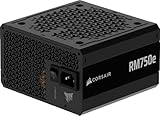
 CORSAIR RM750e ATX 3.1 PCIe 5.1 Ready 750W750 watts5.91 x 5.51 x 3.35 inches3.3 PoundsCheck on Amazon


Top 3 picks at a glance
Decide These 3 Things First
Before you compare brands or chase deals, lock in these three decisions. They eliminate 80 percent of unsuitable options immediately.
1. Your real power target, not the minimum. Add up the peak draw of your CPU and GPU, then add 30 to 40 percent headroom. A system with an Intel Core i5-14400 or Ryzen 5 7600 paired with an RTX 4070 Super will run fine on 650W, but 750W gives you quiet operation and room for transient spikes that can briefly exceed 200 percent of rated GPU power. A build with an RTX 4080 Super, RX 7900 XTX, or RTX 5080 class card should start at 850W. Do not size to the exact calculator result. That number is for steady load, not real gaming spikes.
2. Your case and motherboard platform. Most gaming towers use standard ATX PSUs measuring roughly 150mm wide x 86mm tall x 140-160mm deep. Compact mATX and many 180-200mm deep cases only have 140-150mm of PSU clearance before you crush cables against the drive cage. SFX and SFX-L units are 100-125mm wide and required for many small form factor cases. Check your case spec sheet for maximum PSU length and confirm whether you need ATX, SFX, or SFX-L before you shop.
3. Your efficiency and connector standard. For any modern gaming build, look for 80 PLUS Gold or better and explicit ATX 3.1 and PCIe 5.1 compliance with a native 12V-2×6 connector. That single cable replaces two or three old 8-pin PCIe cables and is designed to handle sustained loads up to 600W on one plug with better sense pins than the earlier 12VHPWR design. If a unit still relies solely on multiple 6+2 pin cables via adapter, it is not built for current GPUs.
Size and Form Factor: Will It Actually Fit
Wattage means nothing if the brick does not fit or blocks airflow. ATX remains the default for mid-tower and full-tower cases from NZXT, Fractal, Lian Li, and Corsair. Standard ATX PSUs are 150 x 86 x 140mm for compact models and up to 150 x 86 x 180mm for higher-wattage or older designs. Compact ATX units at 140-150mm deep are ideal when your case has a bottom shroud or a hard drive cage within 160mm of the rear panel. They leave 20-30mm extra for bending stiff 12V-2×6 cables, which need a gentle radius and should not be sharply kinked against the side panel.
SFX is 100 x 63.5 x 125mm and SFX-L is 125 x 63.5 x 130mm. Both fit in ITX cases like the Cooler Master NR200 or Lian Li A4-H2O, but will also mount in many ATX cases with an included bracket. They save space but typically cost $20 to $40 more than an equivalent ATX unit and use a smaller 92mm fan that can be louder above 60 percent load.
Weight is a quick quality tell. A solid 750W Gold ATX unit usually weighs 3.2 to 4.0 pounds. If a 750W or 850W model weighs under 2.8 pounds and is unusually short, the manufacturer likely saved on heatsinks and filtering components. Also check cable length. In a mid-tower, you want a 24-pin ATX cable of at least 600mm, an EPS 8-pin CPU cable of 650mm for top-mounted motherboards, and PCIe cables of 600-700mm to route cleanly behind the tray.
Materials and Internal Construction: What Separates Cheap From Reliable
Outside, every PSU looks like a steel box. Inside, component choice determines stability and lifespan. Good gaming units use Japanese capacitors rated to 105 degrees Celsius, a DC-to-DC converter design for tight voltage regulation on the 3.3V and 5V rails, and a full suite of protections: OCP, OVP, OPP, SCP, OTP, and UVP. You will not see those parts in marketing photos, but reputable brands list them in spec sheets.
The exterior and fan matter too. A steel housing with a powder-coated finish resists vibration better than thin tin. The fan should be a 120mm or 135mm fluid dynamic bearing or rifle bearing model, not a basic sleeve bearing. Fluid dynamic bearing fans handle heat better and stay quieter after two to three years of dust. Mesh or honeycomb grilles with 2-3mm perforations balance airflow and stiffness. Avoid units with solid acrylic or restrictive stamped grilles that trap heat.
Cable construction is part of materials. Fully modular designs let you use only the cables you need, which improves airflow and makes building far easier. Look for 16 AWG wiring on the main ATX and PCIe runs and flexible low-profile combs or ribbon-style cables if you have tight clearance. Native dual-color 12V-2×6 cables, where the sense pins are visually distinct, help you confirm the connector is fully seated, which is the single most important step to avoid melting issues on high-power GPUs.
Performance, Noise and Comfort: How It Behaves Under Load
Comfort for a PSU means stable voltages, low noise, and cool operation while you game. Efficiency is the starting point. 80 PLUS ratings measure how much AC power is wasted as heat. At 50 percent load on a 115V circuit, a White unit is about 80 percent efficient, Bronze around 85 percent, Gold around 90 percent, and Platinum around 92 percent. For a gaming PC pulling 400W from the wall, the difference between White and Gold is roughly 40-50W less heat dumped into your case, which directly lowers fan speed.
Check the fan curve and noise design. Many Gold and higher units offer a zero-RPM or semi-passive mode up to 40-50 percent load, so the fan stays off during desktop work and spins at 600-900 RPM during gaming. A 120mm fan at 18-24 dBA is effectively inaudible inside a closed case. If a spec sheet lists noise above 30-35 dBA at 75 percent load, expect a noticeable whine in a quiet room.
Transient response is critical for modern GPUs. ATX 3.1 requires a PSU to handle power excursions up to 200 percent of rated GPU load for 100 microseconds. Older ATX 2.x designs without this headroom will trip over-current protection and shut down even though average wattage looks safe. This is why a quality 750W ATX 3.1 unit often outperforms a cheap 850W ATX 2.3 unit on stability, despite the lower number on the box. Also look for tight regulation within plus or minus 3 percent on the 12V rail and ripple suppression under 30mV.
Price Tiers: What You Actually Get for Your Money
PSU pricing falls into three clear tiers, and the trade-offs are consistent across brands.
Budget $35 to $65: Typically 500W to 600W, 80 PLUS White or Bronze, non-modular or semi-modular, ATX 2.3 standard, group-regulated or basic DC-DC design. Cables are often fixed, stiff, and use daisy-chained PCIe connectors. Fine for an office PC or entry-level build with an RTX 4060 without a 12V-2×6 port, but not recommended for modern high-end GPUs. Expect a 3-year warranty and a sleeve-bearing fan. Example specs at this tier are similar to basic 500W White units around $39.
Mid-Range $75 to $115: The sweet spot for most gaming builds. 650W to 850W, 80 PLUS Gold, fully modular, ATX 3.1 and PCIe 5.1 ready with a native 12V-2×6 cable, 120mm fluid dynamic bearing fan with zero-RPM mode, and full protections. You get Japanese capacitors, 10-year warranties on better models, and compact 140-150mm depth. Most 750W Gold ATX 3.1 units land at $85 to $99, while 850W Gold compact models sit at $99 to $119.
Premium $130 to $200+: 850W to 1000W, Gold or Platinum, often with even tighter load regulation, quieter 135mm fans, and extra PCIe 5.1 connectors for multi-GPU or workstation builds. Some include digital monitoring via USB or fanless modes up to 50 percent load. Buy this tier if you run an RTX 4090, plan to overclock a Core i7/i9 or Ryzen 9 heavily, or want the quietest possible operation under 600W+ gaming loads.
Do not stretch to 1000W just for bragging rights. An oversized PSU running at 25 percent load is less efficient and often louder at idle than a right-sized Gold unit at 45-60 percent load.
Warranty and Longevity: The Spec Brands Cannot Fake
Warranty length is the most honest indicator of expected lifespan. Budget White units typically carry 3 years. Good Bronze units carry 5 years. Quality Gold ATX 3.1 units from established brands carry 7 to 10 years, and some premium models extend to 10-12 years. A 10-year warranty on an around $89 to around $110 Gold modular unit tells you the manufacturer expects it to survive at least two full gaming builds.
Longevity also depends on operating temperature rating. Check if the unit is rated for continuous output at 40 degrees or 50 degrees Celsius. A 50-degree rating means it can deliver full wattage in a hot case without derating, which matters in compact builds where internal air can hit 45 degrees during summer. Capacitor life roughly halves for every 10-degree increase, so a 105-degree Japanese capacitor will outlast an 85-degree generic part by years.
Keep your proof of purchase and do not remove the warranty sticker over the screws. Most RMAs require the serial number from the housing and failure to show all protections tripped correctly can void coverage if you used third-party cables not included in the box.
Delivery, Packaging and Ease of Assembly
PSUs are heavy and sensitive to shipping damage, so packaging matters. A well-packed unit comes in a double-walled box with dense foam end caps rather than loose bubble wrap, plus a separate cloth bag for the PSU and a zip pouch for modular cables. Inspect the housing for dents on the corners and the fan grille for bent fins when it arrives. A dent near the AC inlet can misalign the internal PCB.
For assembly, fully modular is worth the premium even in a budget build. You will plug in only the 24-pin, one or two EPS 8-pin CPU cables, and one or two PCIe cables, leaving the rest in the box. This cuts build time by 15-20 minutes and improves front-to-back airflow by leaving 30-40 percent more open space behind the power supply shroud. If your case has less than 20mm of cable space behind the motherboard tray, choose a compact 140mm deep unit and flexible silicone or ribbon cables instead of stiff sleeved bundles.
Cable management tip: Seat the 12V-2×6 connector until you hear a click and the plug sits flush with no visible gap between the housing and the GPU socket. Route it with a gentle curve of at least 35mm radius before the first bend and avoid pressing it against the side panel. If your case forces a hard 90-degree bend right off the GPU, buy a right-angle adapter that is specifically rated for 600W and ATX 3.1.
Spec Checklist
| Spec | Budget | Mid | Premium |
|---|---|---|---|
| Wattage Range | 500W – 600W | 650W – 850W | 850W – 1200W |
| Efficiency | 80 PLUS White / Bronze | 80 PLUS Gold | 80 PLUS Gold / Platinum |
| Standard | ATX 2.3 / EPS 12V | ATX 3.1 & PCIe 5.1 with native 12V-2×6 | ATX 3.1 & PCIe 5.1, high excursion tolerance |
| Modularity | Non-modular | Fully modular | Fully modular |
| Form Factor & Depth | ATX, 150 x 86 x 160-180mm, 2.8-3.2 lbs | Compact ATX, 150 x 86 x 140-150mm, 3.2-4.0 lbs | Compact ATX / SFX-L, 140-150mm or 130mm deep, 3.5-4.2 lbs |
| Fan & Noise | 120mm sleeve bearing, always on, 28-35 dBA | 120mm fluid dynamic bearing, zero-RPM to 40-50% load, 18-24 dBA | 120-135mm fluid dynamic bearing, zero-RPM to 50% load, 16-22 dBA |
| Protections | Basic OVP / SCP | Full OCP / OVP / OPP / SCP / OTP / UVP | Full protections + tighter regulation |
| Warranty | 3 years | 7 – 10 years | 10 – 12 years |
| Street Price | $35 – $65 | $75 – $119 | $130 – $220 |
Red Flags
Walk away if you see any of these on the listing or box.
- No 80 PLUS certification or a fake badge with no certification number on the official database.
- No mention of ATX 3.1 and no native 12V-2×6 cable, only a 12VHPWR adapter, for a 750W and above gaming PSU.
- Single 12V rail amperage that does not add up. A 750W unit should deliver at least 62A on the 12V rail. If it lists 45A, the wattage is inflated across the minor rails.
- Daisy-chained PCIe cables with two 6+2 pin heads on one wire for a GPU that recommends two separate cables. That concentrates heat on one wire.
- Missing protection list. If the spec sheet does not explicitly list OCP, OVP, OPP, SCP, OTP, and UVP, assume it is incomplete.
- Wattage without temperature rating or a rating at only 25-30 degrees Celsius. It will not hold that wattage inside a hot gaming case.
- Price too good for the claim. A new 850W Gold fully modular ATX 3.1 unit at $55 to $65 is almost certainly group-regulated or mislabeled.
FAQ
How many watts do I really need for a gaming PC
Base it on your CPU and GPU, not the whole build estimate. Take the combined peak power of those two parts and multiply by 1.4. For example, a 65W CPU at 120W peak plus a 220W GPU puts you at 340W, times 1.4 equals 476W, so a quality 650W unit gives comfortable headroom. For an RTX 4070 Ti or 4070 Super build, 750W is the sensible default. For an RTX 4080, 4080 Super, 7900 XTX, or higher, choose 850W. Going much larger does not improve performance unless you plan a significant GPU upgrade.
Is 80 PLUS Gold worth it over Bronze for gaming
Yes for most gaming PCs that run 3-6 hours daily. Gold wastes less power as heat, so the PSU runs 5-8 degrees cooler and the fan stays slower and quieter. Over three years, a Gold unit at 90 percent efficiency can save $15 to $30 in electricity versus Bronze at typical US rates of around $0 to around $0 per kWh, and the better capacitors and design that come with Gold usually add 2-5 years of warranty coverage.
Do I need ATX 3.1 and PCIe 5.1 if my GPU still uses 8-pin connectors
You do not strictly need it today if your GPU uses two or three 8-pin ports, but buying ATX 3.1 now keeps you ready for your next card. A good ATX 3.1 Gold 750W or 850W unit includes both the native 12V-2×6 cable for future GPUs and enough 8-pin PCIe cables for current ones, so you are covered either way. Given the small price difference of $10 to $20 between a good ATX 2.x Bronze unit and an ATX 3.1 Gold unit, the newer standard is the better investment.
What is the difference between fully modular, semi-modular, and non-modular
Non-modular has all cables permanently attached, including ones you will not use, which clutters the case. Semi-modular has the 24-pin and EPS cables fixed but lets you add PCIe and SATA cables as needed. Fully modular lets you attach every cable, so you use only what you need. For gaming builds, fully modular makes routing easier, improves airflow, and simplifies replacement if a cable is damaged, which is why nearly every mid-range and premium gaming PSU now uses it.









