
Picking a CPU cooler by cooling performance alone is the fastest way to end up with a part that will not fit. Gaming cases look spacious in photos, but the distance between your CPU and the side panel is fixed, and even a few millimeters of miscalculation means a cooler that hits the glass, blocks RAM, or forces you to leave the panel off. The cooler’s noise, RAM clearance, and case airflow all depend on getting the height right first.
The most common mistakes are trusting the cooler’s fan size instead of its total height, ignoring the case’s stated CPU clearance, and forgetting that the motherboard, standoffs, and CPU socket add a few millimeters of stack height. Tall air coolers like dual-tower models can reach 155mm to 168mm, while many compact and mid-tower gaming cases only offer 150mm to 170mm of clearance. If you buy before you measure, you are guessing. As of early 2026, most brands list these numbers clearly on the spec sheet — you just have to know where to look and how to use them.
As an Amazon Associate we earn from qualifying purchases at no extra cost to you.


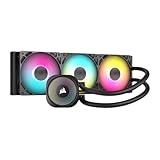
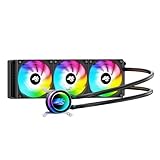
Our Top Picks



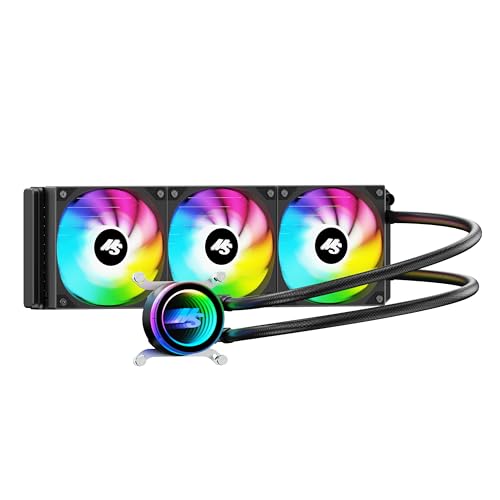
Top 3 picks at a glance
Decide These 3 Things First
Before you compare any coolers, lock in these three answers. They determine every other choice.
1. Your case’s CPU cooler clearance. Find the spec listed as “CPU Cooler Height Clearance” or “Max CPU Cooler Height.” For example, many panoramic mid-towers like the CORSAIR 3500X RS list around 180mm, while compact mATX cases often limit you to 148mm to 155mm. Write this number down — it is your hard ceiling.
2. Your cooling approach: air vs. AIO. If your case has 150mm or less clearance, a low-profile air cooler or a 240mm/360mm AIO liquid cooler is usually a better fit than a tall dual-tower. A 360mm AIO like the CORSAIR Nautilus 360 RS needs a 360mm radiator mount (typically top or front) and about 55mm to 63mm of total radiator plus fan thickness, not vertical CPU clearance.
3. Your CPU’s heat and your noise tolerance. A 65W processor is easy to cool with a 148mm single-tower cooler. A 125W to 253W gaming CPU needs more mass — either a 155mm+ dual-tower air cooler with 6 heat pipes or a 240mm+ AIO — and you will want PWM fans that can stay under 30 dBA at idle.
Size: How to Match Cooler Height to Case Clearance
This is the decisive measurement. Cooler height is measured from the base that contacts the CPU to the top of the fan or heat-pipe caps, whichever is taller.
Start with the case number and subtract a safety margin of 3mm to 5mm. That buffer accounts for motherboard tray variance, slightly raised standoffs, and manufacturing tolerance. If your case lists 160mm clearance, shop for coolers rated at 155mm or shorter.
Common height brackets to know:
- Low-profile: 35mm to 70mm. For slim ITX cases with 70mm or less clearance.
- Compact single-tower: 135mm to 148mm. Fits most mATX cases with 150mm clearance and usually clears standard 31mm to 35mm tall RAM.
- Standard single-tower: 150mm to 160mm. The sweet spot for most mid-towers. Example: many 120mm single-tower coolers sit at 148mm to 157mm.
- Dual-tower performance: 152mm to 168mm. Example: the Thermalright Peerless Assassin 120 SE is 155mm tall (125mm L x 135mm W x 155mm H) and needs at least 158mm of case clearance to be comfortable. A 160mm case will fit it; a 150mm case will not.
Also check length, width, and RAM overhang. A 135mm wide dual-tower can overhang the first two DIMM slots. If you use RGB RAM that is 44mm tall, you may need to raise the front fan 5mm to 10mm, which adds that same amount to total height and can push you over your limit. Look for coolers with a 33mm to 53mm RAM clearance cutout or an offset design if you have tall memory.
For AIOs, height is not the constraint — radiator length and thickness are. A 360mm AIO requires a case that explicitly supports a 360mm radiator. Measure the mount area: you need roughly 400mm x 120mm of unobstructed space plus 27mm to 30mm for the radiator and 25mm for fans.
Material and Heat Pipe Design: What Moves Heat
Height gives you surface area, but heat pipes and materials determine whether that height is effective.
Most gaming coolers use a copper base and copper heat pipes with an aluminum fin stack. Copper transfers heat quickly from the CPU, while the aluminum fins dissipate it into the airflow. Nickel plating on the base prevents corrosion and does not meaningfully change performance.
Count and diameter matter more than marketing names. For modern gaming CPUs:
- 4 heat pipes at 6mm diameter: adequate for 65W to 120W CPUs with a tower 145mm+ tall.
- 6 heat pipes at 6mm diameter: the current standard for dual-tower coolers cooling 150W to 220W+ CPUs. This is what you see on coolers like the Peerless Assassin 120 SE.
- Heat pipe layout: look for pipes spread across the base rather than clustered. Technologies like AGHP (Anti-Gravity Heat Pipe) help maintain performance when the case is upright or horizontal, but they do not replace raw fin area.
Weight is a proxy for material mass. A compact cooler may weigh 500g to 700g. A full dual-tower with two 120mm fans is typically 900g to 1,250g, which is fine for a standard motherboard mounted vertically, but always use the included backplate and do not move the PC frequently without support.
Construction and Fit: Fans, Sockets, and Case Layout
A cooler that fits on paper can still block components. Check these construction details before you buy.
Fan dimensions and speed. The standard gaming fan is 120mm x 120mm x 25mm. Dual-fan coolers ship with two 120mm PWM fans running 300 to 1,550 RPM, moving roughly 60 to 70 CFM each at full speed and rated around 25.6 dBA. A 140mm fan can move similar air at lower RPM and noise, but it adds width. Make sure the top of the fan does not exceed the heat-pipe caps by more than a few millimeters — that is often the true height.
Socket compatibility. Most coolers now include brackets for Intel LGA 1700, LGA 1851, LGA 1150/1151/1200 and AMD AM4/AM5 in the box. If you are on LGA 1851 or AM5, confirm the cooler lists that socket specifically; mounting hole spacing changed slightly from older platforms and using the wrong bracket costs you contact pressure.
Case construction and airflow. A cooler that is 5mm short of the side panel will still run hot if the case has a solid front. Mesh, perforated, or panoramic cases with bottom and side intake provide far better intake volume. If your case has a glass front, prioritize a cooler with higher static pressure fans (1.5 mmH2O or above) or consider an AIO mounted where it can get fresh air.
Motherboard and VRM clearance. Top-down measurements matter, but so does fin overhang toward the VRM heatsinks and the rear I/O shroud. A cooler that is 135mm wide may contact a tall VRM heatsink on compact mATX boards. Check the cooler’s footprint diagram and compare it to your board’s layout.
Performance and Comfort: Noise, Thermals, and Real-World Use
Taller coolers usually cool better because they hold more fins and support larger fans, but height alone does not guarantee quiet operation.
For noise, focus on PWM control and bearing type. Fluid dynamic bearings and ceramic bearings tend to have longer life and lower noise at low RPM than sleeve bearings. A good 120mm PWM fan should idle at 400 to 800 RPM and be inaudible under 28 dBA, then ramp to 1,300 to 1,550 RPM only under heavy gaming loads. Dual-tower coolers at $35 to $50 often include two fans so each fan can run 150 to 200 RPM slower for the same airflow, reducing perceived noise.
For thermals, consider TDP headroom, not just rated TDP. A cooler rated for 220W to 265W dissipation will handle a 125W base / 180W turbo CPU with lower fan speeds. If you plan to overclock or run sustained all-core loads, add 20 percent headroom above your CPU’s maximum turbo power. A 155mm dual-tower or a 240mm AIO is the practical minimum for high-end gaming CPUs that regularly draw 180W to 230W.
Comfort also means maintenance. Air coolers need a dusting every 3 to 6 months. AIOs need radiator dusting and occasional software checks, with pump noise typically 20 to 30 dBA and pump life rated at 40,000 to 70,000 hours.
Price Tiers: What to Expect at Each Budget
Cooler height and price correlate, but not linearly. You can get excellent clearance performance without spending a premium.
- Budget $25 to $45: Compact to standard single-tower and entry dual-tower air coolers, 135mm to 157mm tall, 4 to 6 heat pipes, single or dual 120mm PWM fans. Excellent value for 65W to 150W CPUs. Example range includes coolers similar to the Peerless Assassin 120 SE around $35, which delivers dual-tower performance at a budget price but requires 155mm+ clearance.
- Mid-range $50 to $100: Taller dual-tower air coolers (155mm to 168mm) with better fans and RAM clearance, or entry 240mm to 360mm AIOs. Example: 360mm AIOs with ARGB fans and daisy-chain wiring cluster around $50 to $100, like value models near $50 and mainstream models near $100. Choose this tier if your case supports 160mm+ air clearance or a 360mm radiator mount.
- Premium $110 to $180: Large dual-tower coolers with premium fans, offset designs for RAM/GPU clearance, or 360mm AIOs with lower pump noise, LCD screens, and software control. You are paying for acoustics, extra mounting flexibility, and longer warranties, not drastically more cooling height.
Factor in case cost. A mid-tower with 165mm to 180mm clearance like those in the $80 to $130 range removes most height constraints and gives you the freedom to choose any air cooler. Cheaper compact cases may save $30 upfront but force you into a low-profile cooler that costs more per degree of cooling.
Warranty and Reliability
Warranty length signals how long the manufacturer expects the fans and pump to last.
Air coolers typically carry a 3 to 6 year warranty. The fans are the only moving parts; replacement 120mm PWM fans cost $10 to $20 and are easy to swap without removing the heatsink. Heat pipes and fins do not wear out if you avoid bending them.
AIO liquid coolers usually offer 3 to 6 years as well, with some brands extending to 5 years on the pump. The pump is the failure point. Check whether the warranty covers leakage damage and what the RMA process requires (often proof of purchase and photos of the installation). Keep the original brackets — losing the AM5 or LGA 1851 hardware outside the warranty period can leave you buying a full mounting kit for $10 to $25.
For either type, register the product and keep the invoice. Retailers often require the original packaging for AIO returns due to liquid handling rules.
Delivery, Assembly, and First Fit Check
Before you order, do a 5-minute fit check that prevents returns.
Measure your current case if you already own it: remove the side panel and measure from the top of the CPU’s heat spreader to the inside of the panel. If you do not have the case yet, use the manufacturer’s max CPU cooler height and subtract 5mm. Then compare that to the cooler’s listed height on the official spec sheet, not a retailer’s summary.
On arrival, dry-fit without thermal paste. Place the cooler on the CPU, install the fans, and close the side panel slowly. Look for contact with glass, RAM, and the top case fans. Most gaming cases need 10mm to 15mm between the cooler top and the side panel for easy panel closure.
For installation, air coolers install with a backplate, standoffs, and a crossbar — expect 15 to 30 minutes and a Phillips screwdriver. Torque should be firm but not forced; uneven pressure hurts contact more than a slightly looser mount. AIOs require mounting the radiator first, then the pump block. Radiator screws are typically 6-32 x 30mm for fan-plus-radiator mounting; using the wrong length can puncture the radiator.
Delivery note: air coolers and AIOs ship in boxes 300mm to 480mm long. If you order a case and cooler together, the combined weight is 10kg to 15kg. Inspect for bent fins or cracked fan corners on delivery — even a small bend at the fin edge can add 2mm to effective height.
Spec Checklist
| Spec | Budget | Mid | Premium |
|---|---|---|---|
| Cooler Height | 135mm – 155mm | 152mm – 168mm or 240mm/360mm AIO | 160mm – 168mm with offset design or 360mm AIO |
| Case CPU Clearance Needed | 150mm – 160mm | 160mm – 180mm | 165mm – 180mm+ |
| Heat Pipes / Radiator | 4-6 x 6mm pipes | 6 x 6mm pipes or 240mm/360mm x 27mm radiator | 6-8 pipes or 360mm x 27-30mm radiator |
| Fans | 1-2 x 120mm PWM, 400-1550 RPM, ~66 CFM | 2 x 120mm PWM or 3 x 120mm ARGB on AIO | 2 x 120/140mm premium PWM or 3 x 120mm low-noise ARGB |
| Noise Target (Idle / Load) | 26-30 dBA / 32-36 dBA | 24-28 dBA / 30-34 dBA | 22-26 dBA / 28-32 dBA |
| RAM Clearance | 31-35mm (standard RAM) | 33-45mm (tall/RGB RAM with cutout) | 44-53mm+ (offset or raised fan) |
| Socket Support | Intel LGA 1700/1851/1200, AMD AM4/AM5 | Same + extra brackets in box | Same + future socket kits available |
| Weight | 600g – 950g | 900g – 1250g (air) / 1200g – 1600g (AIO full kit) | 1000g – 1350g (air) / 1300g – 1800g (AIO) |
| Warranty | 3 years | 5 years | 5-6 years |
| Street Price | $25 – $45 | $50 – $100 | $110 – $180 |
Red Flags
- No listed cooler height or case clearance on the spec sheet. If a listing only says “supports 120mm fans,” do not buy until you find the millimeter number.
- Cooler height equals case clearance exactly. A 160mm cooler in a 160mm case may technically fit but can press against tempered glass or rattle. Keep that 3mm to 5mm gap.
- Raised front fan for RGB RAM with no height adjustment disclosed. Adding 8mm to clear 44mm tall memory turns a 155mm cooler into a 163mm cooler.
- Compact case with a 360mm AIO in the photo but no 360mm support in the specs. The image may show a 240mm radiator or a case variant you are not buying.
- Single-tower cooler claiming high wattage support with only 3 heat pipes. For 180W+ CPUs, fewer pipes means higher fan speeds and more noise even if height looks adequate.
- Missing socket hardware for your platform. If the box lists LGA 1700 but not LGA 1851 or AM5, you may need a separate kit that adds cost and delay.
- Radiator thickness not listed for AIOs. A thick 38mm radiator plus 25mm fans needs 63mm of clearance and can conflict with tall motherboard heatsinks or RAM when top-mounted.
FAQ
How do I know if a 155mm cooler will fit my gaming case?
Check your case’s max CPU cooler height. If it is 158mm or higher, a 155mm cooler like a typical dual-tower will fit with a small safety margin. If your case is 155mm exactly, choose a 150mm or shorter cooler or a 240mm/360mm AIO. Always confirm the number on the case manufacturer’s page and measure with the side panel off if you already own the case.
Is case clearance the same as cooler height?
No. Case clearance is the maximum cooler height the case can accept, measured from the CPU surface to the inside of the side panel. Cooler height is the physical height of the heatsink plus fans. You need cooler height to be 3mm to 5mm less than case clearance for a comfortable fit that accounts for tolerances and RAM fan adjustments.
Should I choose an AIO if my case has low CPU clearance?
Often yes. If your case only allows 148mm to 155mm, a low-profile air cooler may not cool a high-power gaming CPU quietly. A 240mm or 360mm AIO bypasses the height limit entirely, as long as your case lists support for that radiator size on the top or front. Just confirm you have space for the radiator plus fans, about 55mm total thickness, and that tubing can reach without kinking.
Does raising the front fan to clear RAM affect cooler height?
Yes. Most dual-tower coolers let you slide the front fan up 5mm to 15mm to clear RAM taller than about 35mm. Every millimeter you raise the fan adds to total height. If you have 44mm RGB RAM and you lift the fan 8mm, a 155mm cooler becomes 163mm tall and may no longer fit a 160mm case. Look for coolers with a recessed fin cutout or an offset design if you know you have tall memory.









