
Our Top Picks
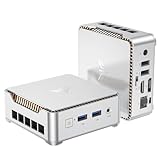
 Origimagic C3 Mini PC Intel Core i3-5005U5005U 8+512GB5.04 x 5 x 1.69 inches1.9 PoundsCheck on Amazon


Top 3 picks at a glance


Best Small Form Factor PCs for Gaming and Work
The best small form factor PCs are the ASUS ROG NUC for serious 1440p gaming, a Ryzen 7 8845HS mini PC such as the Beelink SER8 or GEEKOM A8 for affordable work and esports, and a custom Mini-ITX desktop when you need a full-power graphics card and long-term upgrade access.
Small size does not automatically mean low noise, easy upgrades, or good gaming value. A compact PC can contain a fast processor but lack the cooling capacity, power supply, or GPU clearance needed to sustain performance. The right choice depends on whether you want integrated graphics, a mobile discrete GPU, or a replaceable desktop graphics card.
As an Amazon Associate we earn from qualifying purchases at no extra cost to you.
Quick comparison
| PC or format | Approximate size | Graphics approach | Upgrade access | Best use | Typical market range |
|---|---|---|---|---|---|
| Beelink SER8 | About 0.8 L | Radeon 780M integrated graphics | RAM and M.2 SSD accessible; CPU/GPU fixed | Office work, coding, older games and esports | Usually $500–$750, depending on memory and storage |
| GEEKOM A8 | About 0.65 L | Radeon 780M integrated graphics | RAM and M.2 SSD accessible; CPU/GPU fixed | Quiet general-purpose computing and light gaming | Usually $600–$850 |
| Minisforum UM790 Pro | About 0.85 L | Radeon 780M integrated graphics | Two M.2 slots and replaceable SODIMM memory | Multimonitor work, development and 1080p gaming | Usually $500–$800 |
| ASUS ROG NUC | About 2.5 L | GeForce RTX 4060 or RTX 4070 Laptop GPU | Memory and storage accessible; GPU is not a normal desktop card | High-refresh 1080p and 1440p gaming in a compact enclosure | Usually $1,500–$2,300 |
| Custom Mini-ITX desktop | About 8–20 L | Replaceable desktop graphics card | Best upgradeability, but case-dependent | Full gaming performance and future upgrades | Usually $900–$2,500 or more |
Dimensions and configurations vary by manufacturer and region. The volume figures are useful comparisons rather than guarantees that every version has the same chassis.
Best overall for compact gaming: ASUS ROG NUC
The ASUS ROG NUC is the most convincing ready-made option when gaming matters more than absolute size. Its mobile GeForce graphics processor provides hardware ray tracing, DLSS support and substantially more gaming headroom than Radeon 780M integrated graphics. The RTX 4070 Laptop GPU version is particularly suitable for 1440p gaming with sensible settings, while the RTX 4060 Laptop GPU version is better matched with 1080p high-refresh displays.
The compromise is upgrade access. You can normally replace or expand the M.2 storage and system memory, but the graphics module is not equivalent to installing a future desktop graphics card. Its external power brick also occupies desk space, although it keeps the internal chassis smaller.
Cooling is more complex than in a basic office mini PC. Under sustained gaming loads, fan noise is audible and varies with the selected performance mode, ambient temperature and game. Use the balanced profile for most games; the extra performance mode is most useful when the GPU is clearly limiting frame rates and noise is acceptable.
Who should buy it?
- Players who want a finished, compact gaming system without building a PC.
- Users with a 1080p or 1440p monitor who want modern upscaling and ray-tracing features.
- People who value a small footprint more than a replaceable desktop GPU.
Best value for work and light gaming: Ryzen 7 8845HS mini PCs
The Beelink SER8, GEEKOM A8 and similar Ryzen 7 8845HS systems share an important strength: they deliver strong everyday CPU performance in less than one liter of desk space. The Radeon 780M integrated GPU is adequate for competitive games, older AAA titles and many modern games at reduced settings, but it should not be mistaken for a discrete gaming card.
Expect roughly 45–90 frames per second in esports games at 1080p using competitive or medium settings, and often around 25–45 frames per second in demanding modern games at 1080p low settings. These are broad ranges from typical published configurations; results vary with memory configuration, cooling mode, game patch, resolution and the amount of memory assigned to the integrated GPU.
Choose a system with two matched memory modules rather than a single stick. Integrated graphics uses system memory as video memory, so dual-channel DDR5-5600 can materially improve frame rates and reduce stutter. A 32 GB configuration is preferable for gaming, browser-heavy work and virtual machines; 16 GB is sufficient for office applications but leaves less room for the GPU and background programs.
Cooling and noise differences
Two mini PCs with the same processor can sound very different. A thicker chassis usually has more room for a larger heatsink and slower fan. The SER8’s relatively substantial enclosure is designed around sustained cooling, while ultra-thin systems may become louder after several minutes of rendering or gaming. In a quiet office, fan behavior at low load can matter more than peak benchmark speed.
Keep at least a few centimeters of clearance around the intake and exhaust areas. Do not place a mini PC on carpet or inside a tightly enclosed cabinet. If temperatures are acceptable but fan noise is annoying, cap games at 60 or 90 frames per second and select balanced mode; reducing unnecessary frame generation lowers both power draw and fan speed.
Best for maximum upgradeability: a Mini-ITX desktop
A custom Mini-ITX PC is usually the best small form factor PC for someone who wants desktop-class graphics and meaningful upgrades. Unlike most mini PCs, it can use a standard socketed processor, replaceable DIMMs, a normal M.2 drive and a desktop graphics card. Depending on the case, it can support a high-end GPU, though compatibility must be checked before buying each component.
The case volume alone does not tell you whether a build will work. Check these measurements:
- GPU length and thickness: compare the graphics card’s exact dimensions with the case limit, including room for power cables.
- CPU cooler height: low-profile air coolers are quiet and reliable, but some cases require a 47–67 mm cooler.
- Power supply format: SFX and SFX-L units offer more capacity than Flex ATX designs, but they differ in length and connector layout.
- Riser cable quality: sandwich-layout cases need a PCIe riser; PCIe 4.0 or PCIe 5.0 compatibility should match the motherboard and GPU.
- Front radiator clearance: a 240 mm liquid cooler may improve CPU temperatures while reducing space available for the graphics card.
A 10–15 liter Mini-ITX build with a 650–850 W SFX power supply can approach mainstream desktop gaming performance, but it will usually cost more and require more careful assembly than a prebuilt mini PC. It may also be quieter, because a larger case can use slower 120 mm or 140 mm fans.
Power budget: the calculation that prevents a bad build
Power supply capacity should be based on sustained use and transient spikes, not just the graphics card’s advertised board power. For example, consider a compact system with a 120 W CPU limit, a 285 W graphics card, 60 W for the motherboard and memory, 25 W for storage and fans, and 30 W of transient margin:
120 W + 285 W + 60 W + 25 W + 30 W = 520 W.
A quality 650 W supply gives useful headroom without forcing the PSU to run near its limit. A 750 W unit may be preferable if the case supports it or if a future GPU upgrade is likely. Small external power bricks used by mini PCs are engineered for their fixed hardware; do not assume that a higher-wattage brick alone can turn an integrated-graphics mini PC into a discrete-GPU system.
Which compact PC fits your situation?
| Your priority | Recommended format | Reason | Main compromise |
|---|---|---|---|
| Office work, programming and many browser tabs | Ryzen 7 mini PC with 32 GB RAM | Small, efficient and inexpensive | Limited gaming GPU performance |
| Esports at 1080p | Ryzen 7 8845HS mini PC | Radeon 780M is capable at reduced settings | Shared memory limits demanding games |
| Modern games at 1440p | ROG NUC with RTX 4070 Laptop GPU or Mini-ITX desktop | Discrete GPU provides the required rendering and VRAM capacity | Higher price and more fan noise |
| Future GPU and storage upgrades | Custom Mini-ITX desktop | Uses standard replaceable components | More planning, assembly and maintenance |
| Quiet desk-side productivity | Thicker Ryzen mini PC with balanced power mode | Efficient processor and less aggressive cooling | Peak performance is lower than a full desktop |
Buying checklist
- Choose 32 GB of dual-channel memory if gaming or using creative applications.
- Prefer two M.2 slots if you expect a large game library or a separate work drive.
- Check whether the included power supply is internal, external, SFX, SFX-L or Flex ATX.
- Confirm display outputs: USB-C video, HDMI and DisplayPort capabilities vary by model.
- Look for 2.5Gb Ethernet if transferring large files to a NAS or workstation.
- Confirm wireless standards and antenna placement if the PC will sit behind a monitor.
- Read the manufacturer’s memory and SSD limits before buying barebones versions.
For the smallest affordable system, select a well-cooled Ryzen 7 8845HS mini PC. For plug-and-play gaming with a discrete GPU, choose the ASUS ROG NUC. For the strongest performance and the best long-term value from upgrades, accept a larger enclosure and build a Mini-ITX desktop around the exact GPU, cooler and power supply you need.







