
Our Top Picks


Top 3 picks at a glance

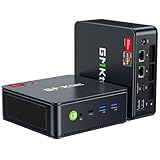
Best Mini PCs for Gaming, Office, and Media
The best mini PCs are usually the Beelink SER8 or Minisforum UM890 Pro for integrated-graphics gaming, an ASUS NUC 14 Pro or similar Core Ultra system for compact office work, and a Mac mini with M4 or M4 Pro for quiet media, creative applications, and macOS productivity.
The right choice depends less on the smallest case and more on four practical limits: processor performance, integrated graphics, upgradeable memory and storage, and the cost of completing the setup with RAM, an SSD, an operating system, and any required dock or adapter.
As an Amazon Associate we earn from qualifying purchases at no extra cost to you.
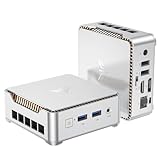

Quick comparison
| Mini PC class | Typical processor | Graphics | Memory and storage path | Best use | Typical system price |
|---|---|---|---|---|---|
| Budget 6-core mini PC | Ryzen 5 6600H or comparable mobile CPU | Radeon 660M | Usually two SODIMM slots and one or two M.2 slots | Office, streaming, older games | Usually $250–$400 |
| Balanced gaming mini PC | Ryzen 7 7840HS, 8845HS, or 8945HS | Radeon 780M | Two SODIMM slots, commonly two M.2 slots | 1080p gaming, office, emulation | Usually $400–$650 |
| High-end integrated-graphics system | Ryzen AI 9 HX 370 | Radeon 890M | Often upgradeable SO-DIMM memory and at least one M.2 slot | Stronger 1080p gaming and demanding productivity | Usually $700–$1,000 |
| Discrete-GPU mini PC | Mobile Ryzen or Core Ultra processor | Dedicated Radeon or GeForce GPU | Varies; some use soldered memory | Modern AAA gaming at higher settings | Usually $900–$1,500+ |
| Compact Apple desktop | Apple M4 or M4 Pro | Integrated Apple GPU | Storage and memory are not user-upgradeable | Quiet office, media, coding, creative software | Usually $600–$1,500+, depending on configuration |
Best balanced choice: Beelink SER8 or Minisforum UM890 Pro
Mini PCs using the Ryzen 7 8845HS or Ryzen 9 8945HS are the safest all-round recommendation for a Windows gaming and office setup. The Beelink SER8 and Minisforum UM890 Pro belong to this class, although their chassis, cooling systems, ports, and included configurations differ.
The important component is the Radeon 780M integrated GPU, not the small difference between the 8845HS and 8945HS. It has 12 graphics compute units and uses system memory as video memory. With two matched DDR5 SODIMMs running at the supported high speed, it can handle esports games at 1080p with competitive settings and many older or less demanding games at medium settings. Newer AAA games generally require reduced settings, upscaling, and sometimes a 30- or 40-fps target.
Approximate performance ranges from published reviews vary substantially with cooling, memory speed, resolution, CPU power limits, game patches, and settings. As a broad expectation, Radeon 780M systems commonly deliver roughly 45–90 fps in lighter 1080p games and about 25–50 fps in demanding modern games after quality reductions. These are not guarantees for a particular model.
Why two memory modules matter
Integrated graphics borrow bandwidth from RAM. A single 32GB module may provide more capacity than 2 x 16GB, but it removes dual-channel bandwidth and can noticeably reduce gaming performance. For a new gaming mini PC, choose 2 x 16GB DDR5 rather than 1 x 32GB whenever the machine has two accessible SODIMM slots.
A useful bandwidth calculation explains the difference. DDR5-5600 provides approximately 44.8GB/s per 64-bit memory channel:
5,600 MT/s × 8 bytes = 44,800MB/s
Two channels theoretically provide about 89.6GB/s before overhead. The Radeon 780M does not receive all of that bandwidth, because the CPU and operating system also use memory, but dual-channel operation is still a major advantage for an integrated GPU.
Best performance without a separate graphics card: Ryzen AI 9 HX 370 systems
Mini PCs built around the Ryzen AI 9 HX 370 offer a higher integrated-graphics ceiling than Radeon 780M models. Its Radeon 890M has 16 compute units and is designed for higher sustained mobile performance, provided the mini PC has adequate cooling and fast dual-channel memory.
This class makes sense when you want to play at 1080p but do not want a separate graphics card. It is also attractive for compiling large projects, running virtual machines, editing high-resolution video, and handling several demanding applications at once.
There are two cautions. First, the extra performance usually costs considerably more than a Ryzen 7 mini PC. Second, integrated graphics still has no dedicated VRAM. A system with 32GB of RAM is a better gaming configuration than one with 16GB, because the GPU may reserve several gigabytes and modern games can consume the rest.
Best office and media choice: Intel Core Ultra or Mac mini
An ASUS NUC 14 Pro or another Core Ultra mini PC is a strong office choice when you need Windows compatibility, multiple displays, Thunderbolt 4, or business-oriented connectivity. Core Ultra systems are especially convenient for web applications, office software, video calls, hardware video decode, and quiet everyday operation.
For a Windows office computer, look for at least 16GB of RAM, a 512GB NVMe SSD, Wi-Fi 6E or newer, and two display outputs. Choose 32GB if you keep many browser tabs open, run development tools, or use large spreadsheets.
The Mac mini with M4 is an excellent media and productivity machine when macOS applications meet your needs. It is exceptionally compact and quiet, and the M4 Pro version provides more CPU and GPU headroom. However, its memory and internal storage are not upgradeable, so buy the capacity you expect to need for the entire ownership period. A base configuration that looks inexpensive can become much less attractive after adding more memory and storage.
When a discrete-GPU mini PC is worth the cost
If your target is modern AAA gaming at high settings, 1440p, ray tracing, or a high-refresh ultrawide monitor, an integrated GPU is the wrong starting point. Choose a mini PC with a dedicated GeForce or Radeon mobile GPU, or consider a small-form-factor desktop with a replaceable graphics card.
Dedicated graphics provide their own VRAM, which avoids competing with the CPU for system memory. A system with 8GB of dedicated VRAM is a more suitable baseline for current 1440p gaming than an integrated GPU sharing 16GB or 32GB of RAM. Check whether the graphics card is replaceable before buying: many compact systems use a soldered laptop GPU that cannot be upgraded.
Ports, storage, and upgrade checks
Do not compare mini PCs by processor name alone. Check the complete I/O layout and internal design.
- Displays: Look for HDMI 2.1, DisplayPort over USB-C, or both. Confirm the maximum resolution and refresh rate for each output if you need two 4K screens.
- High-speed networking: A 2.5Gbps Ethernet port is useful for a NAS, local game streaming, and large file transfers. Wi-Fi 6E or Wi-Fi 7 helps when wired networking is unavailable.
- USB: Four or more USB ports prevent a keyboard, mouse, controller, webcam, and external drive from immediately requiring a hub.
- Storage: Two M.2 slots are valuable because you can add a second SSD without replacing the boot drive. Check whether the slots support 2280 drives and whether one is limited to PCIe 3.0 or SATA.
- Memory: Prefer two replaceable SODIMM modules if long-term upgrades matter. Some systems use soldered memory, especially very thin designs.
- Cooling: Read the sustained-power specifications, not only the short boost wattage. A larger fan and a ventilated chassis can maintain performance more consistently than an ultra-thin case.
Match the mini PC to your situation
| Your situation | Recommended specification | Why |
|---|---|---|
| Office, browsing, video calls | Modern 4- to 8-core CPU, 16GB RAM, 512GB SSD | Enough for multitasking without paying for gaming graphics |
| Esports at 1080p | Ryzen 7 with Radeon 780M, 32GB dual-channel RAM | Fast memory improves the shared GPU’s performance |
| AAA games at 1080p | Radeon 890M or a dedicated GPU with 8GB VRAM | Provides more graphics headroom and fewer compromises |
| 4K media and quiet playback | Core Ultra or Apple M4, hardware AV1/HEVC support, HDMI 2.1 preferred | Handles modern video formats and high-resolution displays efficiently |
| Long-term upgradeability | Two SODIMM slots, two M.2 slots, 2.5Gbps Ethernet | Memory, storage, and networking remain useful as requirements grow |
Calculate the total setup cost before buying
A bare mini PC is not always the final price. For example, a system advertised at $450 may be sold without RAM or storage. Adding 32GB of DDR5 memory at roughly $60–$100, a 1TB NVMe SSD at roughly $60–$100, and a Windows license or existing license arrangement can bring the usable total to approximately $570–$700. Add a USB-C dock, additional storage, or a better wireless keyboard and the difference grows further.
Also budget for cooling space. Keep the intake and exhaust clear, avoid placing the computer inside a closed cabinet, and use the supplied power adapter with adequate wattage. If sustained gaming causes loud fans or clock-speed reductions, lowering the power limit slightly or using a 60-fps cap can produce a quieter and more consistent experience than chasing maximum boost speed.
Final buying advice
Choose a Ryzen 7 7840HS, 8845HS, or 8945HS mini PC when you want the best balance of price, gaming capability, upgradeability, and Windows compatibility. Step up to a Ryzen AI 9 HX 370 system when integrated graphics performance matters more than value. Choose a Core Ultra mini PC for a business-focused Windows setup with modern display and connectivity options, or a Mac mini M4 for a quiet macOS media and productivity desktop. For serious 1440p or high-settings gaming, skip integrated graphics and buy a discrete-GPU system instead.







