
A student laptop under 300 dollars forces a different set of questions than a mainstream shopping trip. At this cap, almost every machine ships with 4GB of memory and a small eMMC drive, so the real decision is which compromises you can live with: a lightweight Chrome OS machine that sips battery, or a Windows notebook with a bigger screen and more familiar software. The cheapest listings are also the most likely to hide weak storage, so the fine print matters more than the headline.
This guide is for high school and early college students, parents buying a first computer for homework, and anyone who needs a dependable note-taking, browsing, and video-call machine rather than a gaming rig. In 2026 the budget tier is dominated by Intel Celeron and Pentium-class chips, and the eight listings below show how widely the quality and storage arrangements differ even at the same budget tier.
Our Top Picks
 HP 14" HD Chromebook Laptop for StudentsN4120|64GB eMMC12.85 x 8.94 x 0.72 inches3.35 poundsCheck on Amazon
 HP 14" Ultra-Light Laptop for Student & Home4GB|128GB Storage12.76 x 8.86 x 0.71 inches3.24 PoundsCheck on Amazon
 HP 14" Laptop Computer for 2026 Student Business4GB RAM + 628GB Storage12.76 x 8.86 x 0.71 inches3.24 poundsCheck on Amazon

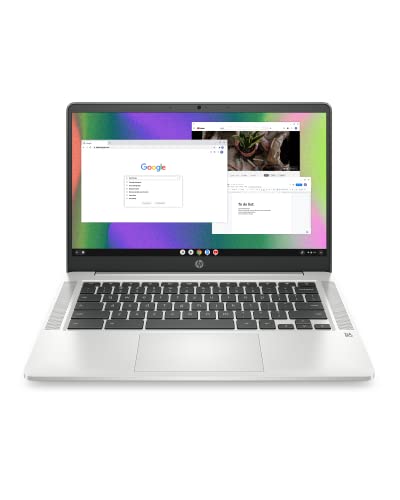
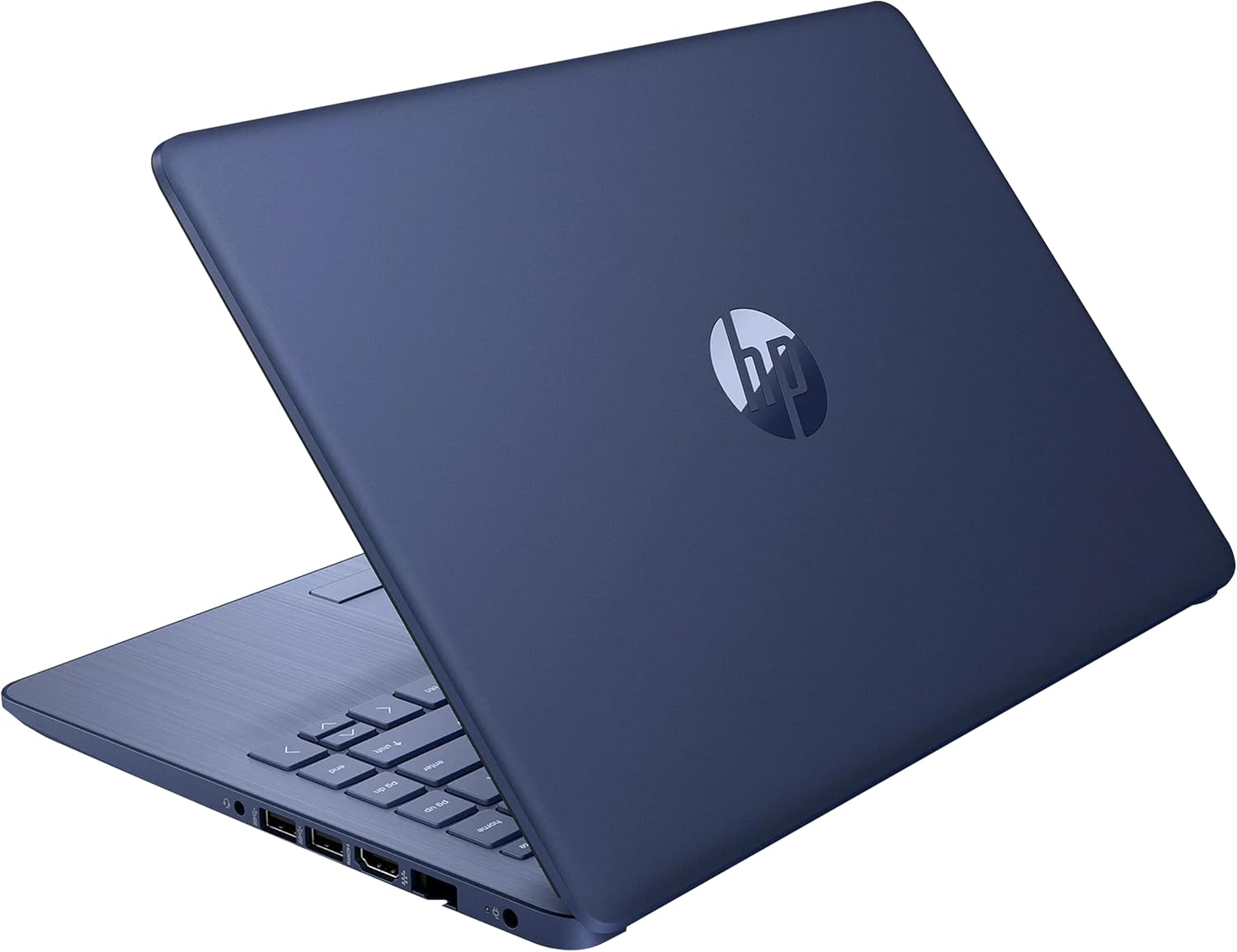
Top 3 picks at a glance
Quick Picks
As an Amazon Associate we earn from qualifying purchases at no extra cost to you.


| Product | Best for | Key spec from the title |
|---|---|---|
| HP 14 HD Chromebook (N4120) | Battery-first schoolwork | Quad-core N4120, 64GB eMMC, 14-hour battery |
| 15.6 Inch Windows laptop (N4020) | Big screen plus storage room | 128GB eMMC, 1TB TF card expansion, FHD display |
| HP Chromebook 14 (Ash Gray) | Simple Chrome OS classwork | Celeron N4120, 64GB eMMC, thin design |
| HP 14 Ultra-Light (N4500) | Office software included | 1-year Office 365, 12-hour battery, 64GB SD card |
| HP 14 Win 11 Pro (4GB DDR5) | Newer memory standard | 4GB DDR5 RAM, Windows 11 Pro, Copilot |
| HP 14 HD Renewed (Dale Blue) | Lowest-cost Windows option | Celeron dual-core up to 2.60GHz, 64GB SSD |
| Phatom 15.6 FHD | Full HD screen on a budget | 128GB SSD, 1080P IPS display |
| HP 14 Student (N4500) | Wi-Fi 6 and fast charging | 4GB DDR4, Wi-Fi 6, Fast Charge |
How to Choose
Operating system comes before processor
Decide between Chrome OS and Windows 11 first. Chrome OS boots fast and runs well on 4GB of RAM, but it relies on web apps and Android apps. If your school uses Windows-only software, such as certain math or programming tools, choose a Windows model instead. Windows 11 on 4GB works for browsing and documents, though multitasking with many tabs will feel tight. Also ask whether your school issues a managed Google or Microsoft account, since that can settle the choice before specs even matter.
Storage type and amount matter more than the CPU name
Look for 128GB over 64GB where possible, and note whether the number is a real internal drive or includes a bundled SD card. A listing that adds an SD card to eMMC makes the total look bigger but does not make the main drive faster. An SSD is generally quicker than eMMC, so a 64GB SSD can feel better than a 128GB eMMC for day-to-day responsiveness.
Screen size and resolution affect long study sessions
An FHD (1920×1080) panel is noticeably sharper for reading PDFs than an HD (1366×768) screen. A 14-inch body is easier to carry across campus; a 15.6-inch body adds a bigger display and often a number pad, but also weight. If the machine will live in a backpack, favor the lighter size.
Ignore marketing add-ons, check the essentials
AI branding and bundled cloud storage are minor. Check ports (USB-C, HDMI), Wi-Fi standard (Wi-Fi 6 helps in crowded dorms), webcam quality, and battery hours. Budget models usually cut keyboard backlighting, panel brightness, and speaker quality first. Press on the keyboard deck in photos and reviews if you can, because flex in a thin plastic body is a common complaint at this tier and a poor keyboard hurts more than a slow chip over a full semester.
The 8 Best Options
HP 14 HD Chromebook (N4120)
This Chromebook pairs an Intel quad-core N4120 with 4GB RAM and 64GB eMMC, plus WiFi, a webcam, HDMI, and both USB-A and USB-C ports. The listing cites 14 hours of battery life, a headline number for all-day campus use. It suits students who live in browsers, cloud documents, and video calls, and who want to plug into a projector or monitor without hunting for adapters.
- Strength: a long stated battery life, so the charger can stay at home.
- Strength: a practical port mix covering older USB-A drives and newer USB-C accessories.
- Trade-off: 64GB of eMMC fills quickly if files are kept locally.
Skip it if your coursework depends on Windows-only programs or you store large project files on the device.
15.6 Inch Windows Laptop (N4020)
This unbranded 15.6-inch machine lists an N4020 processor, 4GB DDR4, 128GB eMMC, Windows 11, an FHD display, and support for a 1TB TF card. The larger screen and expandable storage help students who accumulate lecture slides, scans, and photos. It is a sensible choice for a machine that mostly sits on a desk or dorm bed and moves only occasionally.
- Strength: card expansion adds a lot of room for files at low cost.
- Strength: an FHD panel reads more crisply than the HD screens common at this level.
- Trade-off: the N4020 is an entry-level chip, so many open tabs and apps will slow it.
Skip it if you want a recognized brand behind warranty and driver support, or a lighter body for daily carrying.
HP Chromebook 14 (Ash Gray)
This HP Chromebook lists a Celeron N4120, 4GB RAM, 64GB eMMC, a 14-inch HD display, Chrome OS, and a thin design with long battery life. It fits students who want a no-fuss laptop for essays, research, and streaming lectures, particularly in schools that already run on a Google account. The listing also mentions 4K graphics, which points to capable video playback.
- Strength: a thin, portable body that slips easily between classes.
- Strength: the same N4120 class of chip used by the other Chromebook here.
- Trade-off: HD resolution is less sharp than the FHD panels on some rivals.
Skip it if you prefer a sharper screen for long reading sessions or need desktop Windows software.
HP 14 Ultra-Light (N4500)
This HP lists a Celeron N4500, 4GB RAM, 64GB eMMC plus a 64GB SD card, a one-year Office 365 subscription, a webcam, and 12 hours of battery. It suits students who need Word, Excel, and PowerPoint immediately, without sorting out licensing. The ultra-light label signals a body made for carrying across campus all day.
- Strength: Office 365 is included for the first year, saving a setup step.
- Strength: a stated 12-hour battery supports a full day of lectures.
- Trade-off: part of the storage comes from an add-on SD card rather than internal flash.
Skip it if your school already supplies Office, or if you want one fast internal drive.
HP 14 Win 11 Pro (4GB DDR5)
This listing mentions Windows 11 Pro, Microsoft Office, Copilot AI, an Intel 4-core CPU, and 4GB of DDR5 RAM, with storage described as 628GB in total. DDR5 is a newer memory standard, which may appeal to buyers who want something less dated at the same cap. It fits students who value the Pro edition for its extra management features.
- Strength: DDR5 memory and Windows 11 Pro on a budget machine.
- Strength: Office software is bundled, which cuts first-week costs.
- Trade-off: the 628GB figure appears to combine several storage sources, so confirm the main drive size.
Skip it if you want a clear, single drive capacity and simple specifications.
HP 14 HD Renewed (Dale Blue)
This renewed notebook lists Windows 11, a Celeron dual-core processor up to 2.60GHz, 4GB RAM, a 64GB SSD, and a webcam. It targets buyers who need the lowest-cost Windows machine for documents and web research. Because renewed units are refurbished, condition varies by seller, so read the grading terms before ordering.
- Strength: an SSD rather than eMMC, which usually feels snappier for file access.
- Strength: a low entry cost for basic Windows tasks like typing and browsing.
- Trade-off: a dual-core chip is the weakest processor in this group.
Skip it if you want a brand-new device with a fresh manufacturer warranty.
Phatom 15.6 FHD
This 15.6-inch laptop lists 4GB RAM, a 128GB SSD, Windows 11 compatibility, and a 1080P IPS display. The IPS panel gives wide viewing angles for group study around one screen. It suits students who want a full-HD display and an SSD at the same cap, particularly for reading and document-heavy work.
- Strength: an IPS full-HD screen and a 128GB SSD in one listing.
- Strength: a large display that leaves room for split-screen note-taking.
- Trade-off: the phrase “Windows 11 compatible” means you should confirm what is installed out of the box.
Skip it if you want an established brand with a broad support network.
HP 14 Student (N4500)
This HP lists a Celeron N4500, 4GB DDR4, 64GB eMMC, Intel UHD Graphics, a 720p camera, Wi-Fi 6, fast charging, and Windows 11 S. Wi-Fi 6 helps in a crowded dorm network, and fast charging suits quick top-ups between classes. Copilot is also mentioned for AI-assisted writing help.
- Strength: Wi-Fi 6 and fast charging in the same listing.
- Strength: a compact 14-inch body that stays easy to carry.
- Trade-off: Windows 11 S restricts apps to the Microsoft Store unless switched out.
Skip it if you need to install software from outside the store.
Which One Fits Your Situation
You need all-day battery for a commute
The HP 14 HD Chromebook (N4120) lists 14 hours and a useful port mix, which makes it the most commute-friendly option here.
You need Word and Excel on day one
The HP 14 Ultra-Light (N4500) includes a year of Office 365 and a lightweight body.
You read a lot of PDFs and want a crisp screen
The Phatom 15.6 FHD pairs an IPS 1080P display with a 128GB SSD for the lowest compromise on screen quality.
You want the cheapest possible Windows machine
The renewed HP 14 HD (Dale Blue) meets that need, though condition varies.
Common Mistakes
- Counting SD card storage as part of the main drive when judging space.
- Buying a Chromebook for a course that requires Windows-only software.
- Ignoring Windows 11 S mode restrictions until the first software install fails.
- Choosing a 15.6-inch body and then carrying it across campus daily.
- Assuming “AI” or “Copilot” branding adds speed to a Celeron chip.
Related guides
- Windows Macos Linux Gaming Performance Comparison Strengths Weaknesses
- Desktop Operating Systems Gaming Performance Strengths Weaknesses
- 5G Home Internet Wifi Modem Settings Low Latency Gaming
Frequently Asked Questions
Is 4GB of RAM enough for a student laptop?
For browsing, documents, and video calls, yes, especially on Chrome OS. Heavy multitasking or large spreadsheets will feel slow, so keep open tabs under control. Closing unused tabs and using the browser’s memory saver mode stretches 4GB much further.
Is a renewed laptop a good idea for school?
It can be, if the seller provides a return window and a battery check. Condition varies, so read the renewed grading details carefully.
What is the difference between eMMC and SSD?
Both are flash storage, but an SSD is usually faster and more durable. For daily responsiveness, an SSD is the better choice at the same capacity.
Can I upgrade the RAM later?
On many budget laptops, the memory is soldered to the board and cannot be changed. Check the spec sheet before buying if you want an upgrade path. When in doubt, assume the memory you buy is the memory you keep.









