Gaming at 1440p occupies an awkward and rewarding middle ground. The picture is sharper than 1080p, yet the pixel count is roughly half that of 4K, so a well-chosen mid-range graphics card can keep high settings playable on a high refresh rate monitor without the cost of a flagship. The catch is that 1440p exposes weak spots in a graphics card faster than 1080p does. Video memory fills up sooner with high-resolution textures, cheap coolers get louder under sustained load, and a card that looked fine at a lower resolution can suddenly feel cramped.
This guide is for people who already own, or are about to buy, a 1440p monitor and need to match a card to it. The eight cards below range from budget-minded options with 10GB or 12GB of memory to 16GB models built on the newest AMD and NVIDIA architectures. Everything is judged from the facts in each product title: memory size and type, interface, outputs, cooler design and clock speeds where stated. No frame rates are quoted because the titles do not provide them. Each review says where the card sits: the RX 9070 XT, RX 9070, RX 9070 GRE and RTX 5060 Ti are the strongest 1440p candidates, the two RX 9060 XT cards cover the mid-range, and the Arc B570 and RTX 3060 are lower-tier choices that suit moderate settings or older titles.
Our Top Picks
 ASUS Prime Radeon RX 9070 XT 16GB GDDR6RX9070XT|OC|Black12.3 x 5.1 x 2 inches3.3 poundsCheck on Amazon
 ASUS Dual GeForce RTX 5060 Ti 16GB GDDR7RTX5060Ti|OC|16GB9 x 4.7 x 2 inches1.4 PoundsCheck on Amazon
 ASUS Dual Radeon RX 9060 XT 16GB GDDR6RX9060XT|16GB|Black8 x 4.7 x 1.9 inches1.3 poundsCheck on Amazon


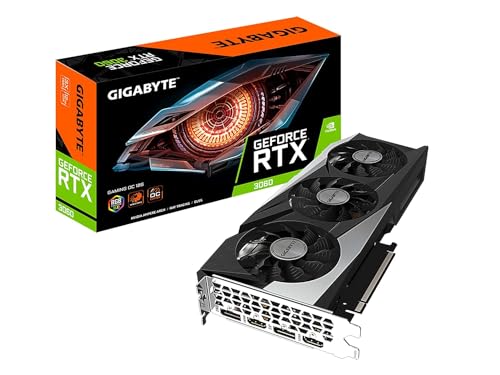
Top 3 picks at a glance
Quick Picks
As an Amazon Associate we earn from qualifying purchases at no extra cost to you.




| Product | Best for | Key spec from the title |
|---|---|---|
| ASUS PRIME Radeon RX 9070 XT 16GB OC | High-refresh 1440p with room to spare | 16GB GDDR6, PCIe 5.0, HDMI/DP 2.1, 2.5-slot |
| ASUS Dual GeForce RTX 5060 Ti 16GB OC | NVIDIA buyers who want 16GB of fast memory | 16GB GDDR7, PCIe 5.0, HDMI 2.1b, DisplayPort 2.1b |
| ASRock Radeon RX 9070 Challenger 16GB OC | Quiet, large-cooler mid-high build | RDNA 4, 2520MHz boost, 16GB GDDR6 256-bit, triple fan |
| ASRock Intel Arc B570 Challenger 10GB OC | Entry-level 1440p at moderate settings | 10GB GDDR6, 2600 MHz GPU, 19 Gbps memory, metal backplate |
| MSI GeForce RTX 3060 Ventus 2X 12G OC | Lower-tier 1440p on a tight plan | 12G GDDR6, 192-bit, 1807 MHz boost, PCIe 4 |
| ASUS Dual Radeon RX 9060 XT 16GB | Mid-range card with plenty of memory | 16GB GDDR6, PCIe 5.0, HDMI 2.1b, 2.5-slot design |
| XFX Swift Radeon RX 9060 XT OC Triple Fan | Cooler-focused 9060 XT option | 16GB GDDR6, RDNA 4, triple fan, HDMI and 2x DisplayPort |
| ASUS Prime Radeon RX 9070 GRE EVO OC | Upper-mid AMD alternative | PCIe 5.0, HDMI/DP 2.1, 2.5-slot, axial-tech fans |
The 8 Best Options
ASUS PRIME Radeon RX 9070 XT 16GB OC
This is the strongest-looking card in the group for 1440p. The title lists a Radeon RX 9070 XT with 16GB of GDDR6 memory, an OC edition, a PCIe 5.0 interface, HDMI and DisplayPort 2.1 outputs, a 2.5-slot cooler with Axial-tech fans and dual-ball fan bearings. Sixteen gigabytes of video memory is exactly the kind of headroom that 1440p benefits from when texture settings are pushed up, and the DisplayPort 2.1 output suits newer high refresh monitors.
- 16GB of video memory leaves comfortable room for high-resolution textures.
- HDMI and DisplayPort 2.1 outputs support modern monitors.
- Dual-ball fan bearings point to a design built for longer life.
- A 2.5-slot cooler needs a roomy case, so measure first.
- It sits at the top of the group, so it generally costs more than the mid-range entries below.
Who should skip it: players with a 1080p monitor, or anyone on a limited power supply. Compared with the RTX 5060 Ti that follows, the Radeon is the higher tier and aimed at maximum settings, while the NVIDIA card is a more moderate step. A buyer who owns a 1440p monitor at 165Hz or higher and wants to leave settings on high for several years is the person this card is built for. The ASUS PRIME name also suggests a conventional, understated design, which suits a case with a window and no strong color theme, and the 2.5-slot cooler is the sign that thermal capacity was a priority.
ASUS Dual GeForce RTX 5060 Ti 16GB OC
For buyers who prefer NVIDIA, this is the 16GB route. The title shows a GeForce RTX 5060 Ti with 16GB of GDDR7 memory, an OC edition, PCIe 5.0, HDMI 2.1b, DisplayPort 2.1b, a 2.5-slot design, Axial-tech fans and 0dB technology, which means the fans can stop at low load. GDDR7 is the newer memory type and pairs well with a card meant for 1440p gaming.
- 16GB of GDDR7 is the most modern memory configuration in the group.
- 0dB technology allows silent operation during light tasks.
- HDMI 2.1b and DisplayPort 2.1b outputs are current.
- The 2.5-slot design requires case clearance and a free neighboring slot.
- The title does not give boost clocks, so you cannot compare speed with the AMD cards on paper.
Who should skip it: shoppers who want the maximum raw power at this level or who prefer AMD. Next to the ASRock RX 9070 Challenger, it is the more efficient-feeling mid-range option, while the ASRock card aims higher. NVIDIA buyers often choose on software features and driver habits as well as raw speed, so this card suits someone who already uses NVIDIA tools for streaming or recording. The 0dB feature is worth noting for quiet rooms, since the fans can remain off during web browsing and video playback and only spin when a game loads the card.
ASRock Radeon RX 9070 Challenger 16GB OC
The Challenger name signals a straightforward cooler without extreme styling. The title lists a Radeon RX 9070 with 16GB of GDDR6 on a 256-bit bus, an OC edition at a 2520MHz boost clock, RDNA 4 architecture, PCIe 5.0, triple fans, 0dB silent operation and an LED indicator. A triple-fan design spreads heat over a larger area, which helps with sustained gaming sessions at 1440p.
- 16GB of GDDR6 on a 256-bit bus is a solid combination for high-resolution play.
- The triple-fan cooler suits long sessions.
- 0dB mode stops the fans during light tasks.
- A triple-fan card is usually longer than a dual-fan model, so check the case length.
- The title is silent on the power connector requirement, so read the manufacturer page.
Who should skip it: small-case builders and anyone who wants fan-free looks with no indicator light. Compared with the Arc B570 that comes next, it is a much higher tier and meant for high settings rather than entry-level play. The factory overclock to a 2520MHz boost clock is a small bonus, and the Challenger line usually emphasizes simple styling over bright lighting. Buyers who want a mid-high AMD card without a flashy design, and who have a case with space for three fans, will find the proposition clear.
ASRock Intel Arc B570 Challenger 10GB OC
This is the budget outsider. The title lists an Intel Arc B570 with 10GB of GDDR6, an OC edition, a 2600 MHz GPU clock, 19 Gbps memory, a dual-fan cooler, a metal backplate, HDMI 2.1a and DisplayPort 2.1, plus 0dB operation. It is more of an entry-level 1440p card than a high-refresh champion, so settings need to come down in demanding games.
- 10GB of memory is more than many entry cards offer.
- A metal backplate adds rigidity and a cleaner look.
- Modern HDMI and DisplayPort versions are listed.
- Intel Arc drivers and game support have a shorter history than AMD and NVIDIA ones.
- It targets moderate settings, not maximum quality at 1440p.
Who should skip it: anyone chasing high frame rates in new releases. Against the MSI RTX 3060 that follows, the Arc offers newer outputs and more modern architecture, while the RTX 3060 has a longer driver track record and a larger memory pool. A shopper who mostly plays popular esports and older titles at 1440p, and who treats new releases as a medium-settings experience, will understand where this card fits. The metal backplate and dual-fan cooler suggest a compact, tidy product, and the 0dB mention means light tasks should be quiet.
MSI GeForce RTX 3060 Ventus 2X 12G OC
The RTX 3060 is an older card that still appeals to cost-conscious builders. The title lists 12GB of GDDR6 at 15 Gbps, a boost clock of 1807 MHz, a 192-bit interface, HDMI and DisplayPort outputs, PCIe 4, a Torx Twin Fan cooler and Ampere architecture. The generous 12GB of memory is its best quality for 1440p gaming at medium to high settings.
- 12GB of GDDR6 is a useful amount for 1440p textures.
- A twin-fan cooler keeps the card compact.
- Mature drivers and wide software support.
- Ampere is two generations behind the newest cards in this guide.
- It lacks the PCIe 5.0 interface and newer display outputs that other cards list.
Who should skip it: players who want high refresh at maximum settings. Compared with the ASUS RX 9060 XT after it, the RTX 3060 is the older, lower-tier choice, while the newer card brings 16GB and a modern architecture. The 3060 remains attractive to anyone upgrading from an older card who does not want to replace the power supply, since it belongs to a generation with modest power demands. Treat it as a bridge card rather than a long-term 1440p solution for the newest releases.
ASUS Dual Radeon RX 9060 XT 16GB
This card is the best fit when you want modern features without stepping into the high-end tier. The title lists a Radeon RX 9060 XT with 16GB of GDDR6, PCIe 5.0, HDMI 2.1b, DisplayPort 2.1a, a 2.5-slot design, Axial-tech fans and 0dB technology. A 16GB capacity at this level is a notable advantage when textures are turned up.
- 16GB of GDDR6 gives longevity for newer games.
- Modern outputs support high refresh monitors.
- 0dB technology reduces noise at idle.
- The 2.5-slot cooler can block adjacent slots in small cases.
- The title does not list clock speeds, so you cannot compare it directly with factory overclocked rivals.
Who should skip it: players who want the top tier. Next to the XFX Swift 9060 XT, the ASUS Dual is the more compact design, while the XFX version leans on a triple-fan cooler. This is the card for someone who wants modern AMD features, a large memory pool and a familiar ASUS cooler without the cost of a 9070-class model. Its 0dB mode also keeps the system quiet during browsing, work and video playback, and the 2.5-slot cooler tells you to check clearance before ordering.
XFX Swift Radeon RX 9060 XT OC Triple Fan
The XFX Swift takes the same GPU and wraps it in a different cooler. The title lists an AMD Radeon RX 9060 XT OC Gaming Edition with a triple fan, 16GB of GDDR6, one HDMI and two DisplayPort outputs, RDNA 4 and compatibility with desktop PCs. Triple fans on a mid-range card suggest an emphasis on quieter, sustained cooling.
- A triple-fan cooler may allow quieter operation under load.
- HDMI plus two DisplayPort outputs suit multi-monitor setups.
- 16GB of GDDR6 supports high-resolution textures.
- A triple-fan card is longer and may not fit small cases.
- The title does not state the interface generation or slot width.
Who should skip it: small-form-factor builders. It sits between the ASUS Dual 9060 XT and the ASUS 9070 GRE, offering the same core GPU as the former with a bigger cooler and a lower tier than the latter. The three-output layout, one HDMI and two DisplayPort, is useful for people who run a main gaming monitor plus a secondary screen, and the OC Gaming Edition label suggests a small factory boost. Since the title does not name the interface generation, confirm it in the full listing, even though a modern slot is almost certain to work fine.
ASUS Prime Radeon RX 9070 GRE EVO OC
The 9070 GRE slot is an upper-mid alternative from AMD. The title lists a Radeon RX 9070 GRE EVO OC Edition, PCIe 5.0, HDMI and DisplayPort 2.1, a 2.5-slot design, Axial-tech fans and dual-ball bearings, and the title is cut off after the fan bearings. It does not give the memory size, so confirm that on the listing before you buy.
- PCIe 5.0 and DisplayPort 2.1 are modern features.
- Dual-ball fan bearings point to durable fans.
- The 2.5-slot cooler is built for sustained load.
- Memory capacity is not stated in the title.
- The 2.5-slot design needs a roomy case.
Who should skip it: shoppers who need a clear memory number to compare. It is the last entry because the missing detail makes it harder to rank, but it fits buyers who already know the model and want an ASUS Prime cooler. If the listing confirms 16GB or more, it becomes a strong candidate for high settings at 1440p, because the rest of the title reads like a well-equipped upper-mid card. Until then, treat it as unranked, and compare its full specification page with the 9070 XT and 9070 above before you decide.
Why 1440p Changes the Graphics Card Decision
A card that is comfortable at 1080p can feel limited at 1440p, and the reasons are specific.
Video memory becomes the pinch point
At 1440p, high texture settings and ray tracing can fill 8GB quickly. That is why several cards here advertise 16GB, and why the 12GB MSI RTX 3060 can still be a reasonable lower-tier option. Memory bandwidth and bus width also scale with resolution, which is why a 256-bit card handles 1440p more gracefully than a narrower one at the same memory size.
High refresh rates raise the bar
Resolution and refresh rate work together, and a 1440p monitor at 240Hz asks far more of a graphics card than one at 60Hz.
Many 1440p monitors run at 144Hz or more. Getting close to that frame rate in modern games takes a mid-range or better card, which is why the RX 9070 and RTX 5060 Ti tier is the sweet spot. A 1440p monitor also rewards stable frame pacing, so a card with a good cooler and a power supply that is not stretched matters as much as a raw performance number.
Upscaling helps, but not equally
Upscaling technologies can lift frame rates, but they work best when the card has enough native performance and memory. Frame generation and similar features can smooth motion, but they do not replace a card with enough raw power and memory. Choose a card that handles your main game natively at the settings you like, then treat upscaling as a bonus.
How to Choose a 1440p Graphics Card
Video memory
For 1440p, 12GB is a workable floor and 16GB is the comfortable choice for new releases. Avoid 8GB cards for long-term use, since high-resolution textures can exceed it. Bus width and memory type matter too: a 256-bit bus with GDDR6 or GDDR7 offers more bandwidth than a narrow bus. If you like to install texture packs or play games with large open worlds, treat 16GB as the target and 12GB as the compromise. Do not judge a card by clock speed alone; two cards with different memory and cooler designs can behave very differently at the same stated boost clock.
Performance tier
Think of the group in tiers. The RX 9070 XT and RX 9070 aim at high settings and high refresh, the RTX 5060 Ti and RX 9060 XT are the mid-range sweet spot, and the Arc B570 and RTX 3060 are lower-tier. Match the tier to the games you play and the refresh rate you want. The tier also decides how long the card stays useful, so a mid-range card bought today will move to medium settings sooner than a high-tier one. A player who mostly runs one competitive title at a high refresh rate can spend less than a player who wants every new release at high settings.
Power supply and connectors
Check the power supply wattage the manufacturer lists and the power connectors on the card. As a rule, a mid-range card often calls for a quality unit of 550 to 650 watts, while a high-end card may call for 750 watts or more. Do not rely on wattage alone; the quality of the unit matters. A unit with the right number of PCIe power cables and a stated efficiency rating is a safer base than an unbranded one. If your current power supply is older than seven or eight years, factor in a replacement.
Size and cooling
Many cards here use 2.5-slot or triple-fan designs. Measure the space inside your case for length, thickness and the clearance to the next slot. A larger cooler usually means lower noise, but it also needs more room and good airflow. Noise is a function of fan size, fan count and heat, so a triple-fan card can be quieter at the same load. The 0dB feature stops the fans at idle but does nothing for noise under load, so read the cooler details too.
Outputs and monitor match
Look for HDMI 2.1 and DisplayPort 2.x if you own a high refresh monitor. Make sure the card has enough outputs for your setup, and verify the cables you own support the refresh rate you want. If you plan to buy a new monitor soon, favor a card with DisplayPort 2.1 so the new screen can use its full capability.
Platform and extras
PCIe 5.0 is a bonus, not a requirement; older PCIe 4.0 slots work fine with these cards. Ignore factory OC claims as a major selling point, because the real-world gain is small, and ignore boost clock numbers across different architectures, since they are not directly comparable. Budget cards often cut corners on cooler quality, backplates and fan control, so read about the cooler design. A card with a metal backplate and a decent heatsink is more likely to hold up over years of use. Also check the warranty term, since a three-year warranty is common for this class and a shorter term is worth a second look.
16GB Cards vs 10GB and 12GB Cards
Most buyers in this category weigh memory capacity against price. The table shows how the groups in this guide line up.
| Factor | 16GB cards | 10GB and 12GB cards |
|---|---|---|
| Examples | RX 9070 XT, RTX 5060 Ti, RX 9060 XT | Arc B570 10GB, RTX 3060 12G |
| Memory type | GDDR6 and GDDR7 | GDDR6 |
| Interface | PCIe 5.0 | PCIe 4 on the RTX 3060 |
| 1440p suitability | High settings and future titles | Moderate settings and older games |
| Outputs | HDMI 2.1b, DisplayPort 2.1 | Older HDMI/DP on the RTX 3060 |
When 16GB is worth it
Choose 16GB if you keep cards for several years, play new releases at high texture settings or use mods that add large textures. It protects your investment as games grow more demanding. It also keeps resale value more stable, because buyers of used cards check memory size first.
When 10GB or 12GB is enough
Lower memory cards are acceptable for older games, esports titles and moderate settings. If your budget is tight, a 12GB card is a better choice than an 8GB one. Reducing texture quality one step usually frees a large amount of memory with little visible change, which is the practical way to stretch a smaller card.
Setup, Compatibility and Upgrade Tips
What to check before buying
Measure your case for card length, thickness and the number of slots it occupies. Confirm your power supply wattage and connector types. Make sure your monitor inputs match the card outputs, and that your motherboard has a free full-length slot. A card that is 2.5 slots thick blocks the adjacent slot, so a capture card or sound card may need to move.
What to upgrade first
If your processor is much older than the card, it can limit frame rates, so check the balance. Memory at 16GB or 32GB and a fast SSD also help with 1440p games. A monitor with a high refresh rate is the best way to make use of a stronger card. If the monitor is only 60Hz, a strong card has little to show for itself, so match the screen to the card.
Compatibility traps
Do not assume all cables carry the refresh rate you want; use certified DisplayPort cables. Ensure the card does not block an M.2 slot or the front-panel connectors. After installing, remove old drivers and install the latest ones, and enable resizable BAR in the BIOS if your platform supports it. Keep the case fans tuned to support the card, since extra airflow lowers temperatures and noise more than any software setting.
Which One Fits Your Situation
A competitive player with a 165Hz monitor
The ASUS PRIME RX 9070 XT gives the most headroom for high frame rates at 1440p, with 16GB of memory for future games.
An NVIDIA loyalist who wants quiet operation
The ASUS Dual RTX 5060 Ti offers 16GB of GDDR7 and 0dB mode in a 2.5-slot design, which suits a quiet room and a case with space.
A builder with a modest plan and a 1440p monitor
The ASUS Dual RX 9060 XT gives 16GB of memory and modern outputs without moving to the top tier, leaving money for a better monitor or a faster SSD.
Someone upgrading an older system on a tight plan
The MSI RTX 3060 Ventus 2X gives 12GB of memory and mature drivers for moderate settings, especially if the existing power supply is modest.
Common Mistakes
- Choosing an 8GB card for a long-term 1440p build.
- Ignoring case clearance for 2.5-slot and triple-fan designs.
- Buying a strong card for a weak processor and expecting full results.
- Skipping the power supply check and connector requirements.
- Paying extra for factory OC labels with small real-world benefit.
- Using cables that cannot carry the monitor refresh rate.
Related guides
- Windows Macos Linux Gaming Performance Comparison Strengths Weaknesses
- Desktop Operating Systems Gaming Performance Strengths Weaknesses
- 5G Home Internet Wifi Modem Settings Low Latency Gaming
Frequently Asked Questions
How much video memory do I need for 1440p?
12GB is a workable floor and 16GB is the comfortable choice for new games. Avoid 8GB cards if you plan to keep the card for several years.
Is the RTX 3060 still good for 1440p?
It can handle moderate settings in many games thanks to its 12GB of memory. It is older, so expect to lower settings in demanding new releases.
What does 0dB mean?
It means the fans stop spinning at low load, so the card is silent during light tasks. They spin up automatically when the temperature rises.
Do I need PCIe 5.0?
No. These cards work in PCIe 4.0 slots, and the difference for gaming is small. PCIe 5.0 is a bonus for future upgrades.
Are factory OC cards worth the extra?
The gain is usually small, so cooler quality and size matter more. Pick based on fit, noise and warranty, and treat the overclock as a minor extra.
Which cards need the biggest case?
The 2.5-slot ASUS models and the triple-fan ASRock and XFX cards need the most space. Measure length and thickness before buying, and leave a little spare room for airflow around the fans.
Final Words
For 1440p in 2026, memory capacity and cooler fit decide most purchases. The ASUS PRIME RX 9070 XT leads for high settings, the ASUS Dual RTX 5060 Ti and RX 9060 XT cover the mid-range with 16GB, and the MSI RTX 3060 and ASRock Arc B570 serve tighter plans. Check your case, power supply and monitor outputs before you buy, and keep the processor in mind. A Gigabyte RTX 3060 and a second XFX RX 9060 XT were left out because they repeat the GPU of a card already listed. If you are still undecided between two cards, choose the one with more memory and the cooler that fits your case best, since those two traits matter most at this resolution and age best over time.