A custom build lets you choose every visible part, and the CPU cooler is the one that sits right in the middle of the window. Pick a plain black tower and the case looks unfinished; pick a cooler with a pump-head display or a lit fan frame and the whole build suddenly has a focal point. The decision behind this keyword is not simply “which cooler is coolest.” It is a three-way trade between lighting style, cooling format (air tower, small liquid loop, or large radiator), and how much case clearance your motherboard and chassis actually give you. In 2026 the lighting itself is nearly a given, so the real question is how much of your budget goes to looks versus raw heat removal.
This guide is written for people assembling a PC from separate parts, not for buyers of sealed prebuilts. It covers six lit coolers that range from a screen-topped air cooler to a flagship 360mm liquid unit with an LCD, and it judges them only on what each product listing states. You will see where a dual-tower air cooler makes more sense than a small liquid loop, where a radiator size is worth paying extra for, and which compromises show up at the budget end. Read the quick table first, then the individual write-ups if one name catches your eye.
Our Top Picks
 Thermalright Peerless Assassin 120 SE ARGB CPU Air6 Heat Pipe4.92 x 5.31 x 6.1 inches2 PoundsCheck on Amazon


Top 3 picks at a glance
Quick Picks
As an Amazon Associate we earn from qualifying purchases at no extra cost to you.



| Product | Best for | Key spec from the listing |
|---|---|---|
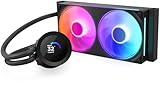
| NZXT Kraken Elite 360 RGB (White) | Showpiece builds with a display | 360mm RGB AIO with a 2.36-inch LCD and F360 RGB Core fan |
| NZXT Kraken Plus 240 RGB (White) | Mid-size cases that want a screen | 240mm RGB AIO with customizable LCD, F240 RGB Core fan, Turbine pump |
| Thermalright Assassin X 120R Digital ARGB | Compact, lower-cost air cooling with a readout | Air cooler, 4 heatpipes, 12cm PWM fan up to 2000RPM, digital screen top cover |
| Thermalright Peerless Assassin 120 SE ARGB | Strong air cooling on a tight budget | 6 heat pipes, dual TL-C12C-S PWM fans, AGHP technology |
| Thermalright Aqua Elite 120 V3 | Small liquid cooler for simple builds | 120mm AIO with ARGB PWM fans, Intel LGA1700 and AMD AM4-AM5 listed |
| Thermalright Peerless Vision 360 ARGB | Large radiator plus a bright screen | 360mm AIO with 3.95-inch IPS LCD at 480×480 resolution |
The 6 Best Options
NZXT Kraken Elite 360 RGB (White)
This is the headline cooler of the group and the one aimed at buyers who want the pump head to act as a built-in display. The listing describes a 360mm RGB all-in-one with a 2.36-inch LCD and an F360 RGB Core fan set, and it calls the product flagship display cooling. That wording tells you the target: a builder who plans to show off the case through a glass panel and who has room for a three-fan radiator at the front or top.
- A 360mm radiator format gives the most surface area of any liquid cooler in this list, which suits high-wattage processors.
- The 2.36-inch LCD on the pump head can show custom content instead of a fixed logo.
- The white finish pairs naturally with light-colored cases and white memory or graphics cards.
- A 360mm radiator needs a case with explicit support for it, so small and mid-size chassis may rule it out.
- Display-equipped coolers cost more than plain lit ones, and part of that money buys looks rather than cooling.
Think about where the radiator will live before you commit. A front mount keeps the hot air from the radiator out of the case but can fight with a tall graphics card for intake airflow, while a top mount usually exhausts the heat directly. Either way, three 120mm fan positions in a row are a hard requirement, and the tubing length on a 360mm unit needs a clear path from the pump head to the radiator without kinking.
Skip it if your case only supports a 240mm radiator, or if you would rather spend the difference on a stronger graphics card. Compared with the next pick, this model offers the larger radiator and a full third fan, while the Plus 240 gives up that capacity in exchange for fitting a much wider range of cases.
NZXT Kraken Plus 240 RGB (White)
The Kraken Plus 240 sits one step down in size but keeps the same idea: a customizable LCD on the pump head, an F240 RGB Core fan pair, and a pump the listing calls Turbine. A 240mm radiator fits many more cases than a 360mm one, which makes this the practical choice for a typical mid-tower. Buyers who want a screen but do not run the hottest processors will find the format easier to live with.
- The 240mm radiator mounts in a large share of mid-tower cases, front or top.
- The listing highlights a customizable LCD, so the pump head doubles as a small display.
- Matching RGB Core fans keep the lighting consistent across the radiator.
- Two fans mean less radiator area than the 360mm models, so very hot chips leave less headroom.
- Liquid coolers depend on a pump, so there is one more moving part than on an air tower.
This size is also a sensible match for the processors most gamers actually buy. A mainstream six-core or eight-core chip with a normal power limit does not need a giant radiator, and a 240mm loop leaves enough headroom for modest boost behavior while keeping the fan speed, and therefore the noise, reasonable. The white finish is a deliberate styling choice, so it works best next to a white case or a white-and-silver parts list.
Skip it if you want the cheapest possible lit cooler, because the air models below cost less to buy. Against the next pick, the Kraken is the more polished, screen-led choice, while the Thermalright Assassin X 120R Digital offers a smaller screen idea on a plain heatsink with no liquid involved.
Thermalright Assassin X 120R Digital ARGB
This one is for the builder who likes a readout but does not want a liquid loop. The listing describes a black air cooler with four heatpipes, a 12cm quiet PWM fan running up to 2000RPM, and a digital screen top cover. Instead of a tall dual-fan tower, you get a slimmer single-fan design that is easier to fit around memory and tight motherboard layouts.
- A single 12cm PWM fan keeps the build simple and easy to wire.
- The digital screen top cover adds a visible feature without a pump or radiator.
- Air coolers have no pump to fail, which suits builders who dislike liquid.
- Four heatpipes is a lighter thermal design than the six-heatpipe tower further down this list.
- A single fan can limit how much heat a high-core-count processor can shed under sustained load.
The sweet spot here is a mid-range processor in a case where the side panel is visible from your desk. A 12cm fan is also the easiest size to replace later, since standard 120mm fans are everywhere, and a slimmer heatsink usually leaves the top memory slot free. If the screen turns out to be a gimmick for you, the fan and heatsink still do their basic job without it.
Skip it if you plan to pair it with a top-tier processor that runs hot for long sessions. Compared with the next pick, the Assassin X 120R puts its money into the display, while the Peerless Assassin 120 SE puts its money into cooling hardware and leaves the display out.
Thermalright Peerless Assassin 120 SE ARGB
If the goal is the most cooling hardware for a modest outlay, this tower stands out on paper. The listing shows six heat pipes, dual TL-C12C-S PWM fans, an aluminium heatsink cover, and AGHP technology. Two fans on a dual-stack heatsink is a common recipe for solid air cooling, and the lighting is addressable, so it still looks the part inside a windowed case.
- Six heat pipes and a dual-fan layout give it the heaviest cooling spec of the three air models.
- The ARGB lighting keeps the custom-build look without paying for a screen.
- No liquid means no leak risk and no pump noise to consider.
- A tall dual-tower heatsink needs generous case-width clearance and may collide with tall memory.
- It carries no display, so it lacks the showpiece feel of the screen-equipped coolers.
Where this style of cooler shines is in sustained gaming and rendering sessions, where a processor holds a steady load for an hour or more. Two fans moving air through a dual-stack fin array can keep fan speeds lower for a given temperature than one fan pushed hard, which tends to mean a calmer sound profile. Because the listing includes dual fans in the box, you do not need to buy a second fan to complete the design.
Skip it if your case is narrow, or if your memory modules have tall heat spreaders that may clash with the front fan. Compared with the next pick, the Peerless Assassin gives better air cooling for the cost, while the Aqua Elite 120 V3 offers a liquid alternative in a smaller footprint above the CPU.
Thermalright Aqua Elite 120 V3
This is the smallest liquid cooler in the group, a 120mm AIO with ARGB PWM fans. The listing names Intel LGA1700 and AMD AM4 and AM5 among its supported sockets, which covers a wide range of current and slightly older platforms. A 120mm radiator is a niche format, and it suits buyers with compact cases or those who simply want liquid cooling without a big radiator in the way.
- A 120mm radiator fits cases that cannot take a 240mm or 360mm unit.
- Socket support listed for LGA1700 and AM4-AM5 covers many motherboards.
- Pump-head cooling keeps the area around the CPU socket clearer than a tall tower does.
- A single small radiator has far less surface than the larger loops, so it will not match a 240mm or 360mm unit for heavy loads.
- Liquid at this size is a compromise: the loop adds a pump and tubing, yet the radiator remains small.
The honest pitch for a 120mm loop is clearance and tidiness rather than maximum cooling. If your case has a rear exhaust mount and your processor is a modest, lower-power part, a small AIO can look neat and keep the top of the motherboard open for memory and VRM heatsinks. Buyers who plan to upgrade to a much hotter chip later should treat this as a stopgap and look at the larger radiators instead.
Skip it if cooling headroom matters more than clearance, because the Peerless Assassin 120 SE will usually do more for the same money. Compared with the next pick, the Aqua Elite is the small, simple liquid option, whereas the Peerless Vision 360 is the radiator-heavy model that adds a large display.
Thermalright Peerless Vision 360 ARGB
The Peerless Vision 360 is the high-end Thermalright option, a black 360mm AIO with a 3.95-inch IPS LCD at 480×480 resolution. The listing positions it as a complete 360 water cooler system, which makes it the direct rival to the NZXT flagship. The screen is much larger than the one on the Kraken Elite, so the pump head becomes a genuine display piece.
- A 3.95-inch IPS screen at 480×480 is a large canvas for custom visuals or system readouts.
- The 360mm radiator gives it the same cooling format as the flagship NZXT unit.
- ARGB lighting and a black finish suit dark, gamer-style builds.
- A big display and a 360mm radiator together demand a roomy case and careful tubing and cable routing.
- The screen adds a software dependency, and some buyers prefer a cooler that works without extra apps.
A screen this large is closest to a small secondary monitor mounted on the cooler, so think about orientation. Pump heads rotate in some designs, and if you mount the radiator in a way that tilts the display, you will want the image to stay upright. Check how the screen’s cable and the pump’s power cable route before closing the case, since a display adds a data lead on top of the usual fan and pump connections.
Skip it if your case cannot mount a 360mm radiator or if you prefer a plain look. Against the first pick on this list, the Peerless Vision 360 chases the same showpiece buyer with a bigger screen, while the Kraken Elite uses a smaller, tidier display and a white finish instead of black.
Who Needs an RGB Cooler in a Custom Build?
Builders with a glass-panel case
If your case has a tempered glass side panel, the cooler is one of only a few components you can see clearly. A lit pump head or fan frame gives the build a visual anchor, and a screen-equipped model turns it into a centerpiece. Without a window, the lighting is mostly wasted, so a plain, quiet cooler may be the smarter spend.
Buyers who want lighting that matches the rest of the system
Addressable lighting can be synced with memory, case fans, and a graphics card through the motherboard header or a lighting hub. This is the main reason to prefer ARGB coolers over fixed-color ones: you can set one effect across the entire build instead of mixing clashing colors. Check that your motherboard has a spare 3-pin ARGB header before you count on this.
People who like to tinker and show off
Display coolers appeal to those who enjoy customizing a system, from showing a clock or a status readout to loading a personal image. If you rarely open settings after the build is done, a simple lit air cooler delivers most of the visual payoff with fewer dependencies. Match the cooler to how much attention you want to pay it after day one.
It also helps to be honest about who does not need one. If your PC lives under a desk behind a solid panel, or if it is a work machine where noise and reliability matter more than looks, a plain cooler with a good fan is the more sensible buy. Lighting is a cosmetic feature, and cosmetic features pay off only when somebody sees them.
How to Choose an RGB CPU Cooler
Match the format to your case clearance
Measure before you buy. For air coolers, find the maximum CPU cooler height your case lists, since tall single or dual towers can exceed it and stop the side panel from closing. For liquid coolers, confirm the case supports the radiator size at the front, top, or rear: 120mm, 240mm, or 360mm. A 360mm radiator needs three fan positions in a row, and many mid-size cases only offer two.
Check socket support
Confirm the cooler lists your socket. Current Intel desktop boards commonly use LGA1700 or the newer LGA1851, while AMD uses AM4 or AM5. A cooler that names your socket in the listing ships with the right mounting hardware or has a bracket available. Never assume a cooler fits just because it fits an older board from the same brand. If you plan to move from AM4 to AM5 or from an older Intel platform to LGA1700 later, a cooler that lists all of those sockets saves you from buying twice.
Size the cooling to the processor
Match cooling capacity to the chip. A 6-core or 8-core processor with a modest power limit is well served by a 120mm-fan air cooler or a 240mm AIO. A 12-core or higher chip, or one that you plan to overclock, benefits from a dual-tower air cooler or a 360mm radiator. When in doubt, buy for the next processor you might install, not only the current one. As a rough rule, a 120mm single-fan cooler suits chips with a low power limit, a dual-fan tower or a 240mm AIO suits mainstream gaming chips, and a 360mm AIO is where you land for high-core-count parts or manual overclocking.
Think about noise and fan control
Look for PWM fans, which adjust speed based on temperature through the motherboard header. A fan that tops out near 2000RPM can be quiet at idle and loud at full speed, so check that your motherboard lets you set a custom fan curve. Pump noise matters too on liquid coolers; a constant hum is more noticeable than fan noise at low speeds.
Decide how much screen you really want
Display coolers add cost, software, and sometimes a driver or app you must keep running. If you want the effect but not the dependency, pick a cooler where the screen shows a built-in readout, or skip the screen and put the money into the case fans. Ignore marketing language about “flagship” performance; look at radiator size, fan count, and heat pipes instead.
Know where budget models cut corners
At the budget end, expect thinner baseplates, fewer heat pipes, simpler mounting hardware, and fans with shorter lifespans. Lighting controllers may also be basic, relying on a single header and a limited set of effects. A well-built air tower usually beats a low-end liquid unit for cooling per unit of cost, so do not assume liquid always means better. Also watch the warranty: liquid coolers usually carry longer coverage than air towers because the pump is a wear item, so compare the stated period before you commit to a lesser-known brand.
Air Cooler vs All-in-One Liquid Cooler
This is the comparison nearly every buyer of this keyword faces: a lit air tower or a lit liquid loop. Both look good, but they differ in clearance, upkeep, noise, and what they do to the area around the CPU socket.
| Factor | Air cooler | All-in-one liquid cooler |
|---|---|---|
| Cooling hardware | Heat pipes, fin stack, one or two fans | Pump head, tubing, radiator, fans |
| Case requirement | Cooler height and width clearance | Radiator mounting position and size |
| Failure points | Fans only | Pump and fans |
| Display options | Small top-cover screens | Large pump-head LCDs |
| Memory clearance | Tall towers can block memory slots | Clear space around the socket |
| Typical cost | Lower | Higher |
When air makes sense
Air is the right answer for most mid-range processors. The Peerless Assassin 120 SE, with six heat pipes and dual fans, shows that a tower can deliver strong cooling for less money and with fewer parts that can fail. It also leaves your radiator mount free for case fans, which helps overall airflow. Air towers are also friendlier to upgrades: when you change platforms, you usually only need a new mounting kit rather than a new cooler.
The weak points of air are size and weight. A tall dual-tower heatsink is heavy enough that you should avoid shipping a finished PC with the cooler installed, and it can crowd the first memory slot. Slimmer designs like the Assassin X 120R Digital reduce that problem at the cost of some cooling capacity.
When liquid makes sense
Liquid wins when you want the display, when memory clearance is tight, or when your processor produces a lot of heat. A 360mm unit like the Kraken Elite or the Peerless Vision spreads heat across a large radiator and keeps the socket area open. Accept the extra cost and the pump as part of the deal.
Liquid also changes how you place the rest of your fans. With a radiator at the front or top, you give up one intake or exhaust position, so plan the airflow path before you buy. A common layout is radiator on top as exhaust, one fan at the rear as exhaust, and fans at the front as intake, which keeps the air moving in one direction through the case.
Setup, Compatibility and Upgrade Tips
What to check before buying
Write down four numbers: the maximum cooler height your case allows, the radiator sizes it supports, your CPU socket, and the number of spare fan and ARGB headers on your motherboard. A screen-equipped pump head also needs a USB header on the board for its data connection, so confirm you have one free. Check that your memory modules are not too tall for a front-mounted air-cooler fan. Finally, look at the box contents list: mounting brackets for your socket, a thermal paste sachet if none is pre-applied, and enough fan-splitter cables for a dual-fan layout.
What to upgrade first
If your current build runs hot, change the case fans and the cooler before anything else, since both are cheap compared with a processor swap. If you already have a decent air tower, adding airflow with intake and exhaust fans often does more than replacing the cooler. Upgrade lighting last, because it changes appearance but not temperatures. If you later replace the processor, reuse the cooler only after checking that the new chip’s heat output fits within what the cooler can handle.
Common compatibility traps
A frequent mistake is buying a 360mm radiator for a case that only supports 280mm. Another is forgetting that a tall air cooler may block the first memory slot. Mixing lighting systems from different brands can also lead to colors that do not match, because each uses its own controller and software. Plan the lighting ecosystem before you purchase several parts. Finally, remember to remove any plastic film from the cooler’s contact plate before mounting it, a step that sounds obvious and is skipped more often than builders admit.
Which One Fits Your Situation
You are building a showpiece with a large glass window
Choose the Thermalright Peerless Vision 360 ARGB or the NZXT Kraken Elite 360 RGB. Both pair a 360mm radiator with a display, and your choice comes down to screen size and finish: black with a large 3.95-inch panel, or white with a 2.36-inch panel.
You have a standard mid-tower and want a screen
Pick the NZXT Kraken Plus 240 RGB. A 240mm radiator fits more mid-size cases, and the listing highlights a customizable LCD, so you still get the display without the 360mm space demand.
You want strong cooling without spending much
Go with the Thermalright Peerless Assassin 120 SE ARGB. Six heat pipes and dual PWM fans make it the cooling workhorse of the list, and the ARGB lighting keeps the custom look.
You have a compact case and want a simple loop
Look at the Thermalright Aqua Elite 120 V3, a 120mm AIO with ARGB PWM fans. If a screen on a plain air cooler appeals more, the Assassin X 120R Digital ARGB covers that with a 12cm fan and four heatpipes.
Common Mistakes
- Buying a cooler without checking the maximum cooler height or radiator size your case supports.
- Assuming every liquid cooler outperforms every air cooler, when a good tower often beats a small 120mm loop.
- Forgetting to confirm the cooler lists your exact CPU socket before ordering.
- Choosing a display cooler without checking for a free USB header and the software it needs.
- Ignoring tall memory modules that can collide with a dual-tower air cooler’s front fan.
- Paying extra for lighting effects while skipping case fans that actually lower temperatures.
Related guides
- Windows Macos Linux Gaming Performance Comparison Strengths Weaknesses
- Desktop Operating Systems Gaming Performance Strengths Weaknesses
- 5G Home Internet Wifi Modem Settings Low Latency Gaming
Frequently Asked Questions
Does RGB lighting affect cooling performance?
No. The lights are separate from the heat-transfer parts, so cooling depends on the heatsink or radiator, the fans, and the contact with the processor. Lighting mainly adds a small amount of power draw and a lighting controller to manage.
Is a 240mm or 360mm radiator better for gaming?
A 360mm radiator has more surface area and can handle hotter processors more easily. For mid-range gaming chips, a 240mm unit is often enough, and it fits more cases. Choose by processor power and case support, not by the number alone.
Can I use an air cooler instead of liquid and still have a good-looking build?
Yes. Lit air towers with ARGB fans and metal covers look good through a glass panel, and some even include small screens. They also avoid pump noise and leak concerns, which makes them a safe choice for many builders.
Do display coolers need software running all the time?
Many do need an app to change what the screen shows, though some keep a saved setting after you close it. Read the listing and the maker’s support page to confirm how the display behaves without the app open.
Will these coolers fit both Intel and AMD boards?
Check each listing. The Aqua Elite 120 V3 names Intel LGA1700 and AMD AM4-AM5 sockets, and the others in this guide are sold as Intel and AMD compatible coolers. Always confirm your exact socket against the listing and the maker’s compatibility page before buying.
Should I replace thermal paste on a pre-applied cooler?
Not usually. If the cooler arrives with paste already applied, using it as supplied is fine. Reapply only if you remove the cooler, in which case clean the old paste and add a thin new layer.
Final Words
The right RGB cooler for a custom PC comes down to three choices: how much screen you want, how large a radiator your case allows, and how hot your processor runs. For maximum cooling value, the Peerless Assassin 120 SE is the clear air pick. For a display-led build, the Kraken Plus 240 suits mid-size cases, while the Kraken Elite 360 and Peerless Vision 360 serve roomy ones. Measure your case, confirm your socket, and let the real clearance numbers decide.