
The best fit among these seven listings is the Skytech Shadow 5 with the Core i5 14400F, RTX 5060 Ti 8GB and 32GB of memory, because it pairs a capable graphics card with enough RAM and a 750W gold-rated power supply without paying for flagship parts. Step up to the Skytech Blaze 5 if you want a Ryzen 7 9800X3D and RTX 5070 with a 2TB drive, and treat the King 95 as the ceiling for players who want an RTX 5080. All seven are prebuilt desktops sold on Amazon, and every spec below comes from the listing title.
Helldivers 2 is a squad-based co-op shooter that fills the screen with enemies, effects and explosions, so it rewards a balanced machine: a graphics card that does not choke on busy scenes, a processor that keeps frame times steady, and enough memory that nothing spills onto the drive. This guide works through each listing against those needs, flags the ones that miss the target, and gives you a short checklist for the final decision.
Our Top Picks
Picks at a glance

Volt X3 V1.2 Gaming PC Desktop Computer – Ryzen 5 2600 3.9GHz, NVIDIA GTX 1070 8GB, 16GB DDR4 RAM, 512GB NVMe SSD, 4 ARGB Fans, Wireless WiFi + Bluetooth, Windows 11 Pro 64-Bit Activated (White)


As an Amazon Associate we earn from qualifying purchases. Product prices and availability are accurate as of the date/time indicated.

Skytech Gaming PC Desktop, Ryzen 7 5700, RTX 5060, 16GB RAM, 1TB SSD | Windows 11, NVMe SSD, DDR4 3200, 650W GOLD PSU, Wi-Fi 5, Azure 3 Series


As an Amazon Associate we earn from qualifying purchases. Product prices and availability are accurate as of the date/time indicated.

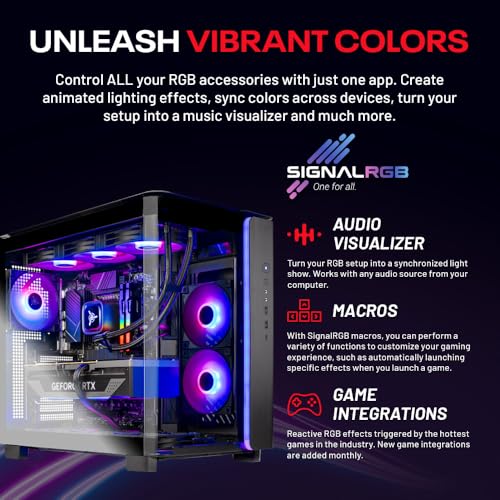
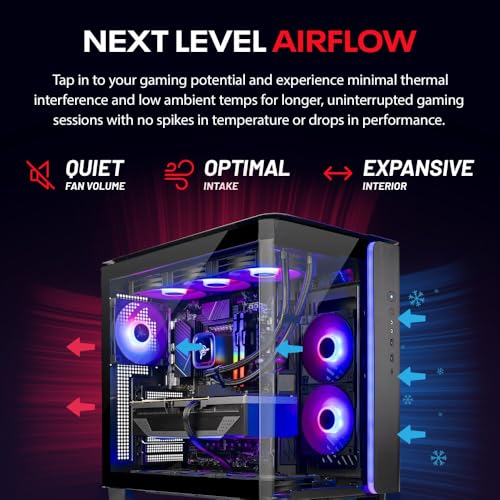
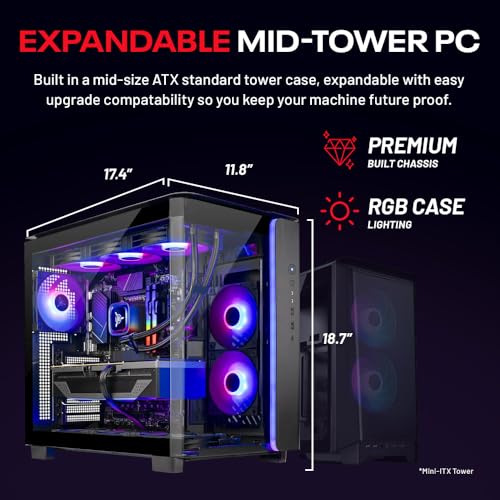
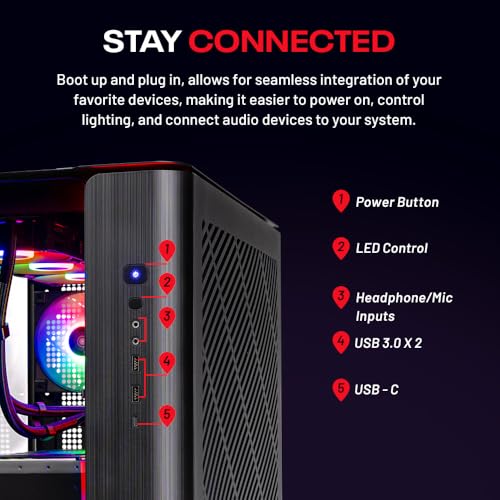
Skytech Gaming PC Desktop, Ryzen 7 9850X3D, RTX 5080, 32GB RAM, 2TB SSD | Windows 11, NVMe SSD, DDR5 6000, 850W GOLD ATX 3 PSU, 360 ARGB AIO , Wi-Fi 5, King 95 Series




As an Amazon Associate we earn from qualifying purchases. Product prices and availability are accurate as of the date/time indicated.

Skytech Gaming PC Desktop, Ryzen 7 9800X3D, RTX 5070, 32GB RAM, 2TB SSD | Windows 11, Gen4 NVMe SSD, DDR5 6000, 850W GOLD ATX 3 PSU, 360 ARGB AIO , Wi-Fi 5, Blaze 5 Series


As an Amazon Associate we earn from qualifying purchases. Product prices and availability are accurate as of the date/time indicated.

OKAMUS Pre-Built PC, i5 CPU Up to 3.6GHz, Integrated Graphics Only, 256 GB M.2, 8 GB RAM Cheap Budget Gaming PC, RGB Fans x 3, Win 11 Home,WiFi 6 + BT 5.3, 400W PSU (i5+No GPU+8GB+256GB)


As an Amazon Associate we earn from qualifying purchases. Product prices and availability are accurate as of the date/time indicated.

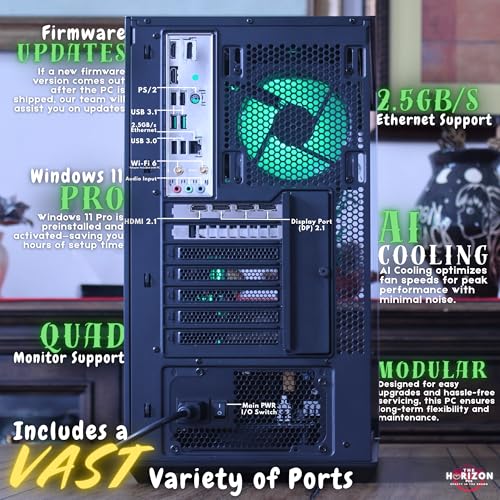
The Horizon Autherium Dragon RGB I9 RTX Gaming PC || 64GB RAM || 5TB Storage || Core I9 Upto 5.4Ghz || RTX 5070 OC || Windows 11 PRO || 360MM AIO || 2.4GB/s WiFi, VR, Gaming Ready Desktop Computer





As an Amazon Associate we earn from qualifying purchases. Product prices and availability are accurate as of the date/time indicated.

Skytech Gaming PC Desktop, Intel i5 14400F, RTX 5060 Ti 8GB, 32GB, 1TB | Windows 11, NVMe SSD, DDR4 3200 RAM, 750W GOLD PSU, Wi-Fi 5, Shadow 5 Series


As an Amazon Associate we earn from qualifying purchases. Product prices and availability are accurate as of the date/time indicated.
| Listing | Key points from the title | Price tier | Best for |
|---|---|---|---|
| Skytech Shadow 5 | Core i5 14400F, RTX 5060 Ti 8GB, 32GB DDR4 3200, 1TB NVMe, 750W gold PSU | Upper-mid | Balanced 1080p to 1440p play |
| Skytech Blaze 5 | Ryzen 7 9800X3D, RTX 5070, 32GB DDR5 6000, 2TB Gen4, 850W gold ATX 3, 360 AIO | Premium | High refresh rates at 1440p |
| Skytech King 95 | Ryzen 7 9850X3D, RTX 5080, 32GB DDR5 6000, 2TB, 850W gold ATX 3, 360 AIO | Premium (top of set) | Maximum settings, 4K ambitions |
| Skytech Azure 3 | Ryzen 7 5700, RTX 5060, 16GB DDR4 3200, 1TB, 650W gold | Mid-range | Entry to solid 1080p |
| Horizon Autherium Dragon | Core i9 up to 5.4GHz, RTX 5070 OC, 64GB RAM, 5TB storage, 360mm AIO | Premium | Gaming plus heavy multitasking |
| Volt X3 V1.2 | Ryzen 5 2600, GTX 1070 8GB, 16GB DDR4, 512GB NVMe | Budget | Tight budgets, lowered settings |
| OKAMUS Pre-Built | Integrated graphics only, 8GB RAM, 256GB M.2, 400W PSU | Budget | Not a fit for this game |
What this game asks of a PC
Co-op shooters with large enemy counts stress hardware differently from a single-player corridor game. The graphics card handles lighting, particle effects and resolution. The processor tracks enemies, projectiles and physics, and when it runs short, frame times wobble even if the average frame rate looks fine. Memory capacity matters because the game, Windows, a voice chat client and a browser all share it. Storage speed mostly affects load times, and an NVMe drive is the norm on every listing here except where the title does not say.
The developer publishes minimum and recommended system requirements, and patches can shift them. Rather than quoting frame rates, this guide uses the published logic of tiers: a current mid-range graphics card for 1080p, an upper-mid card for 1440p, and a high-end card if you want high refresh rates at 1440p or a try at 4K. Treat that as a planning frame, and confirm the current requirements on the store page before buying.
Two practical points follow. First, an 8GB graphics card is workable at 1080p, but high texture settings at higher resolutions can run into its limit, so an 8GB card in a premium-priced system is a trade-off worth noticing. Second, processor choice matters less than people assume once the graphics card is mid-range or better, apart from the cache-heavy X3D chips, which can help frame-time consistency in processor-limited scenes. Whether that shows up for you depends on your resolution and settings.
How these seven were chosen
The set comes from current Amazon listings for prebuilt gaming desktops. Selection was based on published specifications, manufacturer documentation and buyer reviews, and then each listing was read against the needs above. Nobody on the team used or measured these units. Anything not stated in a listing title is marked as “check the listing”, because titles are written by sellers and sometimes contain errors or vague marketing wording. Price tiers are relative within this set, and no exact prices are quoted because they change often.
The seven listings, one by one
Skytech Gaming Shadow 5 (Core i5 14400F, RTX 5060 Ti 8GB)
This is the most balanced listing in the group. The title names a Core i5 14400F, an RTX 5060 Ti with 8GB, 32GB of DDR4 3200 memory, a 1TB NVMe drive, a 750W gold-rated power supply and Wi-Fi 5. The 14400F has no integrated graphics, which is fine because the dedicated card handles display output. DDR4 is the older memory standard, so the platform has a more limited upgrade path than a DDR5 board, but 32GB at 3200 is a comfortable amount for gaming plus background apps.
For Helldivers 2, it suits a player who wants high settings at 1080p and a decent shot at 1440p without paying for a flagship. The 8GB of video memory is the item to watch if you plan to push textures at higher resolutions. Before buying, ask whether the case has room for a second SSD, since 1TB fills quickly with a few big games installed. Another useful question is whether the seller offers a clear return window, because a prebuilt that arrives with a faulty part is far easier to swap than to troubleshoot alone.
- Pros: 32GB of RAM; 750W gold PSU gives headroom; sensible CPU and GPU pairing.
- Pros: Wi-Fi included for rooms without a wired connection.
- Cons: DDR4 platform; 8GB VRAM may limit higher texture settings at 1440p.
- Check the listing: cooler type, case airflow and motherboard model.
Skytech Gaming Blaze 5 (Ryzen 7 9800X3D, RTX 5070)
Here the title lists a Ryzen 7 9800X3D, RTX 5070, 32GB of DDR5 at 6000, a 2TB Gen4 NVMe drive, an 850W gold ATX 3 power supply, a 360mm ARGB liquid cooler and Wi-Fi 5. It is the sort of build that makes sense when you want frame times to stay smooth in the busiest fights and want the platform to stay current for several years. DDR5 and the AM5-class processor suggest a better upgrade path, though the motherboard model is not named, so check the listing.
It suits players aiming for high refresh rates at 1440p who also want room for a large game library on the 2TB drive. The ATX 3 power supply is a useful detail, since newer graphics cards use a high-power connector, and a matching unit avoids adapters. Because the title names a 360mm radiator, also confirm that the case supports front or top mounting of that size, and ask how the seller packs heavy coolers for shipping.
- Pros: X3D processor; 2TB storage; 850W ATX 3 supply; DDR5 platform.
- Pros: 360mm liquid cooler suits sustained loads.
- Cons: Premium tier for a game that does not require this much; Wi-Fi 5 is not the newest standard.
- Check the listing: motherboard, radiator mounting and warranty terms.
Skytech Gaming King 95 (Ryzen 7 9850X3D, RTX 5080)
The top of the group, with a Ryzen 7 9850X3D, RTX 5080, 32GB of DDR5 at 6000, a 2TB SSD, an 850W gold ATX 3 power supply and a 360 ARGB liquid cooler. This is an overbuilt answer to a single game, and it only makes sense if you also play other demanding titles, plan to use a 4K or high-refresh display, or want a long runway before replacing the machine.
One point to verify: premium graphics cards can draw more power than mid-range ones, and an 850W unit is within the range many card makers suggest for this class, but confirm against the manufacturer’s current figure on the card page. A buyer who plays Helldivers 2 at 1080p will leave most of this system unused, and a cheaper tier would deliver nearly the same experience at that resolution. The extra money is better spent on a good monitor if your current display is the weaker link.
- Pros: Highest graphics tier here; X3D CPU; large SSD; ATX 3 PSU.
- Pros: Room for 4K or high-refresh monitors.
- Cons: Cost is hard to justify for one game; Wi-Fi 5 only per the title.
- Check the listing: case size and whether a second M.2 slot is free.
Skytech Gaming Azure 3 (Ryzen 7 5700, RTX 5060, 16GB)
A mid-range pick: Ryzen 7 5700, RTX 5060, 16GB of DDR4 3200, a 1TB NVMe drive, a 650W gold PSU and Wi-Fi 5. The 5700 is an older AM4-class processor, so this is a value build rather than a future-proof one. Sixteen gigabytes of memory is enough for the game itself, but it leaves less headroom if you run voice chat, streaming software and a browser together.
It suits a player who wants a clean 1080p experience at high settings and plans to upgrade the RAM later. Check whether the board has two empty slots, because the title does not say how the 16GB is configured. If you expect to add voice chat, a capture tool or a second monitor with video playing, plan on a 32GB upgrade within the first year.
- Pros: Sensible mid-range balance; 650W gold PSU; NVMe storage.
- Pros: A lower price tier than the Shadow 5.
- Cons: 16GB limits multitasking; AM4-class platform has little upgrade room.
- Check the listing: RAM configuration (one stick or two) and cooler model.
The Horizon Autherium Dragon (Core i9, RTX 5070 OC, 64GB)
The title is long and mixes specifications with marketing. It names a Core i9 “up to 5.4GHz”, an RTX 5070 OC, 64GB of RAM, 5TB of storage, Windows 11 Pro and a 360mm liquid cooler. The “2.4GB/s WiFi” wording is unusual, because wireless speeds are normally quoted in megabits or gigabits per second, so treat it as loose marketing and check the listing for the actual Wi-Fi standard. The processor generation and memory type are not stated either.
That vagueness is the main risk. The 64GB and 5TB are generous, but Helldivers 2 gains little from 64GB, so you would be paying for headroom meant for video editing or large projects. It suits a player who games and works on the same machine, such as someone who edits video or runs virtual machines between sessions. Ask the seller for a full parts list and photos of the interior before you commit, since a title this vague leaves room for surprises.
- Pros: 64GB RAM and 5TB storage; liquid cooling; Windows 11 Pro.
- Pros: RTX 5070 class graphics.
- Cons: CPU generation, RAM type and PSU wattage are missing from the title.
- Check the listing: power supply rating, motherboard and Wi-Fi standard.
Volt X3 V1.2 (Ryzen 5 2600, GTX 1070 8GB)
This is the budget entry and it shows its age. A Ryzen 5 2600 and GTX 1070 are older-generation parts, and the title lists 16GB of DDR4, a 512GB NVMe drive, four ARGB fans, Wi-Fi with Bluetooth and Windows 11 Pro. The GTX 1070 generally lacks the upscaling and frame-generation features found on newer cards, so you are relying on raw performance, which is limited for a current title.
Expect lowered settings and a 1080p target. It can make sense for someone who just wants to join friends and accepts compromises, but the long-term value is thin. The listing does not name the power supply, so that is the first thing to check. A budget build like this also tends to reach the end of its useful life sooner, so treat it as a stopgap and compare it with the Azure 3 before deciding.
- Pros: Lowest price tier among systems with a dedicated card; NVMe boot drive.
- Pros: Wi-Fi and Bluetooth included.
- Cons: Older CPU and GPU generation; 512GB fills fast; PSU details unclear.
- Check the listing: PSU brand and wattage, and the warranty.
OKAMUS Pre-Built PC (integrated graphics only)
The title says “Integrated Graphics Only”, with a Core i5 up to 3.6GHz, 8GB RAM, a 256GB M.2 drive, a 400W power supply and three RGB fans, and calls itself a cheap budget gaming PC. This is an office-class machine with gaming wording, and it is the clearest mismatch in the set. Integrated graphics can handle older or lightweight games, but they are not what Helldivers 2 is built around, and 8GB of memory with a 256GB drive is tight for a current install.
It is only worth considering as a base for a future graphics card upgrade, and the 400W supply would likely need replacing for that. For this keyword, we do not recommend it. If a low entry cost matters more than everything else, saving a little longer for a system with a dedicated card will serve you better than buying twice.
- Pros: Lowest entry cost; Wi-Fi 6 and Bluetooth 5.3 per the title.
- Pros: Could serve as a general-purpose desktop.
- Cons: No dedicated GPU; 8GB RAM; 256GB storage; 400W PSU limits upgrades.
- Check the listing: exact CPU model and whether a graphics slot is available.
Spec concepts that decide the outcome
| Concept | What to look for | Why it matters here |
|---|---|---|
| Graphics card tier | Mid-range or better for 1080p; upper-mid for 1440p | Busy scenes load the GPU most |
| Video memory | 8GB is workable at 1080p; more is safer at higher resolutions | Texture settings can fill small VRAM pools |
| System memory | 32GB in two matched modules where possible | Game plus voice chat plus browser |
| CPU cache | X3D chips help in processor-limited scenes | Helps frame-time consistency, not always average fps |
| Power supply | Gold rating, wattage above the card maker’s suggestion | Protects against instability and limits upgrades |
| Storage | 1TB minimum; 2TB if you keep many titles | Large installs fill small drives quickly |
| Cooling | 360mm AIO or a large air cooler on high-end CPUs | Sustained loads keep clocks stable |
Which listing for which player
| If you are… | Choose | Reason |
|---|---|---|
| Playing at 1080p and watching spend | Azure 3 | RTX 5060 with 650W gold; upgrade RAM later |
| Wanting a balanced, do-it-all build | Shadow 5 | 32GB, 750W PSU and a capable card |
| Targeting 1440p with high refresh | Blaze 5 | X3D CPU and RTX 5070 with DDR5 |
| Playing many demanding games or on 4K | King 95 | Highest GPU tier in the set |
| Gaming and working on the same machine | Horizon Autherium Dragon | 64GB RAM and 5TB, after you verify the missing details |
| On a very tight budget | Volt X3 | Dedicated GPU at the lowest tier; expect lowered settings |
Worked example: what a night of play costs in electricity
Power draw changes with the workload, so this example uses stated assumptions rather than measured figures. Suppose a build averages 350W at the wall during play, and you play three hours a day. That is 350W times 3 hours, or 1.05kWh per day, which comes to about 31.5kWh over a 30-day month. Multiply that by your own electricity rate from your bill to get a monthly cost. A heavier build at 500W average would use roughly 45kWh over the same month.
| Assumed average draw | Hours per day | Daily energy | Monthly energy (30 days) |
|---|---|---|---|
| 200W (entry system) | 3 | 0.6kWh | 18kWh |
| 350W (mid-range) | 3 | 1.05kWh | 31.5kWh |
| 500W (high-end) | 3 | 1.5kWh | 45kWh |
| 500W (high-end) | 6 | 3.0kWh | 90kWh |
These are planning numbers, not figures for any specific listing. For a fuller method, see our walkthrough on the running cost of a gaming PC. The takeaway is that the gap between a mid-range and a high-end system is modest per month, so power use should rarely be the deciding factor.
Mistakes buyers make and how to avoid them
| Mistake | Why it hurts | Fix |
|---|---|---|
| Buying integrated graphics for a modern shooter | Low settings and frequent compromises | Choose a listing with a dedicated card |
| Paying flagship money for a 1080p monitor | The extra GPU goes unused | Match the card to your display |
| Ignoring the PSU line | Limits upgrades and may cause instability | Look for a gold unit and a named wattage |
| Trusting vague marketing wording | Odd phrases hide missing details | Use the spec fields, not slogans |
| Skipping storage planning | 256GB or 512GB fills fast | Pick 1TB or more, or check for a free M.2 slot |
| Assuming single-stick RAM is fine | Single-channel memory can cost performance | Ask for two matched modules |
Checklist before you order
- Confirm the CPU and GPU model names exactly as listed, since some titles abbreviate.
- Find the power supply wattage and rating, and compare with the graphics card maker’s suggestion.
- Check the RAM type (DDR4 or DDR5) and how many modules the listing includes.
- Look for the return window and warranty terms, and who handles support.
- Verify that Windows is activated if the listing implies it, and that the install media is not required.
- Compare against nearby tiers in prebuilt gaming PCs in the upper-mid range before paying a premium.
Verdict by use case
Best all-rounder: the Skytech Shadow 5, thanks to 32GB of RAM, a 750W gold PSU and a capable graphics card. Best for high refresh: the Skytech Blaze 5. Best for headroom: the King 95, if you really need it. Best entry: the Azure 3. If you prefer an AMD platform, our list of Ryzen-based gaming PCs covers more options, and those weighing brands can read the Skytech versus CyberPowerPC comparison. Skip the OKAMUS listing for this game, and approach the Volt X3 only if budget forces it.
Frequently asked questions
How much graphics card do I need for Helldivers 2?
Helldivers 2 loads a GPU heavily once the screen fills with bugs, bots and explosions, so a current mid-range card is a sensible floor for 1080p at high settings. Moving to 1440p or chasing high frame rates pushes you toward the upper-mid tier. Developer system requirements change with patches, so read the current published list before ordering, and treat any frame rate in a listing as a seller claim.
Is 16GB of RAM enough, or should I buy 32GB?
Sixteen gigabytes is the usual minimum for a modern game with Windows and a browser or voice chat open. Thirty-two gigabytes gives more headroom and costs little extra on a prebuilt, which makes it the safer choice if you stream, run Discord and keep tabs open. Two matched modules are better than one, so check the listing for module count.
Does an X3D processor matter for this game?
Cache-heavy X3D chips tend to help most in games limited by the processor rather than the graphics card, and a squad shooter with many enemies on screen can fall into that category. How much it helps depends on your GPU, resolution and settings. At 1440p and above the graphics card usually becomes the bottleneck first, so an X3D chip is a bonus, not a requirement.
Can I play Helldivers 2 on the integrated-graphics PC in this list?
The OKAMUS listing says integrated graphics only, 8GB of RAM and a 256GB drive. Integrated graphics are built for office work and light games, and eight gigabytes of memory is thin for a current title. It may start, but expect low settings and compromises. A system with a dedicated graphics card and a larger drive is the better starting point.
Is a 650W power supply enough for these builds?
For the mid-range cards listed here, a 650W gold-rated unit is generally within the normal pairing range, but compare against the graphics card maker’s recommended figure on its product page. Higher-end cards usually ask for more, which is why the 850W units on the 5070 and 5080 builds make sense. Also check connector types, because modern cards may need a specific high-power cable.
Should I consider this PC for VR as well?
VR asks for a stronger graphics card and steady frame times, so the 5070 and 5080 builds are the natural candidates. If VR is on your list, see our roundup of gaming PCs for VR, and confirm headset requirements from the manufacturer’s documentation before you buy.


