The Ryzen Threadripper 1900X is an 8-core, 16-thread processor from 2017 for the TR4 socket and X399 motherboards. For gaming in 2026 it is a poor buy: a Ryzen 7 5700X or Ryzen 5 5600 is faster in games, cheaper to run and sits on a far cheaper platform. The 1900X only makes sense if you already own an X399 board and need its 64 PCIe lanes or quad-channel memory.
This guide looks at the AMD Ryzen Threadripper 1900X (also searched as “1900X” or “Threadripper 1900X”) as a gaming CPU today: specs, real strengths, platform costs, a power calculation and the chips you should consider instead. Specifications come from published sources; game performance is described as approximate ranges.
Our Top Picks


Top 3 picks at a glance

Quick verdict on the Threadripper 1900X
- Good fit: you already have an X399 system and want to extend it cheaply, or you need many PCIe lanes (several NVMe drives, capture cards, extra network cards) alongside a gaming GPU.
- Skip it if: you are buying parts for a gaming PC. Mainstream AM4 and AM5 processors beat it in games, and the X399 board, quad-channel memory and large cooler add cost without helping frame rates.
The 1900X was the entry point to the first Threadripper family. It trades core count for higher clocks than its bigger siblings, so it is the most gaming-friendly of the first-generation parts, but that is a low bar in 2026.
Ryzen Threadripper 1900X specifications
| Spec | Threadripper 1900X |
|---|---|
| Architecture | Zen (first generation), 14 nm |
| Cores / threads | 8 / 16 |
| Base / boost clock | 3.8 GHz / up to 4.0 GHz (XFR adds a small extra when conditions allow) |
| L3 cache | 16 MB |
| TDP | 180 W |
| Socket / chipset | TR4 (sTR4) / X399 |
| Memory | Quad-channel DDR4-2666 officially |
| PCIe | 64 lanes, PCIe 3.0 |
| Multiplier | Unlocked |
| Launch | 2017, entry model of the first Threadripper range |
| Integrated graphics | None |
Note the odd detail: this 8-core chip has the same 180 W rating as the 12-core 1920X. You pay the platform and cooling cost of a flagship for the core count of a mainstream Ryzen 7.
Gaming performance of the 1900X
Its relatively high 3.8 GHz base clock makes it behave better in games than the higher-core Threadripper models, but first-generation Zen instructions per clock and a multi-die internal design still leave it behind current mainstream chips.
What to expect at different resolutions
| Scenario | Approximate outcome (varies by game, patch and GPU) |
|---|---|
| 1080p, 60 fps target | Usually fine with a mid-range card |
| 1080p, 144 Hz esports | Often CPU limited and behind modern 6-core chips |
| 1440p, 60-100 fps | Mostly GPU limited; acceptable with a mid-range or better card |
| 4K, 60 fps | GPU limited; CPU matters little |
| Open-world and simulation titles | Slower than modern CPUs; stutter is more likely in busy scenes |
These are directional expectations for this class of chip, not frame rates we recorded.
Compared with the 1920X
The 1900X has fewer cores and half the L3 cache of the 12-core 1920X, but a higher base clock. For games that use only a few threads, the two behave similarly; for rendering, compiling and virtual machines, the 1920X gains clearly. If you can choose between them at similar cost, pick the 1920X for work and the 1900X only when it is much cheaper.
Game Mode and memory modes
Threadripper platforms of this era offered a “Game Mode” in AMD Ryzen Master that reduces active cores for lower latency, and memory modes that change how memory is presented to the system. Some older games benefited. With only eight cores, the 1900X needs these tweaks less than larger models, and most users can leave defaults alone unless a specific game shows stutter.
Where the 1900X still makes sense
- Many NVMe drives or add-in cards: 64 PCIe lanes let you run a graphics card, several SSDs and capture or network cards without sharing bandwidth.
- Memory bandwidth: quad-channel DDR4-2666 gives a theoretical 2666 x 8 x 4 = about 85.3 GB/s, double the 42.7 GB/s of dual-channel DDR4-2666.
- Home server and virtualisation: eight cores and sixteen threads are enough for a few virtual machines and containers.
- Existing X399 owners: a cheap upgrade from a smaller Threadripper, or a way to reuse a board you already own.
Outside these cases, a modern 8-core desktop chip like the Ryzen 7 5700X provides similar or better multi-thread performance at lower power and far lower platform cost.
Platform requirements: X399, memory and cooler
- Motherboard: X399 only, large ATX or E-ATX boards. Original boards from established manufacturers are the safe choice; generic “fit for” boards from unknown sellers are hard to verify, so we do not recommend them.
- Memory: four matched DDR4 modules for quad channel. Official speed is 2666 MT/s; higher speeds depend on the board and kit and are not certain.
- Cooler: must list TR4/SP3 support. The socket is much larger than AM4, so mounting hardware is specific.
- Graphics: you need a discrete GPU, and the maximum PCIe version is 3.0.
- BIOS: check the board’s BIOS version supports the 1900X, especially on used boards.
Worked example: platform cost vs a mainstream build
Compare what you must buy, by category rather than exact prices:
| Part | Threadripper 1900X build | Ryzen 7 5700X build |
|---|---|---|
| Motherboard | X399 ATX or E-ATX (high tier, used) | B550 ATX or micro-ATX (low-mid tier) |
| Memory | 4 modules for quad channel | 2 modules |
| Cooler | TR4/SP3 tower or large AIO (mid-high tier) | Budget tower (low tier) |
| Power supply for a mid-range GPU | 650-750 W | 550-650 W |
| Typical gaming result | Behind | Ahead |
In every row the Threadripper build is either pricier or slower, and the PCIe lane advantage only matters if you really use the lanes.
Power budget
- CPU: up to 180 W rated (more when overclocked).
- Mid-range GPU (200-250 W class): about 220 W.
- Board, four RAM modules, SSDs, fans: about 60-90 W.
- Peak: roughly 180 + 220 + 75 = 475 W, so a quality 650-750 W power supply is a sensible choice.
Thermals and noise
A 180 W chip needs real cooling. A large air cooler that lists TR4 support, or a 240-360 mm liquid cooler with a TR4 bracket, keeps it comfortable. The unlocked multiplier allows overclocking, but boost already reaches about 4 GHz, so the gain is small compared with the heat and power. Also check airflow over the motherboard power circuitry.
Better alternatives to the 1900X
| Chip | Cores / threads | Best for | Why choose it |
|---|---|---|---|
| Ryzen 5 5600 | 6 / 12 | Budget gaming | Fast in games, comes with a cooler, inexpensive platform |
| Ryzen 7 5700X | 8 / 16 | Gaming plus work | Same core count as the 1900X with far better per-core speed |
| Ryzen 7 5800X3D | 8 / 16 | High-refresh gaming on AM4 | Large cache aimed at gaming |
| Ryzen 9 5900X | 12 / 24 | Gaming and heavy multitasking | Matches 1920X core count on a mainstream board |
| Current Ryzen 5/7 on AM5 | 6-8 cores | New build | Longest upgrade path; needs DDR5 |
Is the Threadripper 1900X worth it in 2026?
Not for a gaming-first build. The chip is a legacy HEDT part, available mostly used, and it asks you to buy an old, large and often poorly supported platform to get gaming performance that a cheaper modern CPU exceeds. It is worth it only as a low-cost way to keep an existing X399 workstation alive.
Buying options and cautions
- Expect used or refurbished stock; ask for clear photos of the chip contacts and the motherboard socket pins.
- Prefer complete systems from sellers who offer a return window.
- Avoid unbranded boards that claim X399 support without a clear manufacturer or model.
- Confirm the cooler is included or budget for a TR4-compatible one.
We did not find this exact chip in the store catalogue we reference, so the picks below cover cooling and the practical alternatives. We have not used these products; descriptions rely on manufacturer specifications.
Recommended companion parts
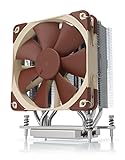
Noctua NH-U12S TR4-SP3
A single-tower cooler with a mounting kit made for the TR4/SP3 socket. At 158 mm tall it fits more cases than the larger NH-U14S. It is a quiet option for a 180 W part at stock settings.
As an Amazon Associate we earn from qualifying purchases at no extra cost to you.
ID-COOLING A8-SP3
An eight-heat-pipe dual-fan air cooler for Threadripper and EPYC sockets, rated by the maker for a high thermal load. A lower-cost alternative when you want strong cooling with a dual-fan layout.

AMD Ryzen 7 5700X
The most direct replacement: eight cores and sixteen threads on AM4 with much faster cores than the 1900X. It needs a separate cooler but works on inexpensive B550 boards.
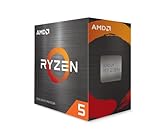
AMD Ryzen 5 5600
A six-core, twelve-thread chip that includes a Wraith Stealth cooler. For pure gaming it is the lowest-cost route to better frame rates than a Threadripper 1900X.
Timetec 32 GB (2 x 16 GB) DDR4-2666 UDIMM kit
A desktop memory kit at the platform’s official speed. Two kits would be needed to fill four channels on an X399 board, which is a cost to count before choosing the platform.

How to decide: a situation-to-choice matrix
| Your situation | Best choice | Reason |
|---|---|---|
| Already own an X399 board and a 1900X | Keep it unless you need more cores | Replacing the platform costs more than the gaming gain |
| X399 owner who wants more cores | Threadripper 1920X or 1950X | Same socket, more threads for rendering |
| Building a new gaming PC | Ryzen 5 5600 or Ryzen 7 5700X | Faster in games and far cheaper to build |
| High-refresh gaming on AM4 | Ryzen 7 5800X3D | Cache aimed at gaming |
| Many NVMe drives and add-in cards | 1900X or a modern workstation platform | Mainstream sockets offer far fewer PCIe lanes |
| Home server with a few virtual machines | 1900X if cheap; otherwise Ryzen 7 5700X | Eight cores are enough; efficiency favours the newer chip |
Buyer checklist for a used 1900X system
- Confirm the exact motherboard model and that its BIOS lists the 1900X.
- Ask for photos of the socket and the chip underside; bent pins or scratches are a reason to walk away.
- Check whether a TR4-compatible cooler and mounting kit are included.
- Count memory modules: four matched modules in the right slots give quad channel.
- Confirm the power supply has the CPU power connectors the board needs; these boards often use two.
- Ask about the return window, and run a stress test and a memory check on arrival.
- Note the BIOS version and update only if needed, following the board maker’s steps.
Setup tips if you already own one
- Memory: populate all four channels with matched modules, and enable the memory profile only if the board and kit are known to be stable together.
- Game Mode: try it only for a title that stutters; remember it lowers multi-thread performance while active.
- Power plan: use the Ryzen balanced or high-performance plan in Windows so cores wake quickly.
- Cooling: set a fan curve that prevents sudden spikes; a steady 3.8-4.0 GHz is better than a noisy overclock.
- Storage: put your game library on an NVMe drive; the lane count means you will not run short of slots on most boards.
- Drivers: install the latest chipset drivers from the board maker, and keep the GPU driver current.
Common problems on old Threadripper systems
| Symptom | Likely cause | What to check |
|---|---|---|
| No boot after install | BIOS too old or poor cooler contact | Update BIOS with a supported chip; re-seat the cooler and check mounting pressure |
| Random crashes under load | Memory not stable at the set speed | Return memory to the official 2666 setting and try again |
| Stutter in games | Memory mode or thread scheduling | Try Game Mode or local memory mode for that title |
| High temperatures | Cooler not made for the socket, or poor airflow | Use a TR4-compatible cooler and add case airflow |
| Missing memory capacity | Module not seated or wrong slots | Reseat modules and follow the manual’s slot order |
Gaming on the 1900X: practical settings
- Cap frame rate slightly below your monitor refresh to reduce CPU spikes.
- Lower CPU-heavy settings first: crowd density, shadow distance, simulation detail and draw distance.
- Close background apps such as browsers with many tabs and capture software you do not use.
- Keep resolution and texture settings high if the GPU has room; they cost the CPU little.
- Use the GPU vendor’s upscaling option where supported, which shifts work from the CPU-bound pipeline to the GPU in many titles.
Productivity and creator work on the 1900X
Eight cores and sixteen threads handle photo editing, 1080p and 1440p video editing, streaming with software encoding at moderate settings, and general multitasking without trouble. Where it falls behind is heavy rendering, large code builds and many simultaneous virtual machines, where the 12- and 16-core Threadripper models and modern 12- or 16-core Ryzen chips finish sooner. The quad-channel memory helps workloads that stream large data sets, such as some scientific tools and large project files in editing software.
If your work is mostly gaming with occasional creative tasks, the extra platform capability rarely pays back. If your work is mostly heavy parallel jobs and gaming is secondary, step up to more cores rather than staying at the entry model.
What would make us change this verdict
This conclusion rests on the 1900X being a used, legacy part. If you can obtain a complete, working X399 system with a quality board, memory and cooler at a very low total cost, and you value the lane count, the answer shifts from “skip” to “reasonable project build”. If a seller asks close to the cost of a new mainstream gaming CPU and board for the chip alone, the answer stays firmly “skip”. Always compare the total platform cost, not just the chip.
Frequently Asked Questions
Is the Threadripper 1900X good for gaming?
It is playable at 1080p and above with a decent GPU, but modern mainstream CPUs are faster and cheaper. It is not a recommended gaming purchase today.
What socket does the 1900X use?
TR4, also written sTR4, with X399 motherboards. It cannot be used on AM4 or AM5 boards.
How many cores does the Threadripper 1900X have?
Eight cores and sixteen threads, with a 3.8 GHz base clock, up to 4.0 GHz boost, and 16 MB of L3 cache according to published specifications.
Does the 1900X need a special cooler?
Yes. Choose a cooler or AIO that explicitly supports TR4/SP3, because the chip is far larger than a standard desktop processor.
Is the 1900X faster than a Ryzen 7 5700X?
No for gaming and most everyday work. The 5700X has the same core count but much stronger cores. The 1900X keeps an edge only in PCIe lane count and memory channels.
Should I choose the 1900X or the 1920X?
Choose the 1920X for rendering and virtual machines, since it has twelve cores. Pick the 1900X only when it is clearly cheaper and you mainly need the platform’s lanes.
Is it safe to buy a used Threadripper 1900X?
It can be, with precautions: buy from sellers offering returns, ask for clear photos of the contacts and pins, and confirm board compatibility before purchase.
Sources
- AMD Ryzen Threadripper launch specifications
- TechPowerUp CPU database
- Wccftech Threadripper launch coverage
- PCWorld Threadripper overview
Last updated: October 2026