Buying a 10GbE switch usually begins with a very specific pain point: a NAS that can push far more than a gigabit link allows, a workstation that pulls video files across the network, or a home lab where every transfer feels like it is stuck behind a garden hose. The decision is rarely about raw speed alone. It is about how many ports you really need at 10 gigabits, whether the rest of your gear tops out at 2.5 gigabits, and whether you want a plug-and-play box or a managed switch with VLANs and a web interface.
This guide is for home-lab builders, video editors with shared storage, small offices adding a fast backbone, and gamers who move large game libraries between machines. Six switches are covered, from a five-port fanless desktop unit to a sixteen-port rackmount managed model. Everything below comes from what the listings state, and the 2026 buying logic is simple: count your 10G devices first, then pick the lightest switch that covers them with a spare port or two. Also decide where the box will live, since a noisy fan or a hot case is a poor fit for a bedroom studio, while a closet rack can tolerate both without complaint.
Our Top Picks
 QNAP QSW-L3208-2C6T-US 8-Port Multi-Gig 10GbE Network Switch6 x 10G RJ45 + 2 x 10G SFP+13 x 9 x 3 Inches2.84 poundsCheck on Amazon


Top 3 picks at a glance
Quick Picks
As an Amazon Associate we earn from qualifying purchases at no extra cost to you.




| Product | Best for | Key spec from the title |
|---|---|---|
| TP-Link TL-SX1008 | A full 10G desktop or rack setup | 8 ports, 10G multi-gig, unmanaged |
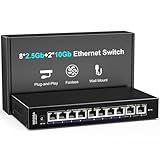
| NICGIGA 6 Port | Mixed 10G and 2.5G gear | 2 x 10Gb RJ45 plus 4 x 2.5Gb |
| QNAP QSW-L3208-2C6T | Lite-managed home lab | 6 x 10GbE RJ-45 plus 2 SFP+/RJ-45 combo |
| NICGIGA 10 Port | Wi-Fi 6 access points and mini PCs | 2 x 10Gb RJ45 plus 8 x 2.5Gb |
| TP-Link TL-SX105 | Small NAS-to-workstation link | 5 ports, fanless, 10G multi-gig |
| QNAP QSW-M3216R | Rack-based managed network | 16 ports, Layer 2, web management |
How to Choose
Count the ports that need 10G
Most homes need only two or three. A NAS, a main workstation, and perhaps an uplink to a router are the usual trio. Switches like the NICGIGA six-port and ten-port models put two 10Gb ports beside several 2.5Gb ports, which maps neatly onto that pattern. Buying eight or sixteen 10G ports when you own three 10G devices is wasted money and wasted power. Write a short list before shopping: each device, its network card speed, and the room it lives in. That list often reveals that a second room only needs a 2.5G link, which changes the whole shortlist.
Unmanaged, lite-managed, or managed
Unmanaged switches, such as the TP-Link pair, are plug and play with auto negotiation of speed. Lite-managed models like the QNAP QSW-L3208 add a web interface for VLANs and monitoring. Fully managed Layer 2 units like the QSW-M3216R add finer control for offices. If you cannot name a feature you need, such as VLAN tagging or port mirroring, unmanaged is the calmer choice. A guest network or a camera network is the usual reason people graduate to managed gear, and a lite-managed unit can cover that without the full rack-grade price and noise.
Port types and cabling
RJ-45 ports use ordinary twisted-pair cable, but 10GBASE-T runs hotter and prefers Cat6a or better for longer runs. SFP+ ports use fiber or direct-attach cables and often run cooler and cheaper per link. The QSW-L3208 lists two combo SFP+/RJ-45 ports, giving you either. Check that your NIC speaks the same connection type, since a mismatch is the most common reason a new switch seems slow. Also confirm whether your NAS lists RJ-45 or SFP+ output, because adapters add cost and heat.
Form factor, cooling, and where budget models cut corners
Desktop and wall mount models suit homes, while half-width rackmount units suit closets. Fanless designs, like the TP-Link TL-SX105, are quiet but must be given airflow. Budget switches often skip features such as link aggregation, quality-of-service controls, and firmware updates, and they usually have smaller buffers. Metal casings, mentioned on both TP-Link listings, help with heat dissipation. Ignore marketing about total switching capacity unless you plan to saturate every port at once, because a home network almost never does.
The 6 Best Options
TP-Link TL-SX1008
This unmanaged 8-port switch is listed with 10G and multi-gig speeds, desktop and rackmount options, a sturdy metal casing, speed auto negotiation, and plug-and-play setup. It suits a small studio where a NAS, two editing workstations, and a router all want 10G without anyone configuring VLANs. Picture a small photo studio where raw files move from a card reader station to storage all afternoon; every port is equal, and nothing needs a login.
- Strength: eight multi-gig ports leave room for growth after the first few devices.
- Strength: unmanaged plug-and-play operation means no admin interface to learn.
- Trade-off: with no management features, you cannot segment traffic or monitor ports.
Skip it if you need VLANs, link aggregation controls, or remote monitoring.
NICGIGA 6 Port
The NICGIGA six-port unit pairs two 10Gb RJ45 ports with four 2.5Gb Base-T ports and mounts on a desk or a wall. A home user whose NAS and main PC both have 10G network cards, while a Wi-Fi access point and a streaming box use 2.5G, gets the right ports with no waste. Wall mounting also helps a renter tuck the box beside a router cabinet instead of leaving it on the floor.
- Strength: the 10G plus 2.5G mix matches modern home gear and keeps cost sensible.
- Strength: desktop and wall mount placement fit small spaces.
- Trade-off: only two ports run at full 10G, which limits growth.
Skip it if you plan to connect three or more 10G devices.
QNAP QSW-L3208-2C6T
QNAP describes an 8-port multi-gig switch that is lite-managed, with six RJ-45 ports running 10, 5, 2.5, or 1 gigabit and two combo ports that accept either SFP+ or RJ-45. A home-lab owner who wants a web interface, flexible speeds, and an option to run fiber to a second room will find this the most versatile of the group. It is also a sensible stepping stone for a student learning network administration before moving to bigger gear.
- Strength: multi-speed RJ-45 ports adapt to 10, 5, 2.5, and 1 gigabit devices.
- Strength: combo SFP+/RJ-45 ports offer cabling flexibility.
- Trade-off: a managed interface adds setup time compared with plug-and-play boxes.
Skip it if you want a switch you never have to log into.
NICGIGA 10 Port
This model keeps the two 10Gb RJ45 uplinks but stretches the 2.5Gb side to eight ports. It is aimed at a house with many 2.5G devices, such as access points, mini PCs, and a gaming rig, around a single fast NAS. It mounts on a desk or a wall. Think of a household where four people each have a wired PC or console and one machine in the study handles backups and media storage.
- Strength: eight 2.5Gb ports serve a crowd of modern wired devices.
- Strength: two 10Gb ports allow a NAS and a workstation to link at full speed.
- Trade-off: only two 10G connections means the switch becomes the bottleneck for larger 10G labs.
Skip it if your gear is mostly 10G already.
TP-Link TL-SX105
The five-port TL-SX105 is a fanless, plug-and-play unmanaged switch with a metal case, auto negotiation, and desktop or wall mounting. It is the compact answer for someone who just wants a NAS, a workstation, a second PC, and an uplink to share fast links in a quiet room. A bedroom editing suite or a quiet office corner is where the lack of a fan really shows.
- Strength: fanless operation keeps the switch silent beside a desk.
- Strength: five 10G multi-gig ports cover small setups without extras.
- Trade-off: five ports fill up fast if you add a fourth fast device.
Skip it if you foresee more than four wired fast devices.
QNAP QSW-M3216R
This sixteen-port half-width rackmount switch is a managed Layer 2 model with web management. It fits a small office or a lab rack where VLANs, access control, and centralized control matter, and where two units can sit side by side in a single rack space. An accounting office with shared file servers, or a school lab, would value the central control.
- Strength: sixteen ports with managed Layer 2 features support structured networks.
- Strength: half-width rackmount design saves rack space.
- Trade-off: it is overbuilt for a typical home with three 10G devices.
Skip it if you do not already have a rack or need any managed features.
Which One Fits Your Situation
You edit video from a shared NAS
The TP-Link TL-SX1008 gives each workstation a full 10G path to storage, with spare ports for future editors. Because it is unmanaged, the first day of setup takes about as long as plugging in cables, which matters when a deadline is looming.
You have a few fast devices and many 2.5G ones
The NICGIGA 10 Port suits this exactly; if you have fewer clients, the NICGIGA 6 Port is a leaner alternative. Either way, label the two 10G ports in your notes so the NAS and workstation land on the right ones.
You want to learn VLANs and fiber at home
The QNAP QSW-L3208-2C6T has the combo ports and lite-managed interface to grow into. Start with one VLAN for guests, then add fiber to a garage or office when you are ready.
You run a closet rack for a small office
The QNAP QSW-M3216R gives Layer 2 control and enough ports for a team, while the TP-Link TL-SX105 handles a single desk where a rack is not needed. Pair it with short Cat6a patch cables and leave a hand-width of airflow around the case.
Common Mistakes
- Buying a 10G switch but leaving a cheap Cat5e patch cable in the path, which can cap speed or cause errors.
- Assuming every port on a mixed switch is 10G when the title lists only two.
- Forgetting that the NAS and computers also need 10G network cards.
- Choosing a managed switch without a feature you will actually use, then leaving its default settings untouched for years.
- Placing a fanless switch inside a closed cabinet with no airflow, which can shorten its life and cause unexpected slowdowns.
Related guides
- Windows Macos Linux Gaming Performance Comparison Strengths Weaknesses
- Desktop Operating Systems Gaming Performance Strengths Weaknesses
- 5G Home Internet Wifi Modem Settings Low Latency Gaming
Frequently Asked Questions
Do I need Cat6a cable for 10GbE?
For short runs, Cat6 can work, but Cat6a is safer for longer runs and for noise resistance. If you are wiring a wall, choose Cat6a.
Will a 10G switch speed up my internet?
Not unless your internet plan exceeds a gigabit. It speeds up transfers inside your home network between NAS, PCs, and servers, such as large backups, video projects, or game library copies.
Can a 10G switch work with slower devices?
Yes. Multi-gig switches auto negotiate and drop to 5, 2.5, or 1 gigabit for slower devices. Just remember that a link runs at the speed of its slowest end.
Is SFP+ better than RJ-45?
SFP+ often runs cooler and uses less power, but it needs fiber or direct-attach cables. RJ-45 is easier with existing copper wiring.
Related guides
More from Amazon
Programs that pair well with the guide above. Offers and eligibility are set by Amazon and may change.
Free shipping on eligible items, Prime Video and more. Eligible new members can start with a free trial.
Start a Prime free trialAd-free music streaming. Eligible new subscribers can start with a free trial.
Try Music Unlimited freeA Prime membership for ages 18-24 with a trial period. Eligibility is set by Amazon.
See Prime for Young AdultsAudiobooks and podcasts to listen to on the go. Eligible new members can start with a free trial.
Try Audible freeAs an Amazon Associate we earn from qualifying purchases.