A basement is where Wi-Fi goes to die. Poured concrete walls, steel beams, furnace ductwork, and a few feet of earth on one side all absorb or reflect radio signals, and the cable or fiber line often enters the house right there. That creates two different shopping problems under one keyword: a router that lives in the basement because the internet arrives there, and a router that has to push a usable signal down into a finished rec room, a home office, or a gaming den below the main floor.
This guide is for homeowners finishing a lower level, remote workers who moved their desk downstairs, and anyone tired of a video call freezing the moment they carry a laptop below the stairs. We compare five networking products from their title specs: coverage claims, Wi-Fi generation, wired ports, and whether the product is a single router, a modem combo, or a mesh set. Keep realistic expectations in 2026: no router beats physics, and wiring beats wireless.
Our Top Picks
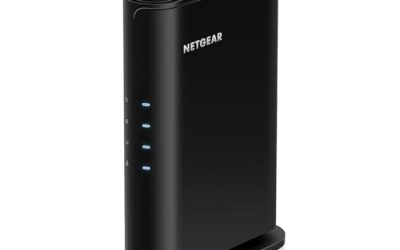
 NETGEAR Nighthawk DOCSIS 3.1 Modem Router Combo CAX30Pack of 111.93 x 5.39 x 9.92 inchesCheck on Amazon
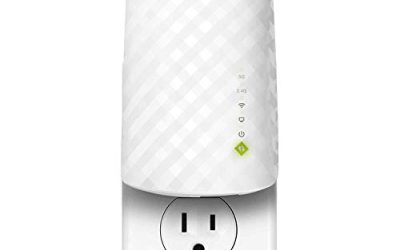
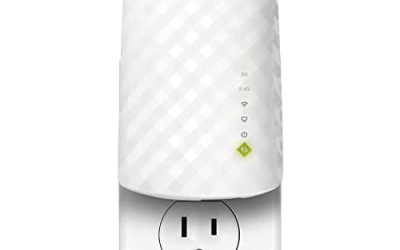
 TP-Link AC1900 Smart WiFi Router Dual Band RouterWi-Fi 5 AC19009.57 x 6.32 x 1.28 inches0.91 PoundsCheck on Amazon


Top 3 picks at a glance
Quick Picks
As an Amazon Associate we earn from qualifying purchases at no extra cost to you.


| Product | Best for | Key spec from the title |
|---|---|---|
| NETGEAR Nighthawk R6700AX | Small homes with one basement room to cover | WiFi 6, up to 1,500 sq ft, 1.8 Gbps, 4 gigabit ports |
| NETGEAR Nighthawk CAX30 Modem Router | Cable internet users who want one device | DOCSIS 3.1 modem router combo, WiFi 6, 2.7 Gbps, multi-gig |
| TP-Link AC1900 Smart WiFi Router | A lower-cost dual-band upgrade | AC1900, dual band, MU-MIMO |
| NETGEAR Orbi RBK13 Mesh System | Large multi-level homes | Router plus 2 satellites, up to 4,500 sq ft |
| NETGEAR Nighthawk RS140 | Future-ready WiFi 7 coverage | WiFi 7, up to 2,250 sq ft, 5 Gbps, 80 devices, one 2.5G port |
How to Choose
Decide where the router will actually sit
If the modem sits in the basement and the router must live next to it, the signal starts at the worst possible spot for covering upper floors, but it is excellent for the basement itself. If the basement is the problem area and the modem is upstairs, put the router near the center of the main floor and add a wired or mesh node below. The weakest setup is a single router in a corner of the lowest level, which sends half its signal into the ground.
Coverage claims and Wi-Fi generation
Square-foot figures in titles describe open-air best cases. Subtract heavily for concrete, masonry, and metal. A claim of 1,500 square feet might mean one comfortable room and the next one over. Wi-Fi 6 and Wi-Fi 7 manage many devices better, but they do not solve range. In a basement, lower-frequency 2.4 GHz travels through obstacles better than 5 GHz, and 5 GHz is faster at close range. Dual-band routers give you both; pick the one that covers your layout, not the highest headline speed.
Mesh, wired backhaul, and ports
Mesh systems add nodes, called satellites, that rebroadcast the signal and are the standard answer for multi-level homes. They work better when connected by Ethernet cable, but even wireless mesh is a large improvement for dead zones. Look at the port count on a single router too: four gigabit ports let you plug in a desktop, console, and network storage directly, and a 2.5G port helps with fast connections. A hardwired computer in the basement avoids wireless trouble entirely. If running cable is impractical, powerline adapters or a MoCA link over existing coax are options, though their results vary with the age of your home wiring.
What to ignore and where budget models cut corners
Ignore combined speed totals that add all the bands together; no single device sees that number. Ignore device-count claims as a promise of quality, since they describe connection limits only. Lower-cost routers often skimp on processor power, firmware updates, and the number of antennas, so they struggle once many devices share them. Older standards also lack features like efficient scheduling that newer chips use to handle crowds. Pay attention to whether the listing is a router, a modem combo, or a mesh set, because mixing them up leaves you with a missing modem or a duplicate device. Also consider the mounting spot: a shelf on a basement wall near the panel is usually better than the floor, where dust and moisture collect.
The 5 Best Options
NETGEAR Nighthawk R6700AX
The R6700AX is a dual-band Wi-Fi 6 router. Its title lists up to 1,500 square feet of coverage, 1.8 Gbps combined speed, support for 20 devices, and four gigabit ports. That profile fits a modest home or an apartment where the basement is one or two rooms and the traffic is mostly streaming, calls, and browsing. Larger houses, or households with many smart devices, will outgrow the 20-device figure and the coverage claim and should consider mesh instead. Households that mostly stream and browse, with a short run from router to basement room, are the target buyers.
- Strength: Wi-Fi 6 with four gigabit Ethernet ports for wired devices.
- Strength: Guided setup is part of the listing description, which helps first-time buyers.
- Trade-off: The title lists coverage up to 1,500 square feet, which is limited for a large multi-level house.
NETGEAR Nighthawk CAX30 Modem Router
The CAX30 combines a DOCSIS 3.1 cable modem and a Wi-Fi 6 router in one box, with 2.7 Gbps combined speed, multi-gig capability, four gigabit ports, and compatibility with major cable providers named in the title. It makes sense when the cable line terminates in the basement and you want one device instead of a separate modem and router. It does not suit fiber or DSL customers, and renters who return a provider-owned modem may not want to buy their own. Confirm that your provider approves the model and your speed tier before activating it.
- Strength: Modem and router in a single unit reduces cable clutter.
- Strength: Wi-Fi 6 with multi-gig capability listed.
- Trade-off: Only works with cable internet, and a combo ties the modem and router together.
TP-Link AC1900 Smart WiFi Router
This router is a dual-band AC1900 model with MU-MIMO, which helps it serve several devices at once instead of one after another. It belongs to an older Wi-Fi generation than the newer models here, so it fits buyers who want a lower-cost upgrade over an aging router rather than the latest standard. It can serve a small finished basement well when placed sensibly. Households with many streaming devices, or anyone planning for Wi-Fi 6 or 7 hardware, should look higher. Think of it as a sensible refresh for a basement den used mainly for TV and light work.
- Strength: Dual-band design with MU-MIMO for multiple devices.
- Strength: Sits in the budget tier among the routers listed.
- Trade-off: Older Wi-Fi generation than the Wi-Fi 6 and Wi-Fi 7 options.
NETGEAR Orbi RBK13 Mesh System
The RBK13 is a whole-home mesh kit with one router and two satellites, and the title says it covers up to 4,500 square feet. That is the most direct answer to a house where the basement, main floor, and upper floor all need signal. Place the router near the modem and one satellite on the main floor, with the other in the problem area. It is more than a single-floor apartment needs, and buyers wanting the newest Wi-Fi standard should check what the kit supports.
- Strength: Router plus two satellites for large or multi-level homes.
- Strength: Up to 4,500 square feet of listed coverage.
- Trade-off: Wi-Fi generation is not stated in the title, and the kit is overkill for small homes.
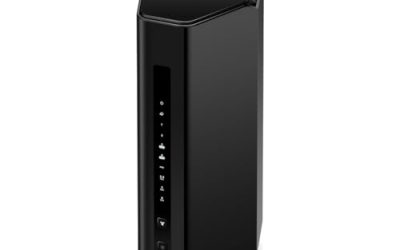
NETGEAR Nighthawk RS140
The RS140 is a Wi-Fi 7 router with up to 2,250 square feet of listed coverage, 5 Gbps combined speed, support for 80 devices, and one 2.5G port plus three gigabit ports. It suits a buyer building a long-term setup with a fast wired link to a basement desktop or network storage. Those with a slower internet plan will not see Wi-Fi 7 benefits, and a house that needs more reach should add mesh nodes rather than rely on this alone. Its 80-device figure is a connection limit, not a promise that every device will get fast speeds at the same time.
- Strength: Wi-Fi 7 with a 2.5G port for fast wired connections.
- Strength: Supports 80 devices with 2,250 square feet of listed coverage.
- Trade-off: A single router still struggles with concrete and multiple floors.
Which One Fits Your Situation
Your cable line enters in the basement
The NETGEAR Nighthawk CAX30 Modem Router consolidates modem and router in one device, which suits a utility area where space is tight. Keep the unit off the floor and away from the furnace.
You have a three-level house with dead zones below
Pick the NETGEAR Orbi RBK13 Mesh System. Its two satellites let you put a node close to the basement instead of hoping a single router reaches through the floor.
You work from a basement office and want a wired desk
The NETGEAR Nighthawk RS140 with its 2.5G port gives a fast Ethernet connection. Run a cable from the router to the desk and skip wireless for your main computer.
You need a basic upgrade for a small finished space
The NETGEAR Nighthawk R6700AX covers a smaller layout with Wi-Fi 6. The TP-Link AC1900 is the lower-cost alternative if you can live with an older standard.
Common Mistakes
- Placing the router on the basement floor or inside a metal cabinet, which blocks the signal.
- Believing a square-foot claim applies through concrete walls and multiple floors.
- Buying a modem router combo when your internet comes from fiber or DSL.
- Skipping wired options for a stationary desktop or console that would run better on a cable.
- Choosing a router by combined speed totals instead of coverage, ports, and the number of devices.
Related guides
- Windows Macos Linux Gaming Performance Comparison Strengths Weaknesses
- Desktop Operating Systems Gaming Performance Strengths Weaknesses
- 5G Home Internet Wifi Modem Settings Low Latency Gaming
Frequently Asked Questions
Why is my basement Wi-Fi so weak?
Concrete, masonry, metal ducts, and distance from the router all absorb signal. The fix is usually better placement, a mesh node, or a wired connection rather than a stronger router alone. Try moving the router a few feet before buying anything, since a shelf near the stairs can change results dramatically.
Should I get a mesh system or a single router?
A single router suits small homes with one or two rooms to cover. A mesh system, like the Orbi kit in this list, is better for multi-level houses or places with thick walls.
Is Wi-Fi 7 worth it for a basement?
Only if your internet plan and devices can use it. Wi-Fi 7 improves capacity and speed, but it does not remove walls from the equation, so placement and wiring still matter most. Many buyers get more benefit from a good wired run than from the newest standard.
Do I need a modem router combo?
Only if you use cable internet and prefer one device. Check that the combo supports your provider and speed tier, since fiber and DSL customers need a separate setup.