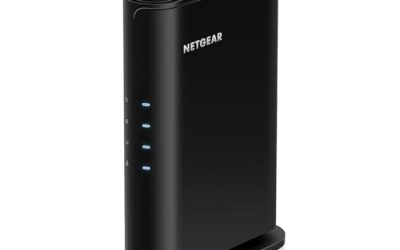
A dead zone in the back bedroom, a flickering video call in the garage, a smart plug that keeps dropping off the network: these are the problems a Wi-Fi extender is meant to fix. Shopping for the best WiFi extenders under 100 dollars narrows the field fast, because this price band covers everything from single-band plug-ins that stretch a signal a little to dual-band and Wi-Fi 6 units with smarter roaming. The real decision is whether you need raw coverage, higher speed for streaming, or simple compatibility with a router you already own. A garage workshop, an upstairs office, and a backyard patio each call for different answers, so start by naming the exact room that needs help.
This guide is for renters and homeowners who want to patch weak spots without replacing the main router. Extenders cannot create bandwidth, they can only relay it, and every hop costs some speed. In 2026 the shortlist below separates established brands from generic listings that make large coverage claims, plus one mesh add-on that only works with an existing system. Near-duplicate generic listings were collapsed, so each entry below is a distinct choice.
Our Top Picks
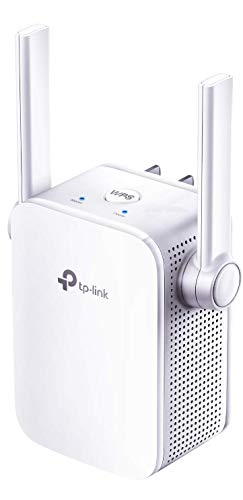

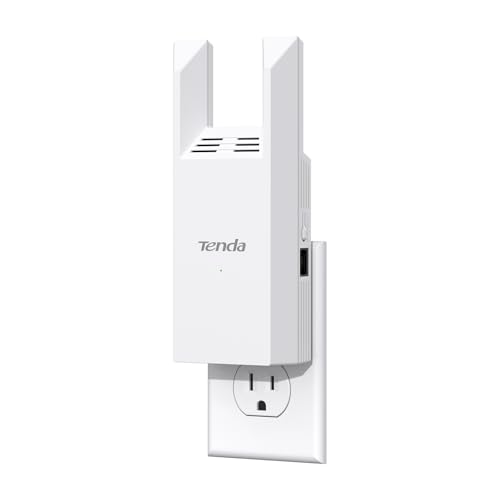
Top 3 picks at a glance
Quick Picks
As an Amazon Associate we earn from qualifying purchases at no extra cost to you.
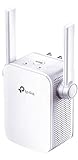


| Product | Best for | Key spec from the title |
|---|---|---|
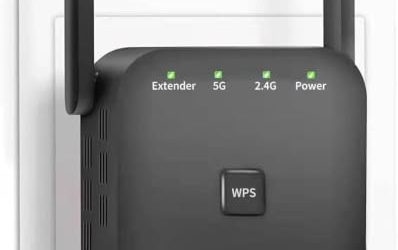
| TP-Link AC750 | Simple dual-band relay | Dual band, up to 750Mbps, one-button setup |
| TP-Link N300 (RE105) | Lowest-cost boost | Single band, supports access point mode |
| 1200Mbps 6-antenna extender | Large-area coverage claims | Dual-band, up to 10000 sq ft, 50 devices |
| Tenda AC1200 (A18) | Wired device add-on | 867Mbps 5GHz plus 300Mbps 2.4GHz, Ethernet port |
| 1200Mbps 4-antenna extender | Multi-story homes | Dual band, 12880 sq ft, 105 devices |
| eero 6 add-on extender | Existing eero mesh owners | Wi-Fi 6, adds up to 1,500 sq ft |
| TP-Link AX1750 (renewed) | Wi-Fi 6 with smart roaming | AX1750 dual band, RE1750X |
How to Choose
Match the extender to your router’s standard
An extender cannot exceed the capability of the router feeding it. If your router is Wi-Fi 5 (AC), an AC1200 unit makes sense. If you have Wi-Fi 6, an AX-class extender preserves the newer features. Single-band N300 units work on 2.4GHz only, which reaches farther but runs slower and shares the band with many household devices. Microwaves, baby monitors, and neighbors’ networks all crowd 2.4GHz, so a dual-band unit gives you a cleaner 5GHz lane when you are close enough to use it.
Dual-band beats single-band for streaming
Think about what the connected devices actually do all day. Dual-band extenders use two radios, and some dedicate one band to talking to the router. A single-band unit has to receive and rebroadcast on the same channel, which roughly halves throughput. For video calls and 4K streaming, look for dual-band with a 5GHz option, and use a wired Ethernet port when you can. A cabled connection to a console or smart TV also frees wireless capacity for phones and laptops.
Treat coverage numbers with caution
Claims like 10000 sq ft or 105 devices are theoretical maximums from ideal conditions. Walls, floors, and appliances cut real range sharply. Place the extender roughly halfway between the router and the dead zone, where it still gets a solid signal, instead of in the dead zone itself. A quick test is to hold a phone at the planned outlet: if it shows two or three bars from the router, the extender will have something worth relaying.
Check setup and compatibility, ignore the antenna count
Look for one-button WPS setup, an app, and access point mode, which turns the unit into a wired-to-wireless bridge. More external antennas look impressive but do not guarantee better performance. The eero add-on requires an eero system, so it is only an option if you already own one. Skip any listing that promises to replace a router, boost speed beyond your internet plan, or work with no setup at all.
The 7 Best Options
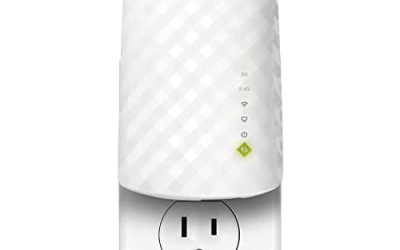
TP-Link AC750
This TP-Link lists a dual-band range extender with up to 750Mbps, cloud app control, one-button setup, and use as a repeater or access point. It suits renters who want a plug-in fix for one weak room. The brand name offers more predictable setup than anonymous listings. The Cloud app label points to phone-based control, which makes it easy to check connection status and adjust settings from the couch rather than crouching at the wall outlet. It also works as an access point when you have an Ethernet run available.
- Strength: dual-band operation with app control.
- Strength: one-button setup keeps installation simple.
- Trade-off: 750Mbps is a combined figure, not per band.
Skip it if you need high speeds for 4K streaming over distance, or if your router is already a Wi-Fi 6 model and you want to keep its newer features.
TP-Link N300 (RE105)
The RE105 is a single-band N300 extender that boosts the signal and also supports access point mode. It is the lowest-cost route for smart plugs, cameras, and basic browsing. It will not match dual-band performance. Still, for devices that send small bursts of data, such as sensors, thermostats, and basic speakers, speed is rarely the bottleneck, and the simplicity of a tiny plug-in unit counts for a lot. Many renters pick it as a first experiment before spending more.
- Strength: very low cost with a trusted brand name.
- Strength: access point mode adds wired flexibility.
- Trade-off: single band means lower speeds.
Skip it if you stream video, join frequent video meetings, or game online, because single-band speeds will feel limiting in those cases.
1200Mbps 6-Antenna Extender
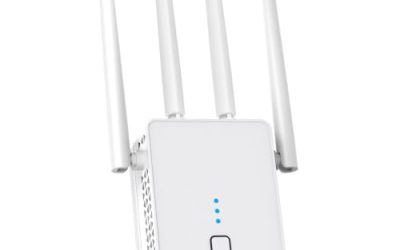
This generic listing claims 1200Mbps over dual-band 5GHz and 2.4GHz, with coverage up to 10000 sq ft for 50 devices, and six antennas. It is aimed at buyers who want large claimed range for little money. The brand is not named, so support is a question mark. Buyers who go this route should keep the packaging, test it in the actual problem room right away, and be ready to return it if the signal does not improve noticeably. Treat the device-count claim as a ceiling, not a promise.
- Strength: dual-band speeds at a low price point.
- Strength: six antennas and a high device count claim.
- Trade-off: coverage figures are marketing maximums.
Skip it if you want a known brand and clear warranty terms.
Tenda AC1200 (A18)
The A18 lists an AC1200 dual-band design with 867Mbps on 5GHz and 300Mbps on 2.4GHz, plus one Ethernet port. The port makes it useful for a game console or smart TV that prefers a wired link. It is a mid-range choice from a recognizable networking brand. The V4.0 designation helps you match the exact hardware revision when you look up manuals or firmware, and the separate band speeds let you judge what each radio can realistically deliver for a streaming box or laptop.
- Strength: dual-band speeds with a wired port.
- Strength: separate 5GHz and 2.4GHz speeds are clearly stated.
- Trade-off: only one Ethernet port.
Skip it if you need several wired devices, since a switch or a model with more ports would suit that better.
1200Mbps 4-Antenna Extender
This generic repeater lists four antennas, 1200Mbps dual band, a claim of 12880 sq ft, and 105 devices, with multi-story home positioning. It is tempting for large houses, but those numbers are theoretical. The maker is not named. A big house with thick walls or several floors is where any extender struggles, so consider whether two cheaper units in different spots, or a mesh upgrade later, would serve you better than one device with an impressive coverage number.
- Strength: dual-band with a stated multi-story focus.
- Strength: a high claimed device capacity.
- Trade-off: unverified brand and optimistic range figures.
Skip it if you want dependable support, a named manufacturer, or numbers you can trust at face value.
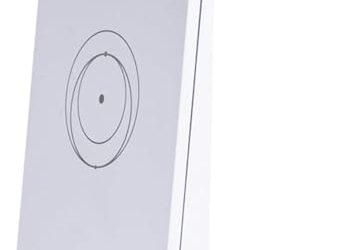
eero 6 Add-On Extender
This add-on lists Wi-Fi 6 and up to 1,500 sq ft of added coverage, but the eero mesh system is required and not included. It is only for people who already own an eero network. Within that system it integrates cleanly, and the stated 1,500 square feet of added coverage is a modest, realistic figure compared with the bigger numbers on generic listings. If you do not own the base system, move on to the other entries.
- Strength: Wi-Fi 6 with mesh-style integration.
- Strength: it is designed to extend an eero network rather than create a separate one.
- Trade-off: useless without an eero system.
Skip it if you use a conventional router.
TP-Link AX1750 (Renewed)
This renewed RE1750X lists AX1750 Wi-Fi 6 dual band, 1.75Gbps transfer rate, and smart roaming. Smart roaming helps devices move between router and extender without dropping. It suits Wi-Fi 6 households on a budget, though condition varies. Roaming matters most when you walk around with a phone on a call, since a device that clings to a weak connection ruins the conversation. Check the seller’s return window and what accessories come in the box.
- Strength: Wi-Fi 6 with roaming features.
- Strength: a high stated transfer speed.
- Trade-off: renewed units vary in condition.
Skip it if you want a new unit.
Which One Fits Your Situation
You have a Wi-Fi 6 router
The TP-Link AX1750 (Renewed) keeps Wi-Fi 6 features and adds smart roaming, which helps phones and laptops move between router and extender as you walk through the house.
You need a wired link for a console or TV
The Tenda AC1200 (A18) provides an Ethernet port alongside dual-band speeds.
You only need to reach smart plugs and cameras
The TP-Link N300 (RE105) is the cheapest sensible option, and its access point mode lets you add a wired connection later if needs grow.
You already own an eero system
The eero 6 add-on extender integrates with that system, adding Wi-Fi 6 coverage without introducing a second brand to manage.
Common Mistakes
- Placing the extender in the dead zone instead of midway, where it receives only a weak, unstable signal to repeat.
- Believing square-footage claims at face value, since walls and floors shrink real range dramatically.
- Buying a single-band unit for streaming, then wondering why video buffers in the far bedroom.
- Ignoring the router’s Wi-Fi standard, which leaves a fast extender paired with a slow upstream link.
- Buying an add-on that requires a specific mesh system without owning it.
Related guides
- Windows Macos Linux Gaming Performance Comparison Strengths Weaknesses
- Desktop Operating Systems Gaming Performance Strengths Weaknesses
- 5G Home Internet Wifi Modem Settings Low Latency Gaming
Frequently Asked Questions
Do extenders cut speed?
Yes, relaying a signal usually reduces throughput. Dual-band models and wired backhaul reduce the loss. Expect noticeably less than your full internet speed at the extended spot, and judge success by whether video calls and streams run without stalling.
Where should I plug in the extender?
Halfway between the router and the weak area, in a spot where it still gets a strong signal.
Is mesh better than an extender?
Mesh systems manage roaming and backhaul more smoothly, but cost more. An extender is a cheaper patch for one area.
Can I use any extender with any router?
Standard extenders work with most routers, whether you rent one from your internet provider or own it. Mesh add-ons, like the eero unit, need their matching system.