Video editing punishes storage in ways that ordinary file copying never does. A timeline with several 4K clips, proxies, audio, and cache files asks a drive to read many streams at once, and a disk that looks fine for backups can stutter, drop frames, or stall scrubbing the moment you stack a few layers. The decision hiding inside this keyword is whether you need a fast portable SSD to work directly from, a big desktop drive to hold the archive, or a RAID unit that combines capacity with sustained throughput for a production workflow.
This guide is for editors, YouTubers, wedding videographers, and small studios comparing eight drives in 2026. They range from compact USB-C solid-state drives to desktop units with a 20TB capacity listing. All specs are drawn from listing titles, and a few titles are sparse, so confirm connection types and interface details on the manufacturer page before you commit.
Our Top Picks


Top 3 picks at a glance
Quick Picks
As an Amazon Associate we earn from qualifying purchases at no extra cost to you.




| Product | Best for | Key spec from the title |
|---|---|---|
| WD Elements Desktop 20TB | Cold archive of finished projects | 20TB, USB 3.0, plug and play |
| Samsung T7 Portable SSD 1TB | Single-project working drive | USB 3.2 Gen 2, up to 1,050MB/s |
| Samsung T9 Portable SSD 1TB | Fast timelines on the go | USB 3.2 Gen 2×2, up to 2,000 MB/s |
| Glyph StudioRAID 16TB | Production RAID with legacy ports | 360 MB/s, USB-C, FireWire 800, eSATA |
| 2TB External SSD (generic) | Budget portable scratch space | 2TB, 1000MB/s |
| Glyph Blackbox PRO 20TB | Large desktop project storage | 20TB desktop drive |
| Samsung T7 Portable SSD 2TB | Multi-project portable work | 2TB, USB 3.2 Gen 2, up to 1,050MB/s |
| Samsung T9 Portable SSD 4TB | Heavy 4K projects with top speed | 4TB, USB 3.2 Gen 2×2 |
How to Choose
Speed targets for editing
Treat speed in tiers. A single spinning drive in the 100 to 200MB/s range is fine for archives but weak for active 4K timelines. RAID units such as the Glyph StudioRAID list 360 MB/s, enough for several streams of common formats. Portable solid-state drives such as the Samsung T7 and generic 2TB SSD list around 1,000 to 1,050MB/s, which handles most 4K editing with room to spare. The Samsung T9 pushes to a listed 2,000 MB/s on USB 3.2 Gen 2×2, which only pays off if your computer has a matching port. On a plain USB-C Gen 2 port, it will run at the slower interface limit.
Capacity planning
Footage fills disks fast. High-bitrate camera files, ProRes, and RAW can consume hundreds of gigabytes per hour, so a 1TB drive suits one project at a time. A 2TB or 4TB SSD lets you keep a couple of projects live, while 16TB and 20TB desktop units hold years of finished work. Many editors split storage into two roles: a fast SSD for the current project, and a large hard drive for long-term archive. If you choose only one, choose capacity based on your longest project, not your average.
Interface and compatibility
Check the port on your computer before you check the drive. USB-C is common on modern laptops, but not every USB-C port supports Gen 2×2 speed. The Glyph StudioRAID lists USB-C along with USB 3.0, FireWire 800, and eSATA, a useful mix for studios with older equipment. Desktop drives such as the WD Elements Desktop 20TB use USB 3.0 and need a power adapter, so they stay at the desk. Portable SSDs are bus-powered, which suits a laptop on location.
Durability and what to ignore
Field editors should prefer solid-state drives, since they have no moving parts and tolerate bumps. Production RAID systems add rugged enclosures and redundancy options, but redundancy only helps if the RAID is configured for it; a RAID 0 stripe offers speed but loses everything if one disk fails. Ignore catchphrases such as “for gaming, students, and professionals,” and instead focus on interface, sustained speed, and capacity. Budget SSDs often cut corners on cooling and on how long they hold full speed during long transfers, so a big file copy can slow down midway.
A simple workflow ties the pieces together. Offload camera cards to a fast SSD, edit from that SSD with proxies if your computer is modest, export finished files to the same drive, then move the whole project to a large archive drive and verify the copy before wiping the card. Following that rhythm means you rarely need one drive to do everything, and it explains why several picks below are complementary rather than competing.
The 8 Best Options
WD Elements Desktop 20TB
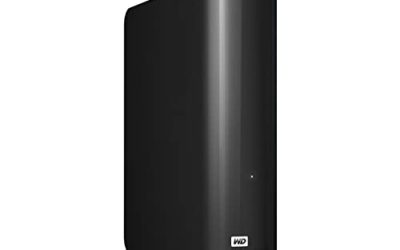
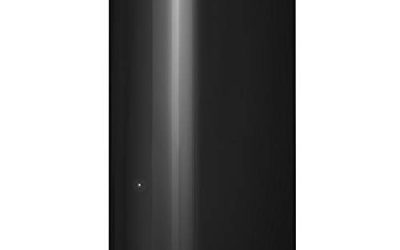
This desktop hard drive lists 20TB, USB 3.0, and plug-and-play storage. It is not an editing drive in the performance sense, but it is a cost-effective home for raw footage and finished projects.
- Strength: enormous capacity for archiving footage.
- Strength: simple plug-and-play setup with no software required.
- Trade-off: a single hard drive over USB 3.0 is too slow for demanding multi-stream timelines.
Think of it as the shelf where finished projects retire, not the desk where they are cut. Skip it if you want to edit directly from the drive or need a portable unit, and remember that a single large disk is still a single point of failure, so pair it with a second copy.
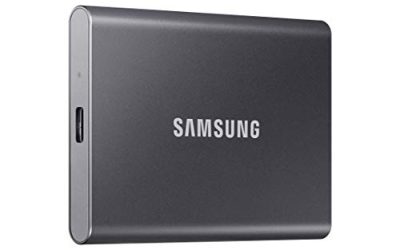
Samsung T7 Portable SSD 1TB
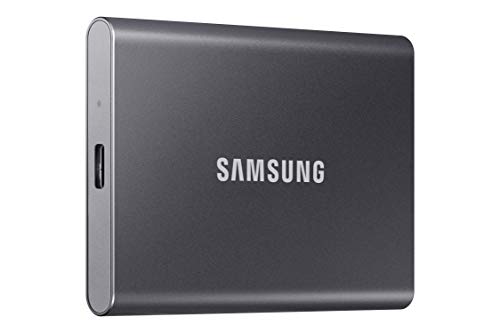
The T7 lists USB 3.2 Gen 2 and speeds up to 1,050MB/s. At 1TB, it fits a single active project or a set of proxies and cache files.
- Strength: fast solid-state performance suits 4K timelines.
- Strength: portable and bus-powered for field work.
- Trade-off: 1TB runs out quickly with high-bitrate footage.
It works best for short-form creators, students, and anyone who offloads footage to an archive after each job. Skip it if you shoot heavy RAW or juggle several projects at a time, because a nearly full SSD can slow down and leaves no room for render files.
Samsung T9 Portable SSD 1TB
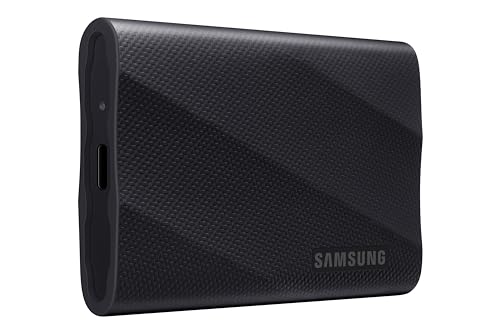
The T9 steps up to USB 3.2 Gen 2×2 with a listed top speed of 2,000 MB/s. It is aimed at editors with a compatible port who want the fastest portable option.
- Strength: the highest listed throughput in the group.
- Strength: compact and suited to location work.
- Trade-off: you need a Gen 2×2 port to see the headline speed.
It is a natural fit for editors who copy large camera cards frequently and want offloads to finish quickly. Skip it if your computer lacks a fast enough port, since you would be paying for speed you cannot use, or if you need more than 1TB for each job.
Glyph StudioRAID 16TB
Glyph’s desktop RAID lists 16TB, 360 MB/s, and USB-C, with USB 3.0, FireWire 800, and eSATA compatibility. It is designed for rugged production reliability, which suits studios.
- Strength: large capacity with sustained throughput suited to timelines.
- Strength: multiple port options help with older workstations.
- Trade-off: 360 MB/s is far below the SSD tiers.
Photographers and video teams that share a studio workstation will appreciate the legacy connections, which keep older gear useful. Skip it if you travel often, since it is a desktop unit, or if you need SSD-level speed for several simultaneous 4K layers.
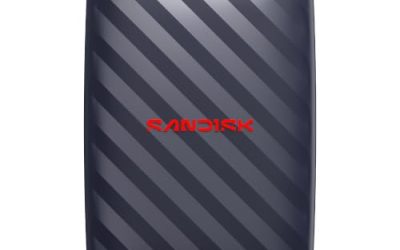
2TB External SSD (generic)
This listing offers a 2TB portable solid-state drive with 1000MB/s. The title omits a brand and interface details, so it is a budget-minded option for buyers who accept less certainty.
- Strength: 2TB capacity at SSD speeds.
- Strength: portable and suitable for scratch space.
- Trade-off: limited detail in the title means you should verify the interface and warranty.
It makes sense as secondary storage for proxies, cache files, or sound libraries where a failure would not be catastrophic. Skip it if you want a named brand and clearer support terms, or if the drive will hold the only copy of client footage.
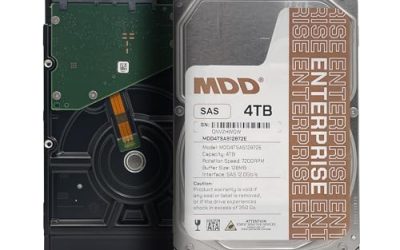
Glyph Blackbox PRO 20TB
The title gives only the name and the 20TB capacity, so judge it as a large desktop drive for studio storage. Confirm interface and speed on the manufacturer page.
- Strength: 20TB for long-term project storage.
- Strength: desktop format suits permanent studio setups.
- Trade-off: speed details are not stated in the title.
Studios that run it as an archive tier behind a faster working drive will get the most from it. Skip it if you need a portable drive or confirmed throughput numbers before you buy, since the title leaves both unstated.
Samsung T7 Portable SSD 2TB
The 2TB T7 keeps the same USB 3.2 Gen 2 and up-to-1,050MB/s spec as the 1TB model and doubles the room. It is the sensible middle point for working editors.
- Strength: solid-state speed with space for multiple projects.
- Strength: portable design for laptop workflows.
- Trade-off: speed is lower than the T9.
Freelancers and hybrid shooters who handle a few projects at once will find the capacity comfortable. Skip it if you have a Gen 2×2 port and want top transfer speed, or if you only need a drive for one small project.
Samsung T9 Portable SSD 4TB
The 4TB T9 lists USB 3.2 Gen 2×2 and carries the largest capacity of the portable SSDs here. It suits editors with heavy 4K workloads and a fast port.
- Strength: high capacity and top-tier interface in a portable body.
- Strength: can hold several projects at once.
- Trade-off: it sits in the premium tier.
Documentary editors and commercial shooters who carry an entire project in a pocket are the target buyers. Skip it if your budget is limited or your computer lacks a Gen 2×2 port, because a cheaper SSD would deliver similar results on a slower interface.
Which One Fits Your Situation
You edit 4K on a laptop on location
The Samsung T9 Portable SSD 4TB gives capacity and speed in one drive. If your port is slower, the Samsung T7 Portable SSD 2TB is the better value.
You run a studio with years of footage
Combine the Glyph StudioRAID 16TB for active work with the WD Elements Desktop 20TB as an archive copy.
You edit one project at a time
The Samsung T7 Portable SSD 1TB is sufficient for a single timeline plus cache.
You need cheap scratch space
The generic 2TB External SSD offers capacity at a lower tier, as long as you verify the interface first.
Common Mistakes
- Editing directly from a single spinning hard drive over USB 3.0 and blaming the software for stuttering.
- Buying a Gen 2×2 drive for a computer that does not have a Gen 2×2 port.
- Choosing capacity for the average project instead of the largest.
- Configuring a RAID for speed without keeping a second backup.
- Skipping interface checks on drives whose titles list little detail.
Related guides
- Windows Macos Linux Gaming Performance Comparison Strengths Weaknesses
- Desktop Operating Systems Gaming Performance Strengths Weaknesses
- 5G Home Internet Wifi Modem Settings Low Latency Gaming
Frequently Asked Questions
Can I edit video straight from an external hard drive?
Yes, but only with sufficient speed. SSDs and RAID units handle it far better than a single spinning drive.
Do I need USB 3.2 Gen 2×2?
Only if your computer supports it and your workflow benefits from the extra speed. Otherwise, the Samsung T7 is plenty for most editing.
How much storage do I need?
At least enough for your largest project plus cache. Many editors choose 2TB to 4TB for active work and a large desktop drive for archive.
Is RAID safe for my footage?
It depends on the RAID level. Striped configurations favor speed but lose everything if a disk fails, so keep a separate backup.